Guide Team Admin
You own a team's configuration. Everything a Session Manager can do, you can do — read that guide first, because running sessions is still most of the work. This page covers the part that is only yours.
Team Settings holds every integration this team uses. All of them are stored encrypted, and all of them are per-team: two teams on one server can be on entirely different Square accounts, Zoom accounts and mail servers.
| Integration | Required? | What breaks without it |
|---|---|---|
| ExamTools | Yes | Everything. Nothing else has anything to work on. |
| Zoom | No | No meeting is created; the session still runs. |
| Discord | No | No event, no channel posts. |
| Square | No | No payment links; candidates cannot pay through the app. |
| Email (SMTP) | No | No candidate email of any kind goes out. |
Every optional integration fails quietly. If Square is not configured, payment links are not created and the app logs one line saying so — and the moment you add the credentials, the next pass creates every link that was skipped. There is no separate backfill step to remember.
Users is where you create accounts, set a role, and set which team(s) somebody belongs to. Role and team membership are separate actions — granting somebody Session Manager does not put them on a team, and a user on no team sees nothing.
You can grant Session Manager and Team Lead within your own team. Only a System Admin grants Team Admin.
Message Rules is the whole outbound messaging system: which trigger, who receives it, on which channel, how long before or after, and from which template. A rule can send email, post to Discord, or both.
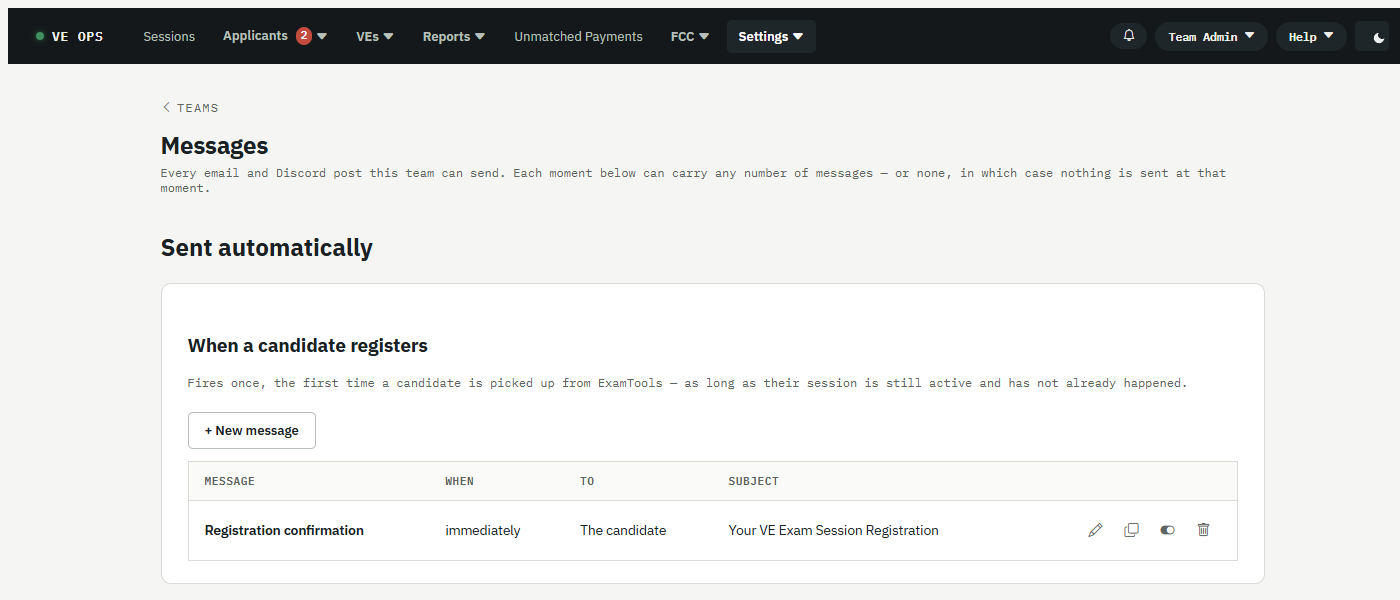
The page is organized by moment, not by message. Each heading is something that happens — a candidate registers, a session is about to start — and any number of messages can hang off it, or none, in which case nothing is sent then.
Two behaviors that surprise people:
- A new or re-enabled rule does not send a backlog. It starts from the moment you enabled it. A person's inbox is not a resource that has to exist, so the app deliberately does not catch up.
- Suppressed is final. When a message is held back — a muted team, or the FCC-issue switches below — it is marked suppressed, not queued. Turning the switch back off never releases a flood.
A message on When a candidate passes can include {{FccNoticeExpectedBy}} — the date by which
the FCC's fee notice should have arrived, counted in business days from the session. How many is a
property of the VEC (ARRL publishes 1-3), set by a System Admin on the VECs screen. Weekends and
federal holidays are skipped, but say "about" — the VEC's own extra closures are not known to the app.
FCC Status is the manual switch for when the FCC itself is broken. When their processing stalls, flip the master switch (and the per-population sub-switches) to stop the app nagging candidates about something no one can fix.
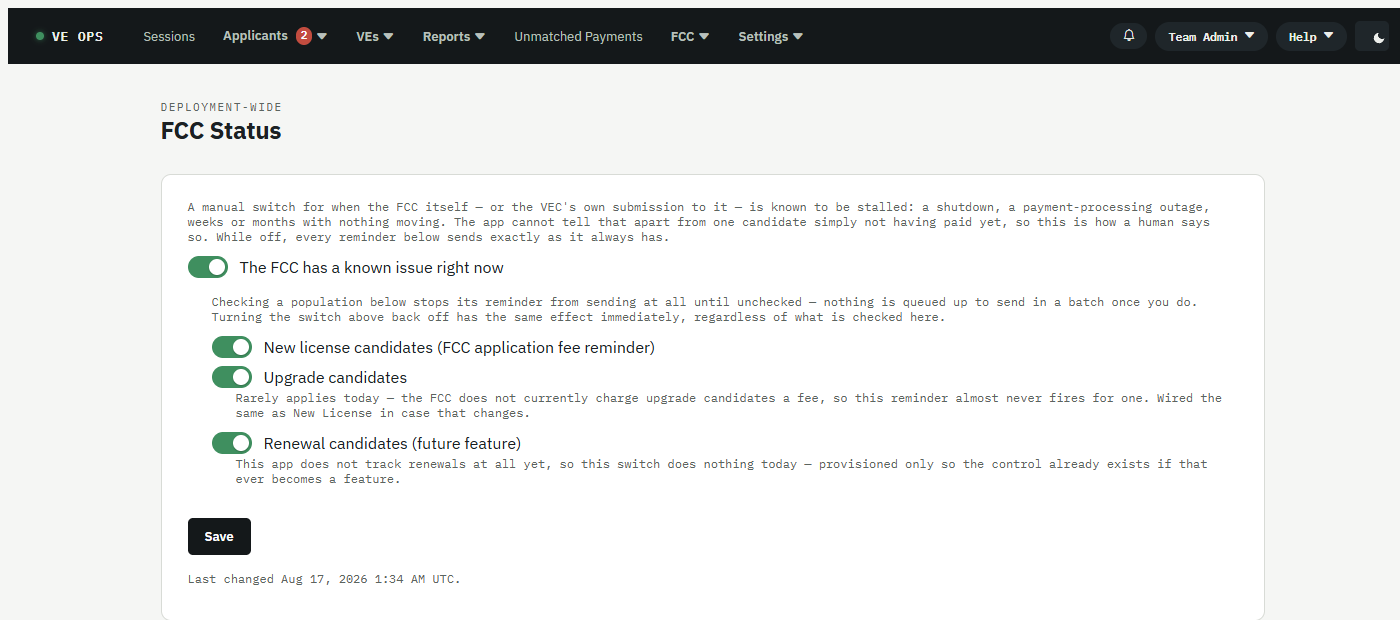
The sub-switches only appear once the master is on. Renewal is there but does nothing today — this app has no renewal-candidate concept yet, and the control exists so it is already in place the day that changes. Then use the bulk-email screen off Applicant Status to tell them what is going on. That screen needs one specific team picked, because the message goes out over that team's own mail credentials.
| Screen | Read it when |
|---|---|
| Job History | Did the overnight work actually run, and what did it do |
| Job Schedule | When each job is due next |
| Reconciliation | Payments and candidates that do not line up |
| Audit Log | Who changed what, and when |
| Team Maintenance | Team-level housekeeping |
Job History going quiet is the signal worth watching — it means the background work stopped, and everything else stops with it. That one is probably a System Admin's problem; see Something is wrong.
VE Directory, VE Tags, Import VEs, Discord Tags, merging duplicates, and emailing the roster are all yours.
Two things to know. The session roster is display-only — it is reconciled from ExamTools on every pass, so an edit here would be reverted precisely when it mattered. And Discord tag sync is one-directional: mapped tags follow Discord roles, so a tag removed by hand comes back on the next run. The place to make a tag change stick is Discord.
- Session Manager — the day-to-day work
- Roles and permissions
- System Admin — what to escalate, and to whom