Repository navigation
Getting Started
This page takes you from an empty world to a map with people and lines on it.
Open the Journal sidebar (the book tab) and press Relationship Maps, under Create Entry and Create Folder.

The button opens the map you were last on. In a world with no collection yet, it asks you to name one instead.
A collection holds one or more maps. Give the collection a name (the campaign, the city, the court) and name the first map in it. You can add more maps later.
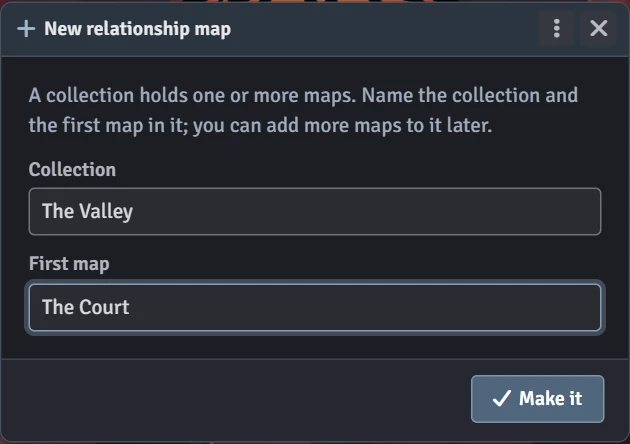
Press Make it. The map window opens on your new, empty map.
Making a collection needs the Trusted Player role or higher. Once a collection exists, any player can draw on the maps in it that they can see. See Who can do what.
You have two ways:
- Drag actors from the Actors sidebar onto the map.
- Press Add someone under the map, tick everyone you want, and press Add.
To make a brand-new actor and put them straight on the map, press New person. See People.
- Rest the pointer on a portrait. A small link handle appears at its top right. Drag from the handle to another portrait.
- Or hold Alt and drag from anywhere on a portrait.
- Or press Draw lines under the map. Then drag from one portrait to another, or click one and then the other. Press Draw lines again or Escape to stop.
Click a line to write on it and to change its colour, direction and stroke. See Lines.
A new map starts out as the GM's own. When it's ready, the GM presses the eye at the right of the map tabs to show it to the players. See Collections and maps.
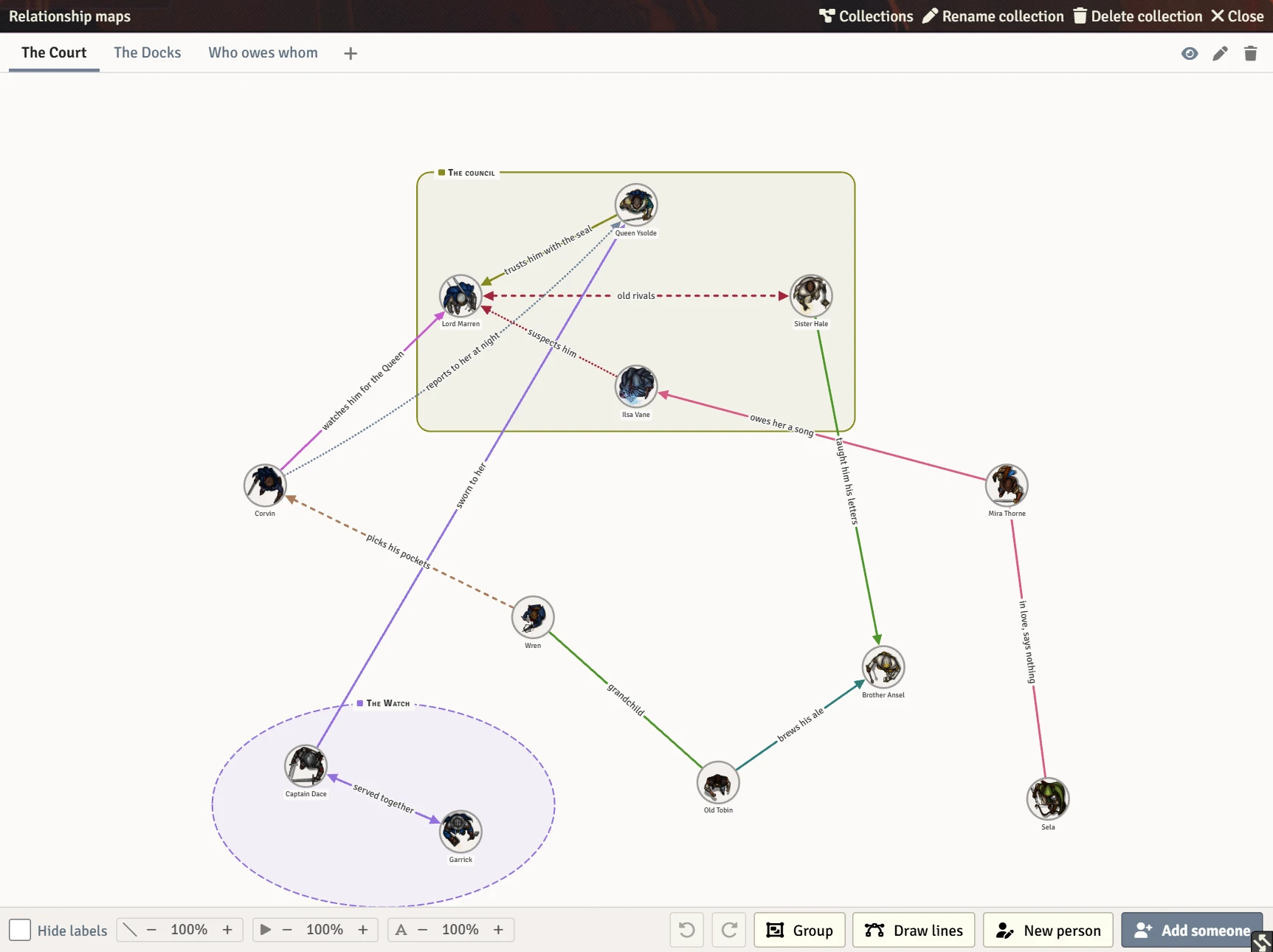
- Title bar: Collections switches to another collection or makes a new one. Rename collection, Delete collection and Close follow it.
- Map tabs: one tab per map in this collection. + adds a map. At the right: the eye (hide or show, GM only), the pencil (rename) and the bin (delete).
- The map: drag open paper to pan, and use the mouse wheel to zoom.
- Bottom left: Hide labels and the three weight dials. See Viewing options.
- Bottom right: undo, redo, Group, Draw lines, New person and Add someone.