Repository navigation
Lines
A line joins two people and says something about them: "sworn to her", "owes her a song", "old rivals". Lines are curved, coloured, and can point one way, both ways or neither.
There are three ways. Use whichever suits you.
From the link handle. Rest the pointer on a portrait. A small link handle appears at its top right. Drag from it to another portrait and let go.
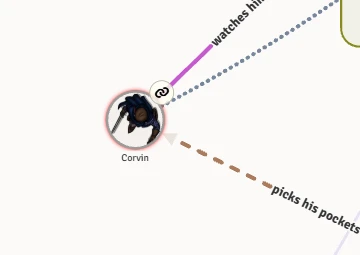
Clicking the handle instead of dragging it asks who the line should go to.
Alt-drag. Hold Alt and drag from anywhere on a portrait to another one.
Draw lines mode. Press Draw lines under the map. Every portrait becomes a handle: drag from one person to another, or click one and then the other (Enter works too). The person you picked gets a double ring, and a line follows the pointer until you click who it goes to.
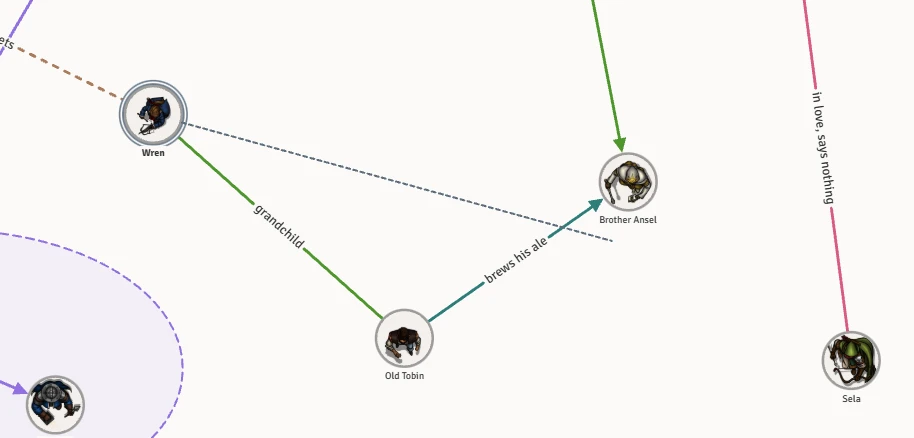
The button stays on for the next line, and on other maps too. Press it again, or Escape, to turn it off. If someone is picked, Escape only lets them go.
The next line drawn in a collection starts out in the pen last used there: the same colour, stroke and word size. The pen is shared, so if your table settles on "rumours are dotted plum", everyone's next line comes out that way until somebody picks something else. Direction isn't remembered: every new line starts with no arrows.
Click a line, or the words on it. A bar appears over the map, and you can start typing straight away: the words appear on the line as you type. Press Enter to keep them. Escape closes the bar and throws away words you haven't kept.
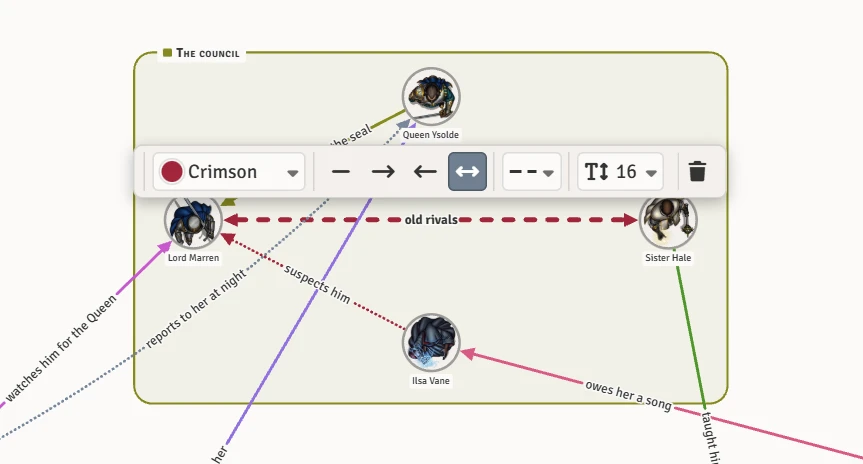
The bar, from left to right:
| Control | What it sets |
|---|---|
| Colour | The line's colour. Press it to open the palette. |
| Four arrows | Which way the line is read: no arrows, one way to the second person, one way to the first person, or both ways with an arrow at each end. |
| Stroke | Solid, dashed or dotted. |
| Size | How big the words on the line are: Small, Normal, Large, Very large, Huge, or a size of your own in pixels. |
| Bin | Deletes the line. The undo button puts it back. |

- The top row holds the eight named colours: Rose, Green, Ochre, Indigo, Plum, Rust, Crimson and Slate.
- Below them are forty more.
- Already on this map lists any colours of your own that are in use, so you can match them.
- A colour of your own opens a colour picker for any colour you like.
Every colour has a name, shown when you rest on it, so you can pick by name as well as by sight. If a colour you choose is too pale (or, on the dark theme, too dark) to follow on the map, it's drawn a little deeper and you're told which shade was used.
Drag the words along their line to put them where you want. With the words focused, the arrow keys move them too.
Rest the pointer on a portrait. That person's lines and their words light up, and everything else fades.
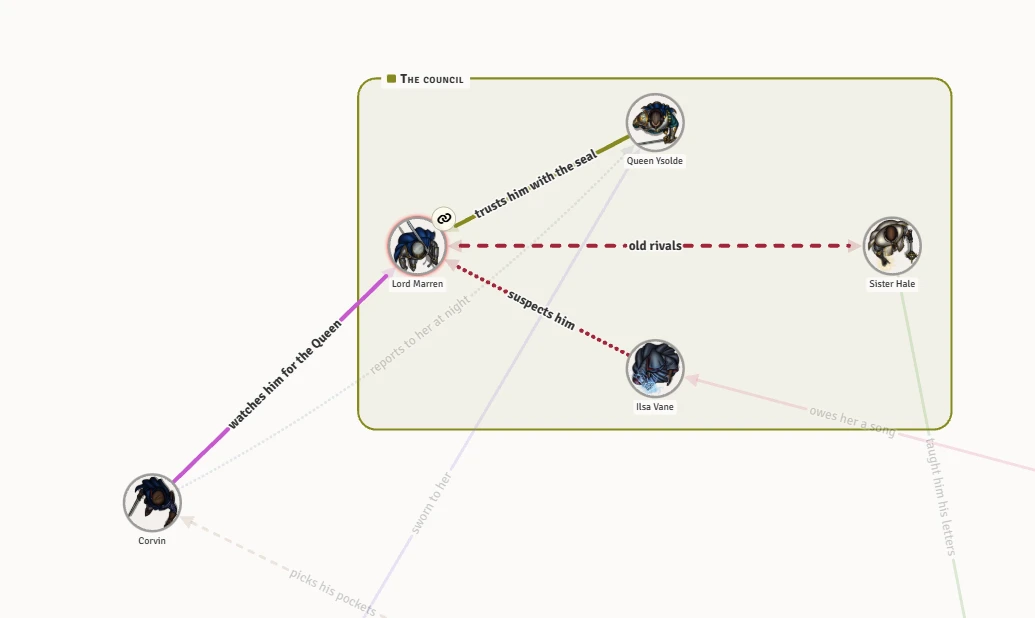
- The map keeps the words on lines clear of the faces and of each other.
- Several lines between the same two people curve apart so each can be read.
- Hide labels under the map hides all the words on the lines. Clicking a line still shows its words. See Viewing options.
- The Words, Lines and Arrowheads dials make each heavier or lighter on your screen only.