Repository navigation
Home
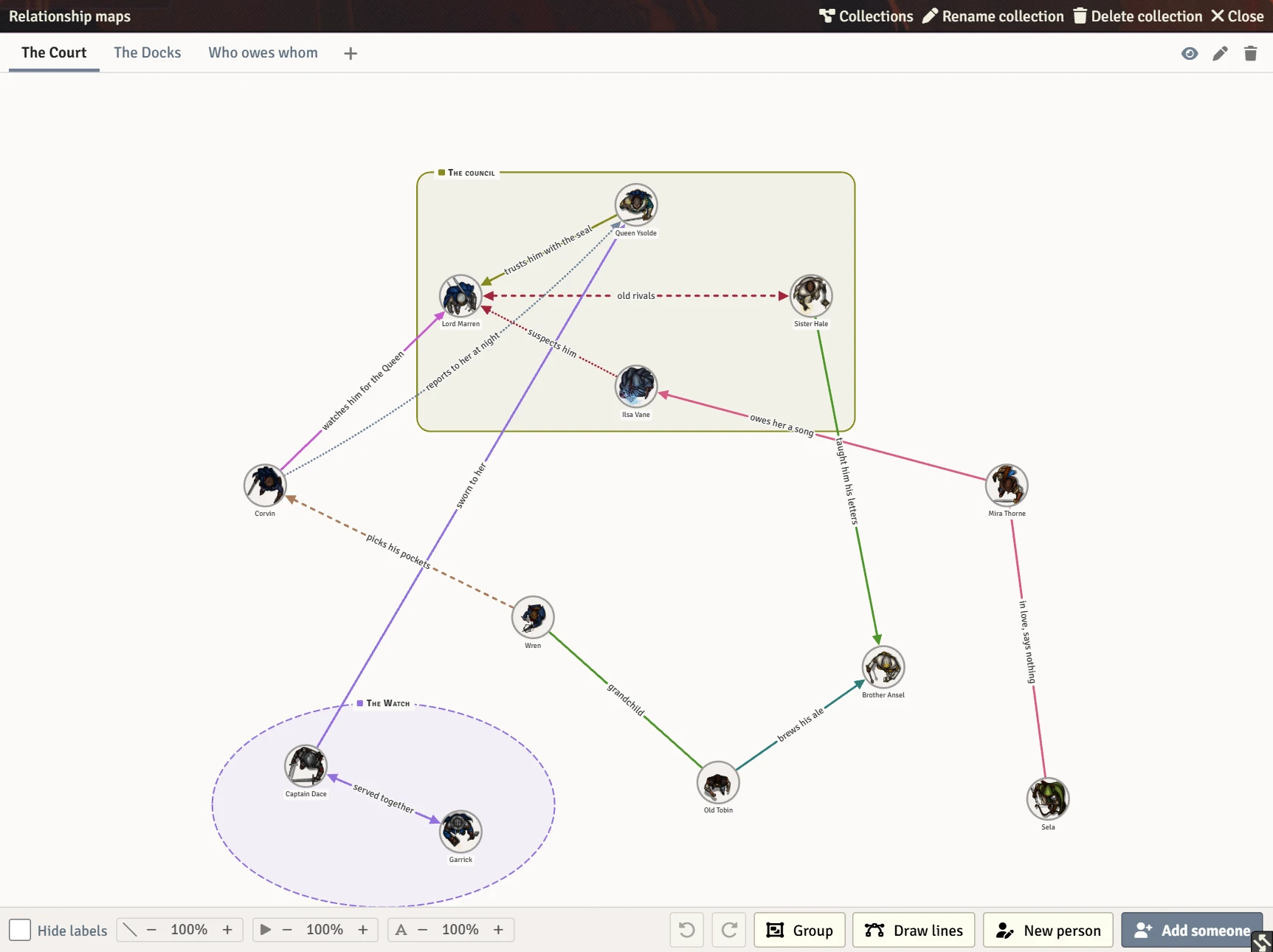
A shared board of who knows whom, for Foundry Virtual Tabletop. Put your characters and NPCs on it as portraits, draw curved, labelled, coloured lines between them, and arrange it together: every player can draw on a map they can see, and every change reaches the whole table at once.
It works with any game system, on Foundry v13 and v14.
- Installation: add the module to Foundry.
- Getting started: make your first collection and put people on it.
| Page | What it covers |
|---|---|
| Collections and maps | Collections, the map tabs, hiding a map from the players, renaming, reordering and deleting |
| People | Putting people on a map, making a new actor, opening sheets, taking people off |
| Lines | Drawing lines, writing on them, colours, direction, dashes, caption size |
| Selecting and moving | Moving people, selecting several, panning and zooming, undo and redo |
| Groups | Named boxes and ovals round some people, and resizing them |
| Viewing options | The weight dials, hiding captions, high contrast, light and dark |
- Who can do what: players, trusted players and the GM.
- Settings: the module's two settings.
- Macro API: opening maps from a macro or another module.
- FAQ: common questions.
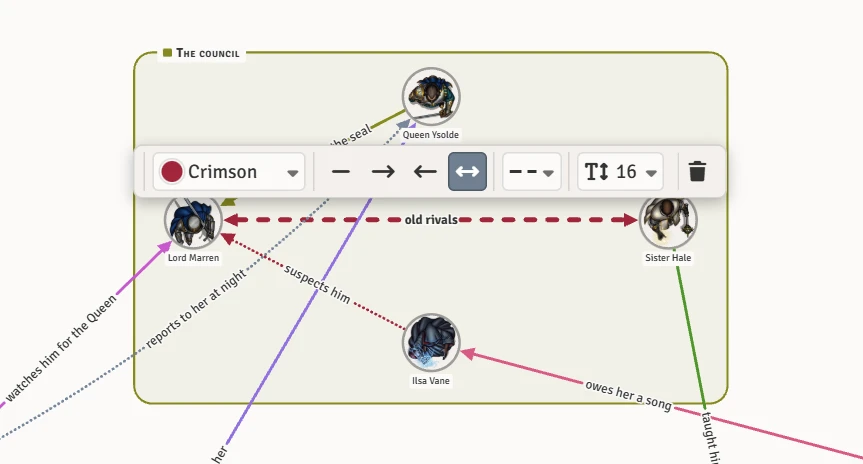 |
Lines that say something. Click a line to write on it and choose its colour, which way it reads, whether it is solid, dashed or dotted, and how big its words are. See Lines. |
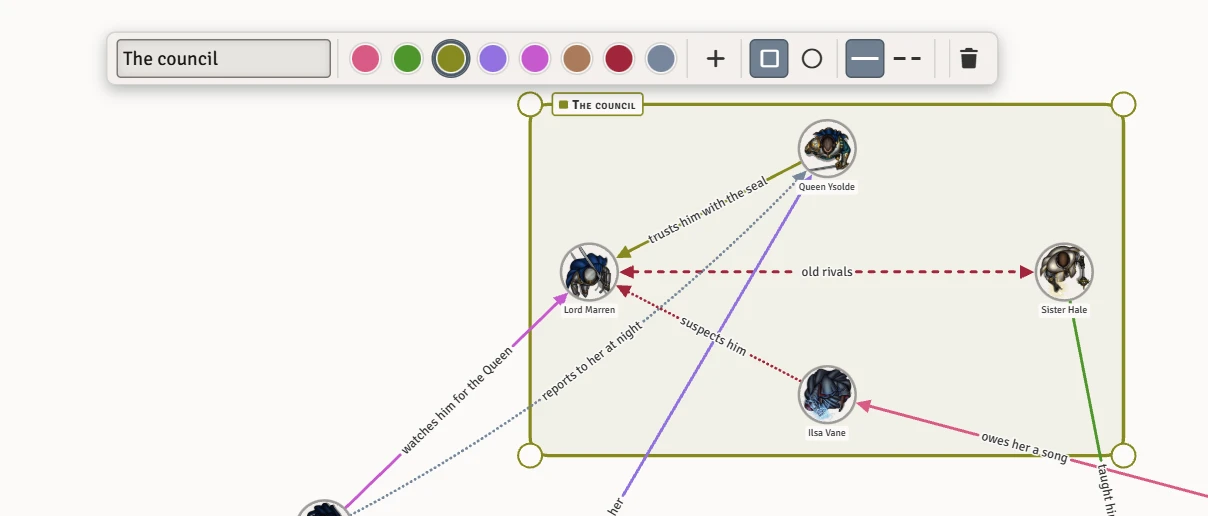 |
Named groups. Draw a box or an oval round some people and name it. The outline follows its members. See Groups. |
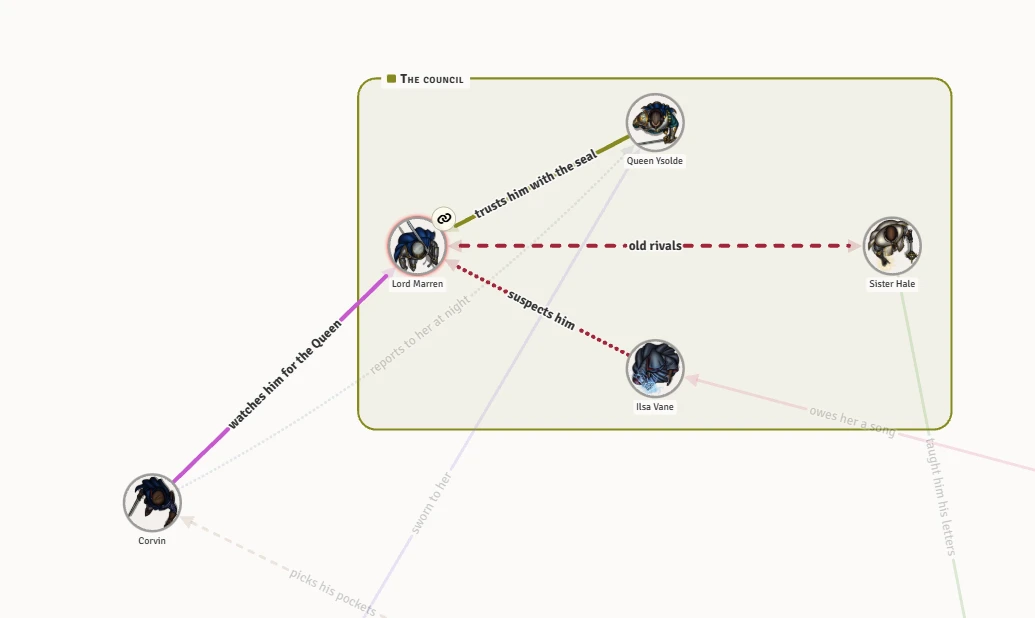 |
Rest on a face to light up that person's whole web. See Lines. |