Repository navigation
Home
Animatic keeps your anime files and your AniDB account in step. It hashes the files on your disks, identifies them on AniDB, keeps your MyList up to date (even while you work offline), renames files to a naming convention you choose, and imports an existing AniDB O'Matic (AOM) library without changing it. It is a native application for Windows and Linux, and the successor to AOM.
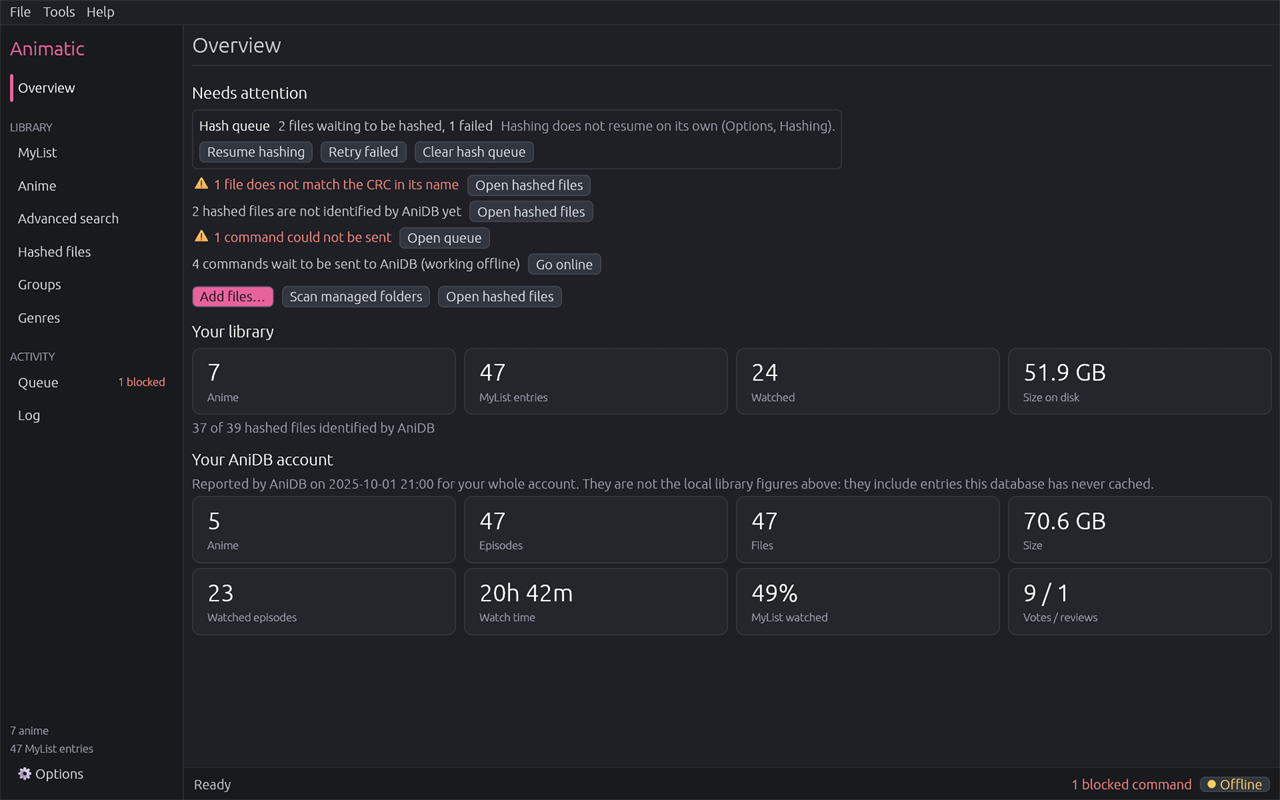
These pages describe what the desktop application does today. A setting that is stored but has no effect, or a library capability that has no screen, is labeled as such. Linux runtime behavior and production AniDB traffic have not been exercised by the project; see Status and limits.
The pictures in this guide show an invented sample library (titles such as Sakura Shingou and
Kiriyama no Tourou, groups such as Hanabi Subs, paths on drive S:); your own library will
look different.
- Install Animatic and check the download.
- Follow the Quick start: a first session from the first launch to a hashed, identified and renamed library.
- Coming from AOM? Read Migrating from AOM before the first launch.
Unfamiliar word? The Glossary explains AniDB and Animatic terms such as ed2k, fid, MyList and command queue. Short answers to common questions are in the FAQ.
| Task | Page |
|---|---|
| Add files and find out what they are | Hashing and identification |
| Let Animatic watch my anime folders | Managed folders and scans |
| Mark episodes watched, add or remove MyList entries | Managing MyList |
| Understand when Animatic talks to AniDB | AniDB synchronization |
| Rename files to a consistent scheme | Renaming files |
| Write my own naming pattern | Rename language, Patterns |
| Play files in my player or run AVDump | External tools |
| Export statistics or hash lists | Exports |
| Change a setting | Options window, Settings reference |
| Back up or move my library | Backups and recovery, Data locations |
| Get the newest version | Updating Animatic |
| Fix a problem | Troubleshooting |
| Page | Read it for |
|---|---|
| Quick start | A guided first session, step by step |
| Installation | Status and limits, downloading and verifying a release, building from source |
| Running Animatic | Starting the application and the complete command-line reference |
| Data locations | Where the database and settings live, portable and rehearsal profiles |
| First launch | The Getting started box, safe first-run settings and AniDB client registration |
| Migrating from AOM | Importing an AOM databank and AOM settings |
| Page | Read it for |
|---|---|
| Main window | Layout, status bar and progress, searching and tables, menus, keyboard shortcuts |
| Library pages | Overview, MyList, Anime, Advanced search, Hashed files, Groups, Genres, Queue, Log and the anime detail window |
| Options window | Every page of Tools → Options… |
| Page | Read it for |
|---|---|
| Hashing and identification | Adding files, the hash queue, the single-pass hashes and identifying files on AniDB |
| Managed folders and scans | Folder rules, manual and scheduled scans, safe removal of missing files, automatic rename |
| Managing MyList | Editing, adding and removing MyList entries, statistics and the full MyList export |
| AniDB synchronization | The command queue, working offline, flood protection and failure handling |
| Renaming files | Renaming one file or a selection, naming conventions and custom patterns |
| Exports | Statistics and hash exports |
| External tools | External players, AVDump and ffprobe |
| Updating Animatic | Checking for, verifying and installing a newer release |
| Page | Read it for |
|---|---|
| Settings reference | Every settings.json key: type, default, Options control and whether it does anything |
| Settings files | Loading, saving, backup recovery, credentials in the system keystore and the AOM settings import |
| Rename language | Syntax, values and coercion, variables and user functions |
| Rename functions and objects | Every built-in function and object property |
| Rename targets and apply | How a result becomes a path, blocking rules and the built-in naming conventions |
| Rename patterns | Worked patterns, pitfalls, diagnostics and how to verify a pattern |
| Page | Read it for |
|---|---|
| FAQ | Short answers to common questions |
| Troubleshooting | A symptom index, which files are in use, startup problems and recurring messages |
| Backups and recovery | Backups, restore, integrity checks, settings recovery, temporary and leftover files |
| Network and sync problems | Network access, credentials, cooldowns and bans, queue states, update problems |
| File and import problems | Scans, offline drives, hashing, renaming, AOM imports, external tools |
| Reporting problems | Privacy-safe support requests and bug reports |
| Page | Read it for |
|---|---|
| Glossary | AniDB and Animatic terms |
| Feature parity | Every AOM workflow mapped to its Animatic equivalent, and what is not implemented |
The wiki is published from the
wiki/ folder of the repository, and
release archives carry the same pages in docs/ for offline reading (without the pictures,
which are published with the wiki only). Corrections go through a pull request; edits made in
the wiki editor are overwritten by the next publish. The pictures are generated from the
invented sample library by a script, see
Wiki screenshots.
Developer documentation (architecture, storage and network contracts, development and releases)
stays in the repository: see the
developer documentation index.