Repository navigation
Home

New here? The project website, ha-taggle.dancloud.au, shows what it does in two minutes. This wiki has the step-by-step guides.
ha-taggle brings hourly water-use updates from supported Taggle transmitters into Home Assistant.
It uses an RTL-SDR USB radio receiver and MQTT, a service that passes messages to Home Assistant. Everything runs locally. ha-taggle only listens; it never sends anything to the meter.
Important
The transmitter does not send the reading on your meter’s dial. It sends a pulse counter with an unknown starting offset and unknown litres per pulse. Guided calibration is available in 0.3.0: two dial readings separated by enough normal water use can establish both. Follow Calibration status if another reading is needed. Until calibrated, usage stays in pulses. Check the estimated reading against the physical dial; this is experimental, not billing-grade measurement.
Start here: check your meter before buying hardware. Only one transmitter has been verified: Gladstone, QLD, with an RTL-SDR Blog V4. Other transmitters and areas are unverified.
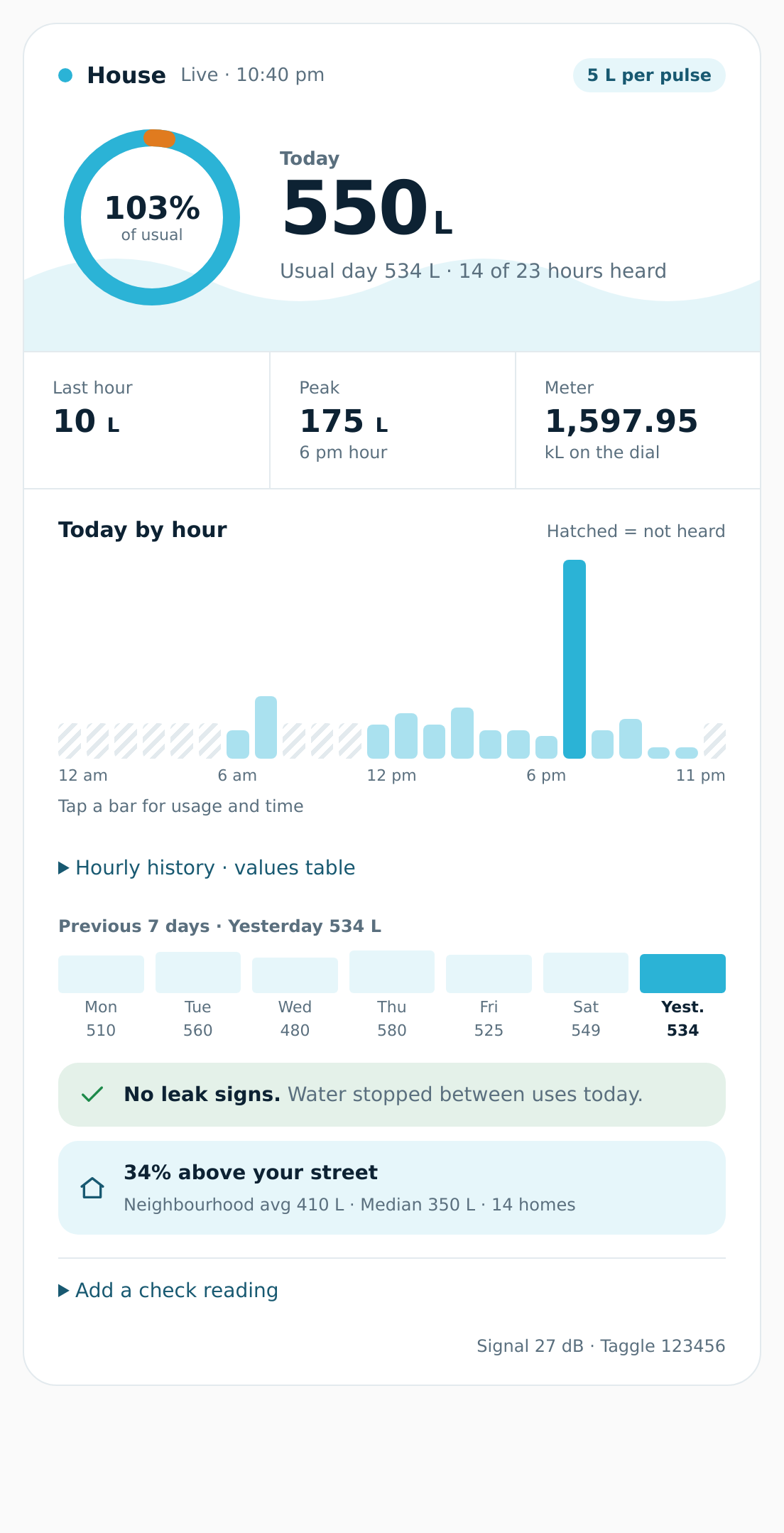
The card after calibration, with example data (fictional ID 123456). Before calibration it shows pulses and a “Not litres yet” note. Real screenshots from the tested meter are on Tested hardware.
Warning
This project is experimental (version 0.3.0). So far it has been confirmed on only one transmitter, in Gladstone, QLD. It might not work with your meter. Read Is my area covered? before you buy anything, and Tested hardware for the Gladstone report and November 2026 VM results.
- You want water-use updates in Home Assistant. If you have not installed it yet, finish its installation guide and onboarding, then return here.
- Your water comes through a meter fitted with a Taggle radio transmitter. Several Australian councils use them.
- You'd like hourly water use on your own dashboard, not just in the council's portal.
- You've never used a radio receiver before. That's fine. This wiki assumes you haven't.
- Water use for each hour, plus a running total for today, from supported "clear" (unencrypted) transmitters.
- Litres, and a water total for the Home Assistant Energy dashboard, once you calibrate.
- An estimated Meter reading for Energy after guided calibration, plus a possible-leak hint from observed hourly use.
- A dashboard card with a 48-hour chart, light and dark themes, and support for several meters.
- An approximate comparison with nearby meters, on by default. Neighbour litres are estimates, using assumed litres per pulse. Set
neighbourhood: falsein the receiver and restart it to stop collection; hiding the card row only changes the display. - Everything runs on your own computer. Nothing is sent to the cloud.
Check your meter → Gather equipment → Choose an installation route → Receive a reading and check ownership → Calibrate.
Allow time to set up the receiver, wait up to an hour for a reading, then calibrate over normal water use. Home Assistant or MQTT may take extra time if they are new to you.
| I want to… | Go to |
|---|---|
| See the whole journey before I start | Getting started |
| Check if my council uses Taggle | Is my area covered? |
| See the actual tested equipment and results | Tested hardware |
| Find my meter and its ID safely | Finding your meter |
| Know what to buy | Hardware and antennas |
| Install it on Home Assistant OS | Installing the add-on |
| Install it with Docker | Installing with Docker |
| Run it from the command line | Python CLI |
| Check I'm receiving my meter | First scan and water-use check |
| Put it on my dashboard | Dashboard card |
| Turn "pulses" into litres | Calibration |
| Understand a possible-leak hint | Leak detection |
| Track water in the Energy dashboard | Energy dashboard |
| Fix a problem | Troubleshooting and the FAQ |
| Understand how the radio decoding works | How it works |
| Look up sensors and MQTT topics | Entities reference |
| Look up configuration defaults and ranges | Configuration reference |
| Read the radio and frame layout | Protocol |
| Develop or publish a release | Contributing |
| Know the privacy and legal side | Privacy and legal |
| Tell the project my meter works (or doesn't) | Reporting compatibility |
| Look up a word | Glossary |
Important
- Configure only your own transmitter ID for individual usage. Use the ID that belongs to your property.
- Look and photograph only. Leave the transmitter, meter and cables in place. They belong to your water utility.
- Encrypted (24-byte) meters show only their ID and signal strength. Usage is not available from these messages.
- ha-taggle is unofficial. It is not affiliated with Taggle Systems or any council or utility.
davidjb’s MQTT water-meter configuration uses official Taggle cloud MQTT and multiplies pulses by 5 to obtain litres. It is a cloud integration example, separate from receiving radio messages locally.
For another public over-the-air Taggle decoder, as of November 2026 we found none. This is a search finding, not proof that none exists.
- ha-taggle README: the beginner front door; technical detail lives in this wiki
- Add-on documentation
- Taggle Systems: products
- Home Assistant: MQTT integration
- AI disclosure: authorship and estimated resource use
- RTL-SDR Blog: about RTL-SDR