Repository navigation
Tested Hardware
Verified on exactly one transmitter: Gladstone Regional Council, QLD, using an RTL-SDR Blog V4. This is one field report, not confirmation of every meter in Gladstone or any other deployment. The November VM test below used the same tested meter; it does not add another verified transmitter model.
- Cylindrical, cable-connected Taggle pulse transmitter: a white “baton” tube hose-clamped to the supply pipe, with a thin cable to a pulse sensor on an Elster (now Honeywell) V100 mechanical meter (confirmed by the owner). Elster's V100 PSM-T spec sheet gives 5 L per pulse for the standard 5 black + 3 red digit counter, which matches what the readings from this meter show. Two utility meter readings 24 hours apart (3 November 2026) spanned 585 L over 116 radio pulses = 5.04 L/pulse, i.e. 5 L within one pulse of rounding, and two dial photos taken in between agreed within a pulse.
- The meter has a flip lid, black whole-kL digits and red litre digits. The transmitter label shows plain “taggle” text, a barcode and the ID; no model number is printed.
- It is likely from Taggle's pulse-transmitter family (for example SP-series / ADC-1), but the exact model is unconfirmed.
- Observed frames: 18-byte clear format, hourly, with the SDR centre set to 922.2 MHz (the default).
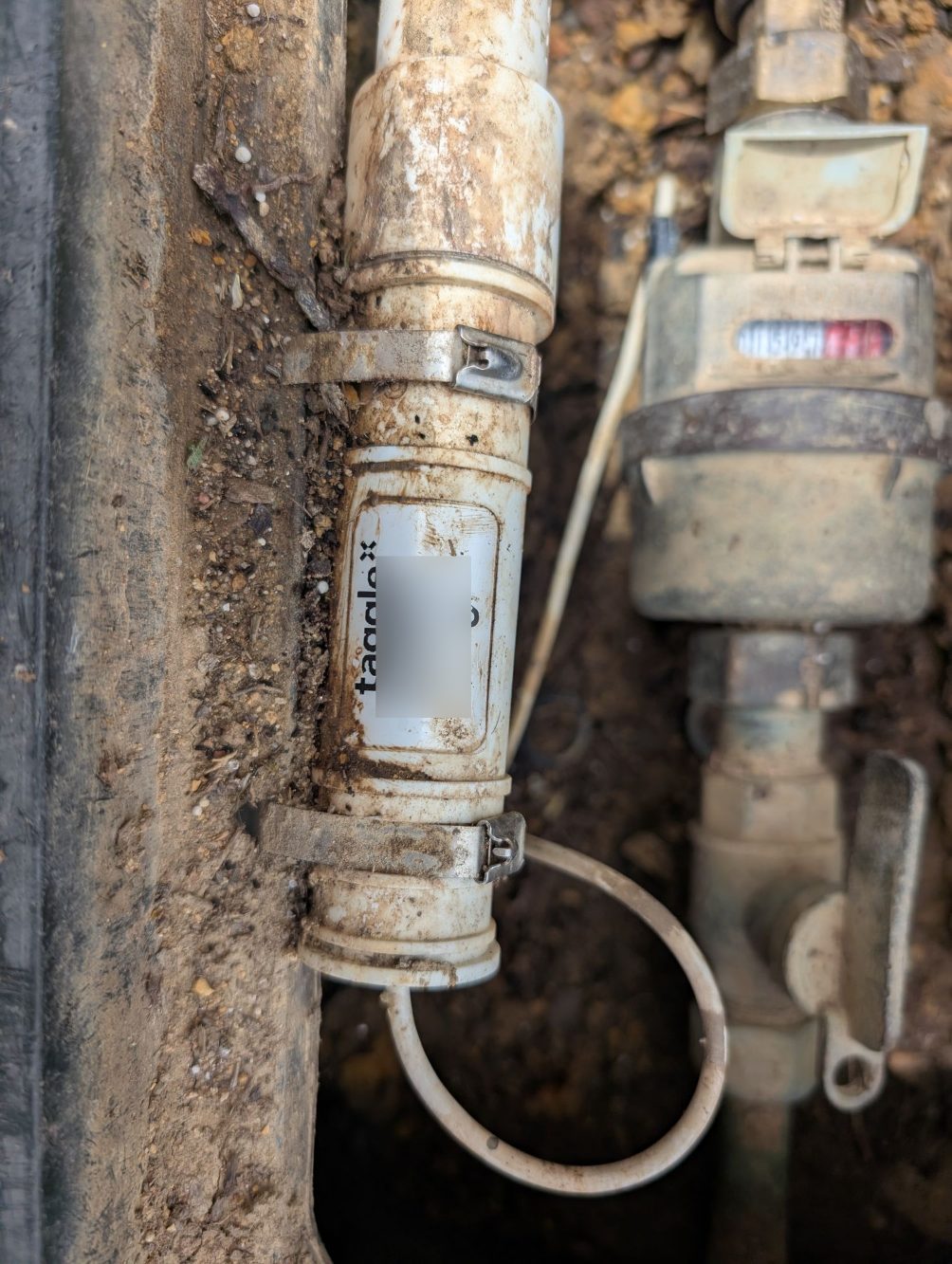
The one verified transmitter, in Gladstone, QLD. Its exact model is unknown; identifying details are covered. Similar-looking units may work differently.
This checked the Docker installation and Home Assistant discovery using live radio, rather than generated signals.
| Component | Tested setup |
|---|---|
| Host | Debian 13 VM, SDR passed through over USB |
| Radio | RTL-SDR Blog V4 |
| Containers | Docker 26 + Compose v2, installed from Debian packages |
| Home Assistant | 2026.10.4 container |
| MQTT broker | eclipse-mosquitto:2 |
| Receiver | ha-taggle v0.2.1 public image |
- The public image pulled without login.
- Debian's DVB TV driver had claimed the dongle at boot. The image detached it automatically; no blacklist was needed in this test. The log showed
RTL-SDR Blog V4 Detected. - Scan mode decoded real frames within a minute. In normal mode, Home Assistant entities appeared with the documented IDs.
- The configured meter arrived on its hourly schedule: approximately 30 dB SNR, −41 dBFS, and an 18-byte clear frame.
- In the hour overlapping a separate long-running receiver, the counts matched exactly: 4 pulses = 4 pulses. That is a one-hour check, not a billing-accuracy claim.
- Four other meters were heard within about 20 minutes. Today's neighbourhood aggregates were unknown, as expected: they require three qualifying neighbours, not merely three heard IDs.
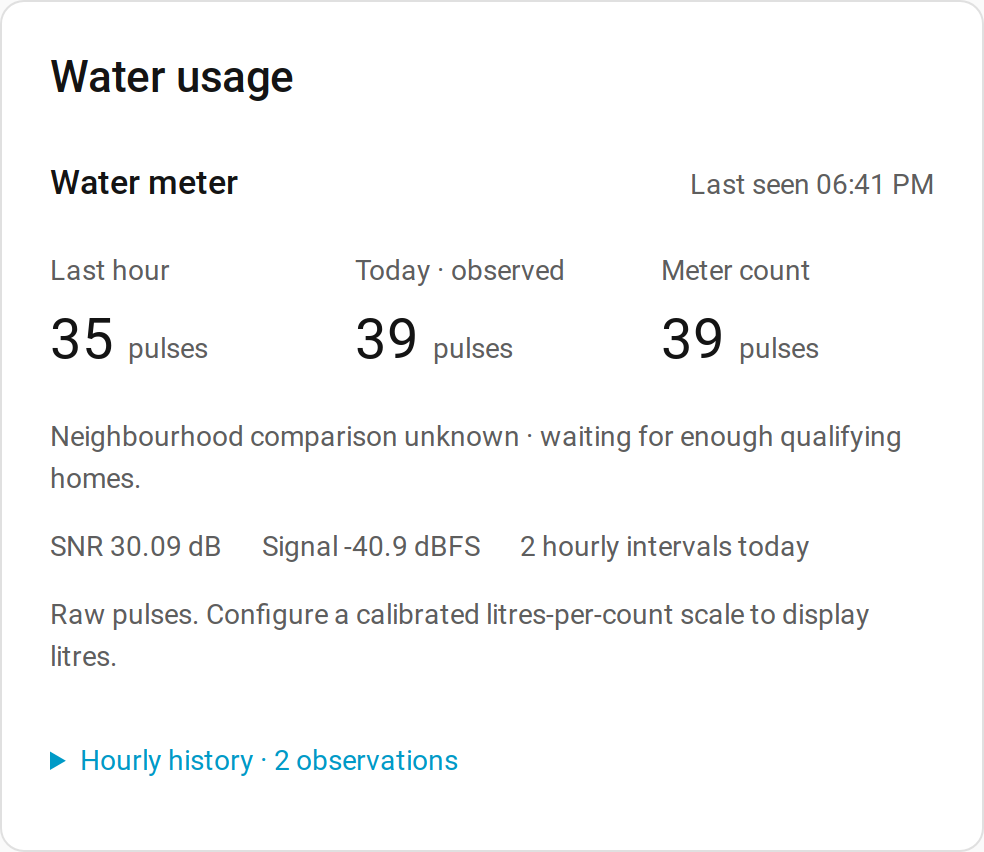
Real data from the one tested transmitter, before calibration. Usage is shown in pulses, with fictional transmitter ID 123456: 35 pulses last hour and 30.09 dB SNR. This is a different interval from the 4-pulse overlap check above.
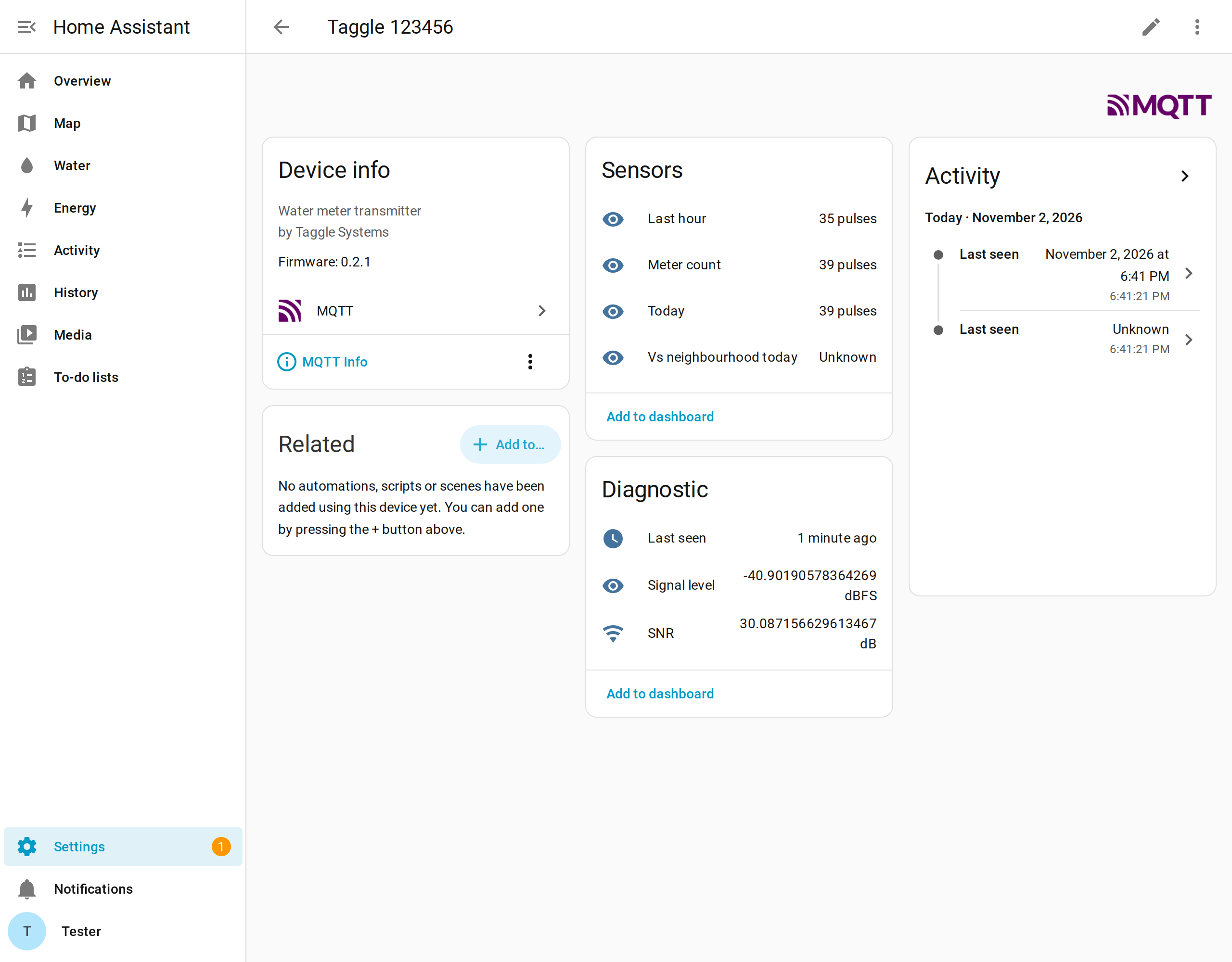
Real Home Assistant device page: MQTT device “Taggle 123456”, usage sensors and diagnostics. ID redacted to 123456. The card-light, card-dark, card-mobile and card-multi previews elsewhere use synthetic data.
The Docker guide follows this tested sequence. The add-on remains the recommended path for Home Assistant OS; it was not re-tested in this VM run. A fresh install still needs checking against your own transmitter and physical register. This is hourly usage, not instantaneous flow or a leak alarm. Automated tests use generated signals, not recordings.
Please open an issue for other models or councils. Include your council, whether reception and usage worked, a label photo with the ID and identifying barcode blurred, frame length and SNR if known; unknown is fine. A PR updating the working reports is welcome. Do not post your real meter ID, private logs or configuration. See Reporting compatibility and Is my area covered?.