Repository navigation
App info
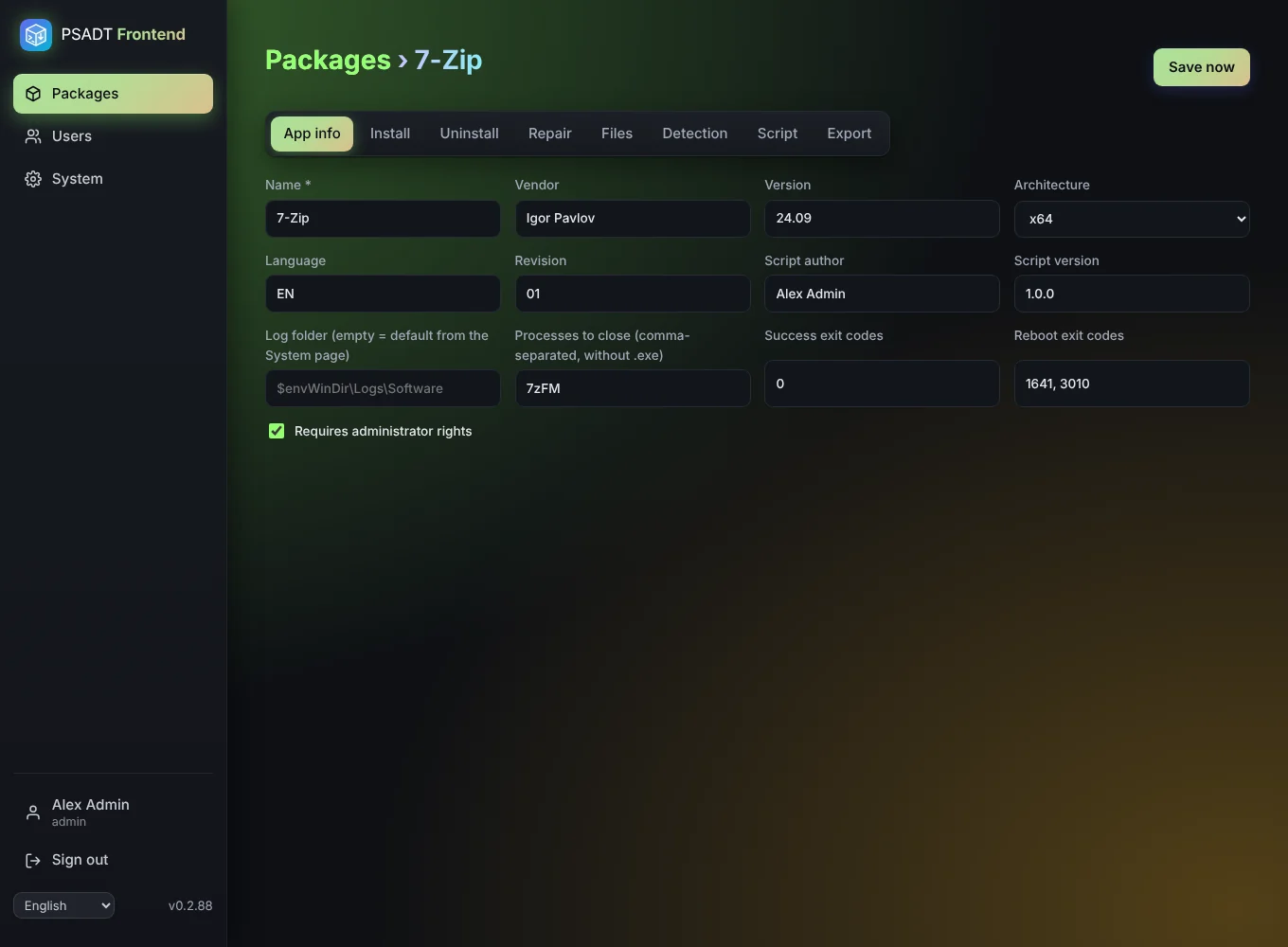
The App info tab holds the details that end up at the top of the generated script.
| Field | Meaning |
|---|---|
| Vendor, Name, Version | Shown in the PSADT dialogs and used for the file name of the export. Only Name is required. |
| Architecture | Empty (any), x86, x64 or arm64. |
| Language, Revision | Standard PSADT fields, used in the package name. |
| Author | Filled in with your full name for new packages. |
| Script version | Version of the deployment script itself. |
| Success exit codes | Exit codes that count as success (default 0). |
| Reboot exit codes | Exit codes that mean "success, reboot needed" (default 1641, 3010). |
| Processes to close | Programs that must be closed before installing, e.g. chrome or winword, without .exe. The Welcome dialog step asks the user to close them. |
| Requires admin rights | On for almost every machine-wide install. |
| Log folder | Where PSADT writes its log on the PC. Empty uses the default from the System page (normally $envWinDir\Logs\Software). PSADT variables such as $envProgramData are allowed. |