Repository navigation
Home
A retro handheld OS for the Konkr Pocket Advance and the Konkr Pocket Block, living in the console's bootloader. This wiki is for GammaOS Pico 1.1.1.
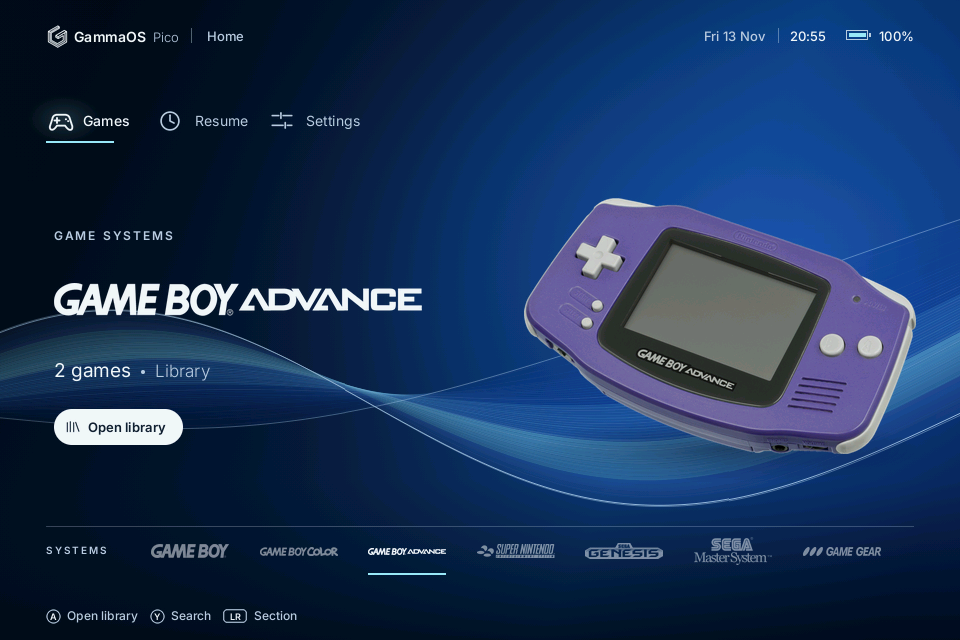
| System | Emulator | Game files | Folder names it knows |
|---|---|---|---|
| Game Boy Advance | armGBA (default), gpSP | .gba |
gba, gameboyadvance
|
| Game Boy | gambatte | .gb |
gb, gameboy
|
| Game Boy Color | gambatte | .gbc |
gbc, gameboycolor
|
| NES / Famicom | armNES |
.nes .unf
|
nes, famicom, fds
|
| Famicom Disk System | armNES |
.fds (needs the Disk System BIOS) |
nes, famicom, fds
|
| Super Nintendo (SNES) | snes9x |
.sfc .smc
|
snes, sfc, superfamicom, snesna
|
| Mega Drive / Genesis | Genesis Plus GX |
.md .gen .bin .smd
|
genesis, megadrive, md, megadrivejp
|
| Master System | Genesis Plus GX | .sms |
sms, mastersystem
|
| Game Gear | Genesis Plus GX | .gg |
gg, gamegear
|
| SG-1000 | Genesis Plus GX | .sg |
sg, sg1000, sg-1000
|
Every system also takes its games in .zip and .7z archives. See Adding Games.
| Konkr Pocket Advance | Konkr Pocket Block | |
|---|---|---|
| Chip | MediaTek MT6785 | MediaTek MT8786, 960 x 720 screen |
| Supported since | 1.0.0 | 1.0.2 |
| Bootloader slots written |
lk_a and lk_b
|
lk_a and lk_b (lk_a only before 1.2.0) |
| Secure firmware written (since 1.2.0) |
tee_a and tee_b
|
tee_a and tee_b
|
| Packages | gammaos-pico-kpa-* |
gammaos-pico-block-* |
| Bootloader (fastboot) at power on | SELECT + START + R | SELECT + START + R1 |
| In-game menu | the Menu button | the side key |
| Volume and brightness in a game | the volume wheel, or the in-game menu | the in-game menu (Sound, Display) |
| Tilt, gyro and rumble | yes | yes, from 1.1 |
| Wi-Fi and Bluetooth | yes, from 1.1 | yes, from 1.1 |
Both run the same system: the same menus, emulators, saves and settings. The same microSD card works in both consoles: it holds the menus for both screens. Only the bootloader package is different. The screenshots in this wiki were captured on a Konkr Pocket Advance.
Caution
GammaOS Pico is a custom bootloader: experimental software, provided as it is, with no warranty of any kind. Installing it replaces the console's bootloader. Flashing a bootloader can leave a console that does not start, and you do it entirely at your own risk. Nobody involved is responsible for a bricked or damaged console, lost data, or anything else that comes from installing or using it.
Warning
The console's Android stays installed, but its over-the-air (OTA) updates may stop working, and an OTA may replace GammaOS Pico. Update Android to its latest version before installing. See Before You Start.
Important
GammaOS Pico works fully offline, and is released as it is. Wi-Fi, Bluetooth and a RetroAchievements account are optional and off until you use them; there is no store and no account of its own. Feature requests, issues and pull requests are not accepted, and there is no support channel.
- Before You Start: what it changes, the risks, what you need
- Installing: formatting the card, copying the files, flashing the bootloader with SP Flash Tool or mtkclient, the first start
- Adding Games: where games go, which files, archives, folders of your own
- Box Art: covers for your games, by hand or from the network
- BIOS: the Game Boy Advance and Famicom Disk System BIOS
- Using the Menu: the home screen, libraries, search, recently played
- Settings: every setting, About and the version
- In-Game Menu: save states, filters, rewind and every option per system
- Cheats: the cheat database on the card, your own .cht files, the codes each system takes
- Buttons: every button and shortcut
- Themes and Languages: Current, Classic and GBA Indigo, the Suspend Point List, 17 languages
- Wi-Fi: the Network tab, joining networks, saved networks
- RetroAchievements: signing in, achievements in every game, playing offline
- Playing Together: two consoles over Bluetooth, Send and Receive
- Saves and States: what is written where on the card
- Card Layout: every folder and file on the card
- Updating and Going Back: new versions, and back to the stock bootloader
- Troubleshooting and FAQ