Repository navigation
Settings
The Settings tab. Up / Down move, Left / Right change a value, A opens a page or applies a choice, B goes back from a page. Each setting shows what it does on the left.
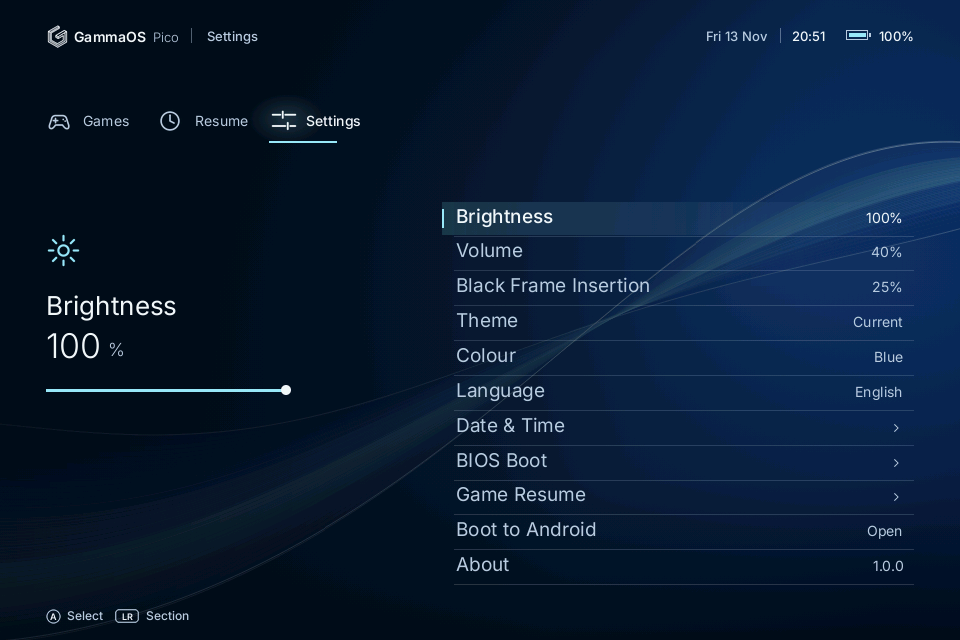
| Setting | What it does |
|---|---|
| Brightness | the backlight, 0 to 100 % (on the Konkr Pocket Block, which has no volume wheel, here or in the in-game menu) |
| Volume | 0 to 100 % (on the Konkr Pocket Block, here or in the in-game menu) |
| Black Frame Insertion | Off, 25 %, 50 % or 75 %: the backlight strobes for sharper motion (the screen looks darker) |
| Theme | Current (the default), Classic or GBA Indigo (both beta). Pick one, then press A to apply |
| Colour | the Current theme's colour, 13 of them: Blue, Indigo, Violet, Orchid, Rose, Crimson, Coral, Amber, Lime, Emerald, Teal, Sepia, Graphite |
| Language | the menus' language, 17 of them. Pick one, then press A to apply |
| Date & Time | a page: the clock and time zone (below) |
| BIOS Boot | a page: the Game Boy Advance boot logo (below) |
| Game Resume | a page: carrying on where you left off (below) |
| Boot to Android | restarts the console into Android. Hold SELECT at power on to come back |
| About | the version and the build (below) |
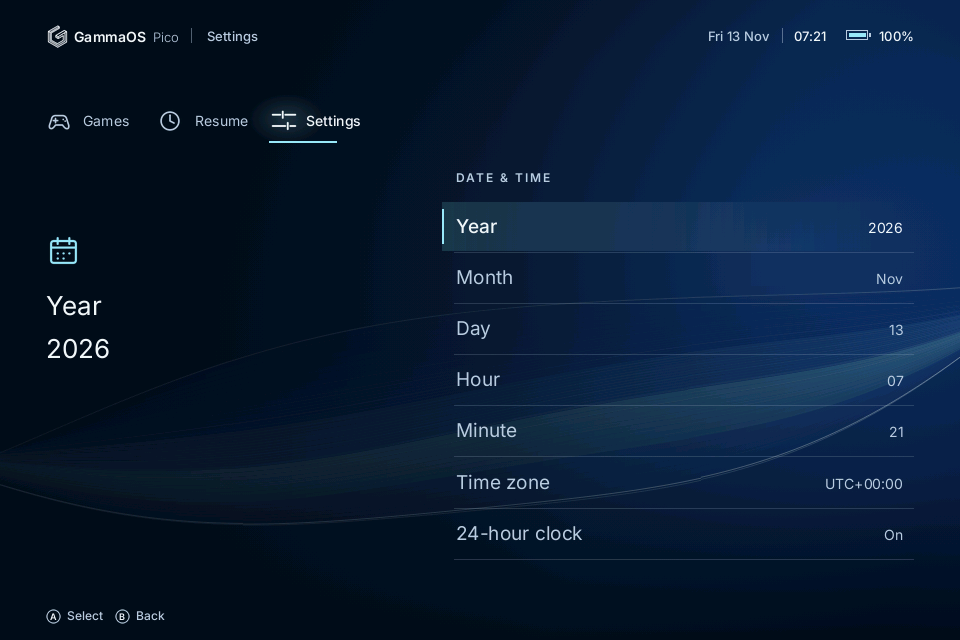
The console's own clock, which Android shares. It runs the games that keep time (Pokemon Ruby, Sapphire, Emerald, Gold, Silver and Crystal, Boktai) and shows in the menus.
| Setting | |
|---|---|
| Year, Month, Day, Hour, Minute | set the date and time |
| Time zone | UTC-12:00 to UTC+14:00, in quarter hours |
| 24-hour clock | On (14:30) or Off (2:30 PM) |
| Setting | |
|---|---|
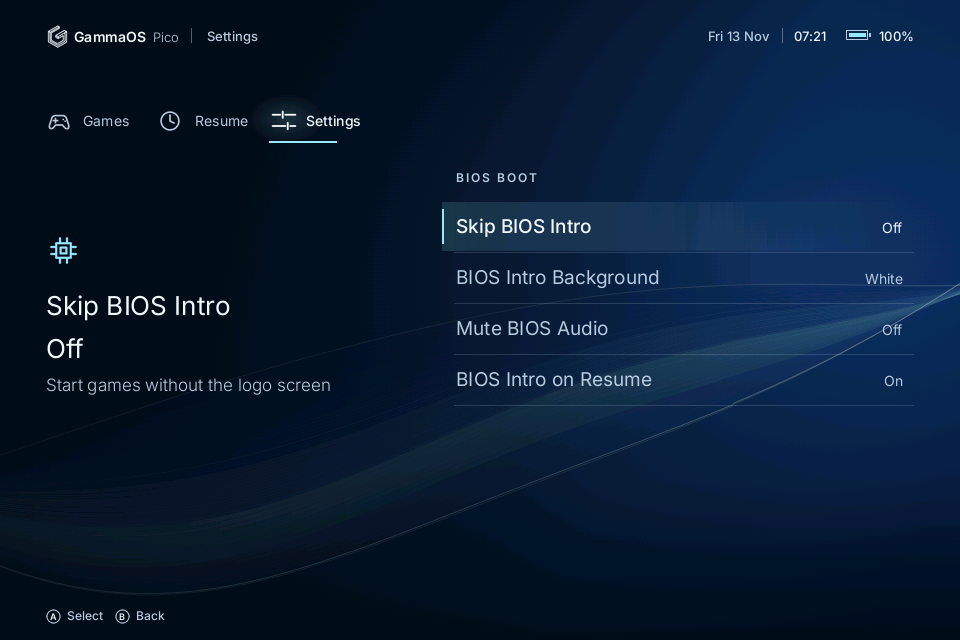
| Skip BIOS Intro | start games without the boot logo |
| BIOS Intro Background | Black or White behind the logo |
| Mute BIOS Audio | silence the start-up chime |
| BIOS Intro on Resume | when resuming a game at power on, play the logo first |
On the Konkr Pocket Block the BIOS intro is off by default, at power on and before a resumed game (Skip BIOS Intro on, BIOS Intro on Resume off): turn them the other way here to have it. On the Konkr Pocket Advance it plays by default.
| Setting | |
|---|---|
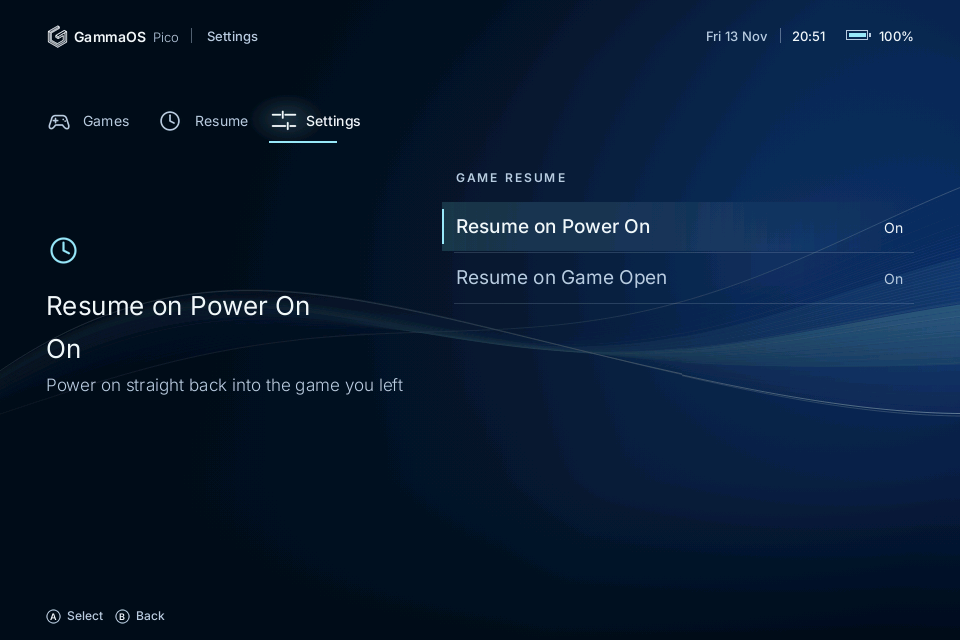
| Resume on Power On | holding Power in a game saves your place and switches off; the next power on goes straight back into the game |
| Resume on Game Open | opening a game carries on where you left it (hold B while opening to start afresh) |
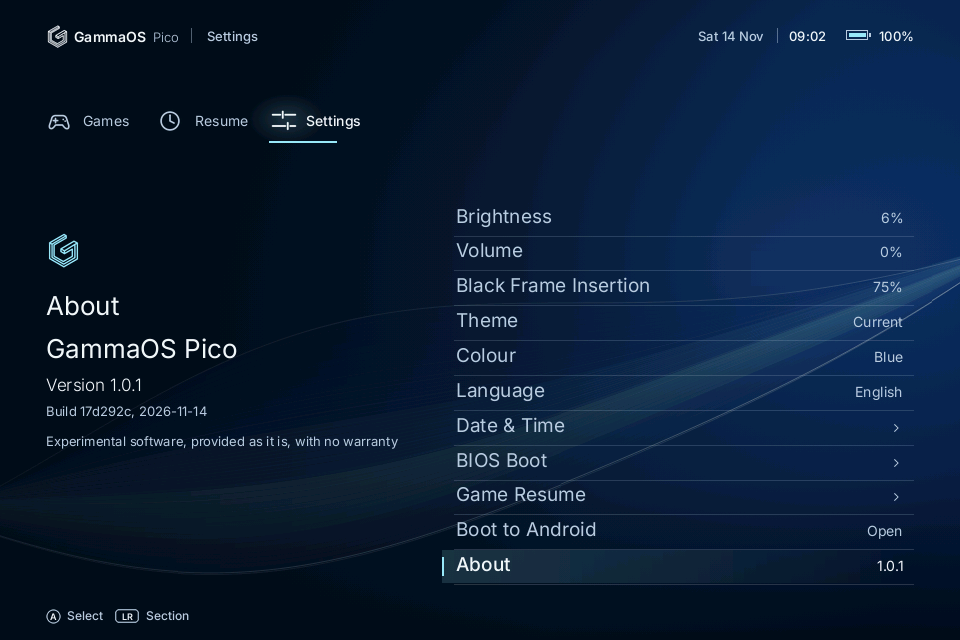
The version (for example 1.1.1), the build (the source commit it was built from, and the day),
and a reminder that GammaOS Pico is experimental, with no warranty. Quote the version when you
compare notes with others. The same is shown over fastboot as version-gammaos-pico.