Repository navigation
Wi Fi
New in 1.1. Both consoles join Wi-Fi networks, straight from GammaOS Pico: no Android, no app. Wi-Fi is off until you turn it on, costs nothing while it is off, and GammaOS Pico works exactly as before without it. With it you can sign in to RetroAchievements, fetch Box Art for your games, and the console's clock is set from the network.
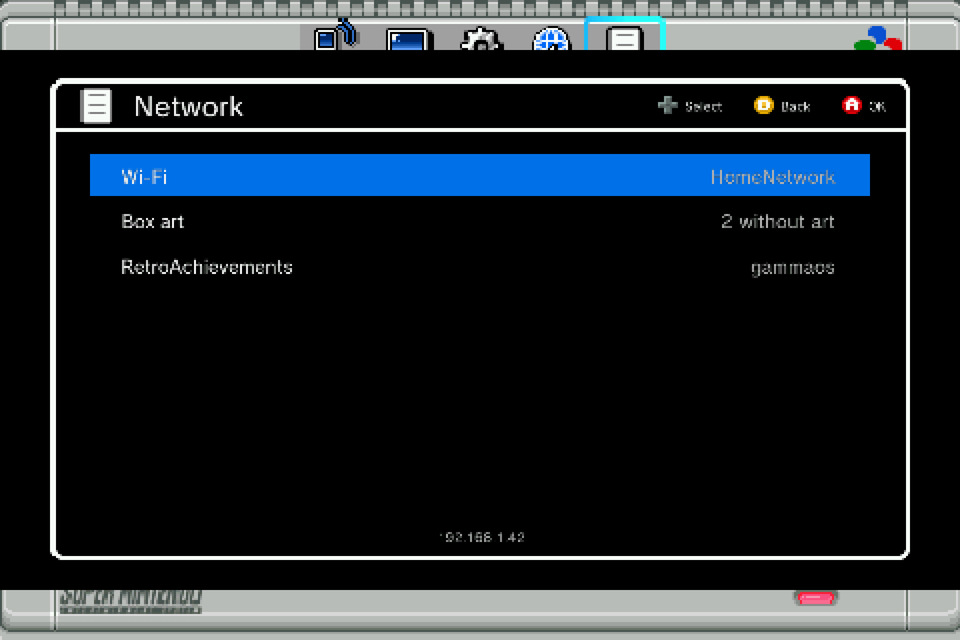
Wi-Fi lives on the Network tab of the Pico menu (in the Classic themes: System > Network).
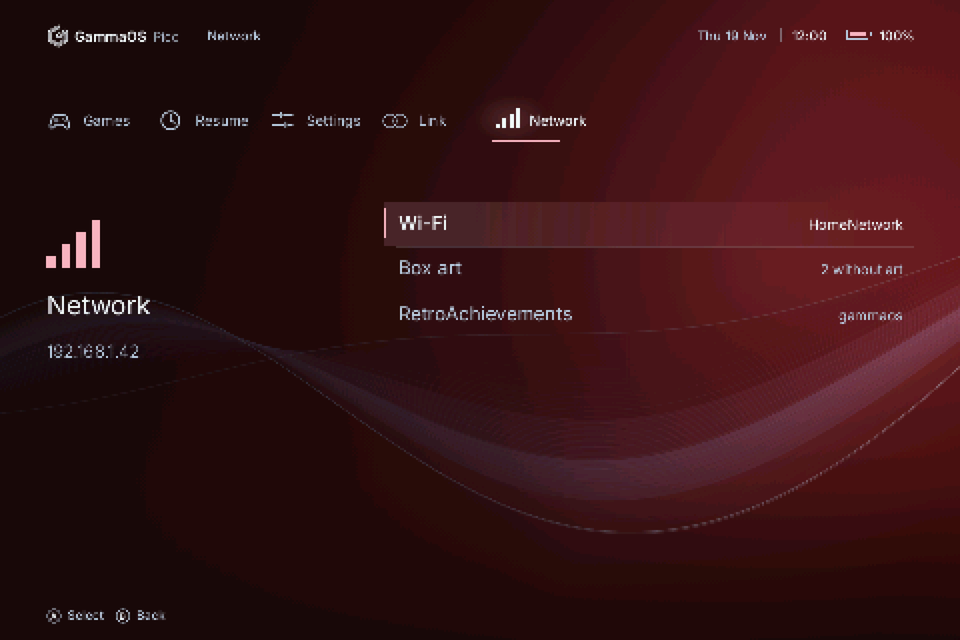
The tab's first page shows the network you are on (and the console's address), how many of your games still have no box art, and the RetroAchievements account.
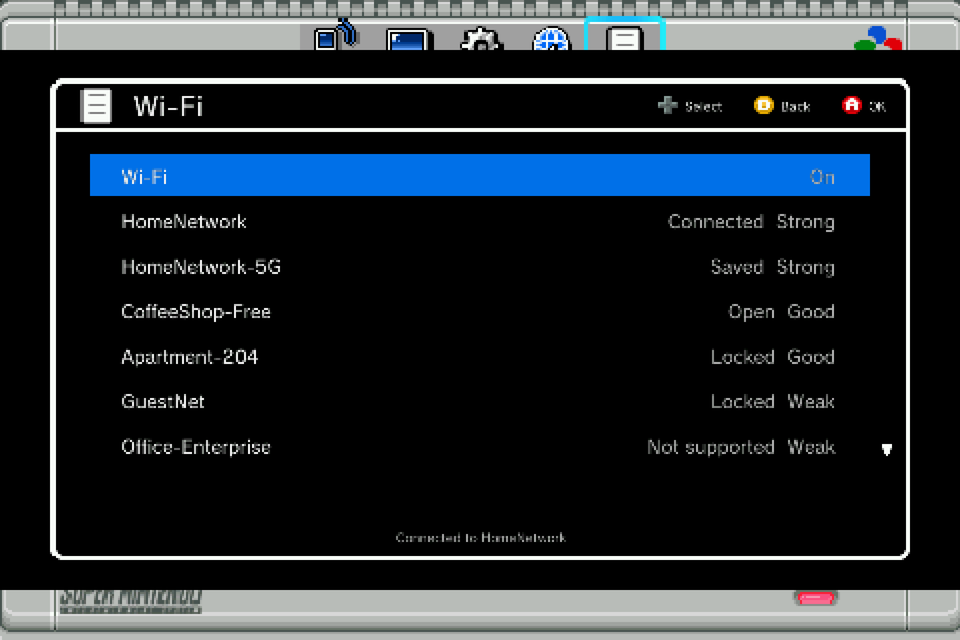
- Open Network > Wi-Fi and press A on Wi-Fi to turn it on. It searches straight away.
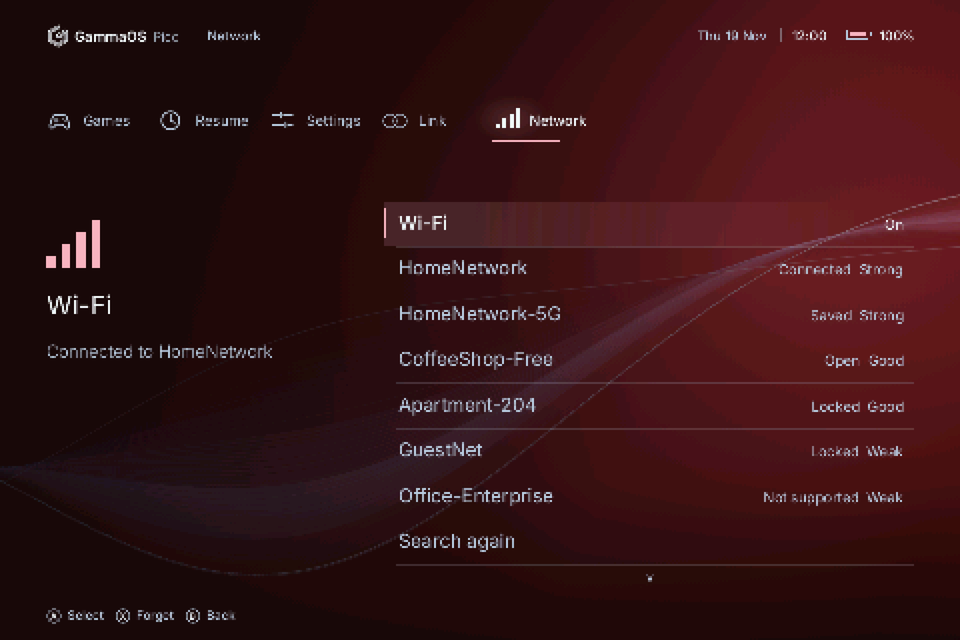
- The networks around you are listed, strongest first, each with what it is and how well it is
heard:
- Connected: the network you are on. A on it leaves it.
- Saved: a network you joined before. A joins it again.
- Open: no password.
- Locked: needs a password. A opens the keyboard.
- Not supported: a kind of security GammaOS Pico cannot join yet (see below).
- Strong, Good or Weak: the signal.
- Search again at the bottom looks again.
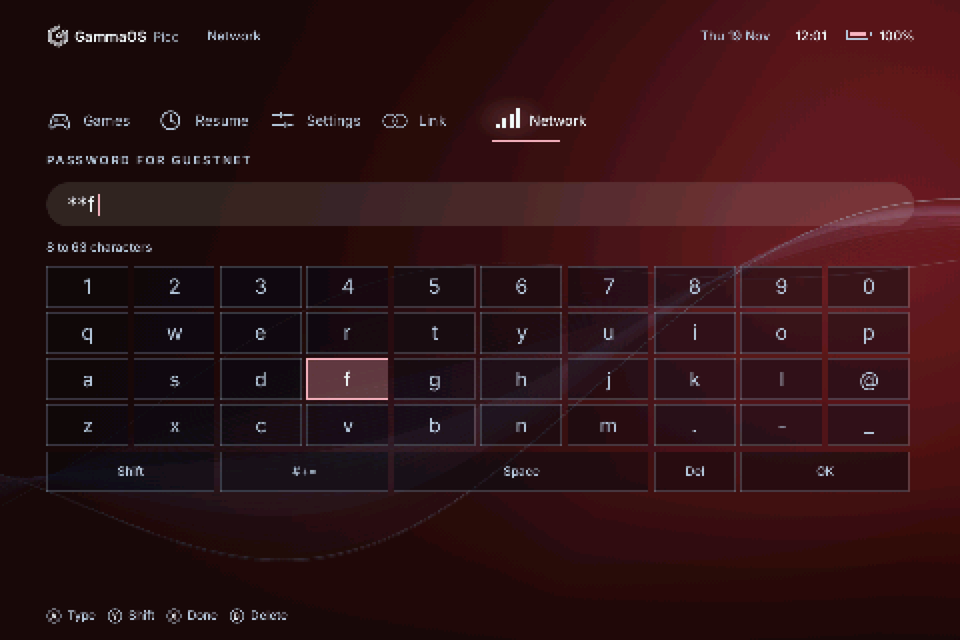
| Button | Does |
|---|---|
| D-pad | Move between the keys |
| A | Type the key (Shift, #+=, Space, Del and OK on the bottom row) |
| Y | Capitals for the next letter |
| X | Done: join with what you typed |
| B | Delete the last letter; on an empty field, close the keyboard |
A Wi-Fi password has 8 to 63 characters. The password is shown as dots, except the last letter you typed. If it is wrong, the Wi-Fi page says so after the attempt.
A network you join is saved on the card, and from then on it is joined by itself whenever it is in range and Wi-Fi is on. Wi-Fi also stays as you left it: on or off at the next power on.
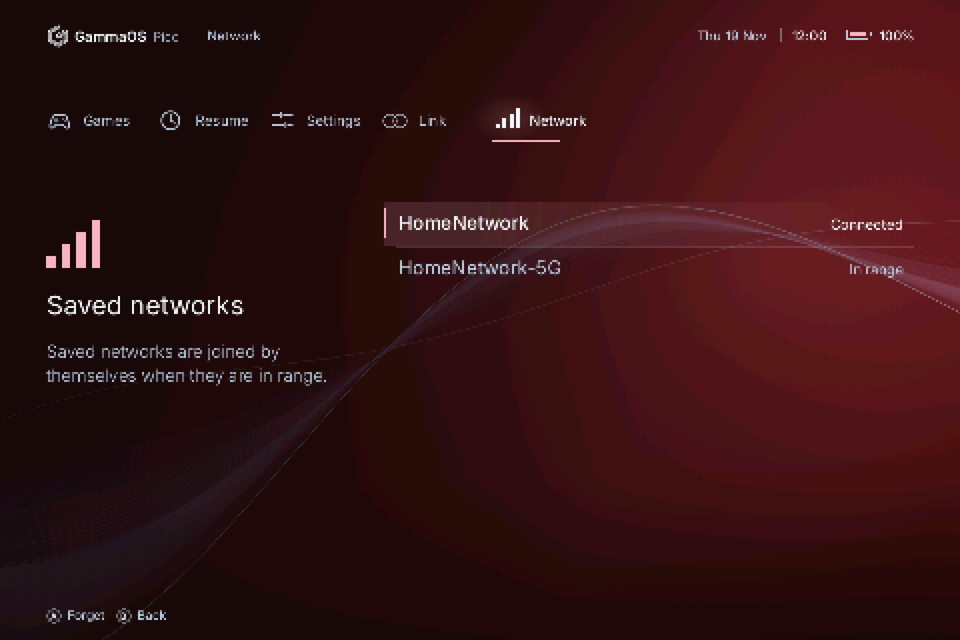
Network > Wi-Fi > Saved networks (the last row, there even with Wi-Fi off) lists every network you saved, in range or not, with Connected or In range beside it. Press A on one, then A again, to forget it (B in between keeps it). On the Wi-Fi page, X on a saved network forgets it too.
The saved networks' keys are kept on the card in gammaos/net/wifi.dat, scrambled for that one
console, so the file means nothing on another console or a computer.
- WPA2 (Personal, with a password) and open networks, on 2.4 GHz and 5 GHz.
- Not yet: networks that only allow WPA3, old WPA (TKIP) networks, WEP, and enterprise networks (a user name and password, as at many offices and universities, or a SIM). They are listed as Not supported.
The same pages are in System > Network, in the Classic look.
 |
 |
Wi-Fi stays joined but sleeps while a game runs, so it takes nothing from the game. The one exception is RetroAchievements: while you play signed in, its unlocks and short status messages go out as they happen.
-
"Wi-Fi did not start (its firmware in /bios/connsys?)": the Wi-Fi and Bluetooth chip's firmware
is missing from the card. It comes with the release's card package, in
bios/connsys/: put the release's card files on the card again (GammaOS Pico Tool's card update does it). - A network is not listed: press Search again; a network that hides its name cannot be joined yet.
- It will not join: check the password; a weak signal (Weak) can fail, move closer.
Screenshots captured on a Konkr Pocket Advance, with example network names.