Repository navigation
RetroAchievements
New in 1.1. Sign in with your retroachievements.org account and your games earn achievements, on every system GammaOS Pico plays: Game Boy, Game Boy Color, Game Boy Advance, NES, SNES, Mega Drive / Genesis, Master System and Game Gear. It needs Wi-Fi to sign in and to send unlocks, but you can play without a network: unlocks are kept on the card and sent later.
Achievements are softcore (hardcore is not offered).
- Turn on Wi-Fi and join a network.
- Open Network > RetroAchievements (Classic themes: System > Network > RetroAchievements).
- Type your User name and Password on the keyboard, then Sign in.
The password is used once, to sign in, and is never kept. The console keeps only the account name
and the sign-in token RetroAchievements gives it, in gammaos/ra/account.dat, scrambled for that
console. It signs in by itself at the next power on.
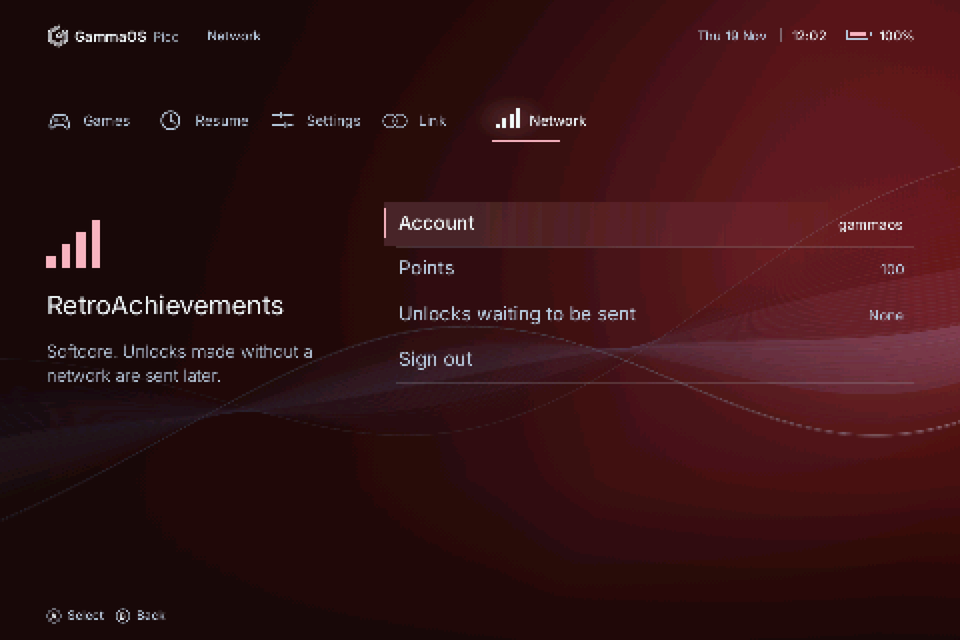
Signed in, the page shows your Points and Unlocks waiting to be sent (A on it sends them now), and Sign out (press A twice).
Start a game as usual. When the game has a set on RetroAchievements, a card over the game says so:
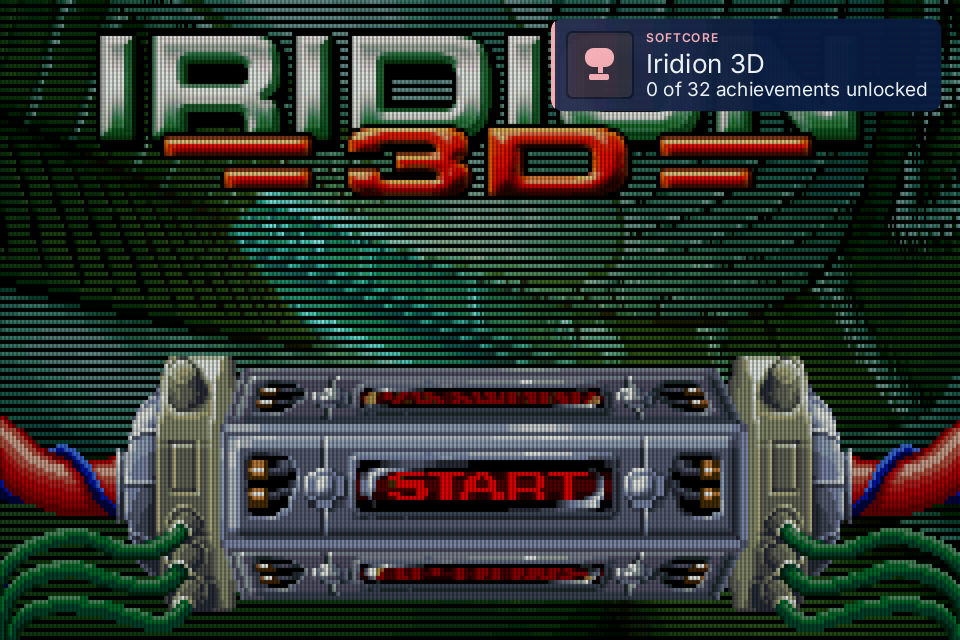
Cards also show an unlock as it happens, progress towards an achievement that counts up, and the moment you have every achievement of a game. Each card is drawn in your theme's own look.
A game is recognised by its contents (the same way RetroAchievements' own tools do it), whatever
its file is called, also from a .zip or .7z. A version of a game RetroAchievements has no set
for (a hack, another region it does not cover) plays as usual, without achievements.
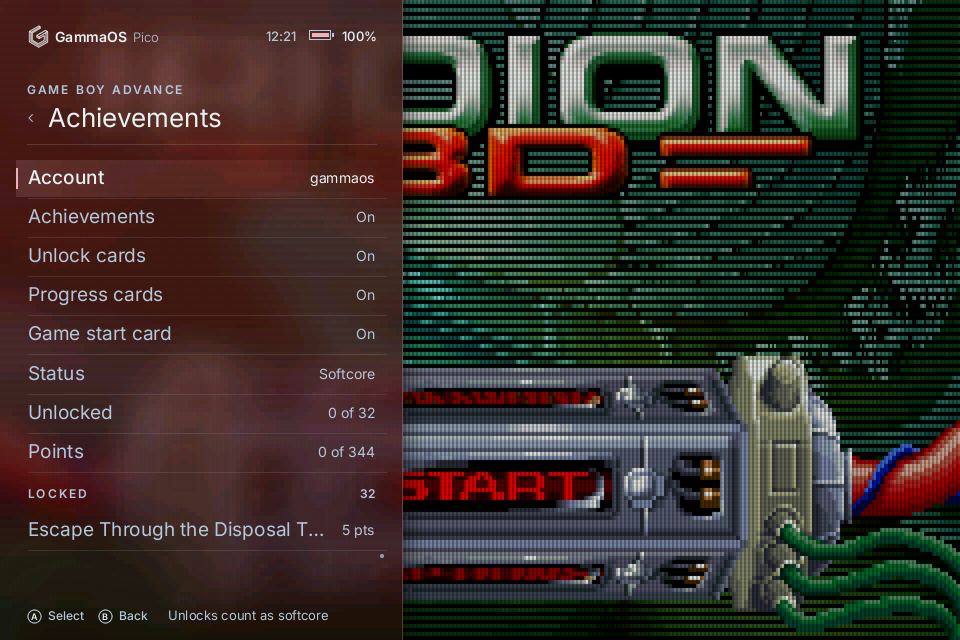
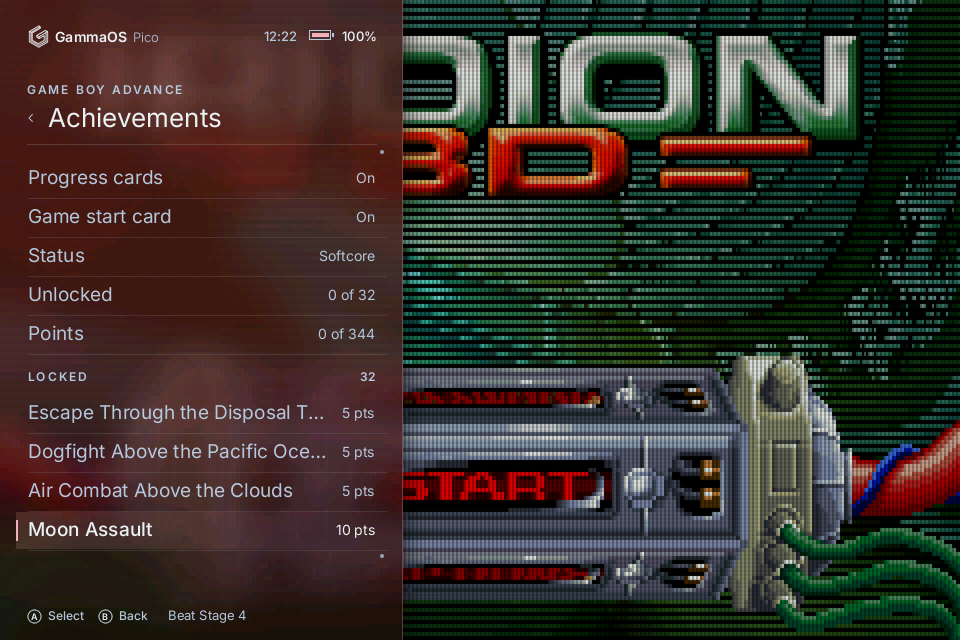
The in-game menu has an Achievements row (it says No set for a game without one). Its page has the account, your settings and the game's achievements:
 |
 |
- Achievements: on or off for this console.
- Unlock cards, Progress cards, Game start card: which cards appear over the game.
- Status (Softcore, or offline), Unlocked and Points for this game.
- The achievements in groups: waiting to be sent, active challenges, almost there, locked, unlocked, and those the console cannot check. Each has its badge (grey while locked) and points.
Press A on an achievement for its full screen detail; Up and Down go to the one before or after.
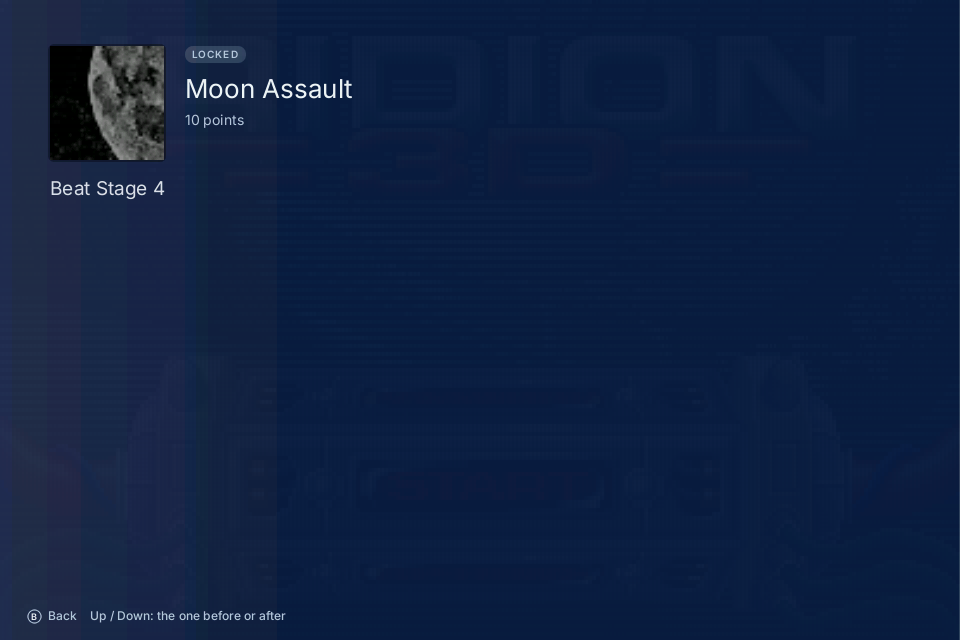
Start a game without a network (or out of range) and achievements still unlock. Each unlock is
kept on the card (gammaos/ra/queue.dat) with the time it happened, and sent the next time the
console is online, signed in to the same account. A game played online once can start offline: the
console keeps the set it fetched.
The kept unlocks belong to the account that earned them: sign in as someone else and they wait for that account. The file is sealed for the console, so a copy changed on a computer is not sent.
A save state keeps the achievements' progress at that moment, and loading it puts that progress back.
GammaOS Pico talks to RetroAchievements as itself, with its own user agent (for example
GammaOS-Pico/1.1.1 (LK; armGBA v1.8.1) rcheevos/12.3.0, naming the core that runs the game), using
RetroAchievements' own rcheevos library. It never presents itself as another client.
Screenshots captured on a Konkr Pocket Advance.