Proxy Hosts
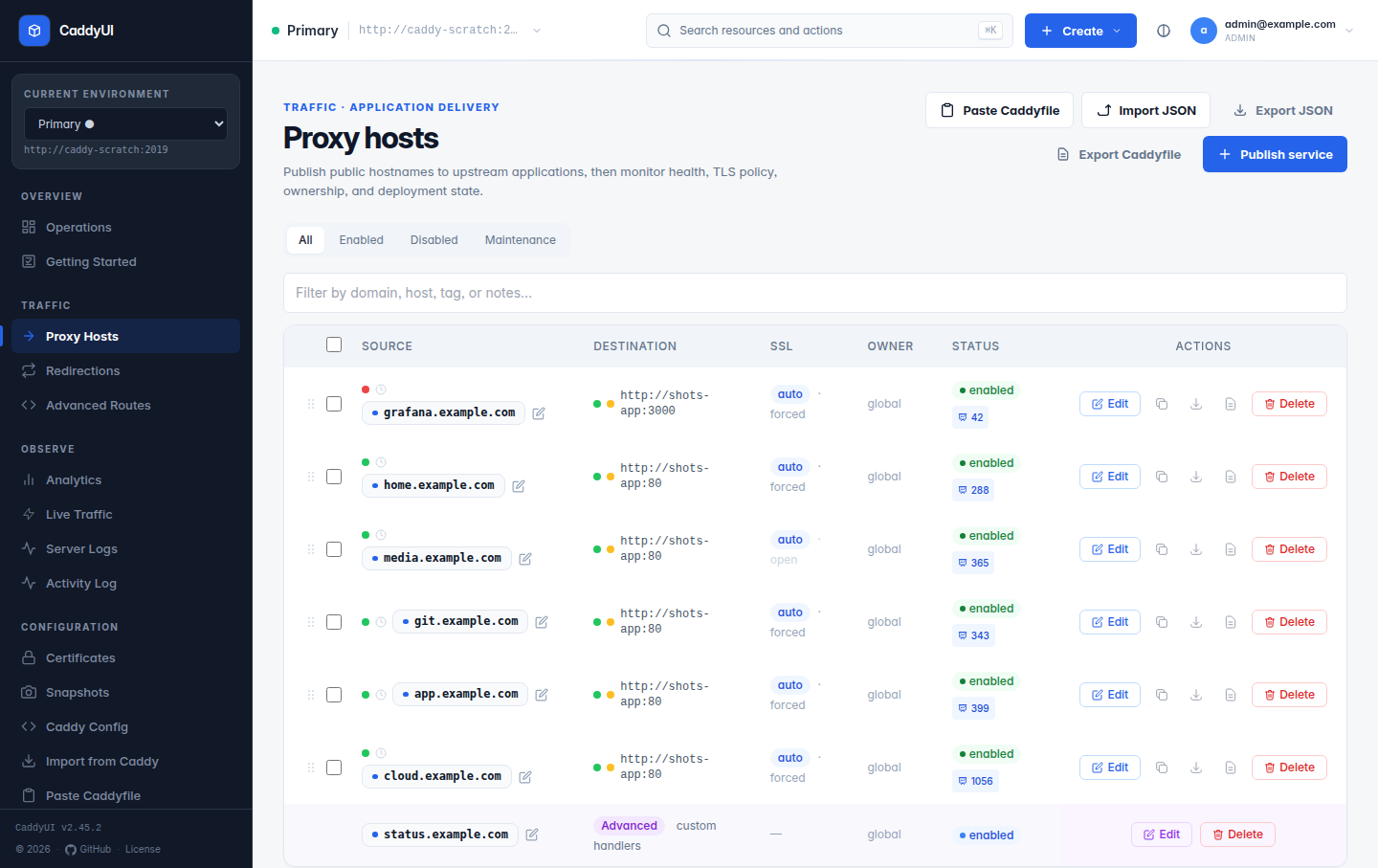
A proxy host says: requests for my.domain.com are forwarded to this internal service. It is the resource you will create most often.
- Publish a service (wizard)
- The full editor
- Caddyfile ↔ form mapping
- Advanced config
- Monitoring and health
- Expectations: post-apply checks
- Maintenance mode
- Validation, sync and previews
- List page tools
Create → Publish a service (/proxy-hosts/new) walks through four stages:
-
Hostname — one or more public names, plus the canonical redirect behaviour (
www↔ apex). -
Upstream — scheme, host and port of the backend, for example
http://192.168.1.50:3000or a Docker service name such asnextcloud:80. Test upstream checks it from CaddyUI before you deploy. - Policy — enabled or not, automatic HTTPS or a custom certificate, and DNS automation if a provider profile is saved.
- Review — the effective hostname, upstream, HTTPS and DNS policy, deployment scope and initial state, then Deploy service.
The wizard uses the same form and safe defaults as the full editor. Choose Use advanced editor when you need headers, access control, path-based upstreams, health checks or transport tuning. After deployment the hostname pill on the list page opens the service in a new tab.
Tip: the Enabled toggle turns a host off without deleting it, which is ideal for maintenance windows.
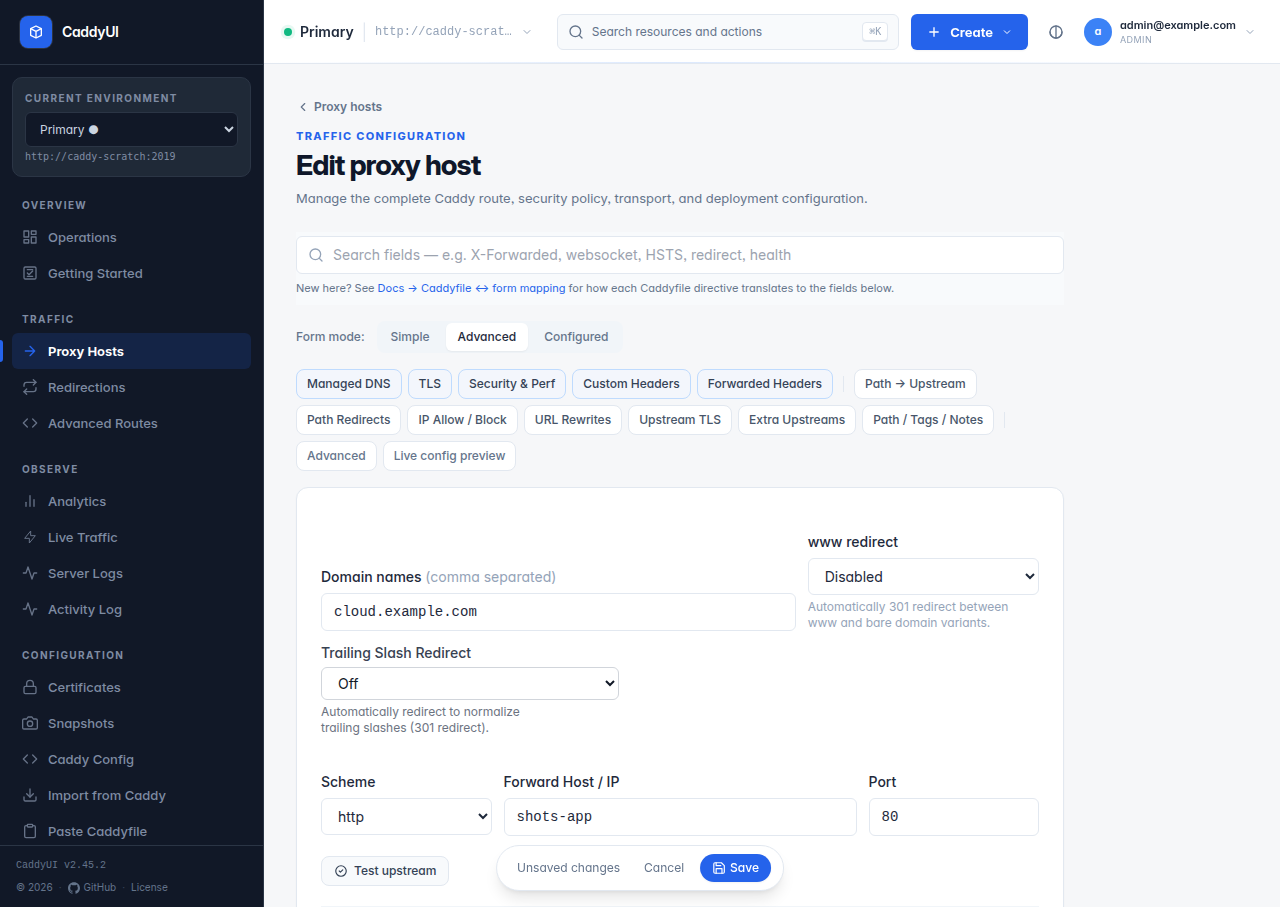
The editor exposes roughly seventy options, grouped into collapsible sections. The important ones:
| Section | What lives there |
|---|---|
| Domains and upstream | Domains, forward scheme/host/port, extra upstreams and load-balancing policy (round robin, least connections, sticky cookie, header field, random choose), retries, path prefix on the upstream, Host override, upstream SNI. |
| SSL | Auto SSL, Force SSL, HTTP/2, HSTS (max-age, subdomains, preload), custom certificate, verify upstream TLS certificate, upstream TLS versions, ciphers, client certificate, CA bundle, pins. |
| Options and forwarded headers | The X-Forwarded-*, X-Real-* and X-Request-* families, static identity headers, request/response header add/rename/replace/strip, request ID injection, Via, Server header. |
| Security and performance | Security headers bundle (HSTS, X-Frame-Options, nosniff, Referrer-Policy), CSP (with report-only), Permissions-Policy, X-Robots-Tag, CORS, Basic Auth, forward auth (Authelia, Authentik and friends), API key header, compression (zstd/gzip/brotli, level, minimum size, exclusions), response caching hints, robots.txt and security.txt. |
| Access control and blocking | Access list, IP blocklist, block private IPs, allowed and blocked methods, deny by path / extension / dotfile / query / referer / user-agent regex, block common exploits, block admin paths, block bot user-agents, empty user-agent. |
| Path routing | Path-based upstream overrides (handle / handle_path with Strip prefix), path redirects table, trailing-slash and www redirects, strip path prefix/suffix. |
| Upstream transport and timeouts | Dial, read, write, response-header, TLS handshake and request-body timeouts, keepalive, max connections and connection lifetime, buffers (request/response/read/write), HTTP versions, h2c, gRPC-Web, PROXY protocol, DNS resolver, local address. |
| Streaming | Flush immediately (flush_interval -1) for SSE and long-polling, WebSocket support, buffer responses, upstream flush interval. |
| Health checks | Active checks with any method, URI, port, expected status and body, headers, host override, interval and timeout; passive checks by failures, latency and status codes. |
| Error pages | Per-code custom HTML or redirect, on top of the branded 404/502/503/504 pages CaddyUI injects for every host. |
| Monitoring | Automatic / Custom / Off status monitoring (see below). |
| Expectations | Post-apply checks (see below). |
| Maintenance | Mode, message, status code, allowed IPs, redirect, Retry-After, scheduled windows. |
| Advanced config | Extra Caddyfile directives and a reverse_proxy { … } block (see below). |
| Deployment | Managed DNS (provider profile, zone, create A record or DNS-01 only), Node-local, Also deploy to, tags, notes, colour, owner. |
If you have written Caddyfiles before, this is the translation table.
example.com {
    reverse_proxy backend:8080
}
| Caddyfile bit | Form field | Value |
|---|---|---|
example.com { |
Domains | example.com |
reverse_proxy |
Forward scheme |
http (default) |
backend |
Forward host | backend |
:8080 |
Forward port | 8080 |
| implicit HTTPS | Auto SSL + Force SSL | both on |
tls internal |
Internal CA (self-signed) | issue from Caddy's built-in CA instead of ACME — see Certificates |
| Caddyfile | Form field | Notes |
|---|---|---|
reverse_proxy https://… |
Forward scheme = https | upstream serves TLS itself |
tls_server_name name |
Upstream SNI | self-signed or shared-cert backends |
tls_insecure_skip_verify |
Verify upstream TLS certificate = off | only applies when the scheme is https |
header_up Host {host} |
no field | Caddy passes the original Host by default |
header_up X-Real-IP {remote_host} |
Add X-Real-IP header | |
header_up X-Forwarded-Host {host} |
Add X-Forwarded-Host | |
header_up X-Forwarded-Proto {scheme} |
no field | Caddy adds it |
encode gzip zstd |
Enable compression | |
header X-Frame-Options DENY |
Custom response headers, or the Security headers bundle | |
@root path / + redir @root /webmail 302
|
Path redirects table | Path /, code 302, destination /webmail
|
handle /push/* { … } |
Path-based upstream overrides | rule with that path + upstream |
handle_path /push/* { … } |
same, with Strip prefix on |
handle_path drops the matched prefix |
:7070 { respond /healthz 200 } |
Advanced route → Listen on = :7070
|
see Advanced Routes |
basicauth /admin { … } |
Basic Auth fields | |
request_body { max_size 100MB } |
Max request body (MB) | |
@bots header User-Agent *Bot* + abort
|
Block common bots | built-in regex covers AhrefsBot, SemrushBot and friends |
cloud.example.com {
    redir /.well-known/carddav /remote.php/dav 301
    redir /.well-known/caldav  /remote.php/dav 301

    handle_path /push/* {
        reverse_proxy notify_push:7867
    }

    handle /exapps/* {
        reverse_proxy nextcloud-harp:8780
    }

    handle {
        reverse_proxy nextcloud:80
    }
}
One proxy host:
-
Domains:
cloud.example.com -
Forward host / port:
nextcloud/80(the catch-allhandle) -
Path redirects:
/.well-known/carddav→ 301 →/remote.php/dav, and the same for caldav -
Path-based upstream overrides:
/push/*→notify_push:7867with Strip prefix on (it washandle_path);/exapps/*→nextcloud-harp:8780with Strip prefix off (it washandle)
Caddy's reverse_proxy sets X-Forwarded-For, X-Forwarded-Proto, X-Forwarded-Host (2.7+) and passes Host through, terminates HTTPS with automatic certificates and redirects HTTP to HTTPS when Auto SSL is on. The matching toggles in CaddyUI use set semantics, so they force the value even if an earlier rewrite changed the request, and they make the behaviour visible to a teammate reading the form. Leaving them off is fine; turning them on is fine.
Toggles that add something Caddy would not: X-Real-IP (nginx convention), X-Real-Scheme, X-Forwarded-Method / -Path / -URI, the static identity headers (X-Forwarded-User / -Email / -Groups / -Roles), the X-Request-* trace family and X-Real-SSL-Protocol / -Cipher.
The Advanced config box takes extra Caddyfile directives for the host: rewrite, respond, header, handle_errors, a tls block, custom matchers and so on. CaddyUI adapts them through Caddy and merges the result into the host's generated route.
Since v2.40.0 it also accepts a reverse_proxy { … } block without an upstream address. Its sub-directives are merged into the host's own generated handler, so the forward host/port and every form option still apply:
reverse_proxy {
    flush_interval -1
    header_up X-Custom {http.request.uuid}
    transport http {
        read_buffer 16384
        write_buffer 16384
        keepalive 90s
    }
}
Repairs CaddyUI performs before adapting:
- A sub-directive typed bare (
flush_interval -1on its own) is moved into areverse_proxy { … }block, merged with an existing one. - JSON-style transport option names (
read_buffer_size,write_buffer_size,max_response_header_size) are respelled to their Caddyfile forms (read_buffer,write_buffer,max_response_header). - Transport-only options typed directly under
reverse_proxy(timeouts, buffers, keepalive, TLS, versions) are moved intotransport http { … }.
When Caddy still rejects something, the message names the offending directive, how it is spelled in a Caddyfile, and the form option that covers it (for example Streaming → Flush immediately for flush_interval). Blocks that name an upstream or sit behind a matcher are refused with a message saying why: use path-based upstream overrides or an Advanced Routes for those.
The Caddyfile preview and export render merged sub-directives inside the generated reverse_proxy block, marked from Advanced config.
Every host has three probes: upstream health (Caddy's admin API reports whether the upstream answers, so Docker-internal names work), app health (does the upstream actually respond, not just accept TCP) and public status (an HTTP check against the public hostname). Monitoring is per host:
- Automatic — sensible defaults: first check 30 seconds after start-up, then every five minutes; 401 and 403 count as up.
- Custom — path, method, expected status, interval and timeout.
- Off — silences all three probes; existing history is frozen.
The host's Health page (/proxy-hosts/{id}/health) keeps the last 50 public checks (up to 24 hours, 288 results stored) and the expectation results. Upstream-health changes can email you (Settings → Notifications).
Declare what a host must keep doing, and CaddyUI refuses changes that break it. An expectation is a request (method, scheme, path) with an expected status or any 2xx/3xx, an optional Location prefix for redirects, a maximum latency and a valid-TLS requirement. CaddyUI runs every expectation for the server right after every config sync.
If one fails and Settings → General → Roll back automatically is on (the default):
- The previous live config is loaded straight back into Caddy.
- Automatic syncs for that server are paused (a sync hold).
- A banner on every page offers Re-apply now and Keep the rolled-back config.
With rollback off the failure is reported only. Results show on the host's Health page with a Run now button, and every run, failure, rollback and re-apply is recorded in the Activity log. The idea came from Caddy's maintainer on the Caddy forum.
Toggle from the list, the editor, the bulk bar or the API. Visitors receive a branded maintenance page with your message and status code (503 by default) plus an optional Retry-After, while addresses in Allowed IPs still reach the upstream. Scheduled windows (days, start, end, timezone) switch it on and off for you. Settings → General → Global maintenance covers a whole server.
- Live preview on the editor shows the exact Caddy route JSON and a Caddyfile excerpt the form will push, refreshing as you type. Copy Caddyfile is next to it.
- Since v2.42.1 a host Caddy would reject is refused at save time with a plain explanation (a certificate file Caddy cannot open, a bad directive, a port conflict). If a later sync fails for any reason, an amber banner on every page names the server and Caddy's error, with Retry sync now and Dismiss, until the next sync succeeds.
- Saving triggers a sync of the whole server's config; the database is the source of truth, and Sync Caddy in the top bar re-pushes it any time.
- Node-local hosts (upstream only resolves on this node) are excluded from fleet sync and Also deploy to.
- Search box and the ⌘K / Ctrl+K command palette.
- Multi-select with Enable / Disable / Delete / Maintenance / Change certificate.
- Drag-to-reorder rows, which also sets route order in Caddy.
- Clone, per-host Export as Caddyfile or JSON, and Export Caddyfile / Export JSON for the whole server (Import and Export).
- Request counters per host when visitor analytics is on (Observability).