Security and Users
- Roles
- Ownership and groups
- Inviting users
- Two-factor authentication
- Sessions
- Login protection
- What CaddyUI hardens by default
- Keeping the Caddy admin API private
- Reporting a vulnerability
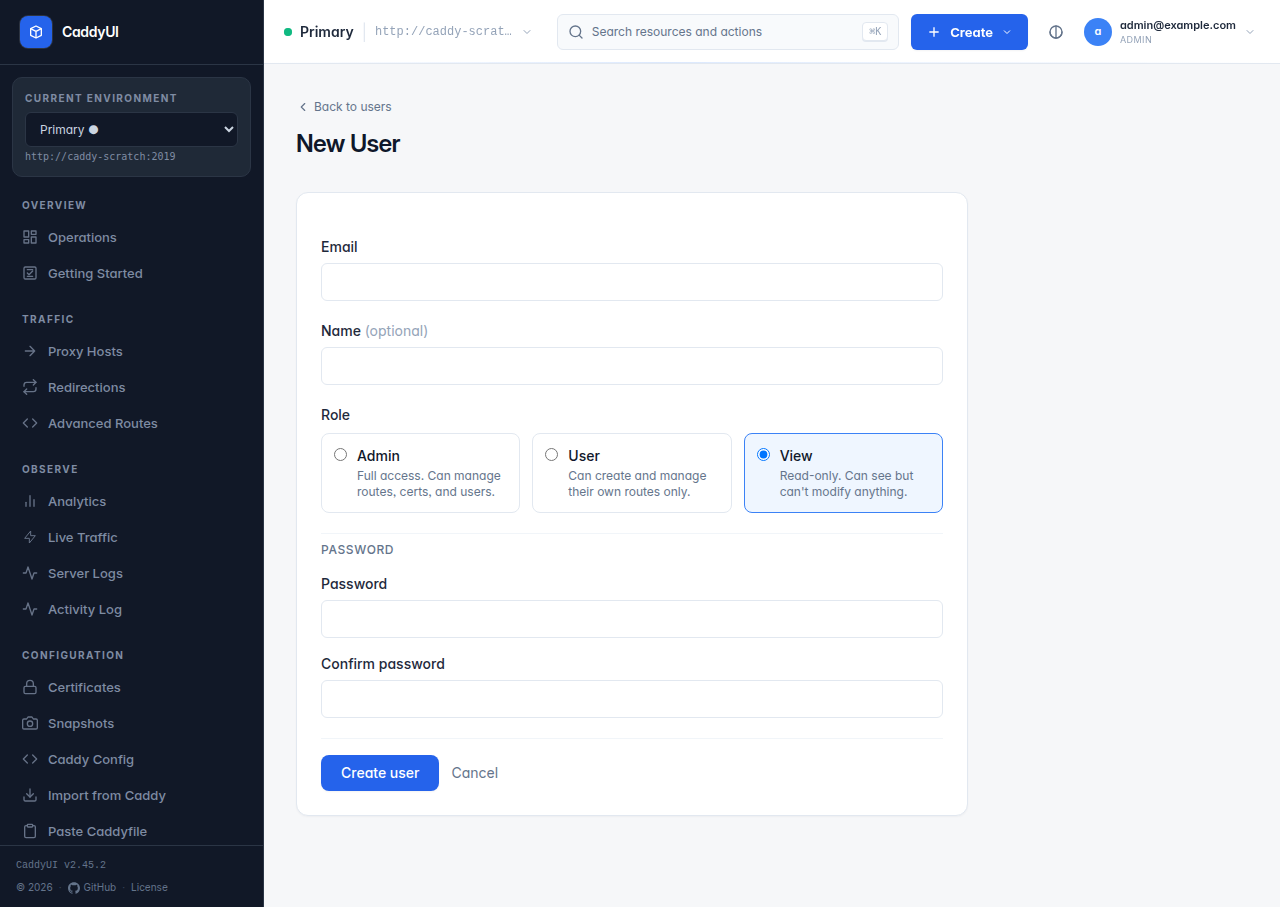
| Role | Can |
|---|---|
admin |
Everything, including Users, Groups, Settings, Caddy Fleet, Snapshots, Backup, API tokens for any scope. |
user |
Create and manage their own proxy hosts, redirections, advanced routes and certificates. Cannot see admin pages. |
view |
Read-only. Sees dashboards and lists, never the create action. |
Each resource belongs to one user; only the owner and admins can edit or delete it, and admins can reassign the owner from any edit form. Groups (admin-managed) bundle user accounts into a team: members see each other's resources in list views, read-only, with a Team chip that marks which rows are theirs.
Users → Invite sends an invitation link by email (SMTP must be configured) that lets the person set their own password; Users → New creates the account with a password directly. Forgot password on the login page also needs SMTP.
Every user can enable TOTP from their profile (/totp/setup): scan the QR code with Google Authenticator, Authy, 1Password or similar, enter the six-digit code, and save the recovery codes (they can be regenerated later). Administrators can require it for everyone under Settings → Security (two switches: require enrolment before the dashboard, or redirect un-enrolled users to setup) and can reset it on any account from Users.
The Sessions page at /sessions (not in the sidebar) lists active logins with their expiry and lets you revoke any of them; administrators see every user's sessions, other roles only their own. Session duration in Settings → Security caps their lifetime.
- Max login attempts locks an address out after repeated failures.
- Login CAPTCHA — Cloudflare Turnstile or reCAPTCHA v3 with a minimum score.
- Admin IP allowlist — one IP or CIDR per line; when set, nothing else can reach CaddyUI. Include your own address before saving.
- Trusted proxy IPs — so the checks above see the real client address when CaddyUI is behind Caddy or Cloudflare.
- A CSRF token on every state-changing request (v2.29.0).
- A Content-Security-Policy on CaddyUI's own pages (v2.30.0);
CADDYUI_CSPoverrides it if you must. - No third-party scripts at runtime (v2.27.0): every asset is embedded in the binary, so the UI works offline and air-gapped.
- Secrets (SMTP, DNS, AI, CrowdSec, webhook) are never rendered back into forms.
- The API never returns admin credentials or public IPs.
- The container runs as non-root uid
10001from a scratch image. - Typed file paths (certificates, export directories) are vetted before any file access: absolute, cleaned, no
... - For proxied traffic: branded error pages, an optional security-headers bundle, CORS, CSP, Permissions-Policy, request blocking and CrowdSec per host (Proxy Hosts).
Exposing CaddyUI itself on the internet is fine behind HTTPS with 2FA and a CAPTCHA on. The Caddy admin API is a different matter.
Port 2019 controls Caddy completely and has no authentication. Options that need no VPN:
-
Unix socket — in Caddy's global block set
admin unix//run/caddy/caddy-admin.sock, share the socket directory between the containers and useunix:///run/caddy/caddy-admin.sockas the Admin URL. No TCP port at all. -
Reverse proxy with Basic Auth — another Caddy block terminates HTTPS in front of 2019 with
basic_auth; enter the credentials on the server form. - Firewall allowlist — allow port 2019 only from the CaddyUI host. Weakest of the three, fine as an extra layer.
And when Caddy runs in Docker, either bind the admin port to a private interface ("10.8.0.1:2019:2019") or do not publish it at all and let CaddyUI reach http://caddy:2019 over the Compose network. Worked examples for each are in Troubleshooting.
See SECURITY.md. Please do not open public issues for security reports.