Automation Rules and Templates
Use automation after a small manual layout is working. Every large change should begin with a preview and a Recovery snapshot.
Advanced -> Automation builds a one-time Docker or VM assignment plan.
- Select the target type.
- Choose members and destination folders.
- Review the staged plan and conflicts.
- Apply only after the preview is correct.
The complete batch is validated before commit. An invalid target blocks the operation instead of intentionally leaving a partial layout. A safety backup is created for supported live changes, and failed items can be reviewed or retried.
Screenshot placeholder — bulk assignment review
Capture the three-stage selection/plan/review flow with fictional members and no server identifiers.
Advanced -> Rules contains ordered Docker and VM rules. The first enabled matching Include or Exclude decision wins.
Supported match sources include names, Docker labels, Compose-related metadata, and other displayed rule choices. A normal workflow is:
- Create an Include or Exclude rule.
- Choose the matcher and target folder.
- Test it against current inventory.
- Review matches, conflicts, and blocked items.
- Move the rule to the intended priority.
- Apply the assignment preview.
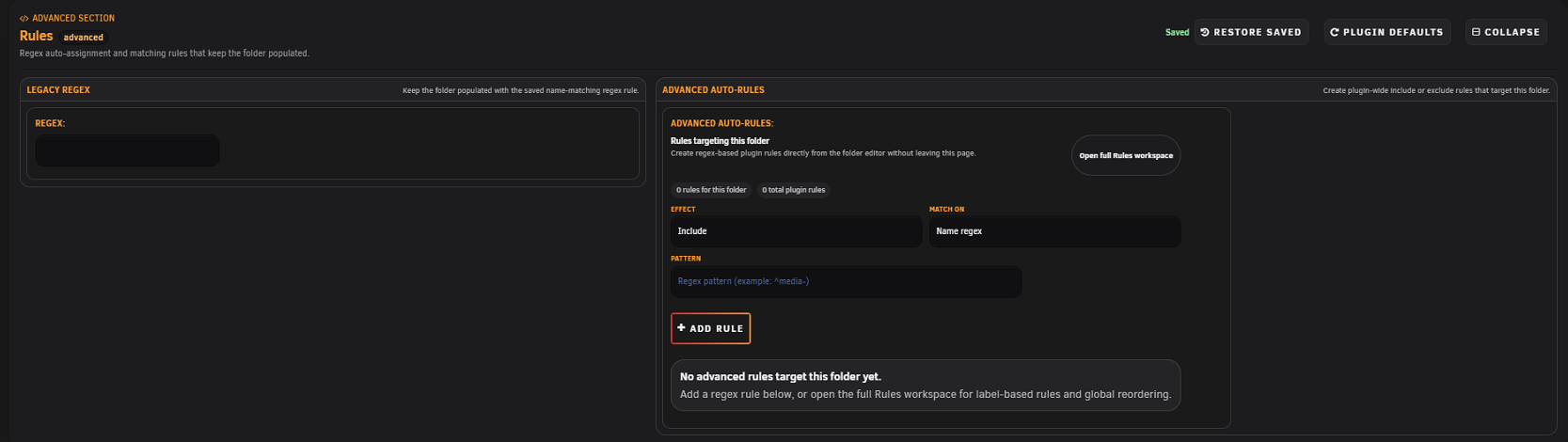
Suppose Exclude name regex ^test- is above Include label media=true -> Media. A container named test-player with that label is excluded because the first enabled matching decision wins.
The simulator evaluates the current rule set without changing folders. Use the conflict inspector when more than one rule or existing assignment can affect a member. Export rules before a large rewrite.
Existing folder-level regex continues to run, import, export, and back up. New automation should use Advanced Auto-Rules. Valid legacy values can be converted through the folder editor; conversion appends an Include/Name-regex rule so existing advanced priority remains intact.
Templates save reusable folder settings and can be applied to Docker or VM folders of the matching type. They are useful for consistent preview, status, icon, and action behavior.
- Preview before applying.
- A backup is created for supported template applications.
- Member-bound custom actions are disabled when required members are unavailable.
- Templates can be filtered, exported, and deleted in bulk.
- A template does not replace an environment export or snapshot.
Advanced -> Operations brings folder runtime actions and templates together. It is useful for deliberate multi-member actions and repeatable configuration, but current host eligibility still controls what can run.
- Manual layout is correct.
- Current snapshot/export exists.
- Rule type and target match Docker versus VM.
- Excludes are placed before broader includes when intended.
- Simulator result matches expectations.
- Conflict count is understood.
- Apply preview has no surprising deletes or moves.
- Runtime pages are verified afterward.