Docker Start Order
Advanced -> Start Order manages Docker autostart ordering. It is separate from visible runtime actions: it changes how enabled containers are sequenced during host startup.
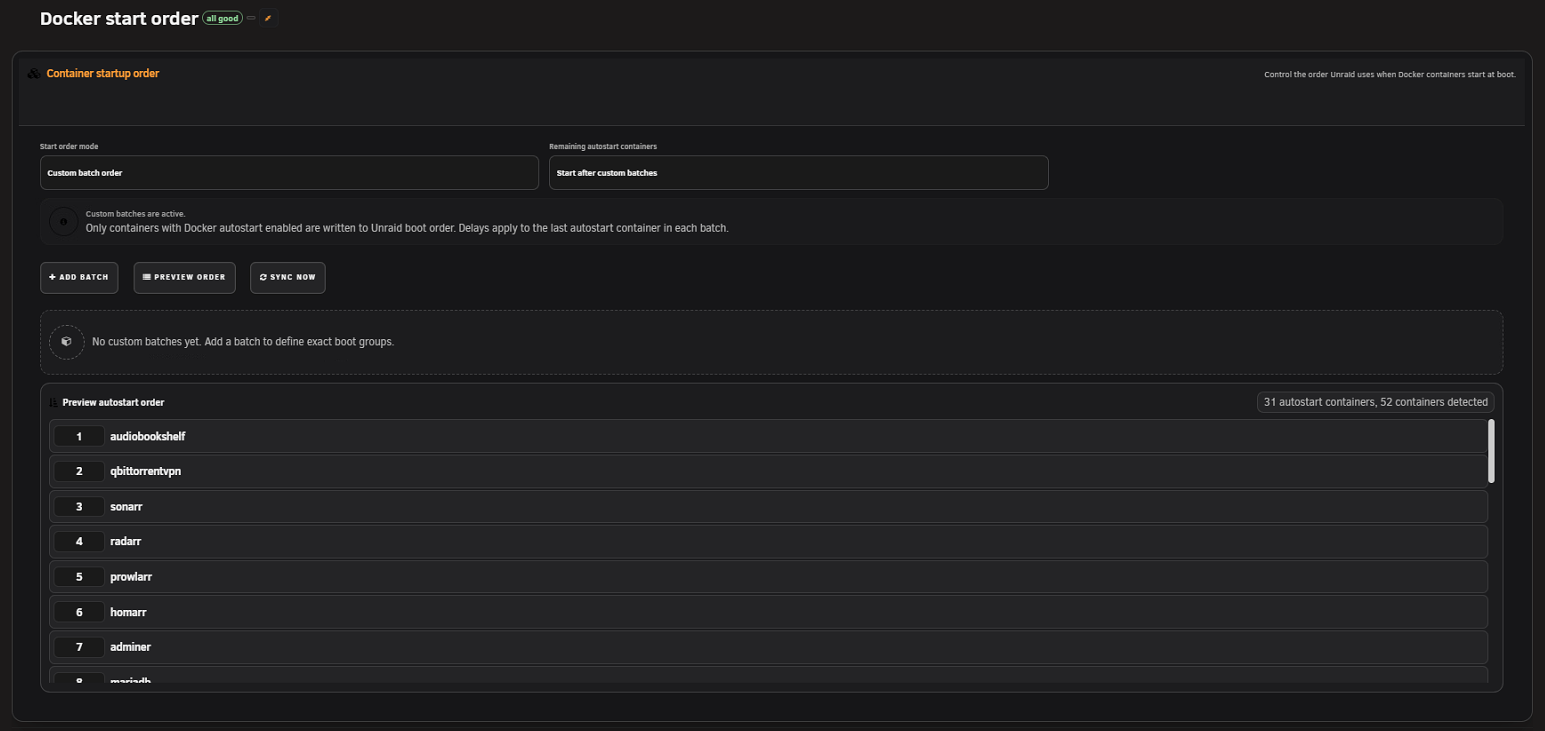
Build the start sequence from the Docker page's effective folder and member order. This is easiest when manual order is already intentional and stable.
Define explicit groups, containers, and delays. Batches are useful when dependencies must start in phases—for example, storage/database services before application services.
- Verify Docker folder and member order.
- Confirm which containers have Unraid autostart enabled.
- Choose follow-folder or custom mode.
- Build/refresh the preview.
- Review every included, excluded, duplicate, missing, or orphaned item.
- Validate the plan.
- Sync only after the preview is correct.
- Reopen the workspace and confirm saved host order.
Use delays to allow a dependency to become ready, not merely to hide a race. Keep delays documented and as short as the service actually needs. FolderView Plus controls ordering data; it cannot prove an application-level dependency is healthy.
- Export or record the previous order before a major change.
- A container missing from inventory cannot be safely ordered; fix inventory/name identity first.
- Duplicate membership or conflicting batches must be resolved before sync.
- If visible folder order and host order disagree, confirm the selected planning mode and refresh the preview.
- A successful sync should be verified after an actual controlled reboot during a maintenance window.
Screenshot placeholder — custom startup batches
Capture two batches with test containers and a short example delay. Do not expose production service names.
- It does not enable autostart for a container unless the supported host operation explicitly includes that change.
- It does not wait for application health endpoints.
- It does not replace Docker Compose dependency management.
- It does not control VM autostart.
See also: Docker · Activity, Diagnostics, and Support