Fleet (DigitalOcean)
Status: experimental (v0.1). CLI-driven (
abmfleet). The core — provisioning, registry, aggregation, bulk actions — is built and unit-tested against a mocked DigitalOcean API and a mocked agent. It has not yet been run against live droplets, and there is no fleet web UI yet (the per-droplet agents keep their normal dashboards). Treat it as a working prototype.
This is the answer to the limitation in Architecture and Limitations: the base manager is single-host, so to run one bot per droplet across many DigitalOcean droplets you add a fleet controller on top. Each droplet still runs the normal manager as an agent; the controller provisions them and aggregates their existing HTTP APIs.
   Controller droplet (in the VPC) ── abmfleet
        │  DigitalOcean API (provision/destroy)
        │  HTTP Basic auth over the VPC private network
   ┌────┴─────┬───────────┬───────────┐
 agent A    agent B     agent C   …   (each = normal manager + its bot)
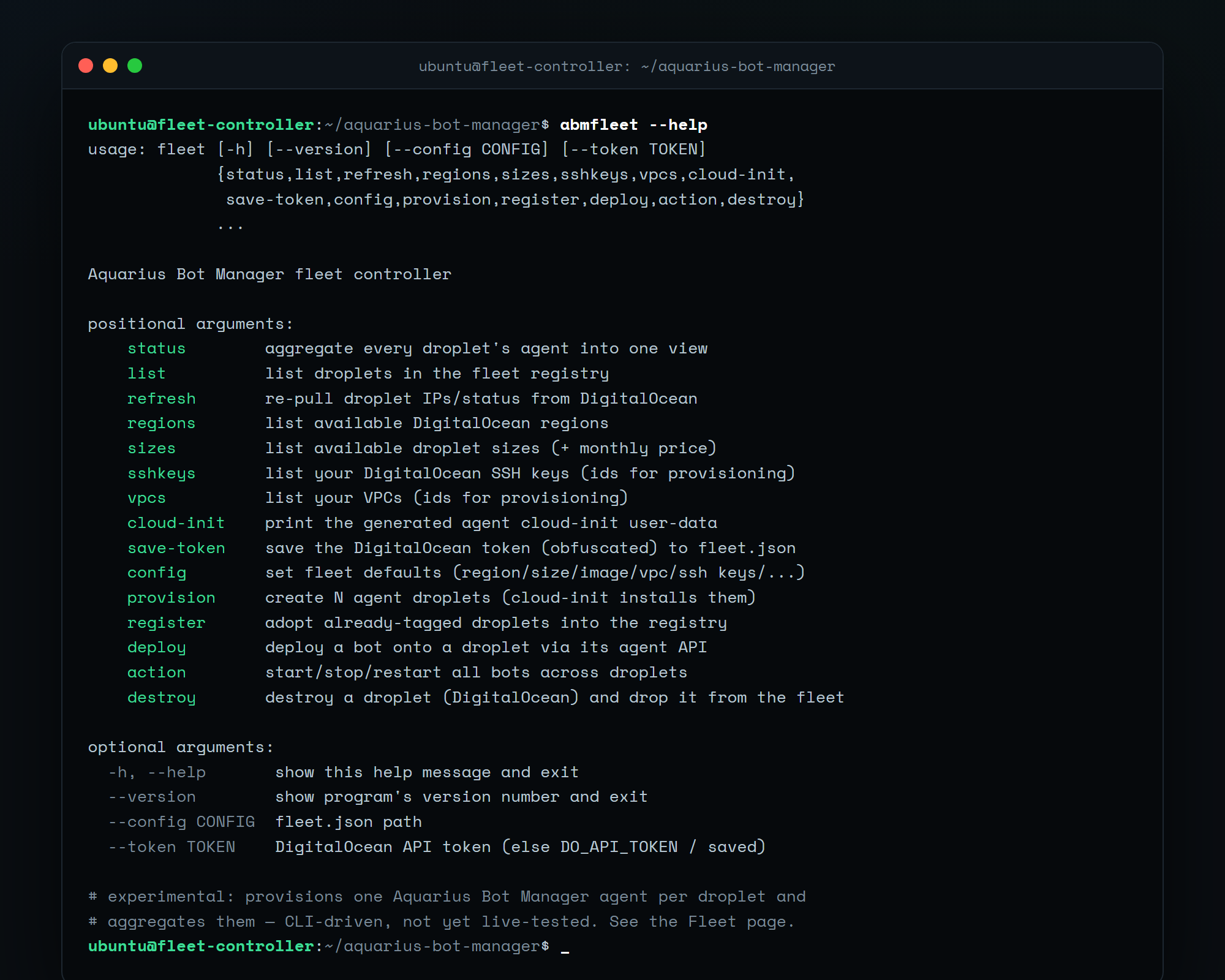 The fleet is driven entirely from the
 abmfleet CLI — there is no fleet web UI (each droplet keeps its own dashboard).
Use the fleet if you specifically need one bot per machine — e.g. a dedicated IP and host per bot. If your only goal is per-bot IP diversity, the Proxies feature gives every bot its own IP on a single box for a fraction of the cost — try that first.
Cost reality: N droplets ≈ N× the bill. The fleet doesn't change that; it just makes N droplets manageable from one place.
- A controller droplet running Aquarius Bot Manager, inside the same DigitalOcean VPC as the agents (so it can reach them on private IPs). Install it normally (see Installation).
- A DigitalOcean API token with write scope (Account → API → Generate New Token).
- At least one SSH key uploaded to DigitalOcean (so you can still SSH to a droplet directly). Get its id with
abmfleet sshkeys. - (Recommended) A VPC —
abmfleet vpcslists them. All agents + the controller should share it.
On the controller droplet:
# save your DigitalOcean token (stored base64-obfuscated in fleet.json — see Security)
abmfleet save-token dop_v1_xxxxxxxxxxxxxxxx

# discover the ids you'll need
abmfleet regions          # e.g. nyc3
abmfleet sizes            # e.g. s-1vcpu-1gb (+ monthly price)
abmfleet sshkeys          # your key id(s)
abmfleet vpcs             # your VPC id

# set fleet defaults so you don't repeat them every time
abmfleet config --region nyc3 --size s-1vcpu-1gb --image ubuntu-22-04-x64 \
                --ssh-keys 12345678 --vpc-uuid <vpc-uuid> --tag aquarius-fleet \
                --name-prefix abm-bot --bot-source aquarius
The controller generates a single fleet Basic-auth credential pair the first time it needs it (stored in fleet.json). The same pair is baked into every agent's cloud-init, so the controller can reach them all.
abmfleet provision --count 5For each droplet this:
- Creates it on DigitalOcean with a generated cloud-init (the file deployed to each droplet — see below), tagged for discovery.
- Waits for it to become active and reads its public + private IP.
-
Registers it in
fleet.json. -
Waits for the agent API to come up (the agent installs itself on first boot), then deploys one bot via the agent's existing
/api/deploy(unless--bot-source "").
Preview the exact cloud-init that will be deployed:
abmfleet cloud-initIt runs the normal install.sh in agent mode (ABM_ACCESS=agent), which binds the droplet's VPC private IP and bakes the fleet credentials into the systemd unit — nothing is exposed to the public internet.
abmfleet status                       # aggregate every agent into one view (bots, running counts, reachability)
abmfleet list                         # the registry (names, ids, IPs)
abmfleet refresh                      # re-pull IPs/status from DigitalOcean
abmfleet deploy abm-bot-3 --source zenith   # deploy another bot onto a droplet
abmfleet action restart --targets all       # start/stop/restart bots across droplets
abmfleet destroy abm-bot-3 --yes      # destroy the droplet on DO and drop it from the fleet
abmfleet register                     # adopt already-tagged droplets created out of band
abmfleet status example:
● abm-bot-1     10.0.0.11        bots=1 running=1
● abm-bot-2     10.0.0.12        bots=1 running=1
○ abm-bot-3     10.0.0.13        UNREACHABLE (timed out)
Per-droplet deep work (config editor, console, proxies) is still done on that agent's own dashboard — SSH-tunnel to the droplet's manager exactly as for a standalone install. The fleet controller is the overview + provisioning + bulk layer.
| Artifact | Purpose |
|---|---|
Generated cloud-init (abmfleet cloud-init) |
First-boot user-data: installs the manager in agent mode with the fleet credentials. |
The manager itself (install.sh, agent mode) |
Binds the VPC private IP, runs under systemd, auto-starts on reboot. No Caddy, no public port. |
| One bot | Deployed by the controller over the agent API after the agent is up. |
The fleet concentrates risk on the controller:
- The controller holds your DigitalOcean API token — it can create and destroy droplets and spend money. Stored base64-obfuscated in
fleet.json, which is not encryption. Anyone who reads that file or compromises the controller can recover it. Use a scoped token and rotate it if the box is ever compromised. - The controller holds the fleet Basic-auth credentials to every agent — i.e. full control of every bot host.
- Agents bind the VPC private IP, not the public internet — but anything else in that VPC can reach them. Keep the VPC clean, and don't put untrusted droplets in it.
- Treat the controller droplet as the crown jewels: lock down SSH to it, keep its dashboard on localhost/tunnel, and back up
fleet.jsonsomewhere safe (it contains secrets). - Provisioned agents run the bot as root on a single-purpose droplet (simple, but root). If that's not acceptable, adjust the cloud-init to create a non-root user.
See the main Security page for the per-host model that also applies to every agent.
- Prototype / not live-tested. Built and unit-tested against mocks; run it on a throwaway project first and watch costs.
- CLI only — no aggregated web dashboard yet (each agent keeps its own).
- Same-VPC assumption — the controller reaches agents on private IPs, so it must share their VPC/region. Cross-region would need the SSH-tunnel or public-HTTPS reachability model instead (not yet built).
- DigitalOcean only. The provisioner is DO-specific; the agent/aggregation model would port to other providers, but that code isn't written.
-
No autoscaling / health self-healing —
provision/destroyare manual; a dead droplet is reportedUNREACHABLE, not auto-replaced.