Installation
Before installing, confirm this tool fits your architecture — it manages bots on one host. See Architecture and Limitations.
- A Linux VPS (Ubuntu/Debian assumed by the installer). One reasonably-sized box that will host all your bots.
-
python3(3.8+) andtmux. The installer pulls these for you; manually it'ssudo apt install python3 tmux. - Root/sudo for the one-time install.
On a new box, one command installs everything (dependencies, the manager, the systemd units, cgroup lingering) and starts the web UI:
curl -fsSL https://raw.githubusercontent.com/aquariusnetwork9/Aquarius-Bot-Manager/main/install.sh | sudo bashDuring install it asks how you want to reach the dashboard:
| Choice | What happens | Best for |
|---|---|---|
| SSH tunnel (default) | Manager stays on 127.0.0.1. Installer prints a ready-to-paste ssh -L … line with your VPS IP filled in. |
Almost everyone — no new exposure, encrypted by SSH. |
| Public HTTPS | Fronts the manager with Caddy. Give it a domain for an automatic Let's Encrypt cert, or accept a one-time self-signed warning. | Reaching it from anywhere with just a bookmark. |
The manager is registered to start automatically on every VPS boot/reboot (systemd) — you never SSH in to start it.
sudo ABM_ACCESS=tunnel bash install.sh
sudo ABM_ACCESS=https ABM_DOMAIN=bots.example.com bash install.sh
sudo ABM_RUN_USER=ubuntu ABM_PORT=8765 ABM_BASE_DIR=/home/ubuntu/zenith bash install.sh| Env var | Meaning | Default |
|---|---|---|
ABM_ACCESS |
tunnel or https
|
prompt (tunnel if non-interactive) |
ABM_DOMAIN |
domain for an HTTPS cert | none (self-signed) |
ABM_RUN_USER |
OS user that runs the manager + bots |
sudo user, else ubuntu
|
ABM_PORT |
web UI port | 8765 |
ABM_BASE_DIR |
where bot directories live | ~/zenith |
There is no CLI password step. The first time you open the dashboard, a one-screen setup wizard asks you to create an admin login. Submitting it sets the password and signs you in. Until you do, the rest of the UI is locked.
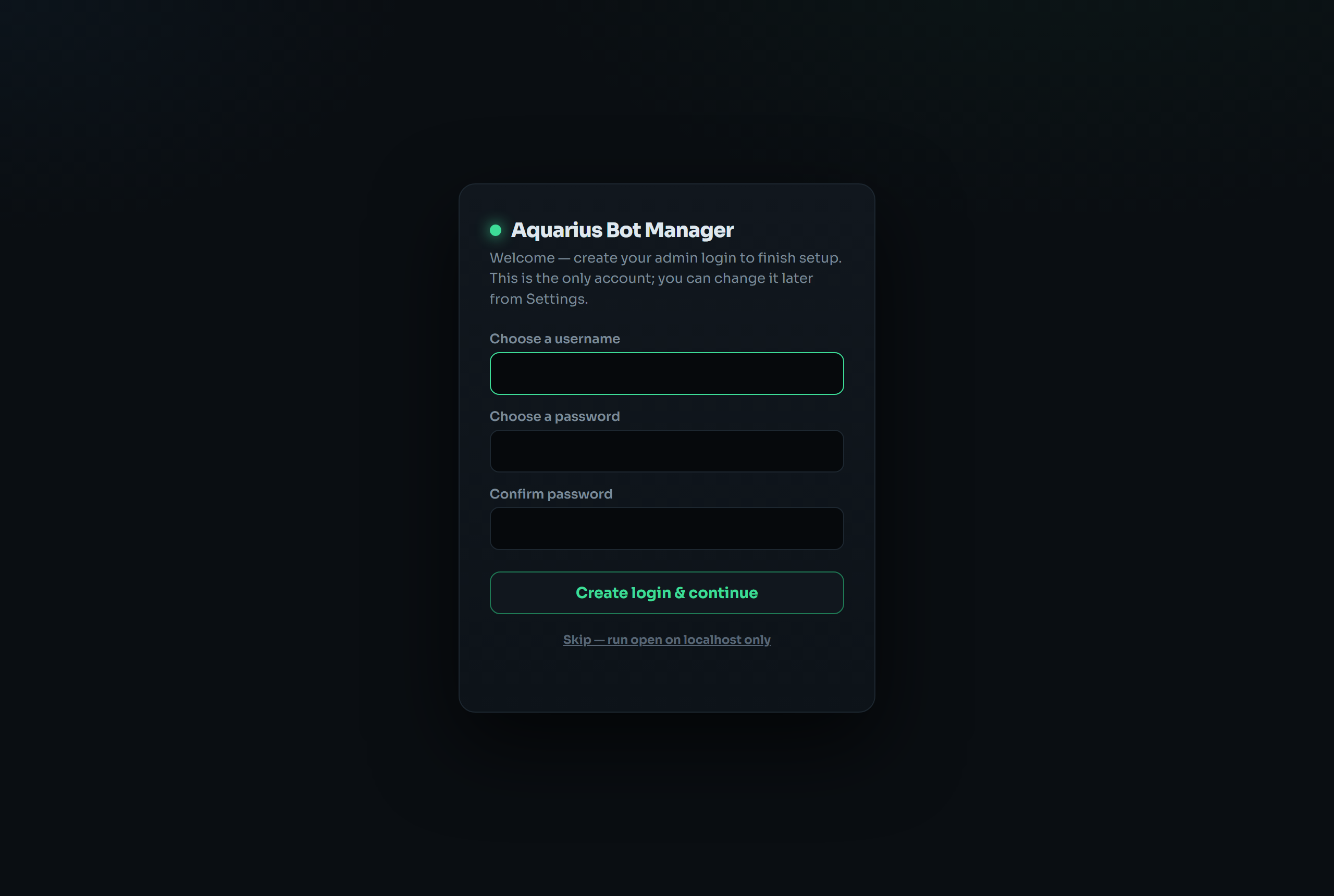
- You can click "Skip — run open on localhost only" to run with no login. Only do this if the manager stays on
127.0.0.1(e.g. reached via SSH tunnel). See Security. - To change credentials later:
abm setpassword(or it stays editable from the server).
SSH-tunnel users: start the tunnel printed by the installer, then open http://localhost:8765.
ssh -L 8765:127.0.0.1:8765 ubuntu@YOUR_VPS_IP
# then browse http://localhost:8765
HTTPS users: just open https://<your-vps-or-domain>.
Paste cloud-init.yaml into your provider's user-data field when creating the box. Edit ABM_RUN_USER if your image's login user isn't ubuntu; add ABM_ACCESS=https ABM_DOMAIN=… for public HTTPS.
For an existing box where you don't want the installer to manage systemd:
sudo mkdir -p /opt/aquarius-bot-manager
sudo cp manager.py schema.py abm /opt/aquarius-bot-manager/
sudo ln -s /opt/aquarius-bot-manager/abm /usr/local/bin/abm   # optional: `abm …` anywhere
Then to run on boot, install the systemd units yourself — see Configuration → Run on boot. The boot-autostart behavior the installer sets up is described in Configuration → Auto-restart after reboot.
Re-run the curl installer — it git pulls the existing install in place and restarts the service. Your instances.json is untouched.