Security
Read this page in full before exposing the dashboard to anything but your own machine. This tool is powerful by design, and that power is exactly what an attacker would gain.
Anyone who can use the web UI can:
- Run arbitrary commands inside every bot (the live console types into each bot's stdin).
- Edit any bot's config, including writing proxy credentials.
- Deploy code — download and install a fork's launcher into a directory you choose.
-
Browse, edit, rename, and delete files within the allowlisted roots (the file manager is jailed to
settings.file_roots, realpath-checked against../symlink escapes — but those roots include your bot configs, which hold secrets). - Reboot the box or run OS updates — if System Actions are enabled (off by default).
-
Read your proxy pool and Webshare token by viewing configs /
instances.jsonthrough the file manager.
Treat owner/admin dashboard access as equivalent to a shell on the box. (Scoped roles — view/operate/config — and guest links do limit what a person can reach; see Named user accounts and Shareable-link guest access below. But the owner and any admin user have full control.)
The manager binds 127.0.0.1 (localhost) by default — not reachable from the internet. How you reach it matters:
| Method | Exposure | Notes |
|---|---|---|
| SSH tunnel (recommended) | None new |
ssh -L 8765:127.0.0.1:8765 user@vps. Traffic encrypted by SSH. The default. |
| Public HTTPS via Caddy | Port 443 public | Use a domain for a trusted Let's Encrypt cert. A set password is required. |
Public HTTP (--host 0.0.0.0, no TLS) |
Port public, cleartext | Don't. Your password crosses the wire in plaintext. The server warns at startup if bound non-local with no auth. |
If you must expose it directly, put it behind TLS (the HTTPS installer mode does this with Caddy) and always set a password.
-
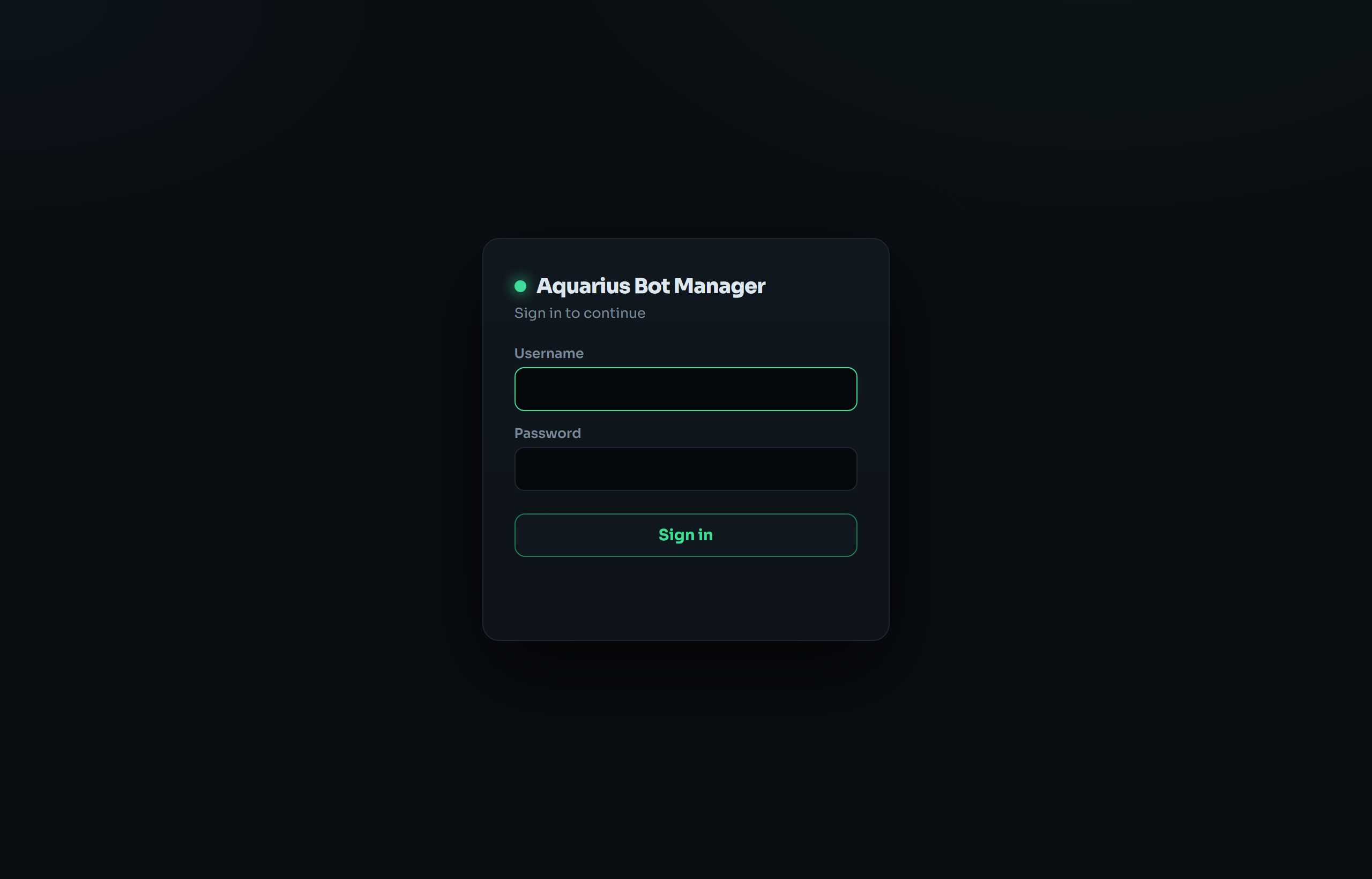
First-run wizard forces creating an admin login before the UI unlocks. Passwords are stored as a salted PBKDF2 hash in
instances.json— never plaintext. -
Sessions: HttpOnly,
SameSite=Strictcookie, 7-day expiry, held in server memory. A manager restart invalidates all sessions (everyone re-logs-in).abm logout-alldoes the same on demand. - Login rate-limiting: 5 failed attempts per 5 minutes per IP.
-
The "Skip" / open mode: the wizard lets you run with no login. In that mode anyone who can reach the port has full control. This is only acceptable on
127.0.0.1behind an SSH tunnel. The startup banner and the skip dialog both warn about this. -
Legacy env auth:
ABM_USER/ABM_PASS(andZP_USER/ZP_PASS) are honored as a fallback if no password is set.
Beyond the single owner login, you can hand out scoped guest links (owner header → 👥 Share). A link grants access to only the bots you pick, at a capability tier, and the bearer of the link is the credential — there are no guest accounts.
-
Capability tiers (
view < operate < config): view = read-only (logs, live viewer/map, config read); operate = + start/stop/restart + console commands + module toggles; config = + editconfig.json/ proxy / limits / autostart and the live/control/config. Owner-only at every tier: delete, rename, deploy, adopt, add, proxies bulk/import, box switching, fleet/node management, settings, backup/restore, system actions. -
Tokens: a 256-bit
token_urlsafe; only its sha256 is stored (settings.shares). The full URL is revealed once at creation and never again. Compared withhmac.compare_digest. -
Enforced on every request: the grant is re-validated from disk each call, so expiry, revoke, and scope edits take effect immediately — even for a guest whose session is already live. Revoke all bumps
shares_epochand kills every guest at once (an owner password change does too). - Enumeration-resistant: a bot outside the grant returns 404, identical to a missing bot. Guests are blocked from box-switching and never receive node credentials — access to a bot on another box is mediated by the controller with the owner's creds, which the guest never sees.
-
Rate-limited redemption (shares the login limiter: 5 bad
/s/<token>per 5 min per IP). Redemption sets aSameSite=Laxcookie (so a link clicked from chat/email works) — still CSRF-safe for the mutating POSTs; the owner login staysStrict. - HTTPS advisory: the token travels over whatever transport the manager is exposed on. Use an HTTPS access mode (or keep it tunnel-only) before sharing a link externally. Recent guest actions are logged to an in-memory ring buffer shown in the Share panel.
Guest access is
manager.py-only — it scopes the dashboard/control plane. The proxy bots themselves are unchanged.
Beyond the single owner and anonymous share links (above), you can give people their own login (owner/admin → 👤 Users). Each account has a role and, for non-admin roles, a scope of specific bots.
-
Roles: view (read-only) · operate (+ start/stop/restart, console commands, module toggles) · config (+ edit
config.json/ proxy / limits / autostart and live/control/config) · admin (full control — a second owner, who can also manage users/settings/deploy/system). The first three map exactly to the guest-link capability tiers; admin is owner-equivalent. - Scope (non-admin): fleet-wide, or a specific set of bots (including bots on remote boxes). Enforced on every request — an out-of-scope bot returns 404 (indistinguishable from missing), owner-only actions return 403. Admins are implicitly fleet-wide.
- Provisioning: create a user with a password directly, or generate a one-time invite link with a preset role + scope (and optional preset username + expiry). The invitee opens it, sets their own password, and the link is consumed — no password handoff. Invite tokens are 256-bit; only the sha256 is stored and the full link is shown once.
-
Fine-grained permissions (per user): beyond the role tier, the owner/admin can restrict an operate/config user further (👤 Users → Permissions): exactly which modules they may use (see + toggle) and configure, whether they get the free-form console, and whether they may start/stop/restart bots. This is enforced server-side, not just hidden in the UI: a non-console user may only send an exact
<module> on|offtoggle for a module they're allowed to use (parameterized/free-form commands are refused); a config write is allowed only if the path maps to a module they may configure (secret roots likeauthentication/discord/databaseare never user-editable); lifecycle actions need the lifecycle grant. Permissions only restrict within the role (they never grant above it); clearing them restores the role default; edits apply live. Admins and the owner bypass all of this. - Live control: role/scope/permission edits, disable, delete, and password reset all take effect immediately — a logged-in user's session is re-validated from disk each request (a reset bumps a per-user generation so their other sessions drop too). Passwords are salted PBKDF2 hashes, never plaintext.
-
Owner account is separate (
settings.auth, not in the user list) and always full-access. There is no API to change the owner password — only the first-run wizard or theabm setpasswordCLI on the box — so an admin user cannot lock the owner out.
Like guest links, named accounts are
manager.py-only and scope the dashboard/control plane; the proxy bots are unchanged.
A guest link is only useful if the recipient can actually reach your dashboard. On the default setup that's loopback-only (SSH tunnel) — so a link points at localhost and is useless to anyone else. The Share panel's Public sharing card (v3.4.0) lets you give the dashboard a real public HTTPS address, and offers a dropdown menu of providers so you can pick whichever you trust / already have. When a provider needs a helper installed, ABM downloads and sets it up for you automatically when you choose it — no root, no manual steps (Tailscale runs in userspace; cloudflared/ngrok are single static binaries):
| Provider | Account / domain | URL stability | Notes |
|---|---|---|---|
| Cloudflare Quick Tunnel | none | re-rolls on reboot | One click. ABM downloads cloudflared, opens a *.trycloudflare.com tunnel to your loopback port. No account, no domain, no cert. |
| Tailscale Funnel | free Tailscale login (once, via a link) | stable, survives reboots | ABM installs Tailscale for you (no root) and runs it in userspace; you click a one-time sign-in link and it goes live automatically. Stable https://<machine>.<tailnet>.ts.net with a valid cert. Best no-domain option. |
| ngrok | free ngrok account + authtoken | stable (reserve a domain) | ABM downloads ngrok; reserve a free static *.ngrok-free.app domain so the address doesn't change. |
| Cloudflare Tunnel (your domain) | a domain on Cloudflare + a tunnel token | stable custom hostname | Create a tunnel in Zero Trust, route a Public Hostname to http://127.0.0.1:<port>, paste the token + hostname. |
| My own domain / reverse proxy | your own HTTPS setup | whatever you run | You already expose the dashboard (Caddy/nginx/domain). ABM runs nothing — it just builds links from the URL you give it. |
What turning this on means — read this. Public sharing makes your dashboard reachable from the internet. That's the point (so a link works), but it raises the stakes:
- A password is mandatory. ABM refuses to enable any provider unless a dashboard login is set — an exposed open dashboard would hand full control to anyone with the URL. (See §1: dashboard access = a shell on the box.)
- The dashboard is now only as private as your login + your share-link discipline. Anyone who guesses/obtains a guest link (or the owner password) can reach it from anywhere. Use expiries, revoke liberally, and Revoke all if a link leaks.
-
Provider secrets (ngrok authtoken, Cloudflare tunnel token) are stored base64-obfuscated in
instances.json(same as the Webshare token — obfuscation, not encryption; see §4) and are never sent back to the browser. Anyone who can read that file can recover them — rotate them in the provider's dashboard if the box is compromised. - Cloudflare/Tailscale/ngrok each terminate TLS and proxy your traffic through their network. You're trusting that provider with the transport. All four give a valid HTTPS cert end-to-end to the visitor.
- Managed tunnels (Cloudflare/ngrok) run detached and are adopted across manager restarts, so the URL stays put through self-updates; it only changes on the provider's own terms (e.g. a quick-tunnel reboot). Switching providers cleanly stops the previous one.
Public sharing is
manager.py-only. It changes how the dashboard is reached, not what the bots do.
This single file holds, in one place:
| Item | At-rest form | Risk if the file leaks |
|---|---|---|
| Web login | salted PBKDF2 hash | Low — not reversible. |
| Proxy passwords |
plaintext (inside bot config.json files) |
Your proxy credentials are exposed. |
| Webshare API token |
base64-obfuscated (b64:…) under settings.webshare
|
Recoverable. Obfuscation ≠ encryption — it just isn't eyeball-plaintext. Anyone who reads the file (or uses the file manager) can decode it. |
Implications:
- Keep
instances.jsonand the bot config files owned by the run user with tight permissions (the installer sets ownership). Anyone who can read them gets your proxy creds and Webshare token. - The Webshare token grants access to your Webshare account's proxy API — rotate it in the Webshare dashboard if you suspect the box is compromised.
- If you'd rather not persist the token at all, don't tick "Save token" — pass it each time or via the
WEBSHARE_TOKENenv var.
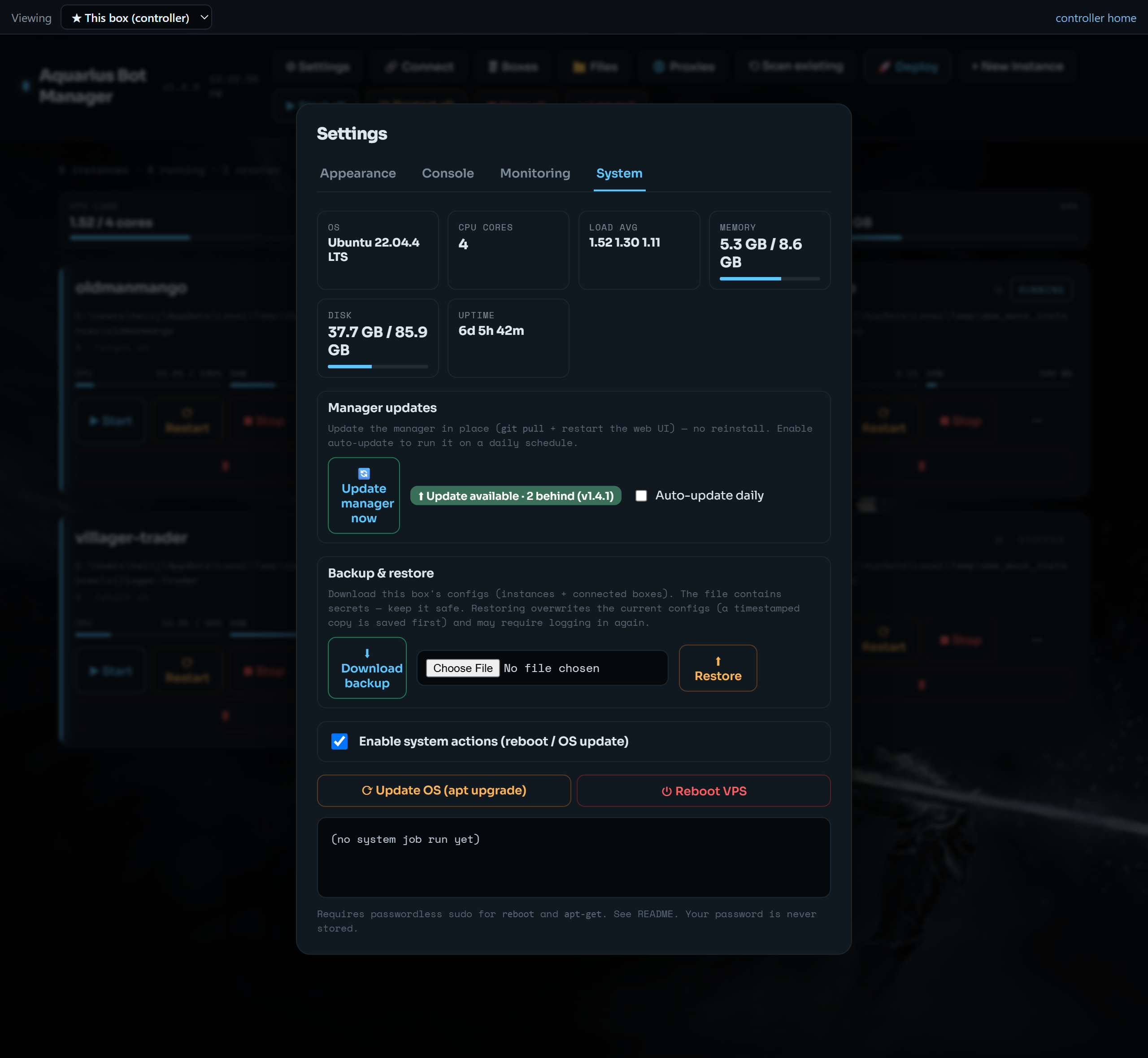
Off by default. When enabled (Settings → System), the manager runs sudo -n reboot / sudo -n apt-get …. This needs tightly-scoped passwordless sudo for the run user — never store your password anywhere:
sudo visudo -f /etc/sudoers.d/aquarius-bot-manager
# ubuntu ALL=(root) NOPASSWD: /usr/sbin/reboot, /usr/bin/apt-get
The manager uses sudo -n (non-interactive), so if sudo isn't configured it fails cleanly rather than hanging. Granting this widens what a dashboard attacker can do (reboot the box, run apt) — only enable it if you need those buttons.
- ✅ Keep the default
127.0.0.1bind + SSH tunnel unless you have a specific reason to expose it. - ✅ Set a login (don't run in skip/open mode except on localhost).
- ✅ If exposing publicly, use HTTPS with a real domain cert, not plain HTTP.
- ✅ Restrict who can SSH to the box — SSH access already implies dashboard access.
- ✅ Use user/pass proxy auth rather than IP-authorization if you don't want everything on the VPS IP sharing your proxy pool.
- ✅ Don't save the Webshare token if you don't need one-click reuse; rotate it if the box is ever compromised.
- ✅ Leave System Actions off unless you use them.
- ✅ Back up
instances.jsonsomewhere safe — and remember it contains secrets.
- Roles exist (see Named user accounts and Shareable-link guest access above): view/operate/config/admin, scoped per user. The owner and any admin user have full control of the host (a shell-equivalent). Non-admin roles are scoped, but treat anyone you grant operate/config to as trusted on their bots.
- Secrets at rest are protected by file permissions, not encryption. There is no secret vault.
- The tool does what you tell it on one host; it has no audit log of who did what.
- It does not make bots undetectable and does not change any game server's rules — compliance with those rules and with your proxy provider's terms is on you.