Repository navigation
Home
Self-hosted IT service management, from request to resolution.
ServiceOps brings service-desk work, change approvals, configuration records and operational reporting into one application. Run it on your infrastructure with Python, PostgreSQL and Docker or Kubernetes.
Get started · Explore the app · REST API · Download the manual
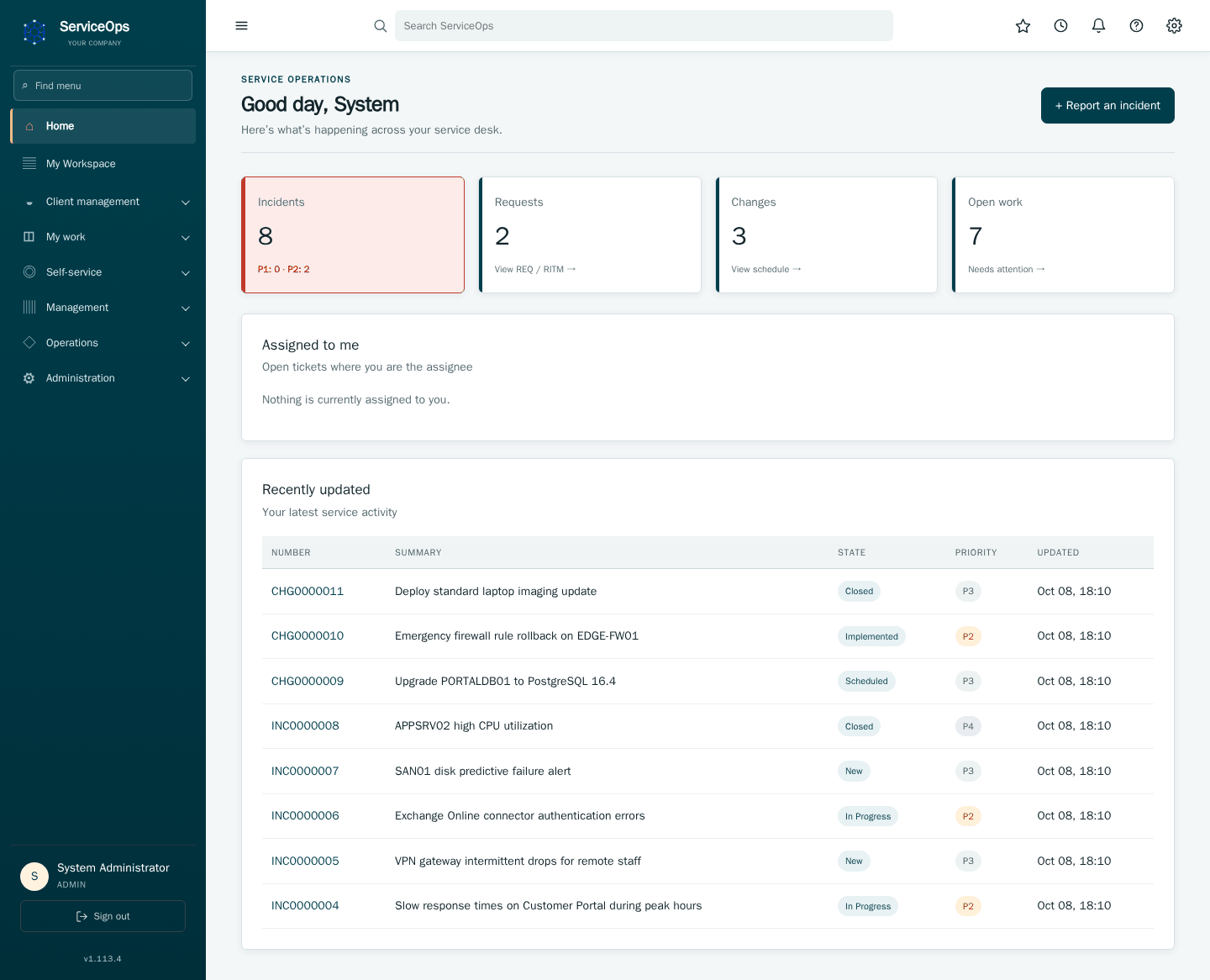
| Your workspace | An incident from start to finish |
|---|---|
 |
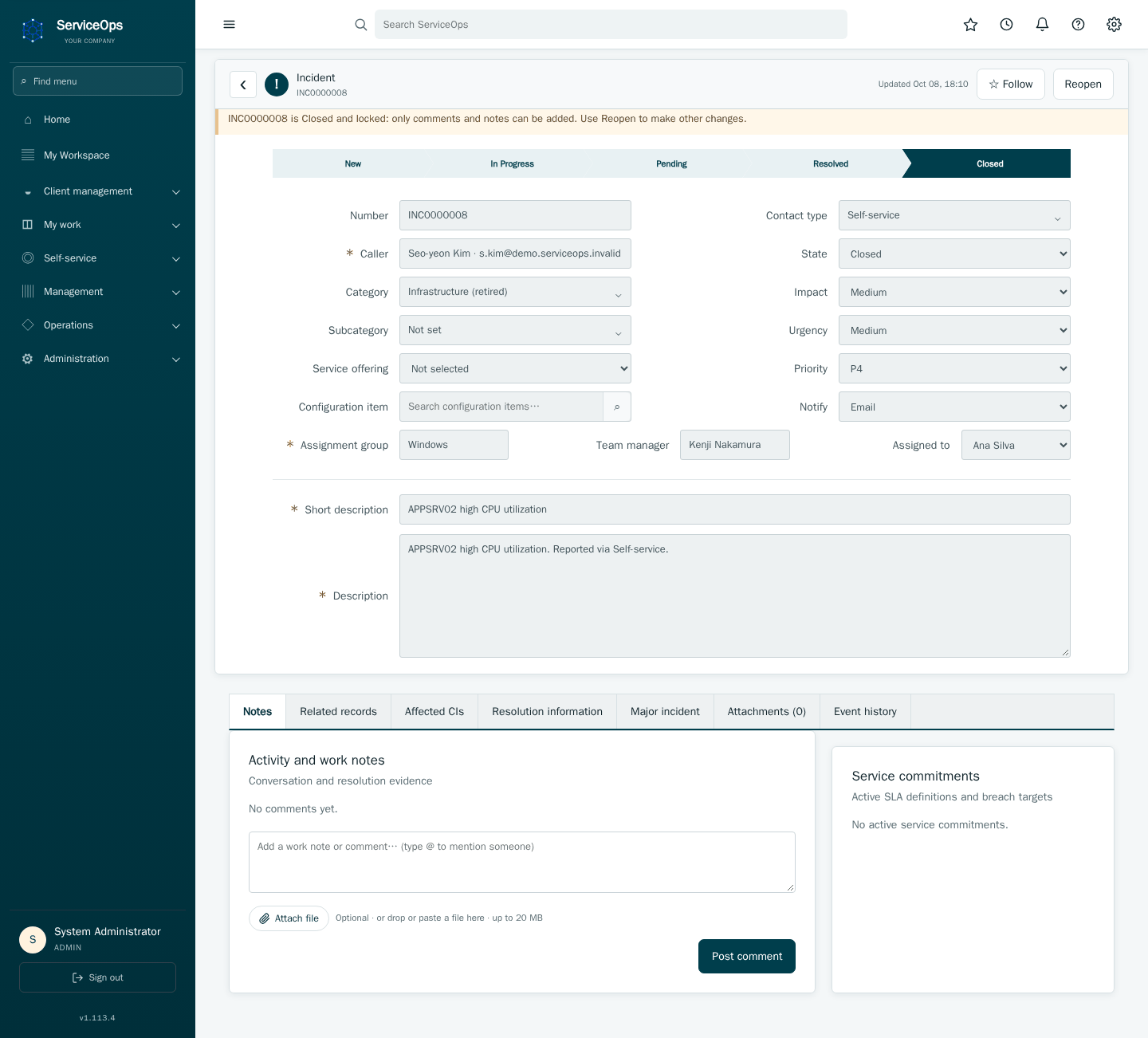 |
| Track work and service health. | Assign, investigate and resolve incidents. |
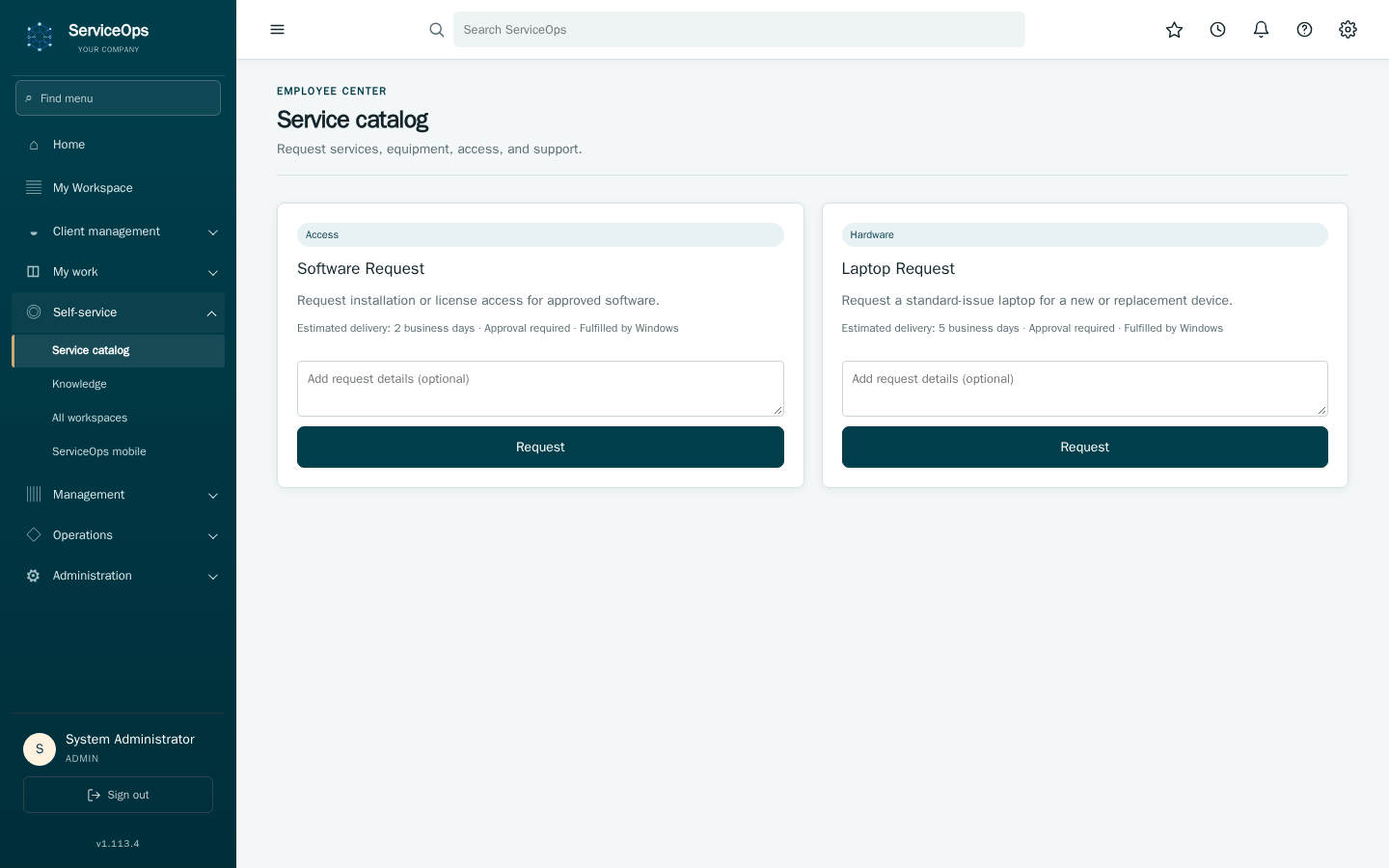
| Employee self-service | Team execution |
|---|---|
 |
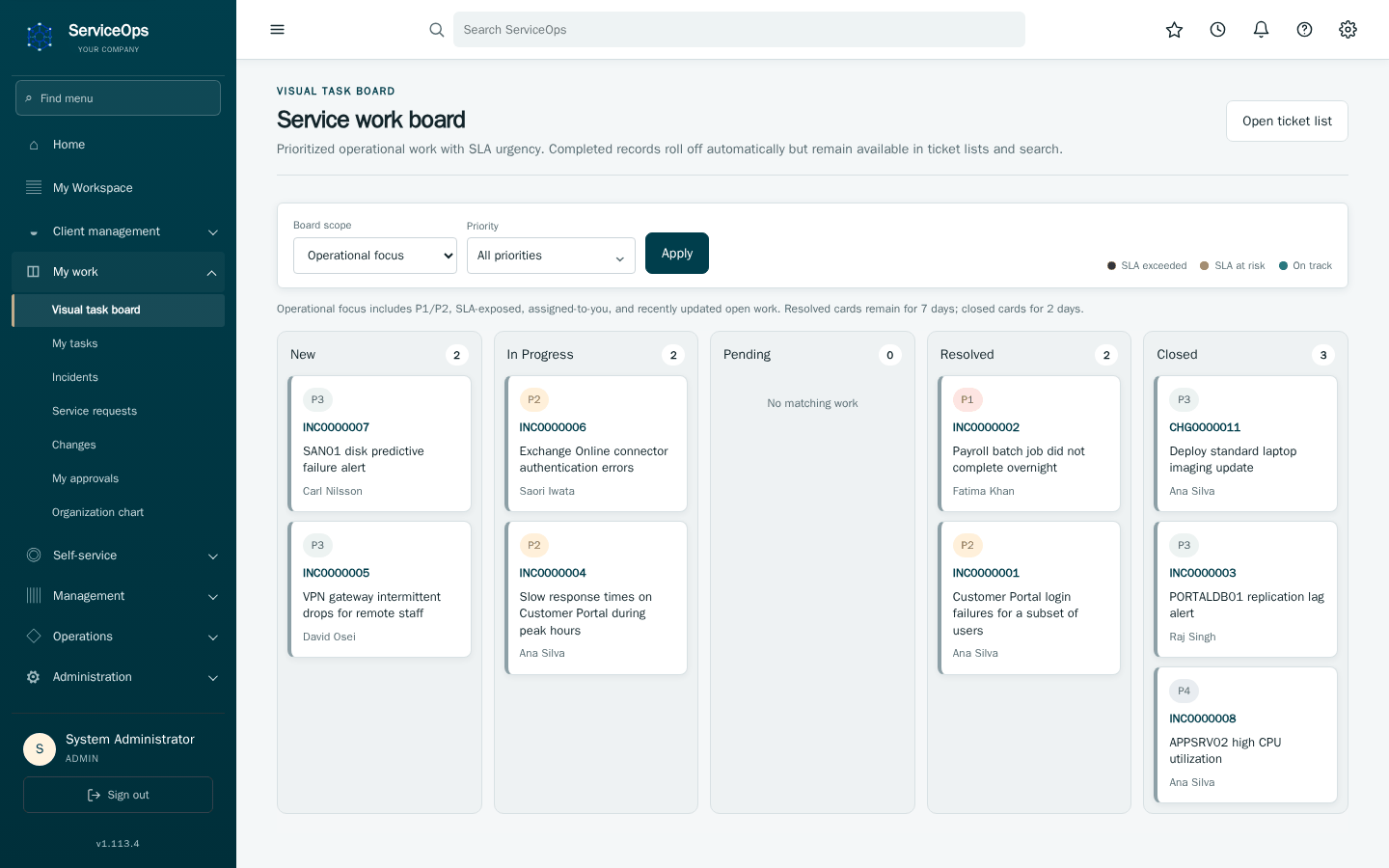 |
| Request services through the catalog. | Organize fulfillment and operational tasks. |
| Area | What you can do |
|---|---|
| Service desk | Manage incidents, major incidents, problems, requests, comments and attachments. |
| Service delivery | Publish catalog items, route approvals, fulfill requests and track SLAs. |
| Change governance | Assess risk and affected CIs; obtain manager, owner and CCB approvals. |
| Assets and services | Maintain the CMDB, ownership, service relationships, asset records, suppliers and contracts. |
| Client support and knowledge | Manage client-facing work and mailboxes; publish knowledge for reusable resolutions. |
| Operations | Review analytics, service status, audit evidence and workflow automation; coordinate enterprise operational work. |
| Administration | Configure identity, groups, permissions, integrations and optional AI providers. |
Optional AI supports role-scoped investigations and drafts; write actions remain human-reviewed proposals. REST API and read-only MCP interfaces support integration.
flowchart LR
    A[Employee request or incident] --> B[Service desk triage]
    B --> C{Approval required?}
    C -->|Yes| D[Manager, owner or CCB review]
    C -->|No| E[Assigned team]
    D --> E
    E --> F[Fulfillment or resolution]
    F --> G[Closure and reporting]
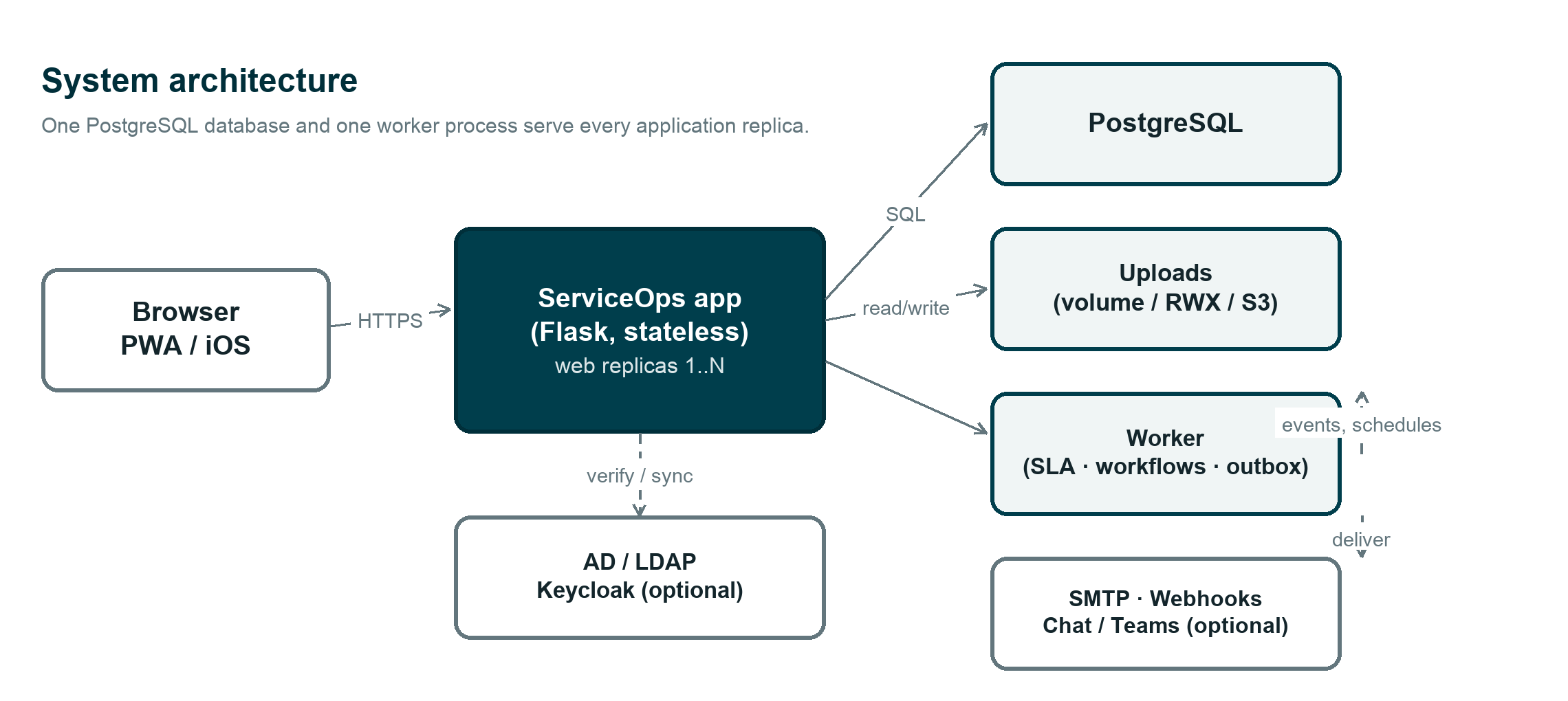
The web application and workers share PostgreSQL and managed uploads. Identity providers, notifications, NetBox and AI inference are configured integrations. Back up and restore-test the database before upgrades.
| Use it for | Guide |
|---|---|
| Screens and everyday workflows | App guide, operations manual |
| Installation, upgrades and recovery | Deployment and recovery, offline deployment |
| Integrations and development | REST API, engineering reference, database migrations |
| Controls and administration | Security and compliance, security policy |
| Delivery status and decisions | Implementation plan, backlog, dated history |
| Documentation maintenance | Wiki maintenance, artwork attribution |
Screenshots are interface examples; detailed guides retain the requirements and dated verification evidence.