Codalab AMI
This page explains how to run an Ubuntu virtual machine on Amazon Web Services (AWS) already fully pre-configured with Codalab on it. We created for you a virtual machine image (AMI), which can be publicly accessed. Once launched, your virtual machine runs a web server through which you can access your own instance of Codalab. We explain how you can configure it to open the necessary ports for HTTP and HTTPS (i.e. to use SSL for more secure access).
Tutorial: starting and connecting to a machine on AWS
Select your machine from your "Instances" menu in the EC2 dashboard, and click the security group 'launch-wizard-XX':


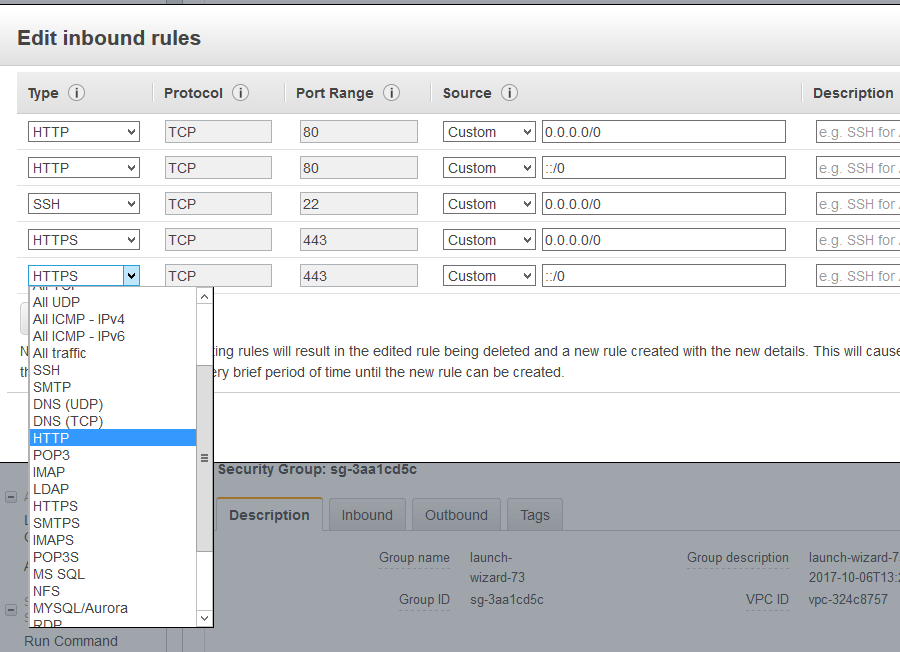
Connect to the server, then:
cd src/codalab-competitions
git stash
git pull
You should have now the newest version of Codalbab.
ls -laYou should see a .env file, which contains the Codalab configuration. You will need to edit that file with your favorite editor (vim comes with Ubuntu. If you need emacs, use sudo apt-get install emacs).
Select your machine from your "Instances" menu in the EC2 dashboard and copy the DNS address 'Public DNS (IPv4)'. Edit the .env file: go to the CODALAB_SITE_DOMAIN field and put your DNS, e.g.:
CODALAB_SITE_DOMAIN=ec2-54-153-46-119.us-west-1.compute.amazonaws.comSave the file and exit. Then run:
docker-compose up -dEvery time you edit .env file you must restart the services, i.e. run docker-compose down then docker-compose up -d.
You should be now able to access the codalab website at your DNS, e.g.: http://ec2-54-193-41-242.us-west-1.compute.amazonaws.com.
- Get a certificate (for free certificates, type
get free ssl certificatein Google). - To enable SSL, follow these instructions.