Protocol decoders
The application runs the unmodified pd.py decoders of
libsigrokdecode natively in Python — over 130
of them ship with it, from I²C, SPI and UART to CAN, USB and the mos6502 and c64bus decoders
for retro computers.
- Add decoder… in the panel on the right, pick a protocol.
- Assign the channels. Inputs whose name matches a channel name of the capture are assigned automatically — another reason to name channels before capturing.
- Set the options (bit rate, word size, address format …).
Decode automatically re-runs the decoders after every capture; Decode now does it on demand. Decoders that consume the output of another one (e.g. a display decoder on top of SPI) can be stacked with the stack button.
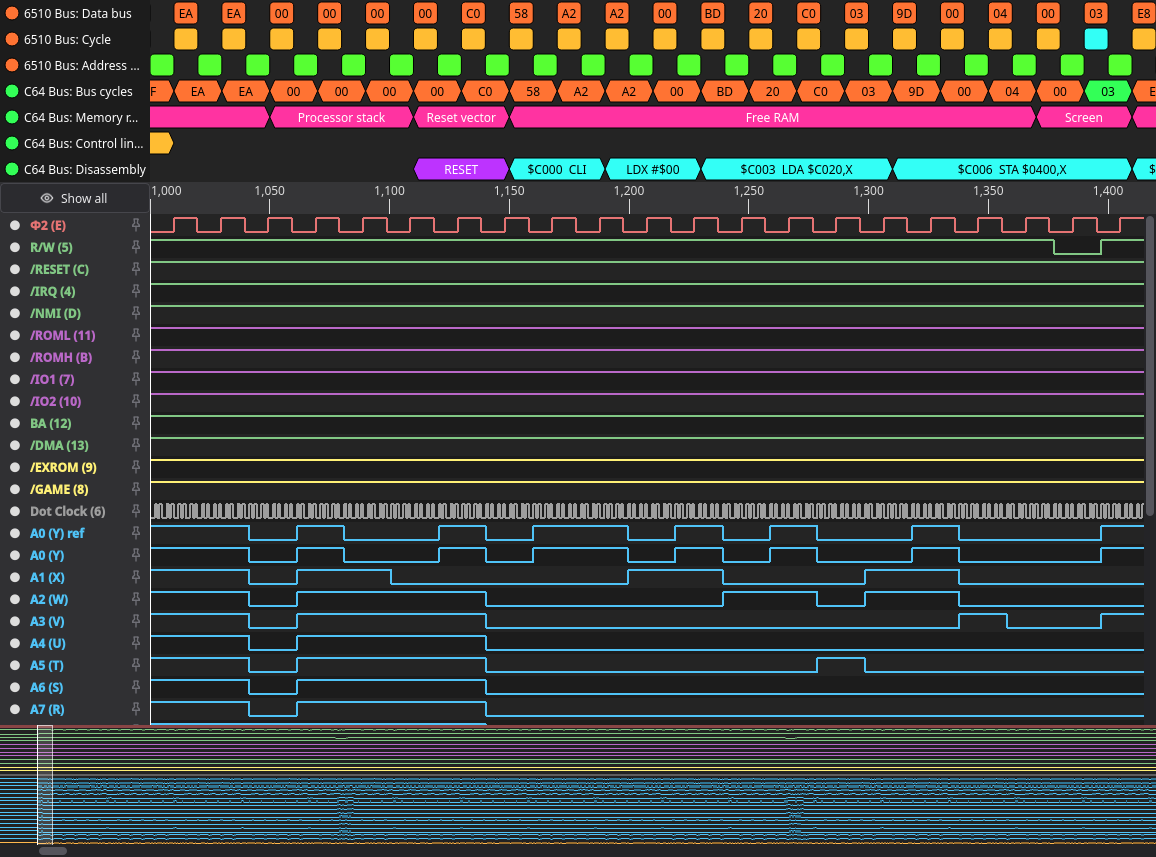
Each decoder produces one or more annotation rows above the waveform.
-
Hover an annotation to see how its value is composed: the samples it covers are marked in
every view, a dashed line shows where the decoder read the value, and every channel it read
shows its level (
A15 = 1 (+$8000)). Buses such asA0…A15also show their value. - Click the name of a row to open it as a list in a separate window — sample, time, duration, type and value, with a filter and Copy / Copy values. This is the fastest way to read long rows such as a disassembly.
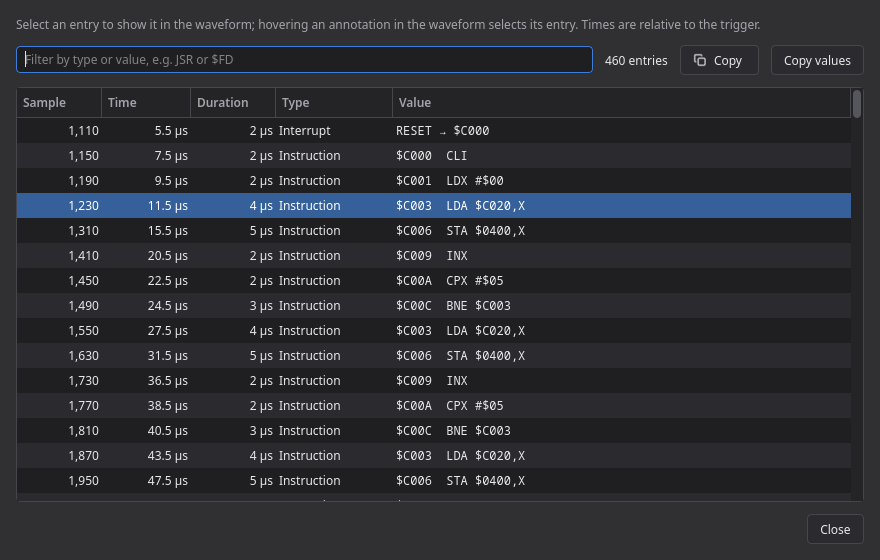
- Double-click an annotation to open that list with the entry selected. Selecting an entry jumps the waveform to it.
In this order — the first decoder with a given id wins:
- paths given with
--decoders(repeatable) - the environment variable
PIPILOGICANALYZER_DECODERS -
./decodersin the working directory -
decodersin the project directory -
decodersinside the installed package (the ready-to-run builds) <settings directory>/decoders- system paths of libsigrokdecode (
/usr/share/libsigrokdecode/decoders, PulseView on Windows, Homebrew on macOS)
Help → Decoder search paths shows the directories and how many decoders were loaded. To add
your own, drop it into <settings directory>/decoders/<id>/.
Decoders are Python files that are executed. Treat a decoder from an untrusted source like any other software you install.