Repository navigation
Face Themes
A face theme sets how glass-evo's own pieces look and read: the bar of controls, the sheet above it, the clock and the date. It is a folder with one text file, face.txt, written the way meter themes are: sections of key = value. What a theme leaves out keeps the built-in look, and what the user sets in the Glass Manager goes over the theme, key for key. A meter theme may bring such a file for itself (below).
The format stands from glass-evo 0.2.0: a key keeps its name and its meaning, and one added later is documented here with the version it came in. A key a face does not know is passed over, so a theme written for a later glass-evo still draws on an earlier one.
[theme]
name = Example
description = The built-in look, written out

[colours]
tint = artwork
accent = artwork
ink = #f2f2f5

[glass]
bar = 0.75
sheet = 0.78
hairline = 0.12
frost = auto

[buttons]
ink = ink
opacity = 1.0

[clock]
show = on
format = %H:%M
ink = ink
opacity = 0.86
glass = 0.55
tint = tint
face = type
dial = station
unlit = 0.08
hands = ink
marks = ink
second = accent
disc = style
card = #17171a

[date]
show = off
place = top
format = %A %-d %B
ink = ink
opacity = 0.86
glass = 0.55
tint = tint

[measure]
bar = 72
clock = 144
date = 40
That is the built-in look written out, every key at the value it has when a theme leaves it out; themes/Example/face.txt in the repository is the same file with a note on every key. Start from it and change what you want.
| Key | Values | What it sets |
|---|---|---|
theme.name |
text | The theme's name, the same as its folder's: letters, digits, spaces and _ - . ( ), up to 64. |
theme.description |
text | A line about the look, shown under its name where it is chosen. |
colours.tint |
artwork or #rrggbb
|
The colour of glass. artwork takes it from the cover of what plays, made dark. |
colours.accent |
artwork or #rrggbb
|
The colour of what is lit: a mode that is on, the More button while its sheet is open. artwork takes the cover's most vivid colour; a cover with no colour to speak of gives a near white. |
colours.ink |
#rrggbb |
Text and icons. |
glass.bar, glass.sheet
|
0.1 to 1 | How much of the glass shows over the picture. Never under a tenth, so a control cannot be made invisible while it still takes a touch. |
glass.hairline |
0 to 1 | The line along a glass's inner edge. |
glass.frost |
auto, on, off
|
Whether what lies under the glass is frosted while the theme moves. auto follows the board: on where a frame has room for it, off on the small ones. |
buttons.ink |
ink or #rrggbb
|
The icons' own colour; ink is the theme's ink. |
buttons.glass, buttons.tint
|
0 to 1 or bar; a colour or tint
|
From 0.1.54: the buttons' own background: how solid the bar's glass is, or bar (unless said) for the look's glass.bar; the bar's and the More sheet's colour, or tint (unless said) for the look's tint. |
buttons.opacity |
0.1 to 1 | The icons' opacity. |
clock.show |
on, off
|
Whether there is a clock when nothing plays. |
clock.format |
a pattern | What the clock says: %H:%M is 13:05, %H:%M:%S adds the seconds, %-I:%M %p is 1:05 PM. |
clock.ink |
ink or #rrggbb
|
The clock's own colour. |
clock.opacity |
0.1 to 1 | The clock's opacity. |
clock.glass |
0 to 1 | How much of the glass behind the clock shows, and behind a date standing with it; 0 for no glass. |
clock.tint |
tint or #rrggbb
|
The colour of the clock's glass; tint is the theme's tint. |
date.show |
on, off
|
Whether the date shows when nothing plays. |
date.format |
a pattern | What the date says: %A %-d %B is Thursday 1 October, %a %-d %b %Y is Thu 1 Oct 2026, %d/%m/%Y is 01/10/2026, %Y-%m-%d is 2026-10-01. |
date.place |
top, above, below, or cells of the grid |
At the top of the screen on a glass of its own, or above or below the clock on the clock's. With no clock, a date placed with it takes the middle. From 0.1.42, cells of the grid as clock.place names them: the date then stands in those cells, and a clock and a date on the same cells with the same alignment stand one under the other on one glass, the clock first. |
date.align |
left, centre, right and top, middle, bottom
|
From 0.1.42: where the date stands inside the cells it occupies; the middle unless said. |
date.margin |
units | From 0.1.42: the room between the date's glass and the sides of its cells, in units of a 720th of the picture's height; 20 unless said. |
clock.place |
cells of the grid | From 0.1.40: the cells the clock occupies on the idle screen's grid, three rows by three columns in equal thirds above the bar, rows then columns, each a name or a range: middle left-right is the middle row, middle-bottom centre-right four cells, top-bottom left-right all nine. Empty: as before the grid, in the middle of what the date and the bar leave. |
clock.align |
left, centre, right and top, middle, bottom
|
Where the clock stands inside the cells it occupies; the middle unless said. |
clock.margin |
units | The room between the clock's glass and the sides of its cells it is aligned to, in units of a 720th of the picture's height; 20 unless said, 0 for the corner. |
weather.show |
on, off
|
From 0.1.44: whether today's forecast shows, where the player holds one for a place chosen on the Manager's Screen tab. |
weather.span |
today, hours2, hours3, hours4, hours6, week
|
From 0.1.45: what the forecast shows: today as a line, the next 24 hours every 2, 3, 4 or 6 hours as columns, or the week as seven columns. today unless said. |
weather.heat, weather.cold, weather.warm, weather.heat.days, weather.heat.date
|
on/off, colours |
From 0.1.50: the heatmap, numbers only: every temperature the forecast shows in the colour of its degree, from cold at -10 °C (#3b8bff unless said) through the forecast's own ink at 12 to warm at 30 (#ff4b2b unless said), straight between and held beyond, a Fahrenheit reading converted. heat.days colours the week's lows and highs too; heat.date sets the date in the colour of the temperature now, its own ink the middle of the scale. Every switch off unless said. |
weather.motion, weather.thunder, weather.colour
|
on, off
|
From 0.1.51: the skies move, each its own small motion at its own pace (rain and snow fall, the sun's rays turn, clouds sway, a star winks beside the moon, heat haze shimmers from 30 °C), the same frame on every screen; on unless said, and off every sky stands still and the screen refreshes as it does without a forecast. thunder is the flashes, the bolt and the cloud lit for a tenth of a second every eight to twenty seconds; off unless said. colour is the skies in colour, a yellow sun and a red one when scorching, a pale moon, greys for cloud and fog, blues for drizzle and rain, white snow, the storm dark with a yellow bolt, heavy weather murkier; on unless said, and off every sky is in the forecast's ink. |
weather.place |
cells of the grid | From 0.1.44: the cells the forecast occupies, as clock.place names them; bottom left-right unless said. The forecast stands on the grid and only: empty hides it. |
weather.align |
left, centre, right and top, middle, bottom
|
From 0.1.44: where the forecast stands inside its cells; the middle unless said. |
weather.margin |
units | From 0.1.44: the room between the forecast's glass and the sides of its cells, in units of a 720th of the picture's height; 20 unless said. |
weather.ink, weather.opacity, weather.glass, weather.tint
|
as the date's | From 0.1.44: the forecast's own colour, opacity, glass and tint; from 0.1.47 linked to no other piece: ink and tint for the theme's, 0.86 and 0.55 unless said. |
measure.weather |
units | From 0.1.44: the forecast's height, in units of a 720th of the picture's height; 40 unless said. |
date.ink |
ink or #rrggbb
|
The date's own colour. |
date.opacity |
0.1 to 1 | The date's opacity. |
clock.face |
type, seven, sixteen, flip, dial
|
From 0.1.15: the clock set in the theme's type, or drawn: in seven or sixteen segments, on cards that fall, or with hands over a dial. A drawn face is as high as measure.clock, a dial twice that. |
clock.dial |
station, numbers, roman, plain
|
A dial's style: bars and strong hands on a light disc, the hours in numbers, in Roman numerals, or marks alone. It has a second hand when clock.format shows seconds. |
clock.unlit |
0 to 0.5 | How much of an unlit segment shows. |
clock.hands, clock.marks
|
ink or #rrggbb
|
A dial's hands, and its marks and numerals; ink is the clock's ink (a station dial has dark ones of its own). |
clock.second |
accent or #rrggbb
|
The second hand; accent is the look's (red on a station dial). |
clock.disc |
style, none or #rrggbb
|
The disc behind a dial's hands: the style's own (light on a station dial, none on the others), none, or a colour. |
clock.card |
#rrggbb |
A flip clock's cards. |
date.glass |
0 to 1 | How much of the glass behind a date at the top shows; 0 for none. |
date.tint |
tint or #rrggbb
|
The colour of the glass behind a date at the top; a date with the clock is on the clock's glass. |
measure.bar |
48 to 240 | The bar's height, in units of a 720th of the picture's height. |
measure.clock |
48 to 720 | The clock's height, in the same units (to 360 before 0.1.13). |
measure.date |
16 to 360 | The date's height, in the same units (to 200 before 0.1.13). |
colors is read for colours, #rgb for a colour, true, yes and 1 for on, and clock.plate for clock.glass. The face size chosen in the Manager (normal, large, car) scales the measures together; a bar never takes more than a third of the picture. A clock or a date at the size a theme asks for is fitted to the screen: the date beside its glass and the margins, the clock in the whole width and in the height the date and the bar leave, its margin and its glass's room giving way first (from 0.1.13; before, the clock kept both and was never taller than half the picture). A size the user sets in the Manager is the user's: it is drawn as set, and what does not fit runs over the screen's edges.
A pattern says what shows and in which order, in the notation of strftime. The pieces most used:
| Piece | Gives | Piece | Gives |
|---|---|---|---|
%H |
the hour of 24, 13 | %A |
the day, Thursday |
%I |
the hour of 12, 01 | %a |
the day short, Thu |
%M |
the minutes, 05 | %d |
the day of the month, 01 |
%S |
the seconds, 09 | %B |
the month, October |
%p |
AM or PM | %b |
the month short, Oct |
%Y |
the year, 2026 | %m |
the month as a number, 10 |
A minus after the per cent sign drops a leading zero: %-d is 1, %-I is 1. Anything else in a pattern stands as written: %A, %B %-d is Thursday, October 1. Day and month names are in English for now.
glass-evo comes with four looks beside the built-in one, which follows the artwork. Each is a face theme like any other, in the repository under themes/, and a starting point for one's own.
| Look | What it is |
|---|---|
| Dark Glass | Black glass, fairly solid, whatever the artwork. |
| Clear | No backgrounds: the words and the buttons on the picture itself. |
| Warm | Amber on brown glass. |
| Night Drive | Large and high in contrast, for a glance while driving in the dark. |
Copy the theme's folder to /data/INTERNAL/glass/faces/ on the player, so that /data/INTERNAL/glass/faces/<Name>/face.txt exists. The Glass Manager's Screen tab then shows it under How the screen looks, in the row of looks, with its name and its description under a small likeness of the screen. A theme of the user's stands before a shipped look of the same name.
Choosing a look takes it as its author made it; the adjustments start again over the new one, and going back to the look that is saved brings its adjustments back. Nothing reaches the player's screen until Save.

A meter theme may bring a look for the face: a face.txt beside its meters.txt, written exactly as a face theme is. It needs no installing and no choosing: it comes on show with its theme and goes with it. While that theme is on show, three things lie one over the other, key for key:
- the look chosen on the Screen tab, or the built-in one where none is chosen;
- what the theme on show brings;
- what the user adjusted in the Manager.
A theme that sets only its colours leaves the sizes, the clock and everything else as the user has them. A theme that sets every key draws the same on every player, but for what its user adjusted. The file is optional, and a theme without one draws in the chosen look as before. The name and the description in [theme] are for the row of looks and mean nothing here.
1280x720_MyDeck/
  meters.txt
  face.txt              a look for the face while this theme is on show
  background.png
  ...
The Manager's look panel says when the theme on show brings a look of its own, and its likeness is laid as the face lays it (from Glass 0.8.50). The row of looks still shows each look as it comes. What is adjusted and saved there is the user's, and stands over every theme's look.
A meter theme's look is drawn from glass-evo 0.1.26. An earlier glass-evo passes the file over.
From glass-evo 0.1.32 with Glass 0.8.63, the screen can show a picture of your own in the theme's place while nothing plays, with the clock, the date and the bar of controls over it as the look has them. When music plays, the theme is back.
After the row of looks on the Screen tab stands one more tile, Picture when nothing plays. It opens the pictures to choose from: none (the theme shows), each picture on the player, and an upload. The picture is apart from the looks and goes with whichever is chosen. Darken the picture, in the Backgrounds section, keeps the clock readable over a bright one, and the glass behind the clock and the date blurs it where blur is on.

The pictures are kept on the player in glass/backgrounds on its Internal Storage share: put them there over the network, or upload them from the tile. JPEG, PNG and WebP, at most 32 MB, named with letters, digits, spaces and . _ ( ) -. A picture is scaled to cover the screen and cut from its middle.
In a face theme the two keys are [idle] picture (a file's name in that folder; empty for none) and dim (0 to 0.9, 0.25 unless said).
Screen off. From glass-evo 0.1.35 with Glass 0.8.67, "Screen off after, minutes" in the Backgrounds section turns the screen black after that many minutes with nothing playing and no touch; 0, the default, never. A tap wakes it and does nothing else, and music starting wakes it too. The pixels go dark, which on an OLED is the screen off; a panel's backlight is not touched. It goes black and comes back over a fade, "Over, milliseconds": 500 unless said, 0 for at once, up to 120000 (from glass-evo 0.1.36 with Glass 0.8.68). In a face theme the keys are [idle] off, minutes, and fade, milliseconds.

When the player stops. From glass-evo 0.1.53 with Glass 0.8.88, "When the player stops" in the Backgrounds section says when the idle screen comes: "The clock at once" (as before, unless the look says) or "After the persist period". With the second, while the plugin keeps the display after a pause or a stop (its own "Keep Display Active After Pause/Stop", with its countdown where that is chosen), the theme stays, and the clock, the date, the forecast and the picture come when that period ends. In a face theme the key is [idle] wait, none or persist. The five seconds the face allows a stop between two tracks are unchanged.

The buttons' own background. From glass-evo 0.1.54 with Glass 0.8.90 the Buttons section has, behind More, Background and Background colour as the clock, the date and the forecast have theirs: how solid the bar's glass is, as the Backgrounds section's "How solid" unless moved, and the bar's and the More sheet's colour, the look's unless said. In a face theme the keys are [buttons] glass (0 to 1, or bar) and [buttons] tint (a colour, or tint).

From glass-evo 0.1.52 with Glass 0.8.87 the Face tab, Anymote and the remote displays show the picture when nothing plays too, behind the clock as the player's screen does: a browser view asks the page for it as it asks for album art, a remote brings it beside the faces it syncs. Before that they showed the theme. The look panel's likeness paints it as its own backdrop.
From glass-evo 0.1.40 with Glass 0.8.75 the idle screen has a grid of nine cells above the bar, three rows by three columns in equal thirds: top, middle, bottom by left, centre, right. The clock can occupy one cell or a block of neighbouring cells (clock.place), stand inside what it occupies where clock.align says, and keep clock.margin from the sides it is aligned to. A size the look comes with is fitted to the cells; a size the user set is kept and runs over them where it is larger: from 0.1.41, over the side it is aligned to, its far edge the margin from the cells' far side, so that top always moves a large clock up and left always left; in the middle, over both sides alike. A clock with no place stands as before, and a date placed above or below a clock that is on the grid has the middle to itself.
A flip clock across the middle row is clock.place = middle left-right; a dial in the lower right four cells is clock.place = middle-bottom centre-right. On the Manager's Screen tab the Clock section has the cells to press, the alignment and the margin, and the likeness draws it as the screen does.
From 0.1.42 with Glass 0.8.77 the date stands on the grid the same way: date.place takes cells beside its three words, date.align is where it stands inside them and date.margin its room from their sides. A size the look comes with is fitted to the cells; a size the user set is kept and runs over them, past the side it is aligned to, as the clock does. The clock and the date on the same cells with the same alignment share one glass, the clock above the date, each against the side the block is aligned to; the date is set first and the clock takes what it leaves of the cells' height. A date with one of its three words stands as before, and leaves a clock that is on the grid its cells. The date across the top row over a flip clock across the middle row is date.place = top left-right with clock.place = middle left-right.
From 0.1.43 with Glass 0.8.78 every piece of the Manager's likeness is drawn by glass-evo's own browser module: a drawn clock face as before, and now the date and a clock in type too, set in the look's bold font brought from the player, so the likeness shows the screen's own shapes and widths.
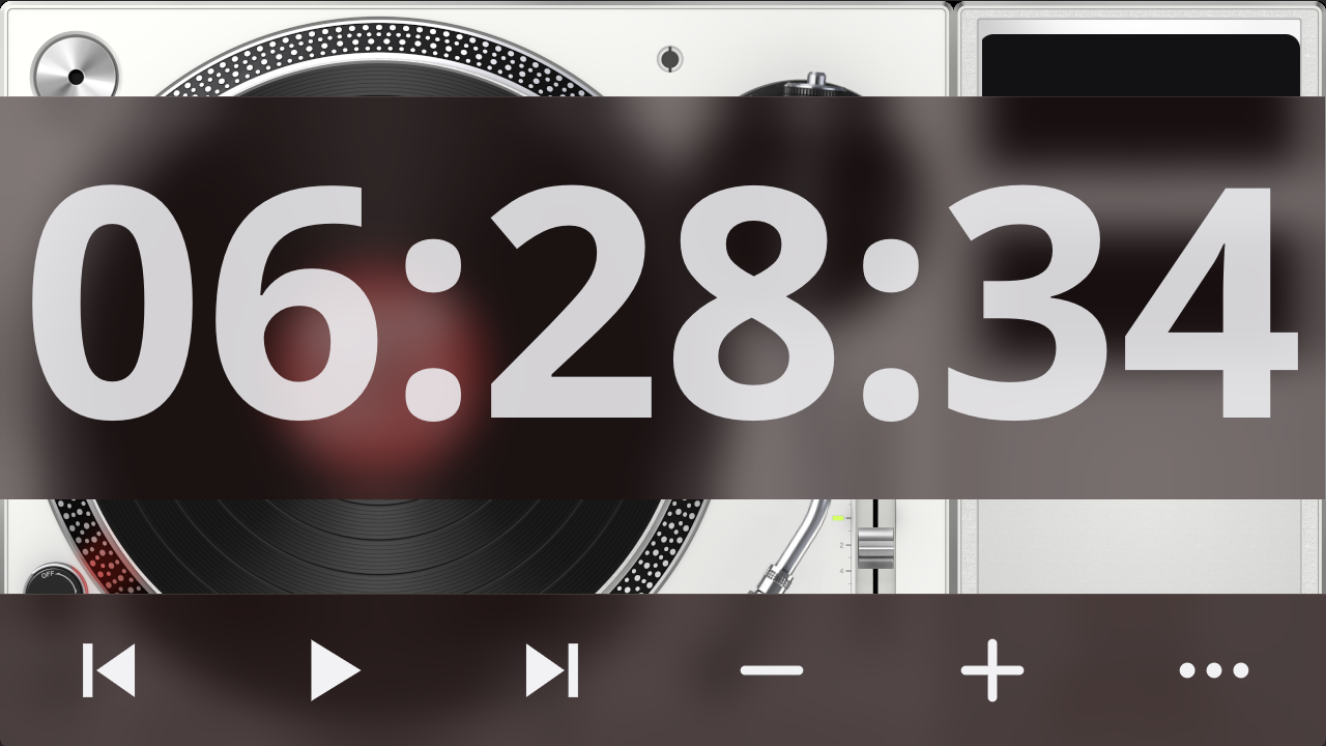

From glass-evo 0.1.44 with Glass 0.8.80 the idle screen can show today's forecast for a place the user chooses on the Manager's Screen tab: a sky, the temperature now, then a sky, the day's lowest and highest, the skies drawn by the face itself as shapes, by day and by night (sun, moon, cloud, fog, drizzle, rain, snow, thunder). The data is Open-Meteo's, fetched by the Manager every half hour once a place is set; the face shows nothing until then.
The forecast stands on the grid and only, as the clock and the date do: weather.place names its cells (the bottom row across the three columns unless said), weather.align where it stands inside them, weather.margin its room from their sides. A size the look comes with is fitted to the cells; a size the user set is kept and runs over them, past the side it is aligned to. On the same cells as the clock or the date, aligned the same, it shares their glass, in the order clock, date, forecast. It has its own size, ink, opacity, glass and tint (measure.weather, weather.ink, weather.opacity, weather.glass, weather.tint), the theme's ink and tint unless said, as the clock's and the date's are; from 0.1.47 none of them is linked to another piece. The Manager's likeness draws it through glass-evo's own module from the player's reading.

From 0.1.45 with Glass 0.8.81 the forecast has a span, weather.span. Today (0.1.49) is a line: a sky and the temperature now with NOW under it, a sky and the day's lowest and highest with MIN and MAX under them; the numbers are set at the forecast's size, the skies five thirds of it, the captions three eighths, drawn a little up into the numbers' descent. The next 24 hours, every 2, 3, 4 or 6 hours, and the week stand as columns in the forecast's cells, each its hour (in the clock's twelve or twenty-four) or its weekday, its sky by day or by night, and its temperature or its low and high; the skies at the forecast's size, the figures a little over a half of it, the labels two fifths, half a sky between columns. The hours and the days come with the player's reading. A size the look comes with is fitted to the cells; a size the user set is kept and runs over them, for the columns as for the line.


From 0.1.50 with Glass 0.8.85 the forecast has a heatmap, weather.heat: every temperature it shows set in the colour of its degree, and nothing else, from weather.cold at -10 °C, through the forecast's own ink at 12 °C, to weather.warm at 30 °C, straight between the stops and held beyond them; a reading in Fahrenheit is converted. weather.heat.days colours the week's lows and highs as well, each its own. weather.heat.date sets the date in the colour of the temperature now, with the date's own ink in the middle of the scale: the one place a piece follows another, by the user's switch, and only while the player holds a reading. Every switch is off unless the look says.

From 0.1.51 with Glass 0.8.86 the skies move, weather.motion: each keeps its shape and gains one small motion at its own pace, rain and drizzle fall, snow drifts with a sway, the sun's rays turn, a star winks beside the moon, clouds and fog sway, heat haze shimmers under the sun from 30 °C, and thunder's cloud darkens with the bolt under it. A moving sky is a cycle of frames rastered once; the wall clock picks the frame, so every screen and the likeness show the same frame at the same moment, and the display redraws only when a frame changes. Off, every sky stands still and the screen refreshes as it does without a forecast. weather.thunder is the flashes, off unless said: a flash in a dark room is the one motion that can startle. weather.colour is the skies in colour, on unless said; off, every sky is in the forecast's ink, as before 0.1.51. Heavy weather (heavy rain or snow, violent showers, by the reading's code) is murkier with more falling, in colour or in the ink.

A theme's own skies. From glass-evo 0.2.2 with Glass 0.9.2 a theme may bring its own pictures for the skies: a skies folder beside its face.txt, one picture per sky, PNG, animated GIF, WebP or JPEG, square, fitted to the sky's side and centred. The names: clear-day, clear-hot, clear-night, partly-day, partly-night, cloudy, fog, drizzle, rain, rain-heavy, snow, snow-heavy, thunder, thunder-night. A missing name falls back along a short chain and then to the drawn sky: clear-hot to clear-day, rain-heavy to rain, snow-heavy to snow, thunder-night to thunder; a night sky is never a day's, so clear-night and partly-night missing are drawn. A theme may replace one sky or all. Two places are looked in, the first that has the file wins: the meter theme's folder on show (the one that may bring a face.txt beside its meters.txt), then the chosen look's folder. An animated GIF keeps its motion by its own frame delays while weather.motion is on, the frame picked by the wall clock as the drawn skies' is, so every screen shows the same frame; off, its first frame stands. The colour and heat switches leave a theme's pictures as they are. A meter theme's skies travel with the theme to the Face tab, Anymote and the remote displays; a face theme's skies reach those, and the look panel's likeness, from glass-evo 0.2.3 with Glass 0.9.3, which lists and serves a face theme's files, puts them into the browser modules' tables and brings them to a remote beside its face.txt.
Under the row of looks, a likeness of the player's screen, when nothing plays and while music plays, and beside it a section for each part. A click on a part of the likeness opens its section. Each section says in a line how it stands.
| Section | What it sets |
|---|---|
| Colours | The background colour and the highlight, each from the artwork or the user's own, and the colour of words and buttons. |
| Backgrounds | How solid every background is, moved together, and whether what lies behind is blurred, with a word on whether that suits the player. |
| Clock | Whether it shows, what it shows (a pattern offered or the user's own), its Face (In type, 7 segments, 16 segments, Flip clock, Dial with hands; for a dial its Dial: Station, Numbers, Roman numerals, Marks only) and its size, from half to four times the look's own. Behind More: its own colour, strength, background and background colour, and what its face has of its own: how much of an unlit segment shows, a dial's hands, marks and numerals, second hand and the disc behind the hands, a flip clock's cards. |
| Date | Whether it shows, what it shows, its size (half to four times) and where it stands: the top of the screen, above the clock or below it; behind More, its own colour, strength and background. |
| Buttons | Their size, from half to two and a half times the look's own; behind More, their own colour and strength. |
The adjustments are kept apart from the look: only what differs from the look is saved, so a theme that its author changes later shows the change. Back to the look as it comes drops the adjustments of the look in hand, and Put everything back returns the screen to the built-in look with no adjustments at all.
The clock's Face and its rows are shown where the installed glass-evo draws clock faces, 0.1.15 or later, with Glass 0.8.12 or later.
A look is the player's. It is drawn on the player's own screen while glass-evo holds it, in the Glass Manager's Face tab and Anymote where they carry the face (Choosing-the-Glass-interface), and on a remote display that runs the bundle (On-a-Remote-Display): the remote brings the look with the theme, a face theme of the user's included, and follows a change of it. A look a meter theme brings lies in the theme's folder and travels with it, so it is drawn wherever the theme is drawn with the face.