Repository navigation
Home
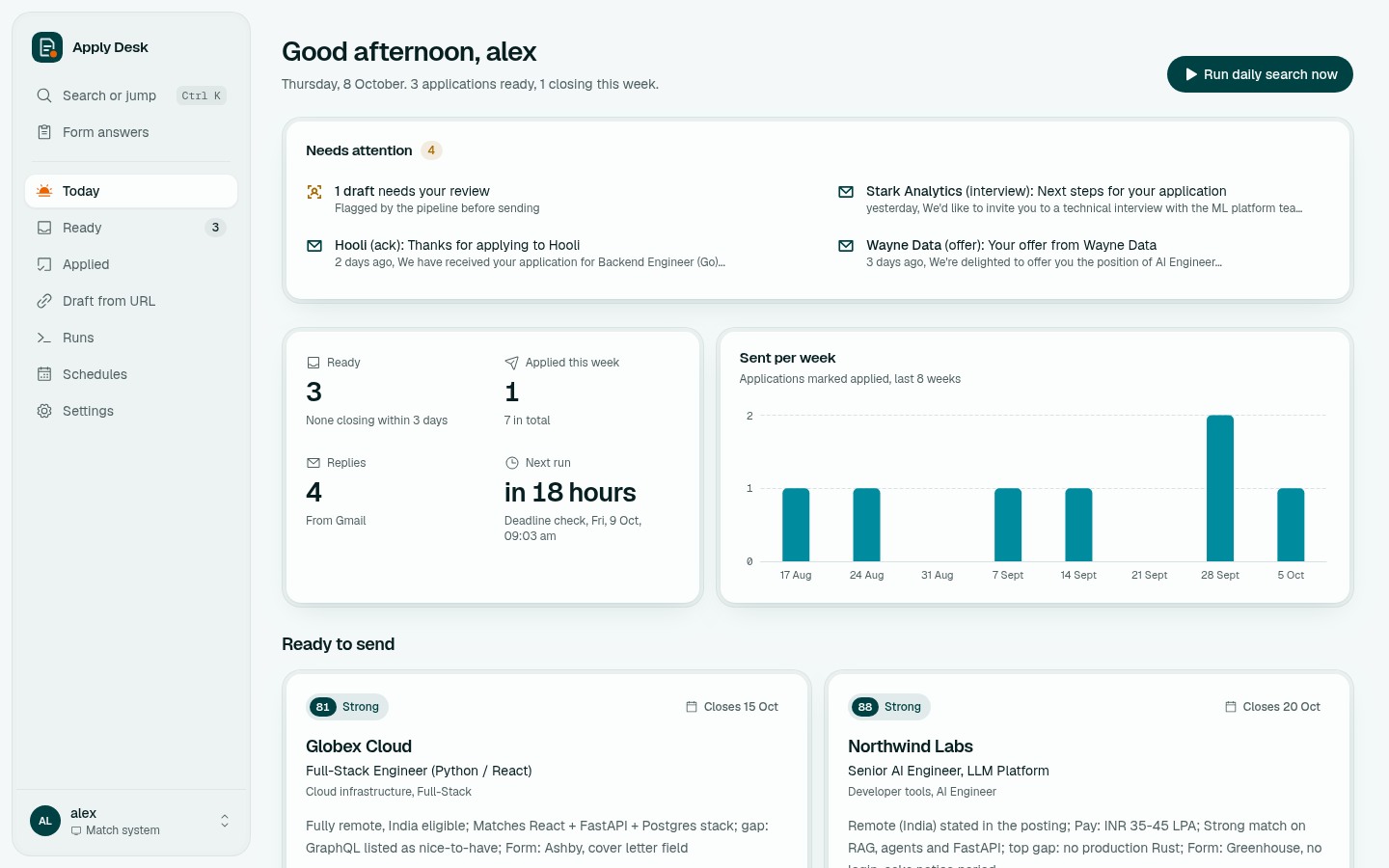
Drafted overnight. Sent by you. Apply Desk is a self-hosted AI job-search assistant. Every morning it finds jobs, keeps the ones that fit, and drafts a tailored CV, cover letter and "Why this role?" answer for each. It reads your Gmail replies to keep every application current. It never submits anything: you apply yourself.
| If you want to... | Read |
|---|---|
| Install it | Installation |
| Use a Claude subscription or an API key | Claude Access |
| Set up your profile and run it the first time | First Run |
| Learn the dashboard | Dashboard Tour |
| Understand how jobs are found, filtered and scored | Daily Search Pipeline |
| Change where jobs come from | Job Sources |
| Track replies from employers | Gmail Tracking |
| Drafts, "Why this role?", Draft from URL, interview prep | Drafts and Interview Prep |
| Schedules and phone alerts | Schedules and Notifications |
| Every setting in one place | Configuration Reference |
| Run it always on | Docker Deployment |
| Command line | CLI Commands |
| How it is built | Architecture |
| What stays private and how it is protected | Security and Privacy |
| Something is wrong | Troubleshooting · FAQ |
- Sources: company career boards (Greenhouse, Ashby, Lever), LinkedIn, Instahyre, freehire. Aggregators and staffing reposters are dropped.
- Judgement by Claude: triage (Haiku), scoring and Gmail (Sonnet), drafting (Opus) by default; each model is a setting.
- Everything else is plain Python: scraping, dedup, state, PDF verification and the tracker CSV.
- Runs on your machine: your data stays on your disk; secrets live outside the repo.