Repository navigation
Drafts and Interview Prep
For each selected job the drafting agent produces:
| File | Contents |
|---|---|
cv/main_<slug>.pdf |
A 2-page CV tailored to the posting: profile statement, bullet choice and order, 3-5 projects, skills emphasis, using the posting's exact keywords where true |
cover_letters/cover_<slug>.pdf |
A 1-page letter for this company and role ("Dear Hiring Manager" unless a person is named) |
documents/applications/<slug>/job_posting.md |
The posting text, the source link and the real apply link |
documents/applications/<slug>/why_role.md |
The "Why this role?" answer |
Rules the agent follows:
- Every claim comes from your candidate profile or the claim bank (
app/prompts/claim_bank.txt). No invented metrics, tools or experience; genuine gaps stay visible. - Company facts in the cover letter are verified with a web search the agent runs itself, never from links inside the posting.
- A closed posting returns EXPIRED; a posting that breaks a deal-breaker (hybrid, on-site, relocation, unworkable hours, pay below your floor) returns VETO with the quote. Neither becomes a draft.
- After compiling, Python checks page counts, layout, text extraction and banned names. A failure puts the row in Needs review with the reason.
Many application forms ask "Why this role?" or "Why do you want to work here?". Each draft gets a 70-120 word, first-person answer that ties two or three of the posting's own requirements to concrete work from your profile, and says what you would like to own in the role. No greeting, no salary, no invented facts.
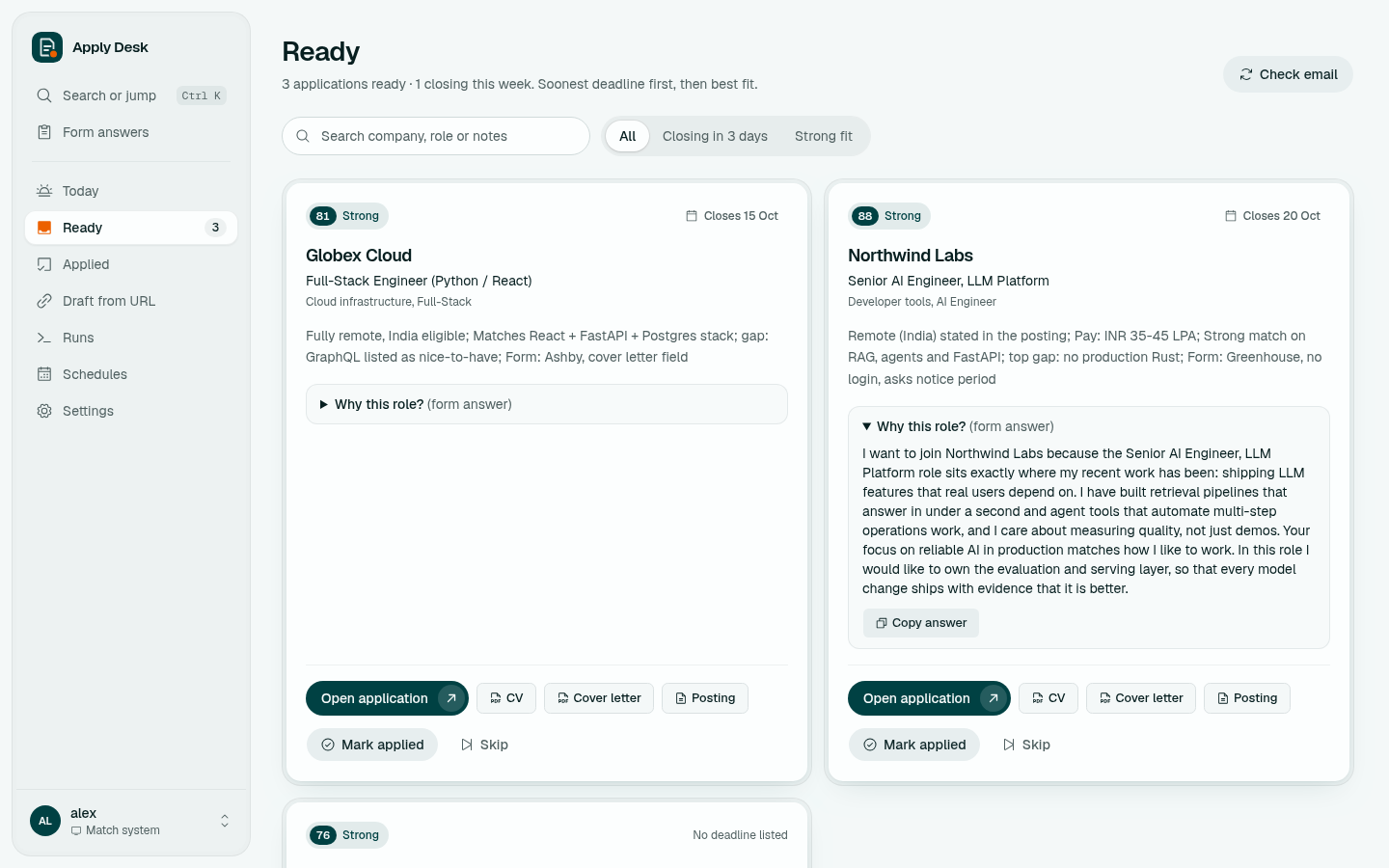
On Ready, open Why this role? and click Copy answer. To write answers for older drafts that don't have one, run the Why-this-role answers task from Runs.
Found a job yourself? Paste its link on Draft from URL. The agent reads the posting, finds the company and title, scores the fit first, and drafts only if the score reaches your Minimum fit score. The result lands on Ready like any other draft.
On Applied (or the Interview tab), click Prepare interview. It writes documents/applications/<slug>/interview_prep.md from the posting, the CV and cover letter you sent, and your profile:
- The company and role in three lines (facts verified, or left out)
- The 8 most likely questions, each with an answer outline and the story to use
- The 3 gaps an interviewer will probe, with honest bridging answers
- Salary and notice-period answers from your profile
- 5 sharp questions to ask them
The finished file opens from the application's row.