Repository navigation
Gmail Tracking
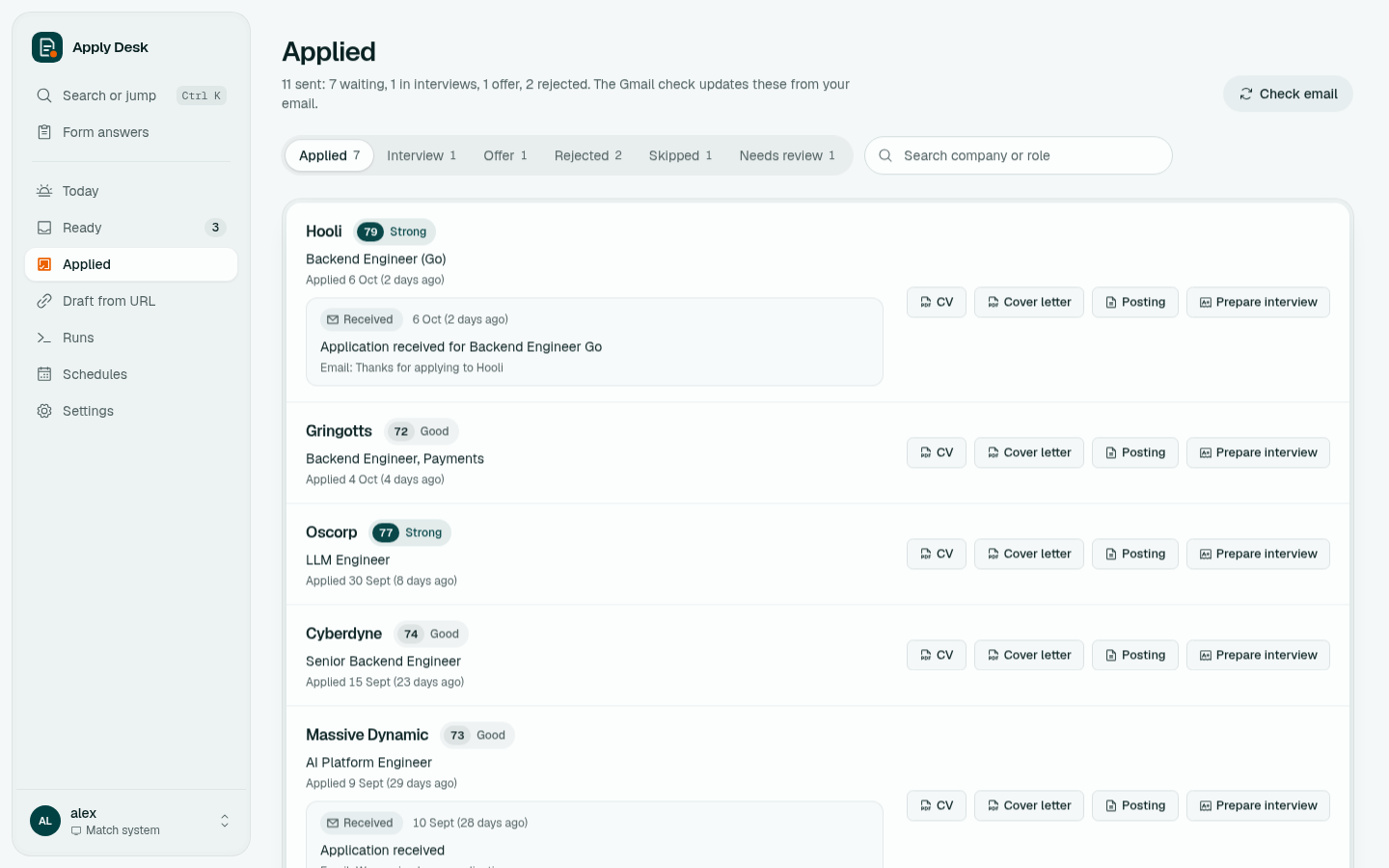
The Gmail check reads replies from employers and moves each application forward on its own, with the reason taken from the email.
- Turn on 2-Step Verification for your Google account.
- Create an app password: myaccount.google.com/apppasswords, name it "Apply Desk", copy the 16 letters.
- Settings → Gmail replies: enter your Gmail address and the app password, turn on Check Gmail, save.
- Schedules → turn on Gmail replies (every 2 hours by default), or click Check email on Ready or Applied any time.
The app password is stored in ~/.config/applydesk/config.json and is never shown again.
| The email is | The application moves to |
|---|---|
| A confirmation ("we received your application") | Applied (also marks a Ready draft or a skipped row as applied) |
| An assessment or test invitation | Interview |
| An interview invitation | Interview |
| An offer | Offer |
| A rejection | Rejected, with the reason |
Rules:
- Forward only. Status never moves back, and a rejection never overwrites an offer.
- Same role. A confirmation for a different role at the same company gets its own row instead of marking your draft.
- Untracked applications (ones you sent outside Apply Desk) get a new row.
- Each update adds a dated note with the reason and the email subject, shown on the Applied page.
- Recruiter cold outreach, job alerts, one-time codes, match-score emails and "complete your application" reminders are ignored.
- Read-only IMAP on
[Gmail]/All Mail, so archived replies count too. Nothing is marked read, moved or deleted. - A Gmail search narrows the mail to likely job emails (application, interview, offer, candidate, assessment ...), excluding sent mail, chats, promotions and social.
- The first check looks back 180 days. After that it only fetches mail newer than the last one it checked, so a routine check takes seconds.
- Emails are fetched in batches of 120, with the full body (plain text or HTML, links stripped), and classified in one Claude call per batch using the scoring model.
- Email content is treated as untrusted data. Emails mentioning a name in
app/data/banned_names.txtare skipped.
Delete app/data/gmail_state.json, app/data/gmail_seen.json and app/data/gmail_backfilled, then run a check. It reads the last 180 days again.