Repository navigation
Particle's workflow
Since v2.4.0
Workflows allow particle effects to trigger additional emissions based on lifecycle events. They provide a way to chain particle behaviors dynamically, without manually orchestrating multiple API calls.
A workflow is defined through the next property of a particle template.
next contain an array of object with the following attributes :
- type: what trigger should activate emmission
- particleInputs : Array of data defining the wanted emitter
- delay : an optional delay before execution in second
Workflows are automatically handled by the system and do not require manual management once defined.
Workflows are executed at specific moments during the lifecycle of an emission or a particle. It's define in the type property.
Available trigger types are:
- atEmissionStart
- atParticleStart
- atEmissionEnd
- atParticleEnd
Each workflow is only triggered when its corresponding event occurs.
This define the caracteristics of the following emission. It's an array containing one of :
- chat command (without /pfx)
"spray fire breath" - array of prefill template definition and/or customisation
["spray", "fire", "breath", {"target": "abcde"}]
If you only give the customization object, don't forget to define the type between "Spraying", "Missile" and "Graviting". If no type is provided, the system defaults to a spray emission.
- When the type of event is trigger it save the position of the source of the emmission or the particle (depending of the type of event).
- The system waits for the optional delay. If emitter or particle still exist, position is update.
- Each particleInput generates a new emitter
- If not given, the source property is fill with the last position. And the target with the current traget.
- Emitters are tracked until completion
Workflows can recursively trigger other workflows, if the next property is also defined in the parent particleInputs.
Emitter create by workflow inherite of the source emitter id. To ensure uniqueness and traceability, each workflow generates its own emitter IDs based on:
- the source emitter
- the number of previous emitter
- the trigger type
- the workflow index
- the particle (if applicable)
- the index of the particleInput handled
=> {orginalEmitterId}-step{nestedNextNumber}-{minimizeWorkflowType}{worflowTriggerIndex}(-particleId)-{particleInputIndex}
Workflows are internally tracked and automatically cleaned up.
Stopping a emitter will destroy all his child emitter and block new emitter creation.
But if you want to only disabled child emitter without destroying the parent, you can use :
- Chat commands => /pfx stopWorkflow id --all --instant
- api => game.modules.get("particule-fx").api.emit.stopWorkflow( isImmediate, all )
The attribute all is to affect all workflow at once. In this case the id don't matter. Attribute instant/isImmediate remove all current particle link to the child emitter.
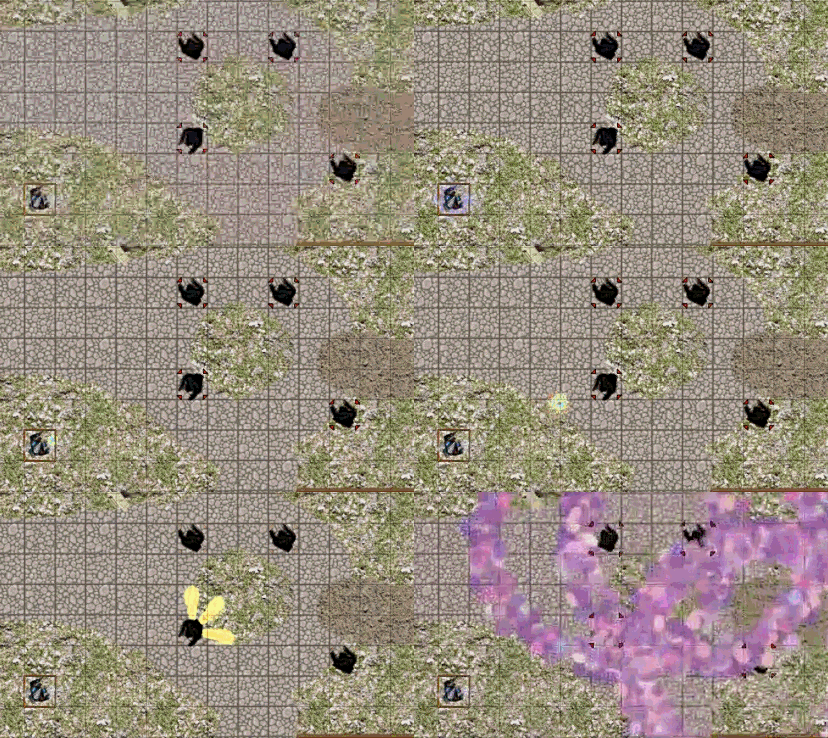
| Firework | Rayball |
|---|---|
 |
 |
{ |
{ |