User Interface
Guided tour of the WorkPilot AI desktop application.
The sidebar gives access to all features. Here are the most important ones for a new user:
| View | Purpose |
|---|---|
| Kanban Board | Visual task management, from spec to merge |
| Agent Terminals | Parallel AI terminals for pair work |
| Mission Control | NASA-style multi-agent supervision |
| Insights | AI chat to explore your codebase |
| Ideation | Discover bugs, optimizations, vulnerabilities |
| Roadmap | AI-assisted feature planning |
| Architecture Visualizer | Dependency and module graphs |
| Changelog | Auto-generated release notes |
| Analytics | Cost, consumption, execution time |
| Settings | AI providers, integrations, preferences |
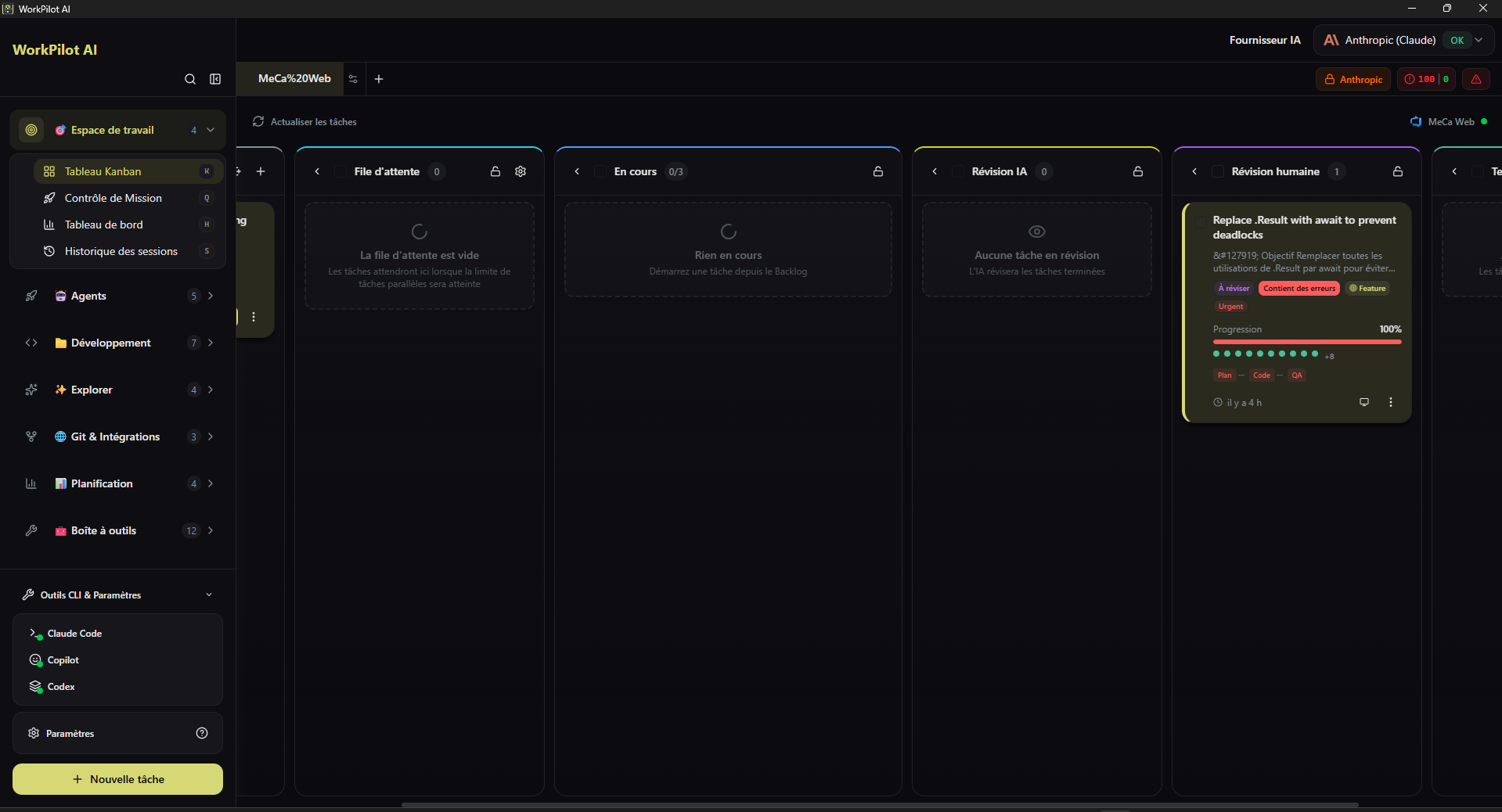
| Column | Role |
|---|---|
| Backlog | Tasks created but not yet started |
| Spec Review | AI-generated specs awaiting human approval |
| In Progress | Multi-agent pipeline running |
| Human Review | Results ready for manual review |
| AI Review | Pass through an independent review agent |
| Done | Merged or PR created |
- Preview (screen icon) — launches the app in the embedded App Emulator
- Open Terminal — opens the associated agent terminal
- View Diff — see file-by-file changes
- Merge / Create PR / Discard — final actions
- Regenerate — re-run a given phase
💡 Columns are customizable:
kanban-settings-store.tslets you add/remove columns and automate transitions.
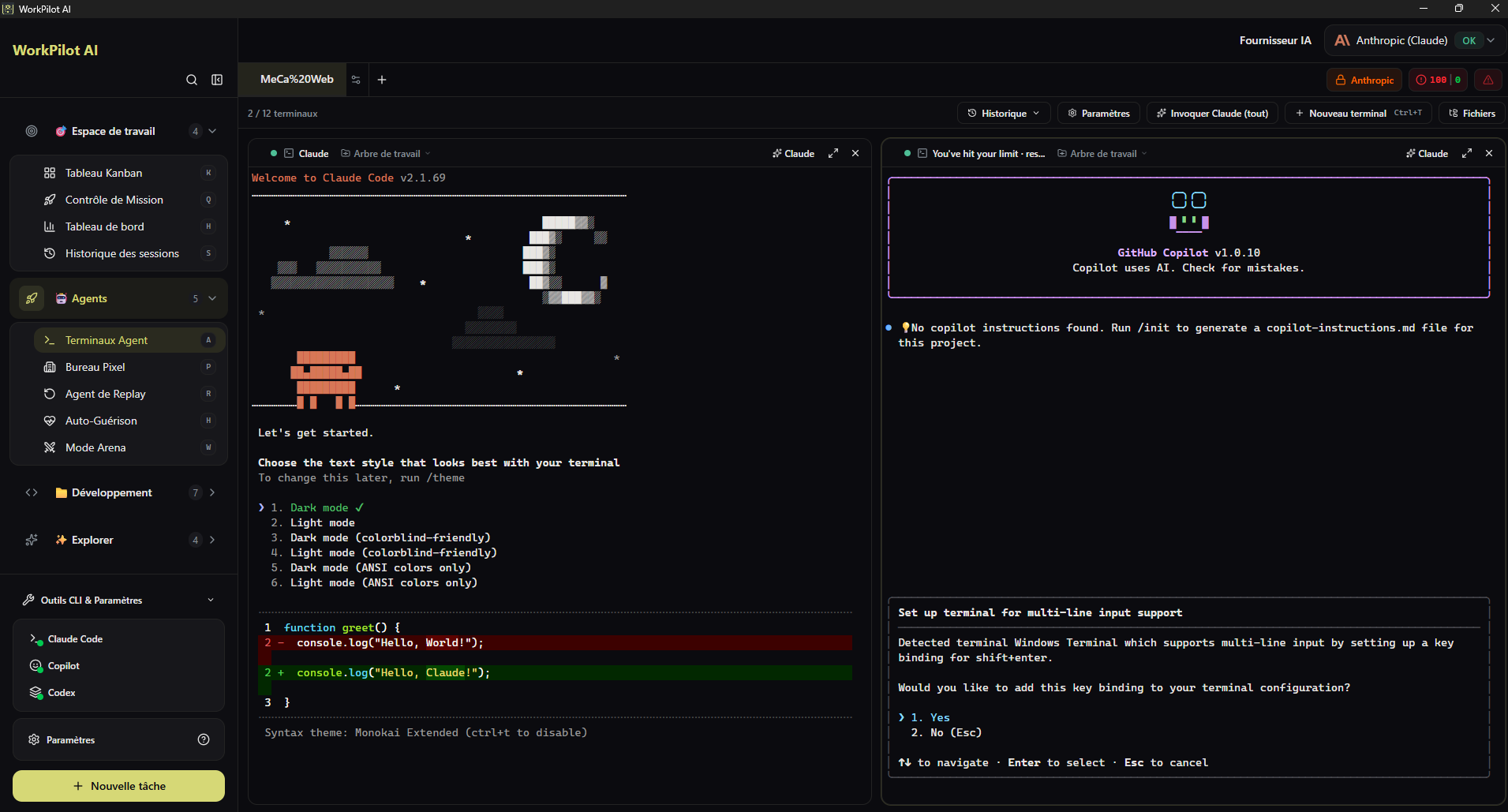
Up to 12 parallel AI terminals, each an independent Claude agent.
- One-click task context injection: button to automatically inject task context (spec, relevant files)
- xterm.js 6 with WebGL for native terminal experience
- Claude profile per terminal: use multiple accounts across terminals
- Full session history
Each terminal is driven by a PTY daemon (pty-daemon.ts) that manages process lifecycle and forwards events to the UI via IPC.
Dashboard to supervise multiple agents simultaneously.
What you see:
- 📊 Agent grid — each cell = one active agent
- 📈 Live metrics: tokens consumed, duration, progress
- 🧠 Chain-of-thought — agent reasoning stream
- 📁 Modified files per agent in real time
- 💰 Cumulative budget and cost alerts
- 🎚 Controls — pause, resume, reprioritize, cancel
Ideal for multi-task and multi-repo scenarios.
AI chat dedicated to exploring your code.
- Semantic search powered by grepai / vector embeddings
- Cited responses with clickable file links
- Persistent conversation history
- Filters by folder / language / date
Example questions:
- "Where is authentication handled?"
- "Which endpoints use the Redis service?"
- "What changed in the last 30 days in the payment module?"
Proactive discovery of potential improvements in your code:
| Category | What's analyzed |
|---|---|
| Performance | Inefficient loops, N+1 queries, missing cache, bundle size |
| Security | OWASP Top 10, vulnerable dependencies, exposed secrets |
| Quality | Duplication, cyclomatic complexity, test coverage |
| Documentation | Undocumented functions, stale READMEs |
| UI/UX | Accessibility, responsive, contrast |
Each suggestion can be converted to a task in one click.
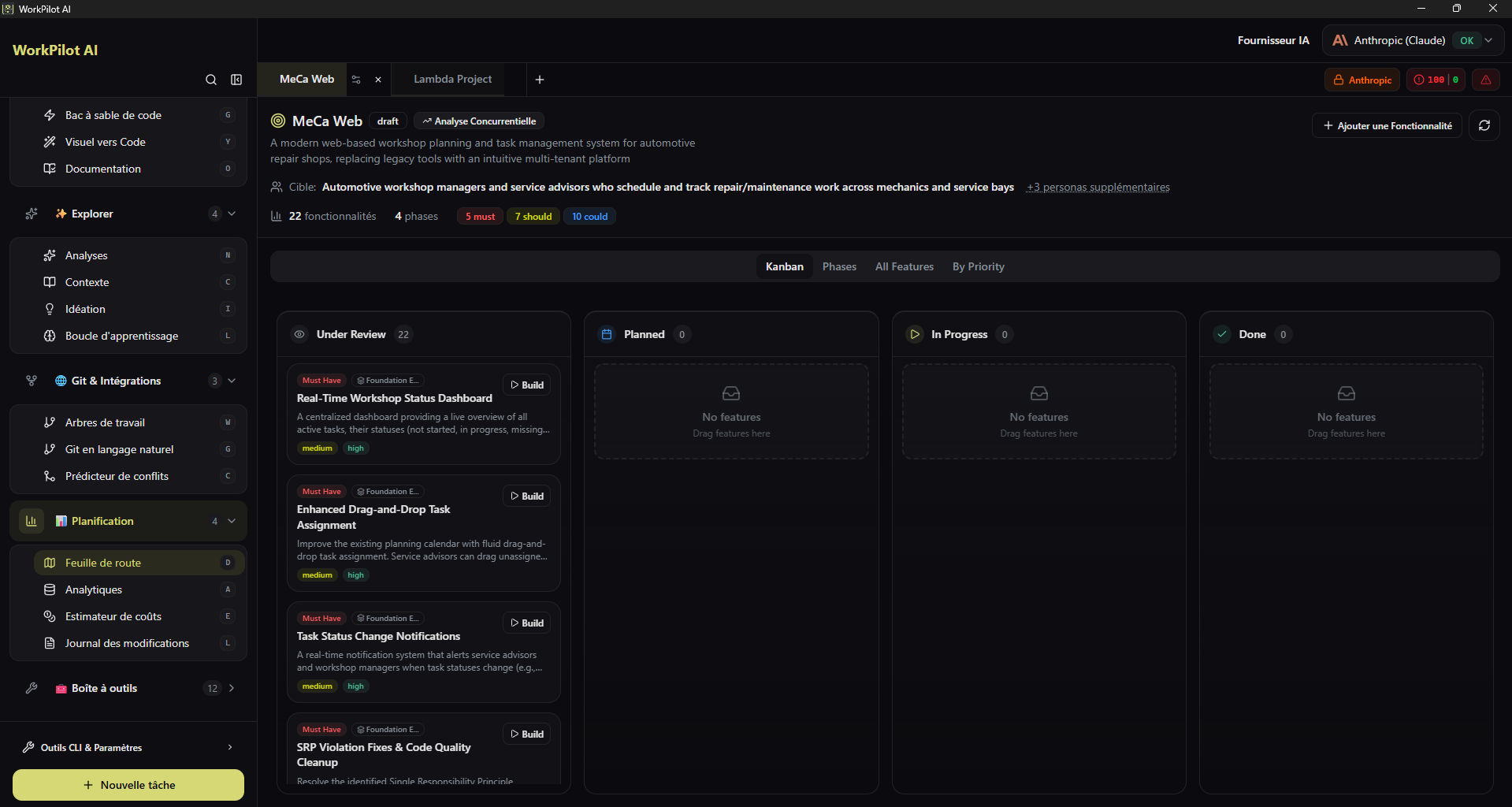
AI-assisted feature planning:
- Product and competitor analysis
- Proposals for new prioritized features
- Phased breakdown
- Export as GitHub Milestones / Linear / Jira
Interactively generates:
- Module dependency graphs
- React/Vue component hierarchies
- Backend service relationships
- Call-flow diagrams
Format: zoomable SVG, filters by package/folder, export as image or Mermaid.
Auto-generates release notes from completed tasks over a given period.
- Categorization: Features / Fixes / Docs / Perf
- Git tag → version integration
- Markdown export ready for GitHub Releases
Consumption and cost dashboard:
- Tokens consumed per agent, project, period
- Estimated cost per provider
- Task success rate
- Average time by complexity (SIMPLE / STANDARD / COMPLEX)
-
Command palette (
Cmd/Ctrl+K) — keyboard access to all features, with fuzzy search - 7 themes: Default, Dusk, Lime, Ocean, Retro, Neo, Forest — each with light/dark variants
- Custom theme editor: color picker, live preview, JSON import/export
- Bilingual: French ↔ English toggle in settings
👉 More details: Customization
Settings are split into sections:
| Section | Contents |
|---|---|
| AI Providers | Add/remove profiles, default model, per phase |
| Agent Tools → MCP Servers | Enable/disable MCPs (Chrome DevTools, grepai, custom) |
| Integrations | GitHub, GitLab, Azure DevOps, Linear, Jira, Teams |
| Kanban | Custom columns, automations |
| Memory | Graphiti activation, embedder provider |
| Appearance | Theme, language, font |
| Security | Allowlist, sandbox settings |
| Diagnostics | Connection tests, dependency versions |