en usage mcp readme
LangBot can call tools from MCP servers. Once an MCP server is added, the built-in Agent — with tool use enabled on its model — can invoke those tools during a conversation.
Note
MCP supports two modes: local (stdio) and remote. Install from LangBot Space for the smoothest setup — listed MCPs are pre-configured and ready to use.
You can also fetch from ModelScope, mcp.so, or composio.dev, then add them manually as shown below.
| Mode | When to use | Notes |
|---|---|---|
Remote (mode: "remote") |
Remote MCP service — just paste the URL | LangBot connects to the remote URL directly and auto-detects the transport (tries Streamable HTTP first, falls back to SSE) — no need to choose by hand |
Local / stdio (mode: "stdio") |
MCP server launched by a local command | Only available when Box Runtime is up |
Note
Earlier versions split the remote mode into separate http (Streamable HTTP) and sse options; these are now unified into a single remote mode, with the transport auto-detected by the backend. Existing http / sse rows in the database are normalized to remote on upgrade, and their connection args (URL, headers, timeout) are preserved unchanged.
Note
MCP tools require the pipeline to use the built-in Agent, with a model that has tool use enabled — see Models. External runners (Dify, n8n, Langflow, Coze, etc.) use their own tool mechanisms.
LangBot Space is the official LangBot marketplace, with a curated list of ready-to-use MCP servers. In the WebUI, browse and install them with one click under Plugin Management → MCP Management — URL, command, and mode are filled in by the listing, so nothing has to be configured by hand.
This covers most cases. For services that aren't listed, use the manual flow below.
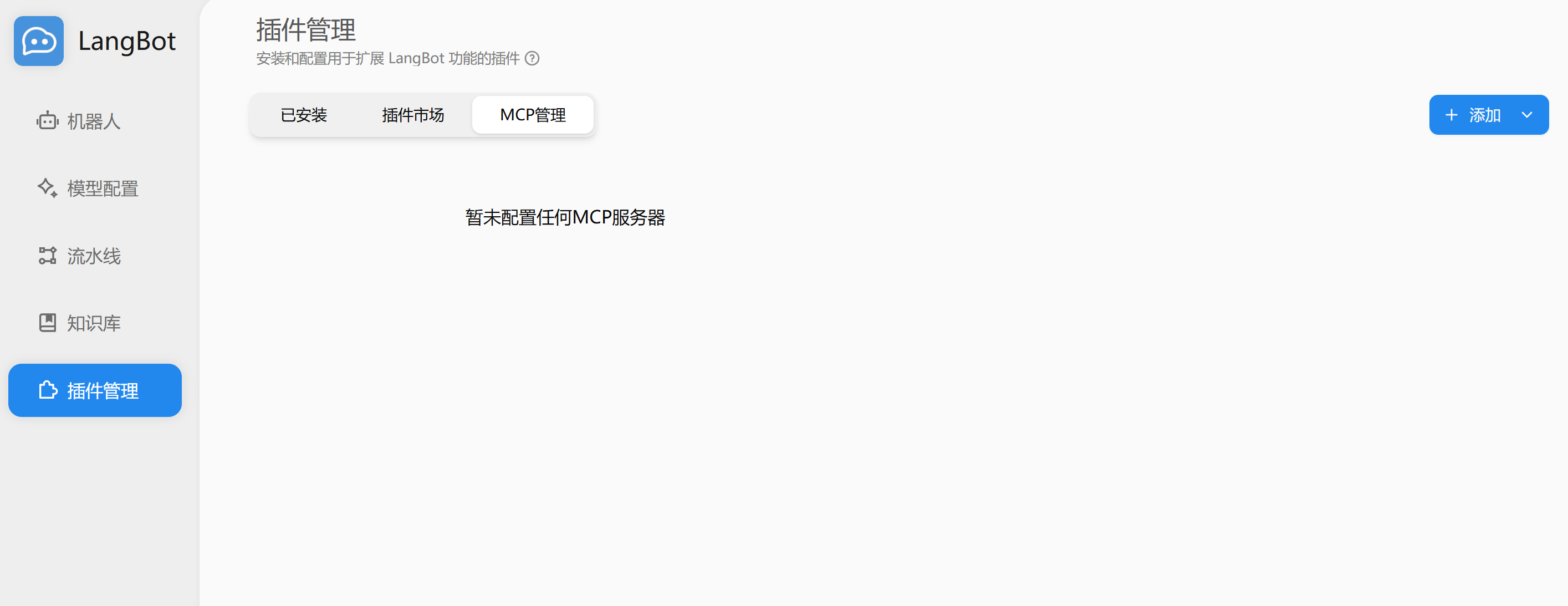
Open Plugin Management → MCP Management:
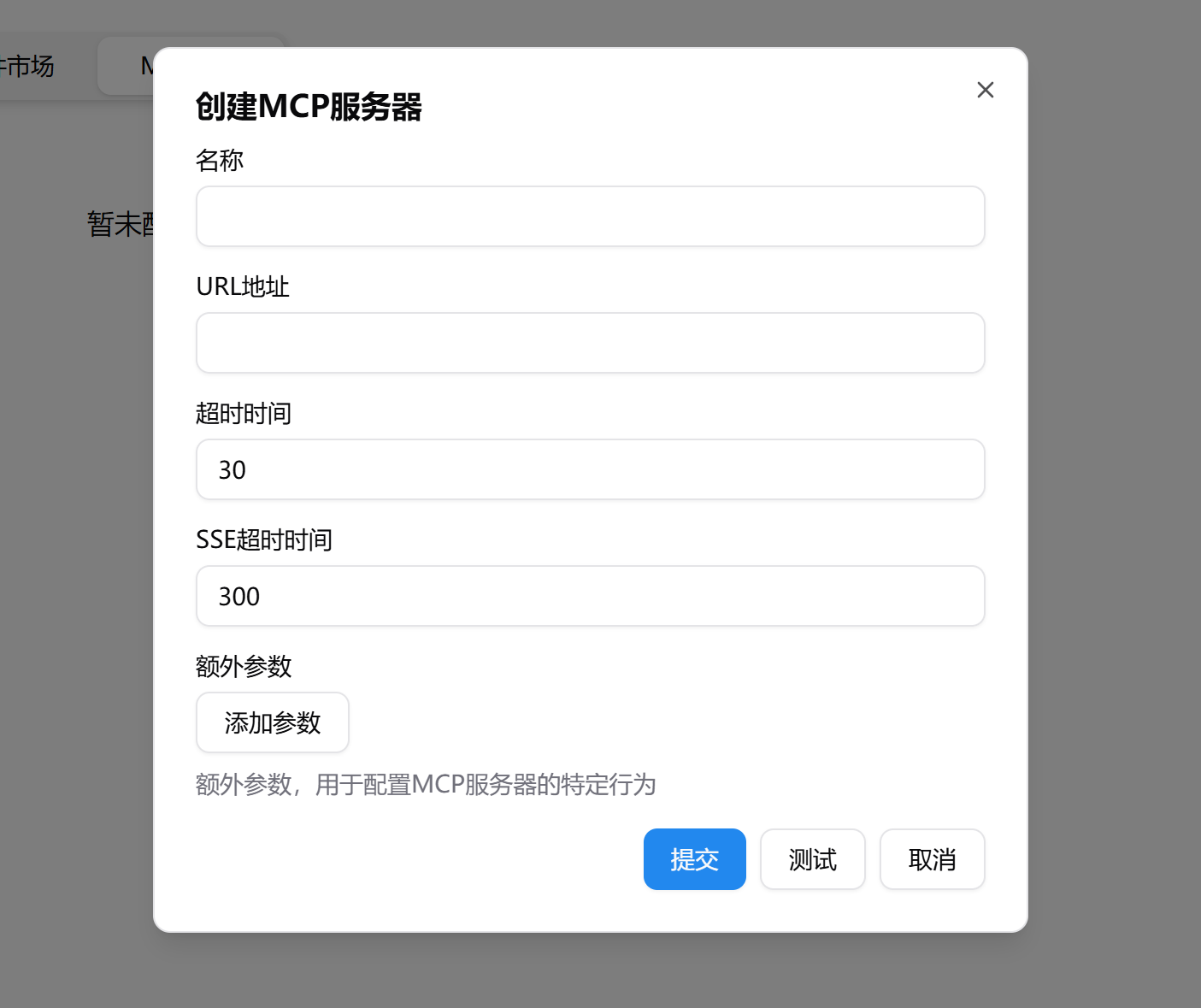
Click Add in the top right, choose Add MCP Server, pick Local (stdio) or Remote mode: for remote just paste the URL, for local fill in the launch command. Click Test to verify connectivity, then Submit:
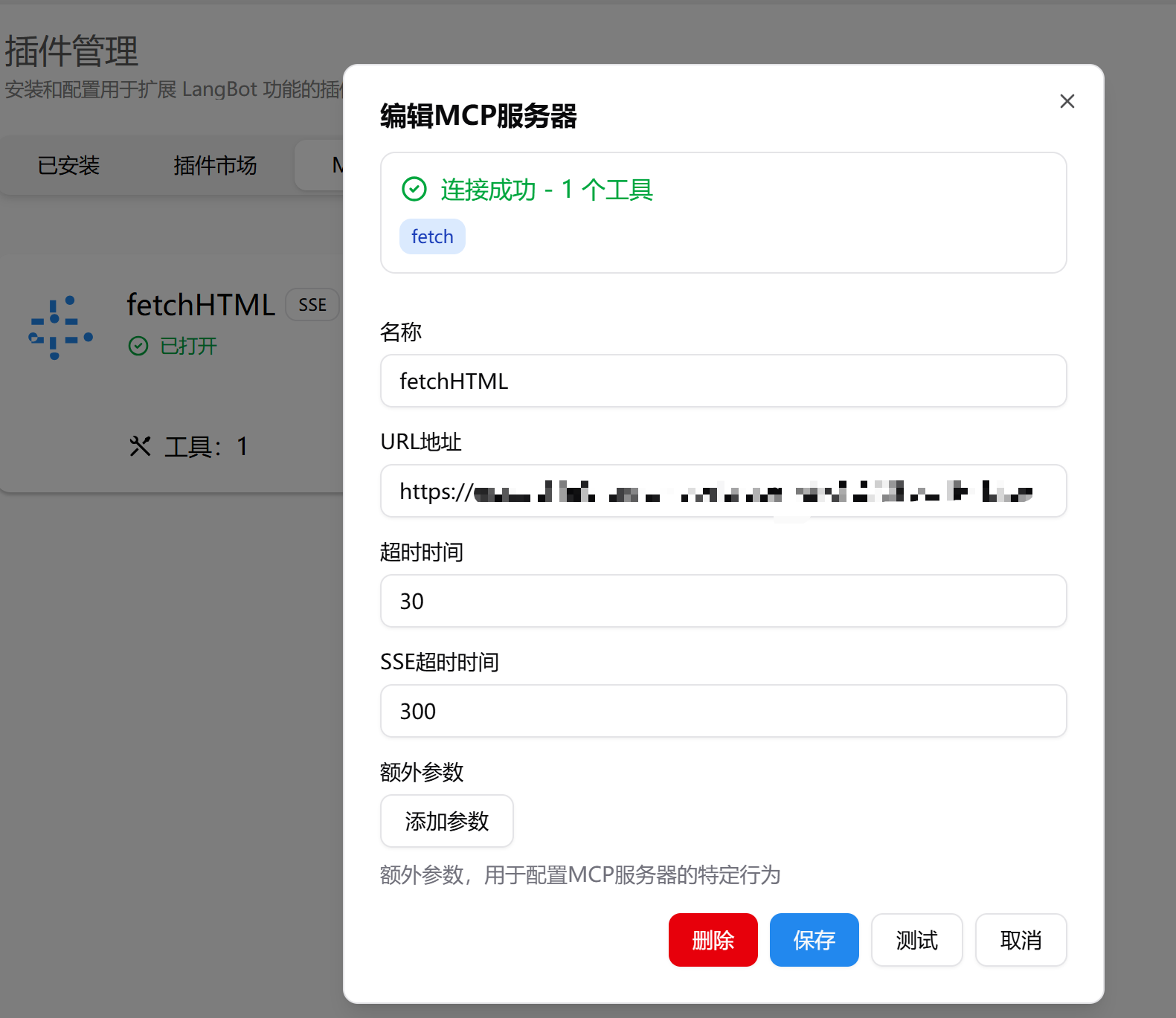
After saving, toggle the switch on the card to connect. Click the card to see details:
Once an MCP server is added, the pipeline extension config decides which servers the Agent can see:
- Enable "all MCP servers", or
- Bind only specific MCP servers
Tools from unbound servers won't appear in that pipeline's tool list.
stdio MCP is hosted by Box Runtime. Before the connection is ready, LangBot:
- Creates or reuses a shared MCP Box session
- If a local project path can be inferred from the command, stages the project into the workspace
- Installs dependencies if the project has
requirements.txt,pyproject.toml,setup.py, orsetup.cfg - Connects the MCP process's stdin/stdout through a WebSocket relay
To fine-tune mount, network, or timeout behavior, add a box override under the MCP extra_args:
{
  "mode": "stdio",
  "extra_args": {
    "command": "python",
    "args": ["server.py"],
    "env": {},
    "box": {
      "host_path": "/path/to/mcp-project",
      "network": "on",
      "host_path_mode": "ro",
      "startup_timeout_sec": 120,
      "image": "python:3.11-slim"
    }
  }
}
Common fields:
| Field | Notes |
|---|---|
host_path |
MCP project directory on the host. Must be within box.local.allowed_mount_roots
|
network |
Whether network is allowed (typically for dependency install) |
host_path_mode |
Access mode when staging host_path; defaults to ro. stdio MCP usually stages into the workspace |
startup_timeout_sec |
Box prep + dependency install timeout, default 120s. Connection wait gets about 30s extra |
image |
Runtime image when the Docker backend is used |
memory_mb |
Per-server memory cap (MB); overrides global box.default_memory_mb for this server |
Warning
stdio MCP runs inside Box. Dependency install and process startup are subject to the sandbox profile, network permission, resource limits, and the mount allowlist.
| Symptom | What to check |
|---|---|
| MCP connection fails | URL, command, arguments, env vars are correct |
| stdio MCP stuck connecting | Box Runtime status; startup_timeout_sec may be too short |
| Dependency install fails | Sandbox network permission; dependency files are correct |
| Local files inaccessible |
host_path exists; it's inside allowed_mount_roots
|
| Agent doesn't see MCP tools | Pipeline uses built-in Agent; model has tool use enabled; MCP is bound on the pipeline |