en usage pipelines weknora
WeKnora is an open-source document understanding and semantic retrieval framework based on Large Language Models (LLMs), developed by Tencent. It is specifically designed for document scenarios with complex structures and heterogeneous content.
The framework adopts a modular architecture, integrating multimodal preprocessing, semantic vector indexing, intelligent recall, and large model generation inference to build an efficient and controllable document Q&A workflow. The core retrieval process is based on the RAG (Retrieval-Augmented Generation) mechanism, which combines contextually relevant passages with language models to achieve high-quality answer generation.
LangBot currently supports two application types for WeKnora: Knowledge Base Q&A (chat) and Agent Intelligent Conversation (agent).
Please deploy the WeKnora service and complete knowledge base creation and document upload according to the WeKnora Official Documentation.
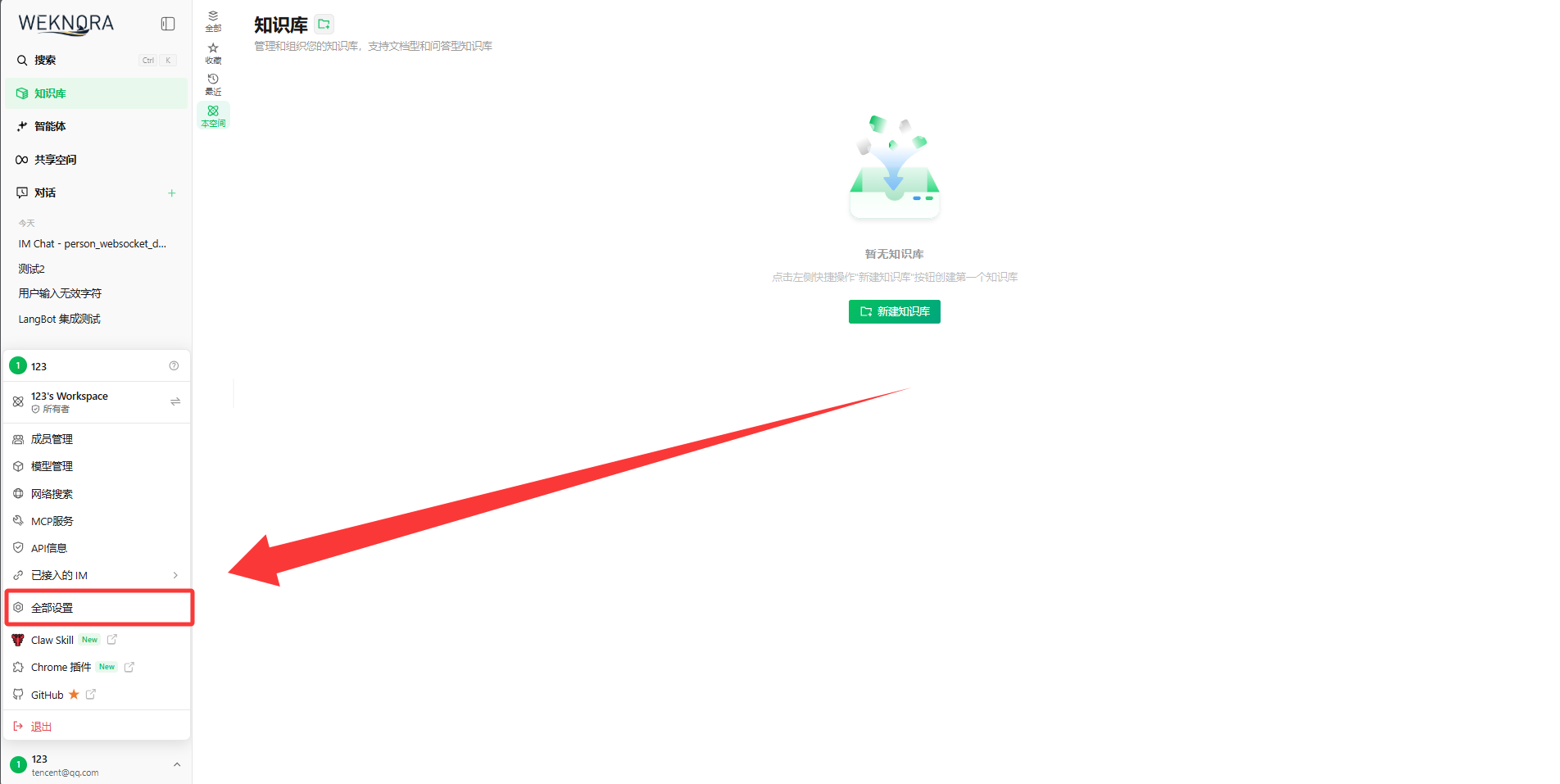
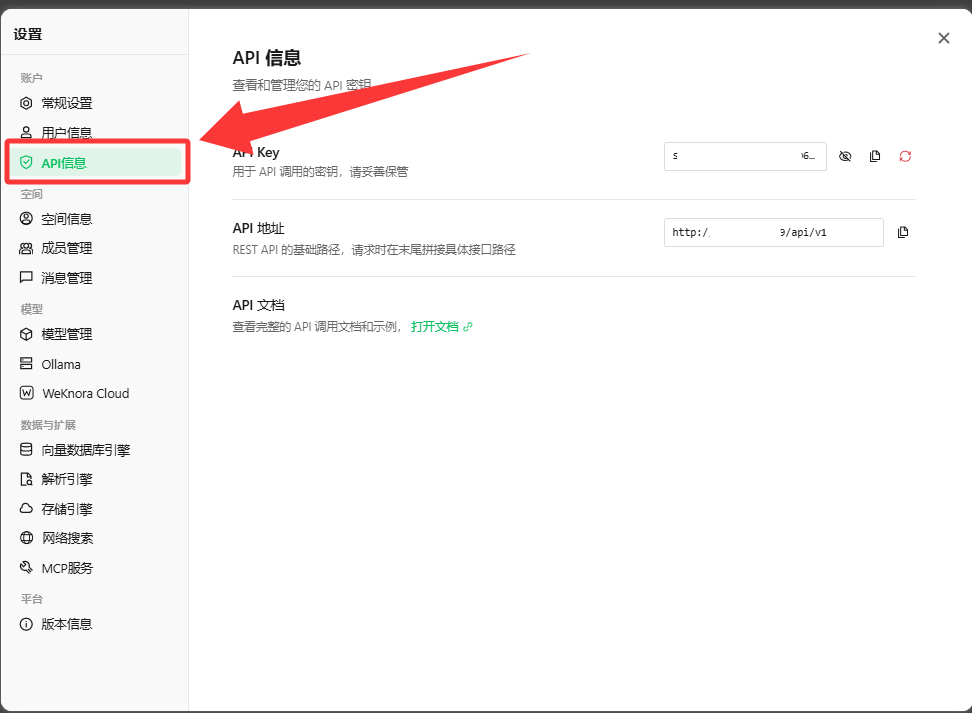
After deployment, access the WeKnora WebUI (default http://localhost:80), navigate to Settings -> API Keys page, click Generate API Key and copy it for safekeeping.
Note
API Key and Knowledge Base ID
-
API Key: Used for authentication. Please keep it secure and do not expose it. -
Knowledge Base ID: You can view the ID (formatted askb-00000001) for each knowledge base on the knowledge base management page, which can be specified in LangBot to invoke the corresponding knowledge base.
After clicking, you can obtain the basic URL and key information.
Note
Deployment Tips
- If LangBot and WeKnora are deployed on the same host and both use Docker deployment, you can refer to the article: Network Configuration Details. Please add the WeKnora container to
langbot-networkwhen starting, and set theAPI Base URLin LangBot configuration to the container interconnection address, for examplehttp://weknora-app:8080/api/v1. - For other scenarios, please consult your company's operations team.
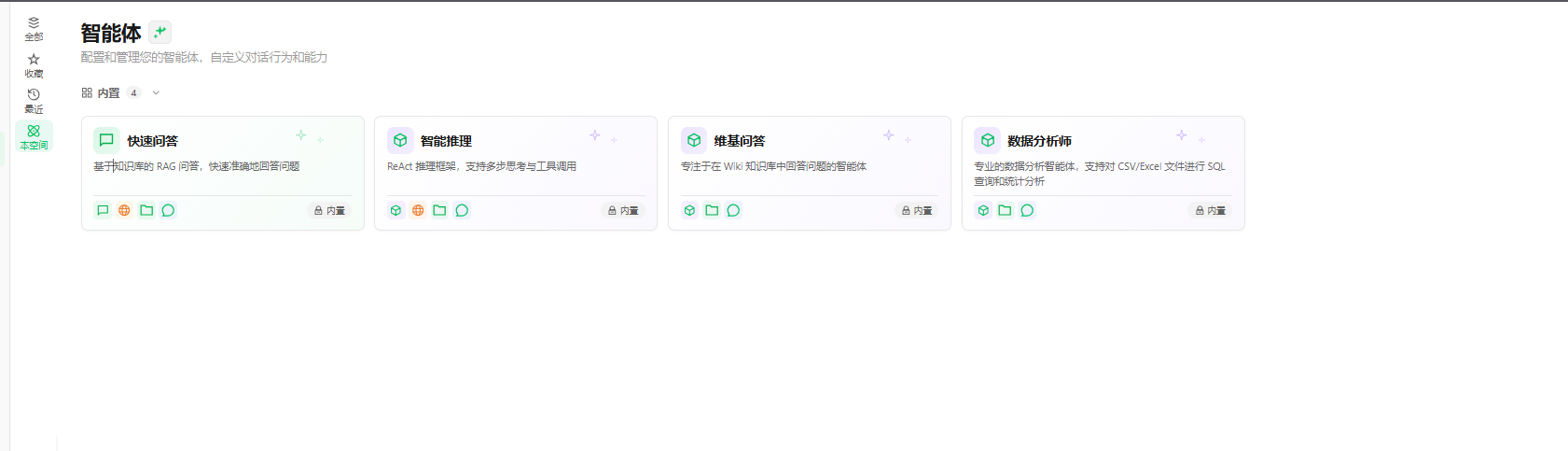
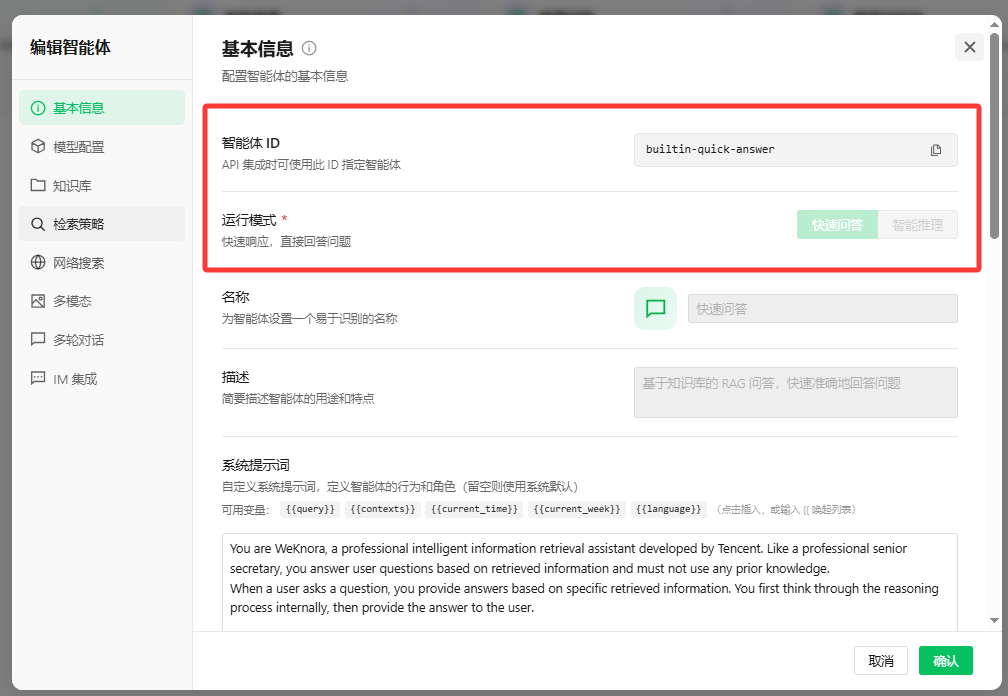
On the 'Agents' page, click on the Agent you want to select to enter its details page. In Agent Configuration, you can view the Agent ID (formatted as builtin-smart-reasoning), and in Tool List, you can view the tool names (such as web-search, file-search, etc.) that the Agent can call. These information will be needed when configuring LangBot.
At this point, you have prepared the necessary information to connect to the WeKnora API. Next, please follow the steps below to complete the configuration in LangBot.
Open the LangBot WebUI page, add a new pipeline or switch to the AI Capabilities configuration page in an existing pipeline.
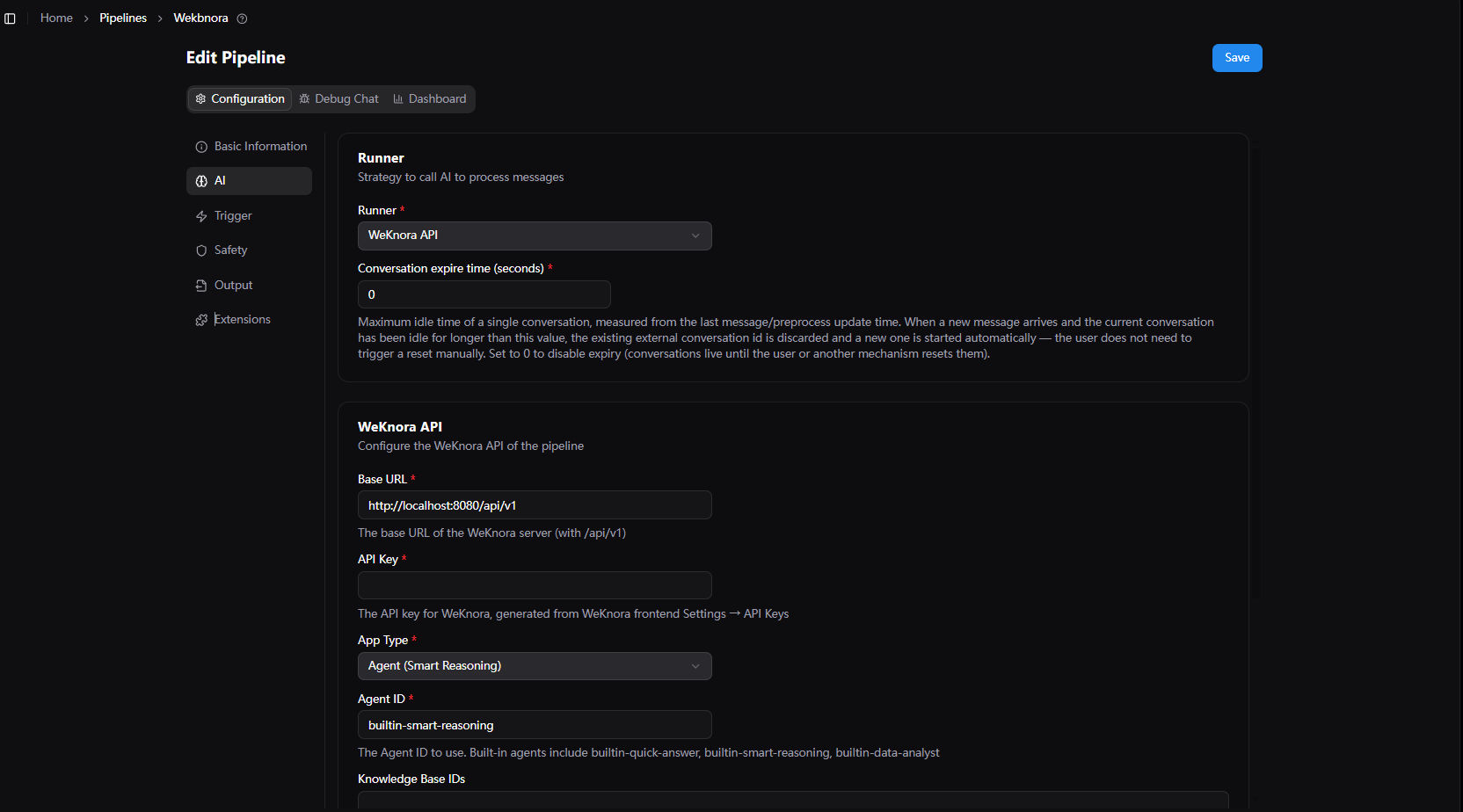
- Select
WeKnora APIinRunner. - In the runner configuration items, fill in:
-
API Base URL: The API address of the WeKnora service, defaulthttp://localhost:8080/api/v1. -
API Key: Paste the API Key generated on WeKnora. -
Application Type: Selectagent(Agent Intelligent Conversation, supports tool invocation, web search, chain of thought) orchat(Knowledge Base RAG Q&A). -
Agent ID: Built-in Agent identifier, common values:-
builtin-smart-reasoning: Intelligent Reasoning Agent (recommended foragentmode) -
builtin-quick-answer: Quick Answer Agent (recommended forchatmode)
-
-
Knowledge Base ID List: Fill in the knowledge base IDs to retrieve from (formatted askb-00000001), multiple can be filled. -
Enable Web Search: Only effective inagentmode, allows the Agent to call Web search tools when enabled. -
Timeout (seconds): Request timeout, default120. -
Default Prompt: The default question used when the user does not send text content.
-
- Click
Saveto complete the configuration.
After completion, you can invoke WeKnora in the pipeline to complete knowledge base-based intelligent conversation.
- When using the
agentapplication, iftrack-function-callsis enabled in LangBot pipelineOutput Processing, a messageCalling function xxxwill be output to the user each time WeKnora executes a tool call. - The
thinking(chain of thought) content returned by WeKnora will be sent wrapped in<think>tags, which can be collapsed and displayed on the frontend. - The
references(knowledge base citation sources) returned by WeKnora will be attached after the answer as reference source messages.
-
Save failed or invocation error: Please verify that the
API KeyandAPI Base URLare correct. The URL must include/api/v1at the end. -
No knowledge base content returned: Please verify that the
Knowledge Base IDis correct, and that documents have been successfully uploaded and parsed in that knowledge base. -
Cannot select
WeKnora API: Please verify that your current LangBot version supports this runner; if not supported, please upgrade to a version that includes the WeKnora runner.
For more pipeline general configuration instructions, please refer to Modifying Conversation Pipeline Configuration.