en usage platforms satori llonebot
Connected via the Satori protocol, you need to select Satori as the adapter.
- LuckyLillia Install the client to use the Satori protocol
LuckyLillia installation tutorial: https://luckylillia.com/guide/choice_install

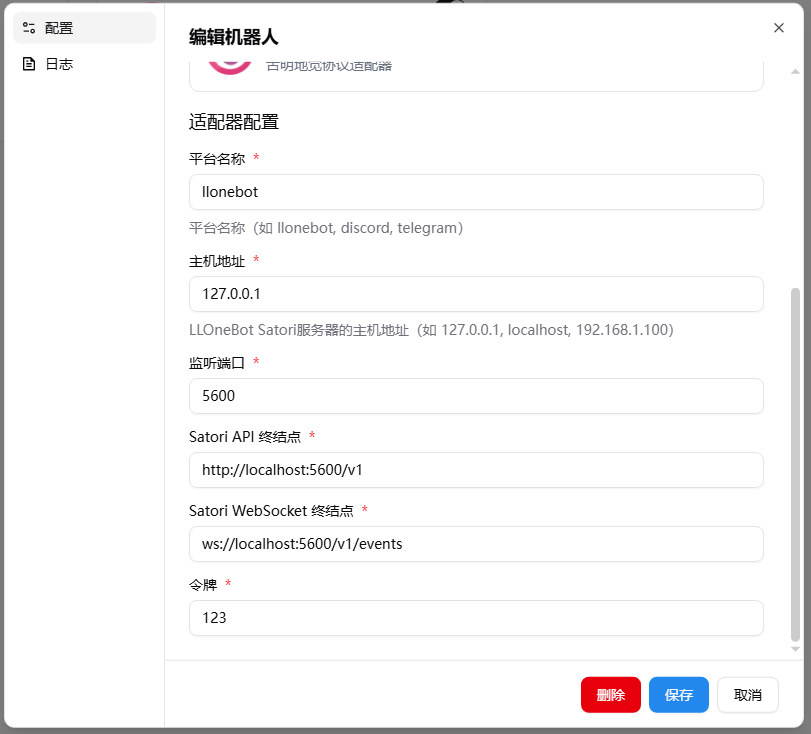
Make sure the IP address in the address field is the address of the host running LangBot (use 127.0.0.1 if running on the same network). The default port 5600 can be changed as needed. Setting a token is recommended.
This image shows the public network configuration. Make sure the IP address is the address of the host running LangBot. In this case, you need to expose the corresponding LangBot port.

Next, open the LangBot configuration page.
Click on Bots, then click Add.
Select Satori for Platform/Adapter.
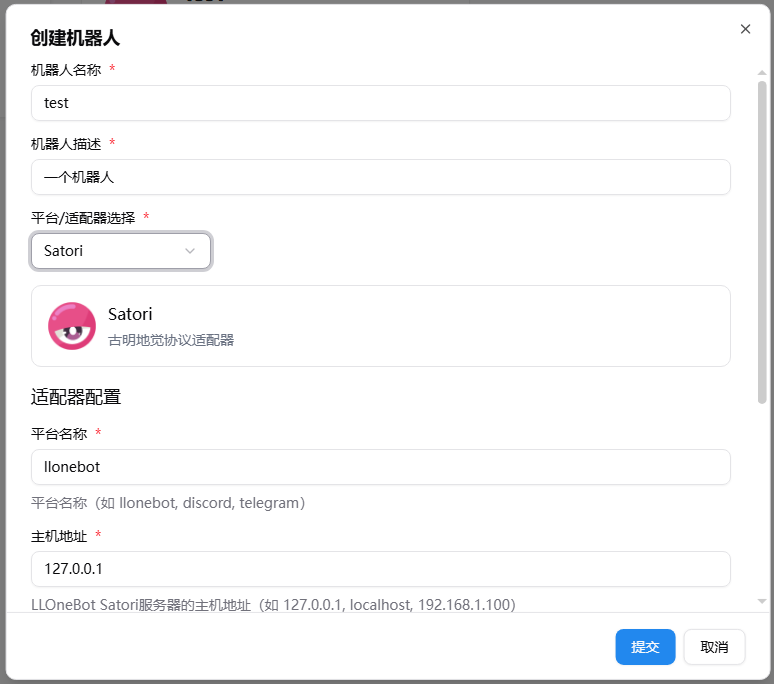
If you use the default configuration (local network), you don't even need to modify any parameters.
After creation, you can still adjust the parameters.
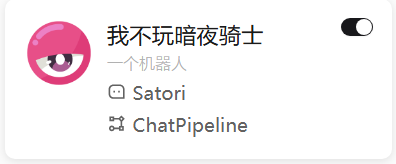
Make sure you have enabled this adapter.
Note
Note: If you encounter network connectivity issues between multiple Docker containers, please refer to Network Configuration Details.