-
Notifications
You must be signed in to change notification settings - Fork 1.5k
en usage platforms telegram
langbot-wiki-sync[bot] edited this page Jul 29, 2026
·
1 revision
Go to the Telegram Bot Creation Page, follow the prompts, and create a bot.

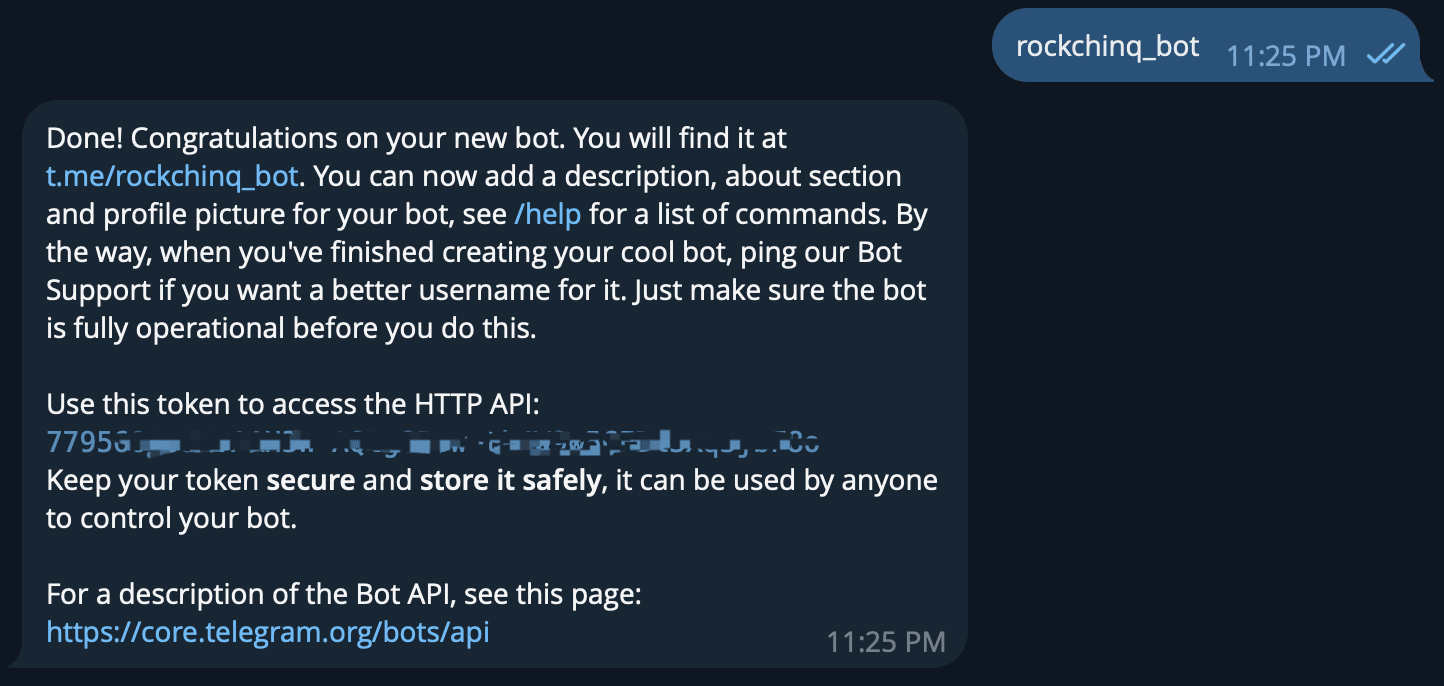
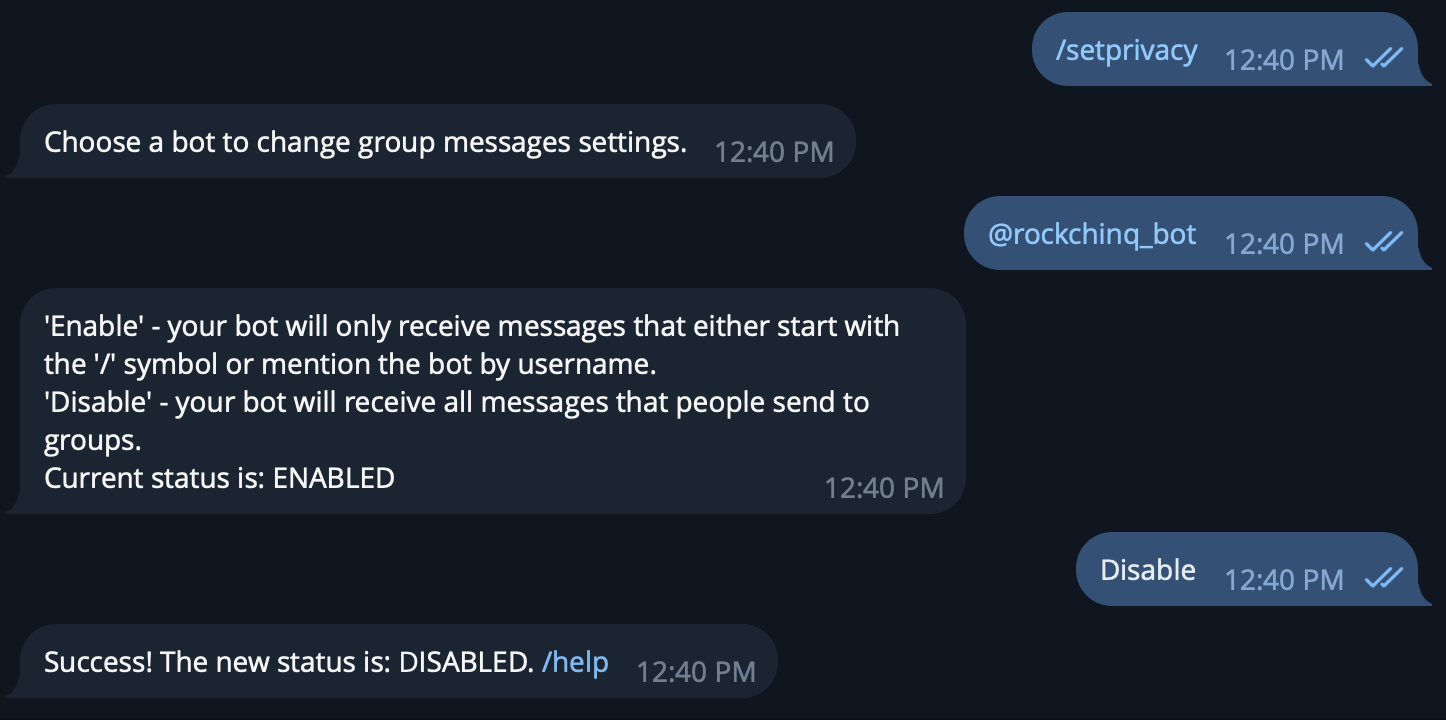
After creation, BotFather will return an API Token, please keep it safe. Next, turn off Privacy Mode to use it in group chats.
Open the LangBot Webui page, create a new bot
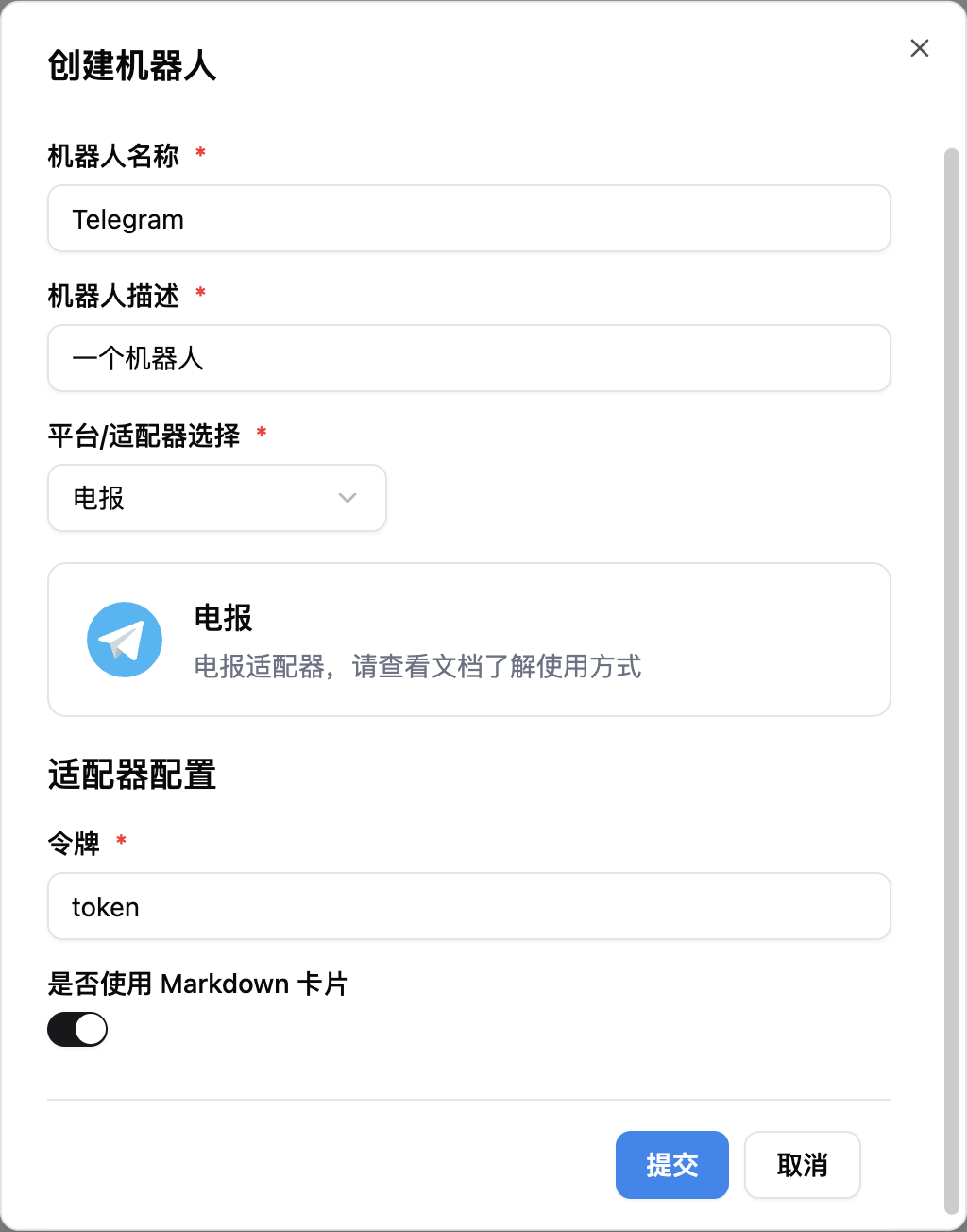
After filling in, start LangBot. If configured successfully, the log will show [02-02 16:48:15.263] manager.py (68) - [INFO] : Initializing platform adapter 1: telegram, keep LangBot running.
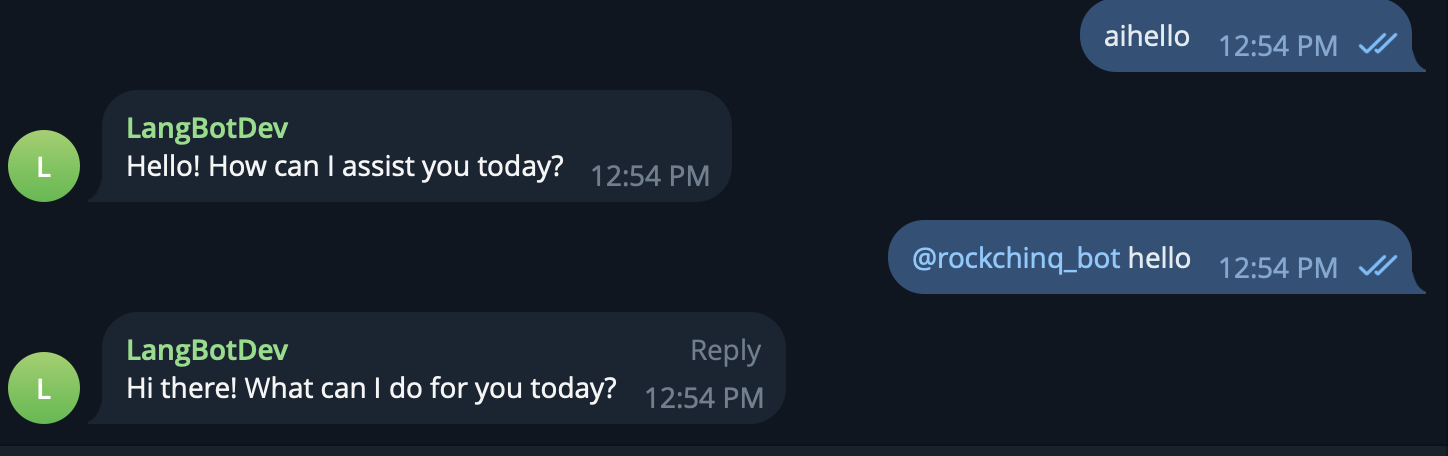
Now you can use the bot normally in groups or private messages.
Automatically synchronized from langbot-app/langbot-wiki.
简体中文
指南
开发者
- 插件开发
- 插件 SDK API
- 核心开发
API 参考
- Service API
English
Guides
Developers
-
Plugin Development
- Plugin Development Tutorial
- Completing Plugin Configuration Information
- Plugin Directory Structure
- Component Development
- Code Style Guide
- Migration Guide
- Publish Plugin
- Plugin SDK API
- Core Development
API Reference
- Service API