en usage platforms wechat weixin
OpenClaw is an open-source AI Agent framework. Through the OpenClaw WeChat adapter, you can connect LangBot to your personal WeChat account, supporting single chat, streaming output, whitelist control, and more.
LangBot supports one-click scan login for WeChat, automatically filling in credentials — no manual token entry needed.
Warning
Please make sure your mobile WeChat version is 8.0.69 or above, otherwise it may not work properly.
- Open LangBot WebUI, go to Bots > Create Bot
- Enter a bot name, select
Personal WeChat Botas the platform/adapter - In the Scan Login section that appears, click the Start button
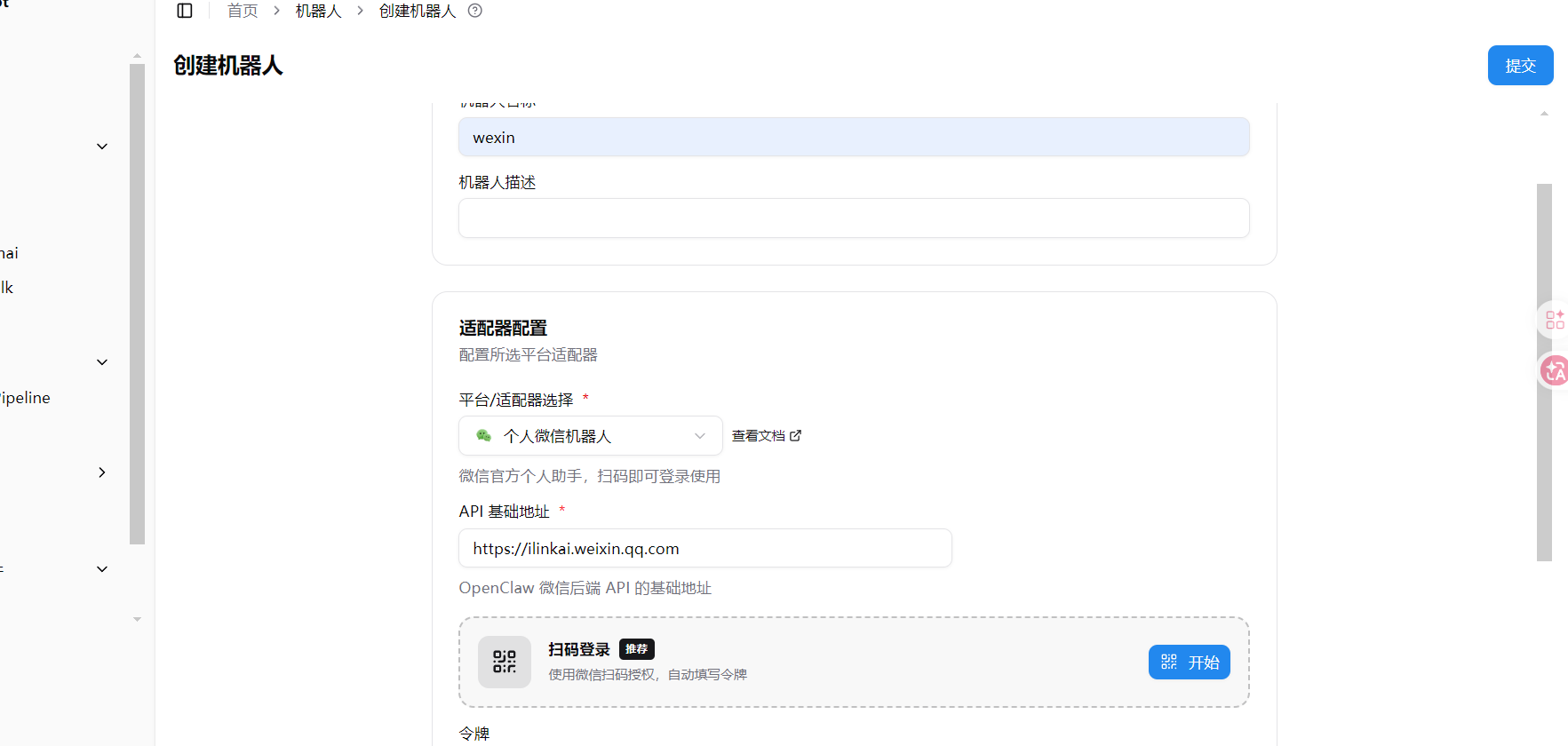
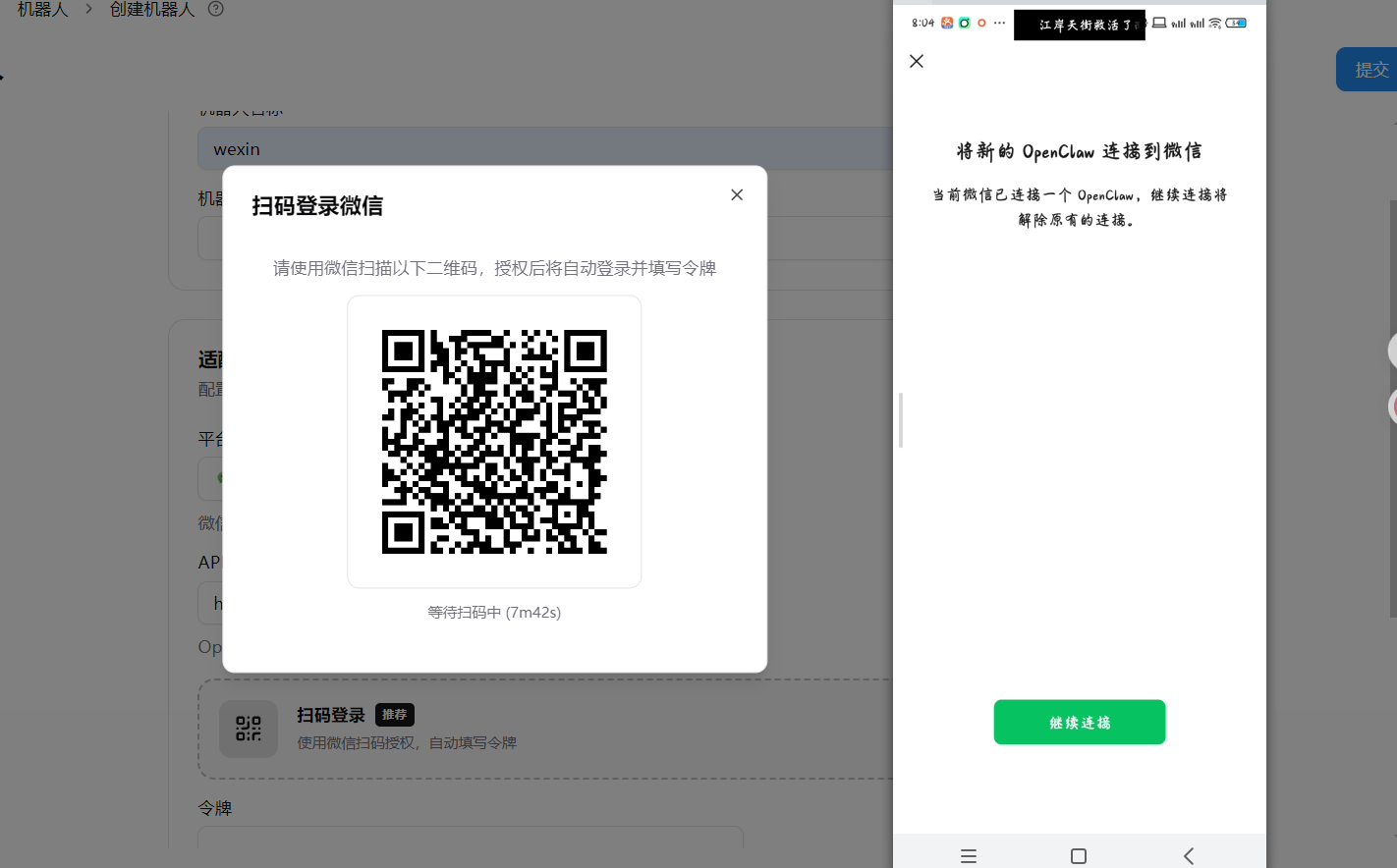
- Scan the QR code with WeChat. On your phone, you'll see "Connect new OpenClaw to WeChat", tap Continue
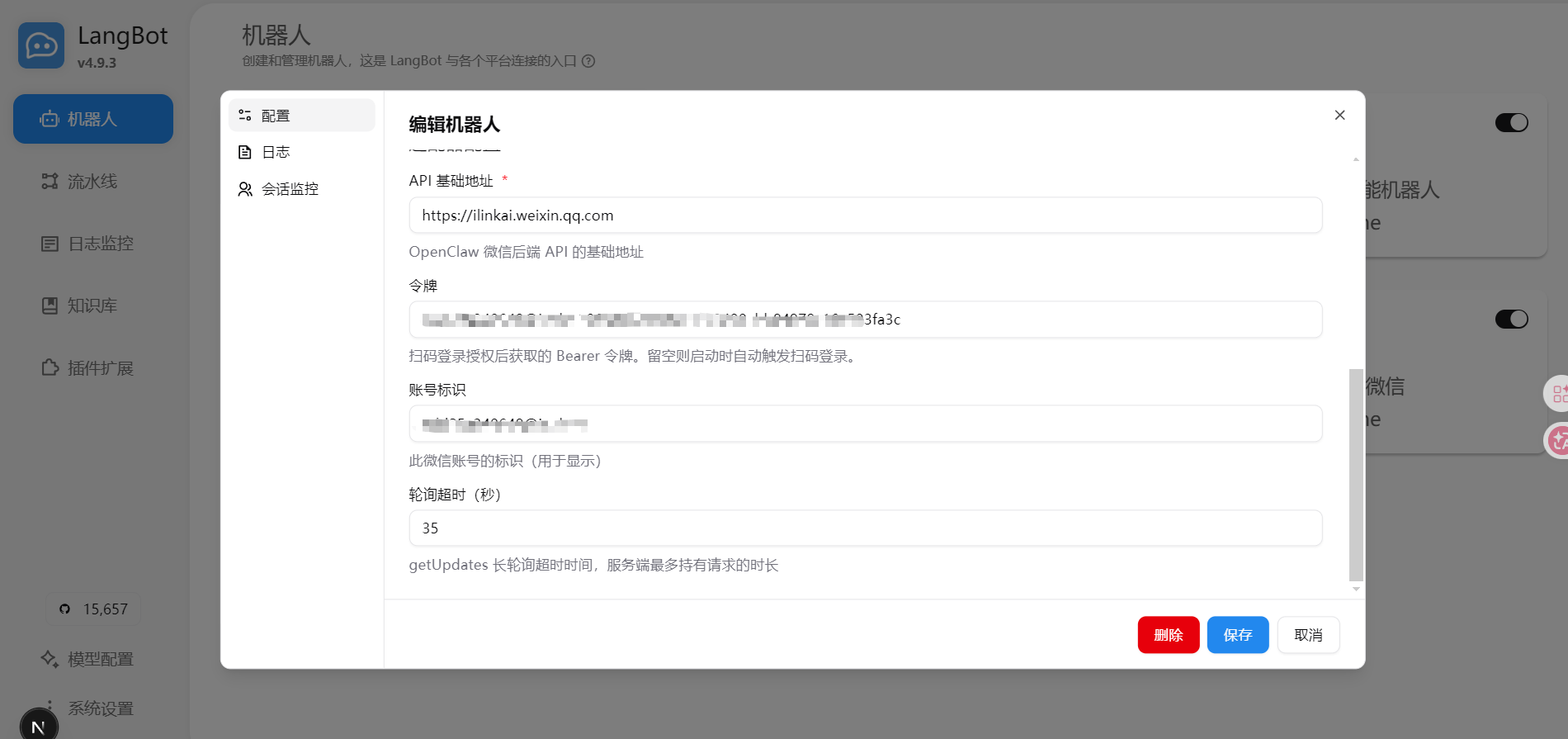
- After authorization, the token and account ID will be auto-filled in the form
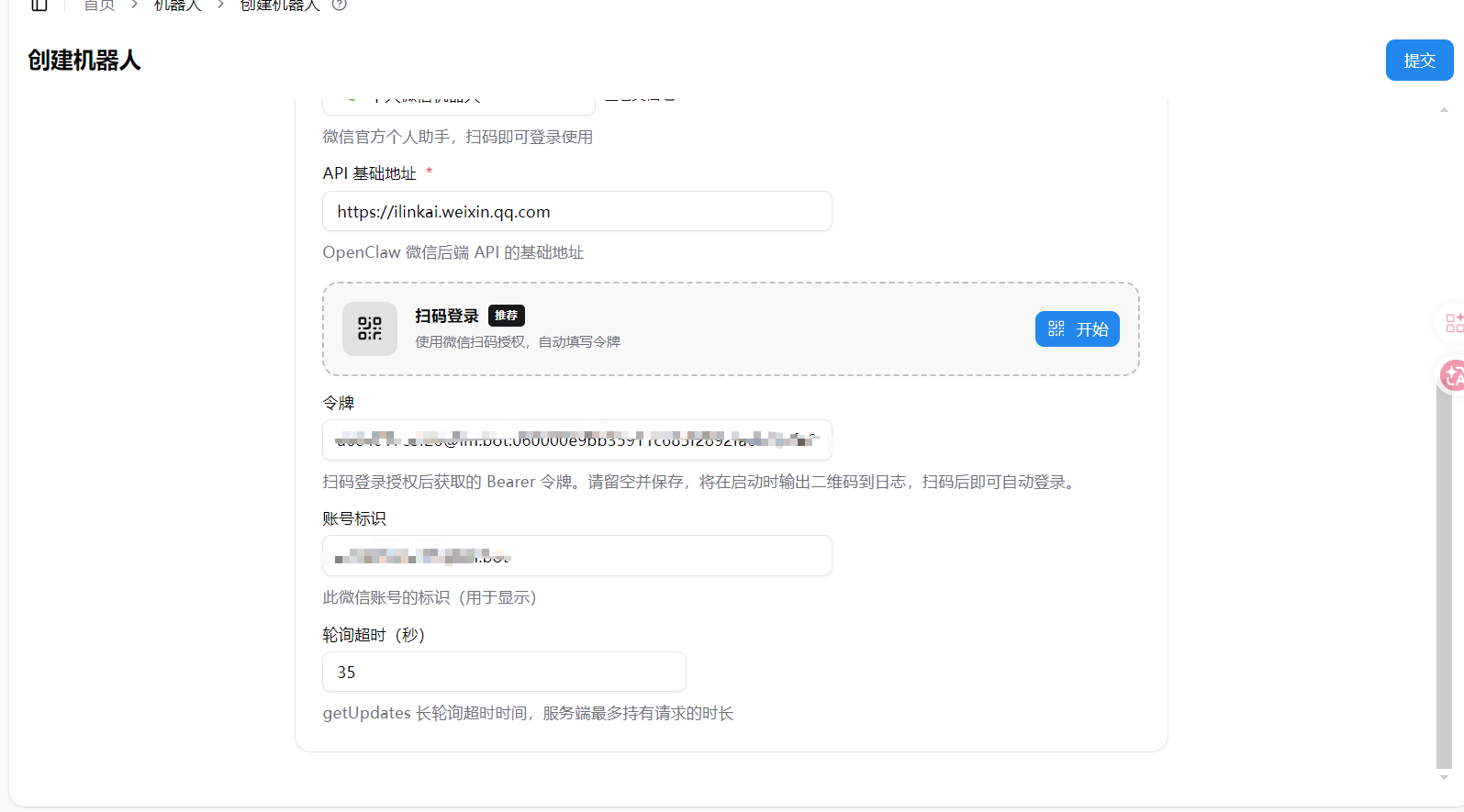
- Click Submit to complete
Warning
If connection fails, please confirm your WeChat version is 8.0.69 or above.
After scanning successfully, your phone will enter the ClawBot chat page on WeChat.
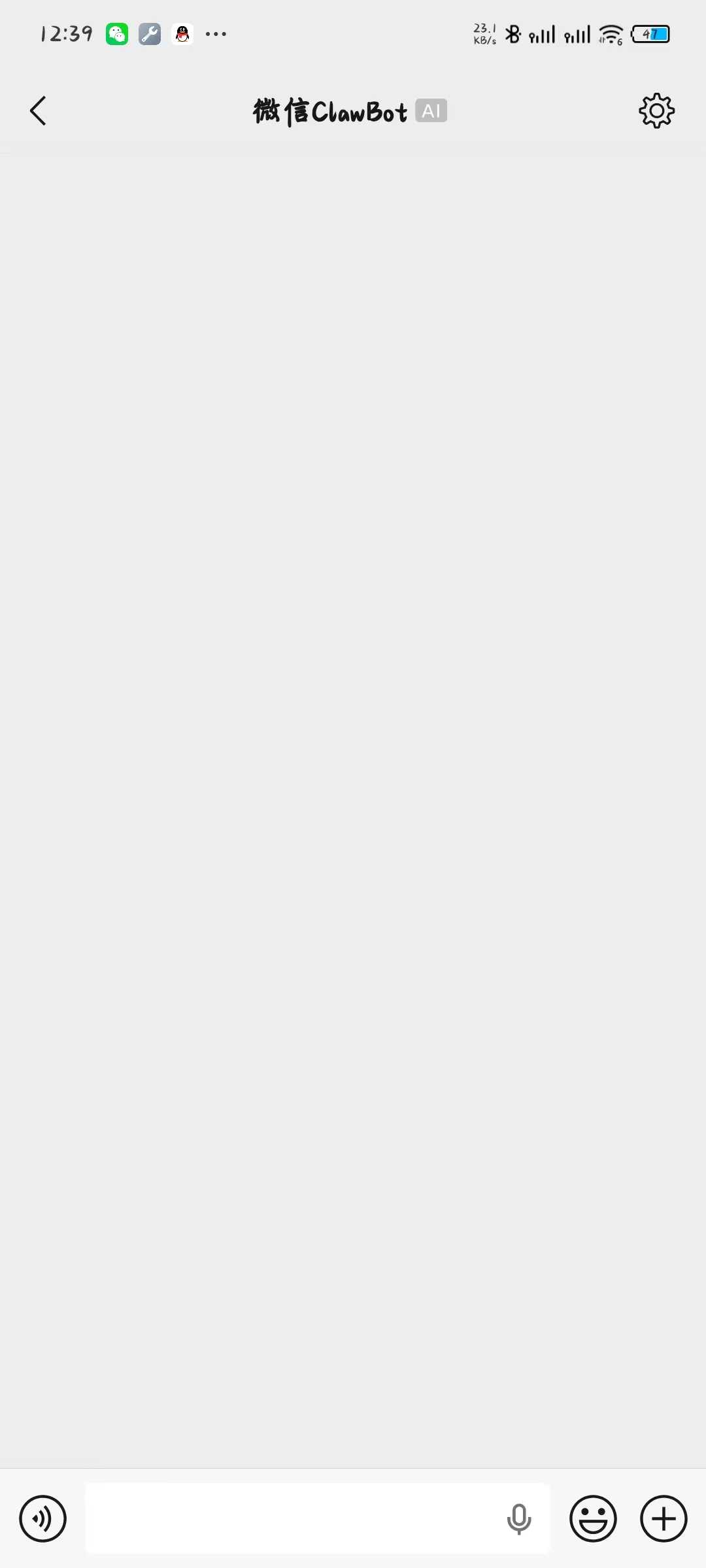
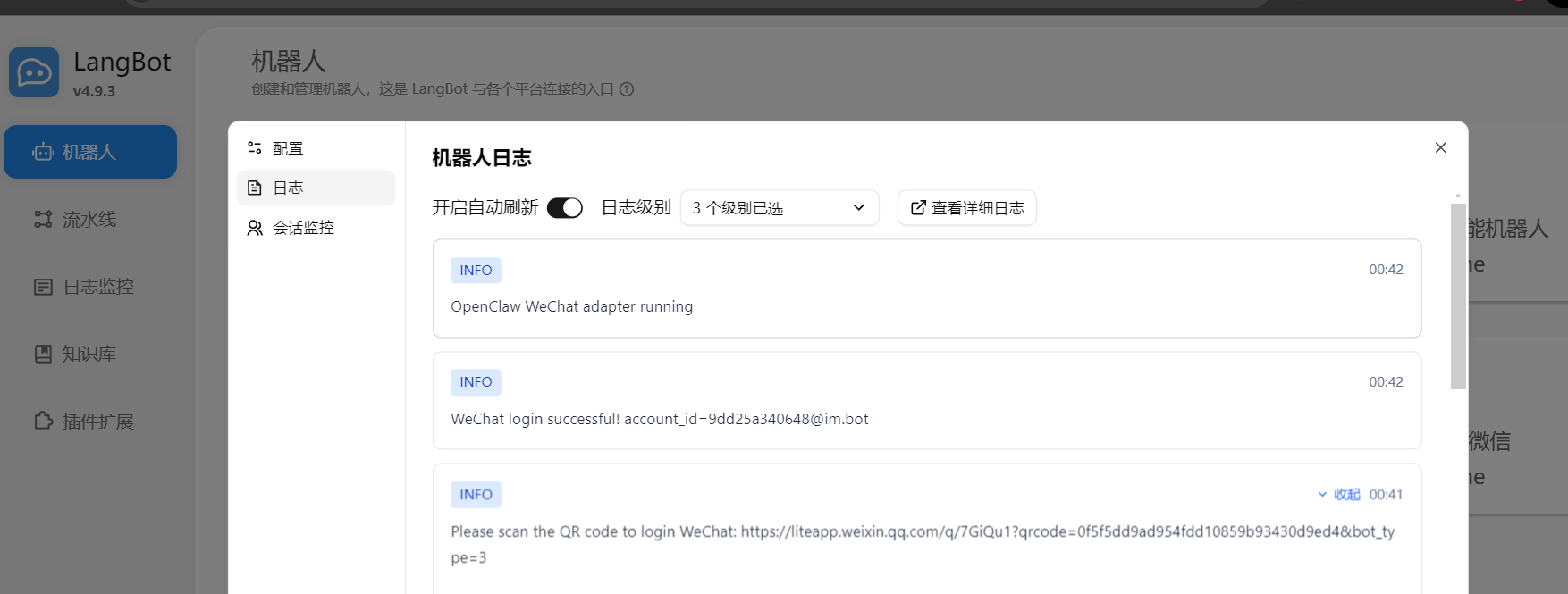
At the same time, the LangBot logs will show a successful connection message, and the token and account fields on the configuration page will be automatically updated, indicating a successful login.
Once logged in, send messages to the ClawBot chat page you just entered using the scanned account, and LangBot will automatically reply.