Repository navigation
Connecting your trainer
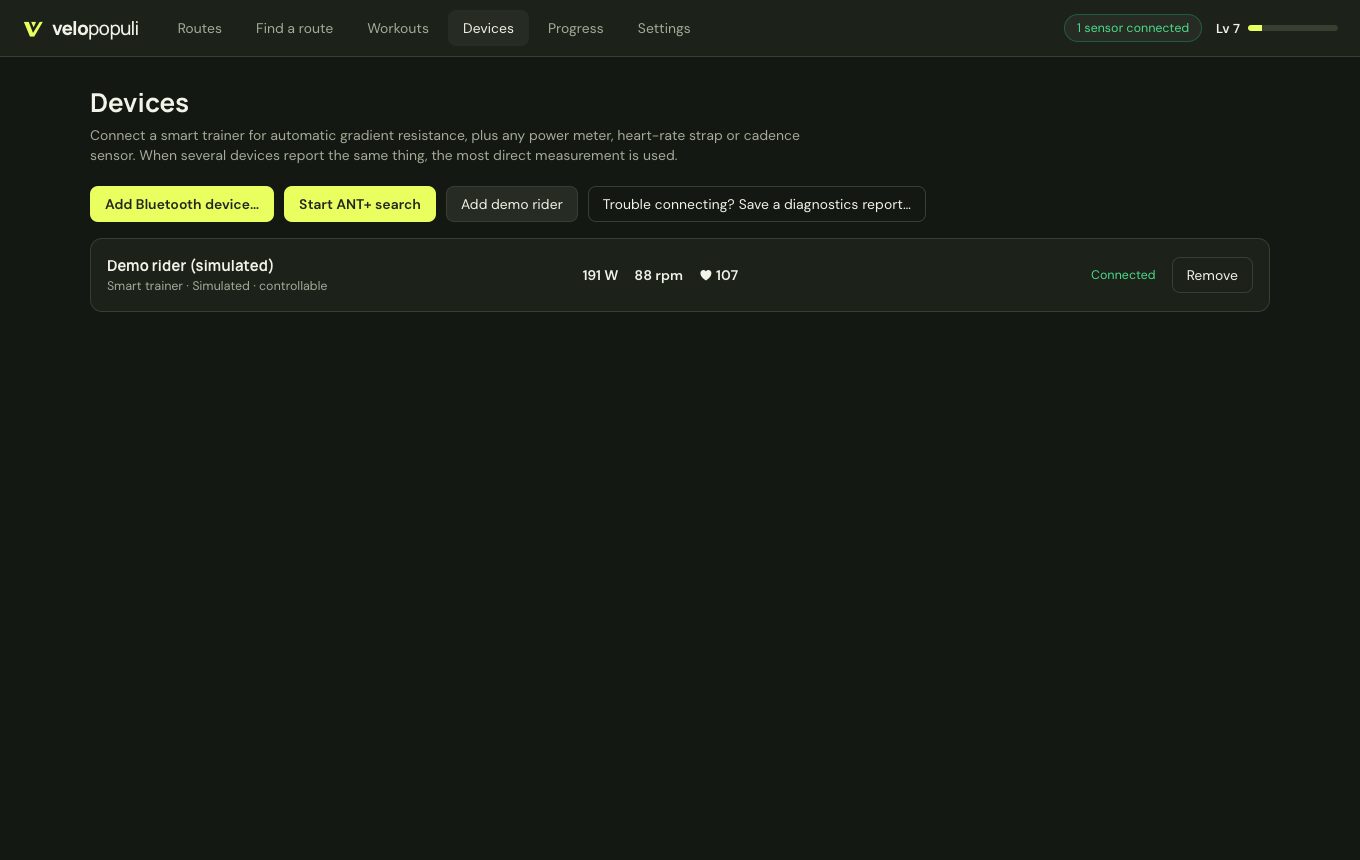
Open Devices. VeloPopuli talks to trainers and sensors directly — over your computer's Bluetooth, or over an ANT+ USB stick — with no manufacturer software in between.
- One app at a time. Most trainers and sensors accept a single Bluetooth connection. Close Zwift, the manufacturer's app, and anything on your phone or watch that might grab the trainer first. A trainer that keeps dropping out is very often being fought over.
- Wake it up. Spin the pedals so the trainer is awake and advertising.
- Mains power. Smart trainers that run from the mains (most wheel-on Tacx models, for example) need it plugged in to control resistance.
Devices → Add Bluetooth device… searches and lists what it hears; click one to connect.
| Kind of device | How VeloPopuli talks to it |
|---|---|
| Smart trainers made since about 2018 (Wahoo, Elite, Saris, Zwift, JetBlack and most others) | Bluetooth FTMS: gradient simulation and ERG |
| Tacx smart trainers (Neo, Flux, Vortex, Bushido, Genius…) | FE-C over Bluetooth (Tacx's own channel) when the trainer has no FTMS |
| Power meters | Cycling Power service |
| Heart-rate straps and broadcasting watches | Heart Rate service |
| Speed and cadence sensors | CSC service |
Not supported yet: older Wahoo KICKRs that only speak Wahoo's proprietary protocol (connect those over ANT+ FE-C instead).
- macOS asks for Bluetooth permission on the first search.
- Linux needs BlueZ running.
Plug in an ANT+ stick (Garmin/Dynastream ANTUSB2 or ANTUSB-m) and press Devices → Start ANT+ search. The first trainer (FE-C), power meter, heart-rate strap, speed, cadence and speed+cadence sensor heard are each added.
- Windows: the stick needs the generic WinUSB driver. Install it once with Zadig: select the ANT stick → WinUSB → Replace Driver. (Garmin Express can't use the stick until you switch back.)
-
Linux: allow non-root access with
sudo cp resources/99-ant-usb.rules /etc/udev/rules.d/ && sudo udevadm control --reload, then replug. The.debdoes this for you. - macOS: no setup; quit Garmin Express first.
Current limits: one device of each kind (the first heard), and no pairing to a particular device number yet.
When more than one device reports the same thing, the most direct measurement wins: a crank power meter over the trainer's estimate, a chest strap over heart rate relayed by the trainer. A basic trainer with only a speed sensor can use Settings → Trainer & physics → Estimate power from a speed sensor (a typical fluid-trainer curve — approximate).
- Close every other app that could be connected to the trainer (see above), then remove and re-add it under Devices.
- Try the other connection: ANT+ if Bluetooth misbehaves, or the other way round.
- Ride for a few minutes until it goes wrong, then press Report a problem… → Report on GitHub… on the ride summary. The report shows every connection, drop-out and message the trainer sent, which is usually enough to fix it. See Reporting problems.
Real-world testing has only just begun. Please add your trainer to an issue (worked / didn't) so this list can grow:
| Trainer or sensor | Connection | Result |
|---|---|---|
| Tacx Vortex Smart (T2180) | Bluetooth | First test: dropped out and showed no power — being investigated with diagnostics |