Repository navigation
Virtual gears
Most riders don't need these. If you shift your bike's own gears on the trainer, that already works exactly as on the road — the trainer feels how fast its flywheel turns — and there is nothing to set up. That's the default (Settings → Gears → My bike's gears).
Virtual gears are for leaving the bike in one gear and shifting with keys, a Bluetooth remote or on-screen buttons instead: handy for trainers with a single cog, to spare your chain and cassette, or to shift without reaching down. VeloPopuli changes the trainer's resistance so each virtual gear feels like the real thing.
Settings → Gears → Virtual gears, then:
| Setting | What it means |
|---|---|
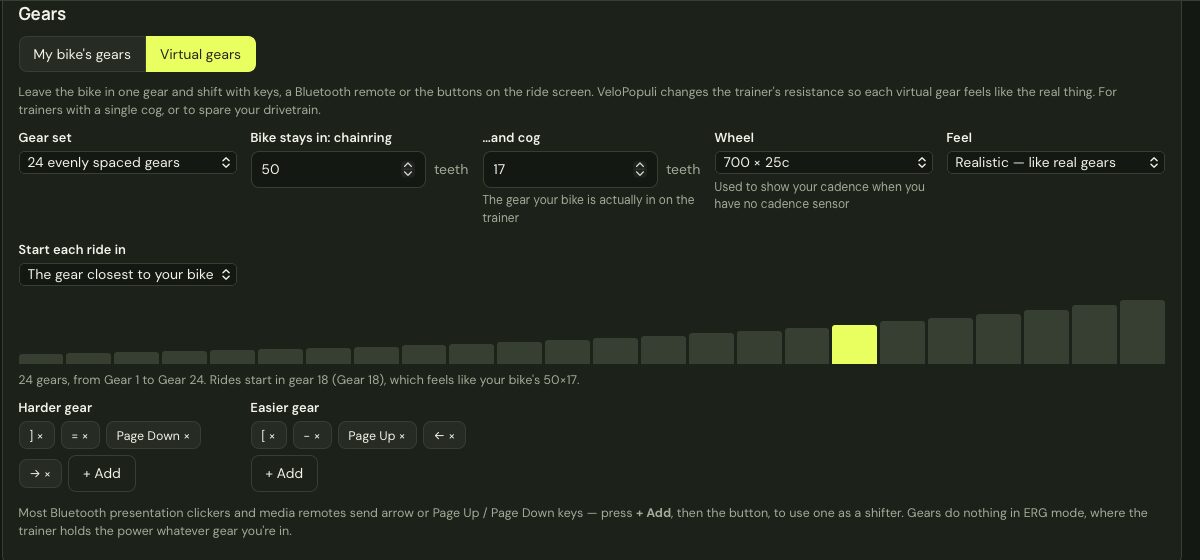
| Gear set | A preset (24 evenly spaced gears; road compact, semi-compact and standard doubles; gravel and mountain-bike 1×) or My own chainrings and cassette — type your teeth, e.g. 50, 34 and 11, 12, 13, 14, 15, 17, 19, 21, 24, 27, 30, 34. On a double, every combination is put in order from easiest to hardest, with near-duplicates merged, so you step through the whole range one gear at a time. |
| Bike stays in | The real chainring and cog your bike is in on the trainer. This is what the virtual gears are measured against: in the virtual gear that matches it, the trainer behaves exactly as it would with no virtual gears at all. |
| Wheel | Only used to show your cadence when you have no cadence sensor (worked out from your speed and gear). |
| Feel | Realistic follows the physics of real gears. Simple steps adds a fixed amount of gradient per gear (you choose how much) — more predictable if your trainer behaves oddly with the realistic version. |
| Start each ride in | The gear closest to your bike's, or a gear you pick. |
| Harder / Easier gear | The keys that shift. Press + Add and then any key — or a button on a Bluetooth presentation clicker or media remote, most of which send arrow or Page Up/Page Down keys. Defaults: ] = Page Down → (harder) and [ - Page Up ← (easier). |
The bars under the settings show every gear, from easiest to hardest, with the starting gear highlighted.
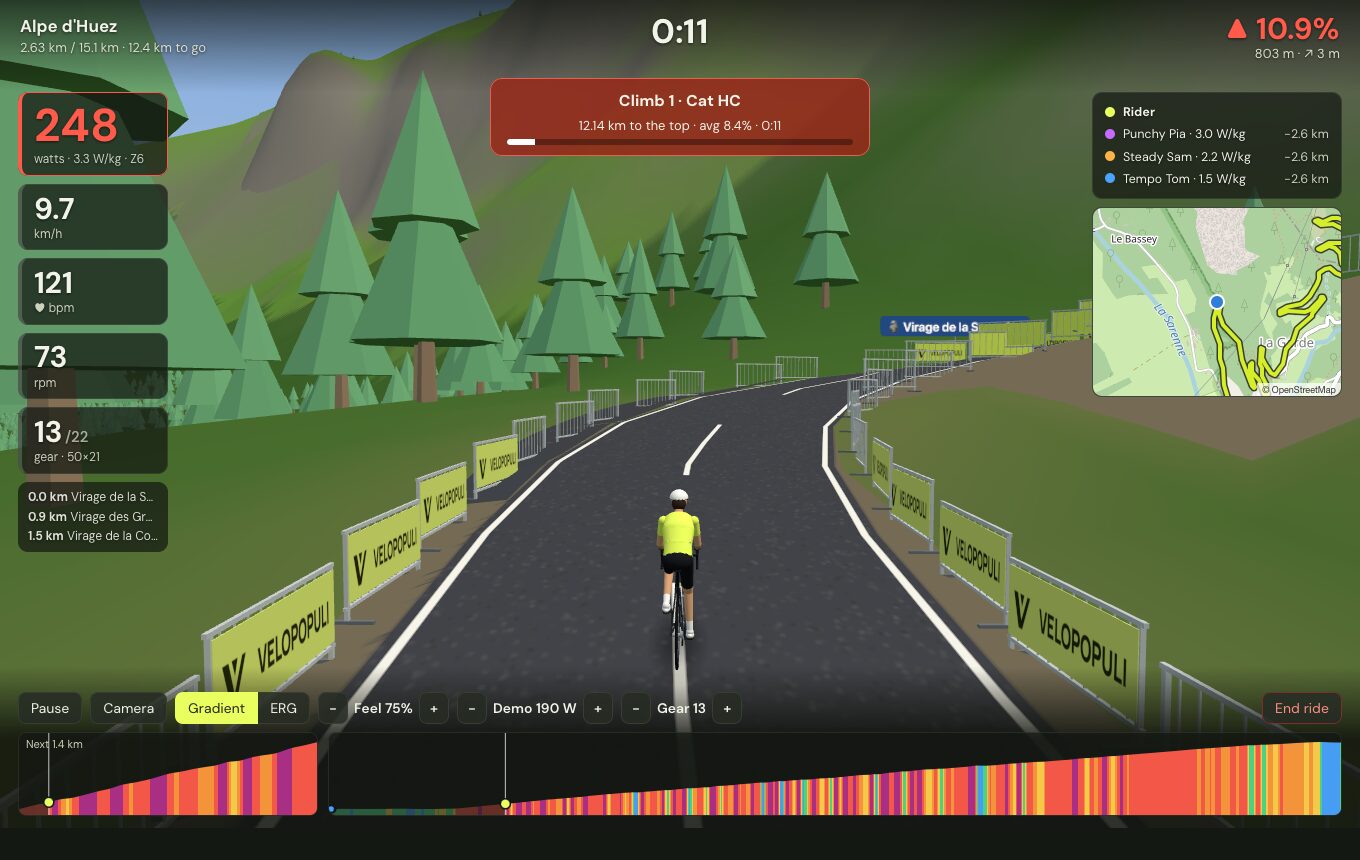
The current gear shows on the HUD under cadence, and − Gear + buttons appear in the controls. The new resistance is sent the moment you shift. Gears do nothing in ERG mode, where the trainer holds the power whatever gear you're in, or in workouts that hold targets in ERG.
Your speed in VeloPopuli always comes from your power, so gears don't make you faster — they change how that power is delivered: in a harder gear, more force per pedal stroke at a lower cadence.
On the trainer, the flywheel turns at the speed your real gear gives for your cadence: v_trainer = v × r_real / r_virtual. To feel the virtual gear, the force it applies must be the road force scaled by the ratio: F_trainer = F_road(v) × r_virtual / r_real. Trainers in simulation mode work out their force from a gradient, rolling resistance and wind at their own speed, so VeloPopuli sends the gradient that makes that force come out right. It goes through the normal trainer commands, so it works with every trainer VeloPopuli supports (Bluetooth FTMS, Tacx FE-C over Bluetooth, ANT+ FE-C).
A few things follow from the physics:
- On the flat at low speed there's little force to scale, so gears make little difference; they matter at speed and on climbs.
- On a descent steep enough to push you along, no gear gives you anything to pedal against — as on a real bike.
- Very hard gears at low speed can ask for more resistance than a wheel-on trainer can apply, and very easy ones on descents ask for less than it can free-wheel to. The trainer does what it can.
- Gradients sent are kept between −25% and +40%.
Shimano Di2 hood buttons and Zwift Click/Play controllers as shifters, and the built-in virtual shifting of Zwift Hub-type trainers.