Multiplex Sub Workflows
Important
This feature requires xyOps v1.0.78 or newer.
The Multiplex Controller lets you run a specific event or ad-hoc job across a selection of servers. It expands the selected groups and servers, then launches one job per matching server.
But what if you want to multiplex an entire workflow? In other words, what if you want the same sequence of workflow nodes to run once per server?
That is what multiplexed sub-workflows are for. You create one workflow that contains the real work, then launch it from another workflow through a Multiplex Controller. The outer workflow chooses the server set, and xyOps passes each individual server target down into a separate copy of the inner workflow.
The pattern uses two workflows:
- Inner workflow: The reusable workflow that contains the jobs you want to run on each server.
- Outer workflow: The orchestration workflow that contains the Multiplex Controller and launches the inner workflow once per server.
When the outer workflow runs, the Multiplex Controller expands the target selection into concrete servers. For each server, xyOps launches a separate copy of the inner workflow and overrides every Event and Job node inside that copy so it runs on that one server.
This means the inner workflow can contain multiple nodes, branches, waits, limits, actions, and other workflow logic. Each multiplexed copy still gets its own single server target.
First, create the workflow that contains the jobs you want to run on each server. In this example, the inner workflow runs a short series of jobs:
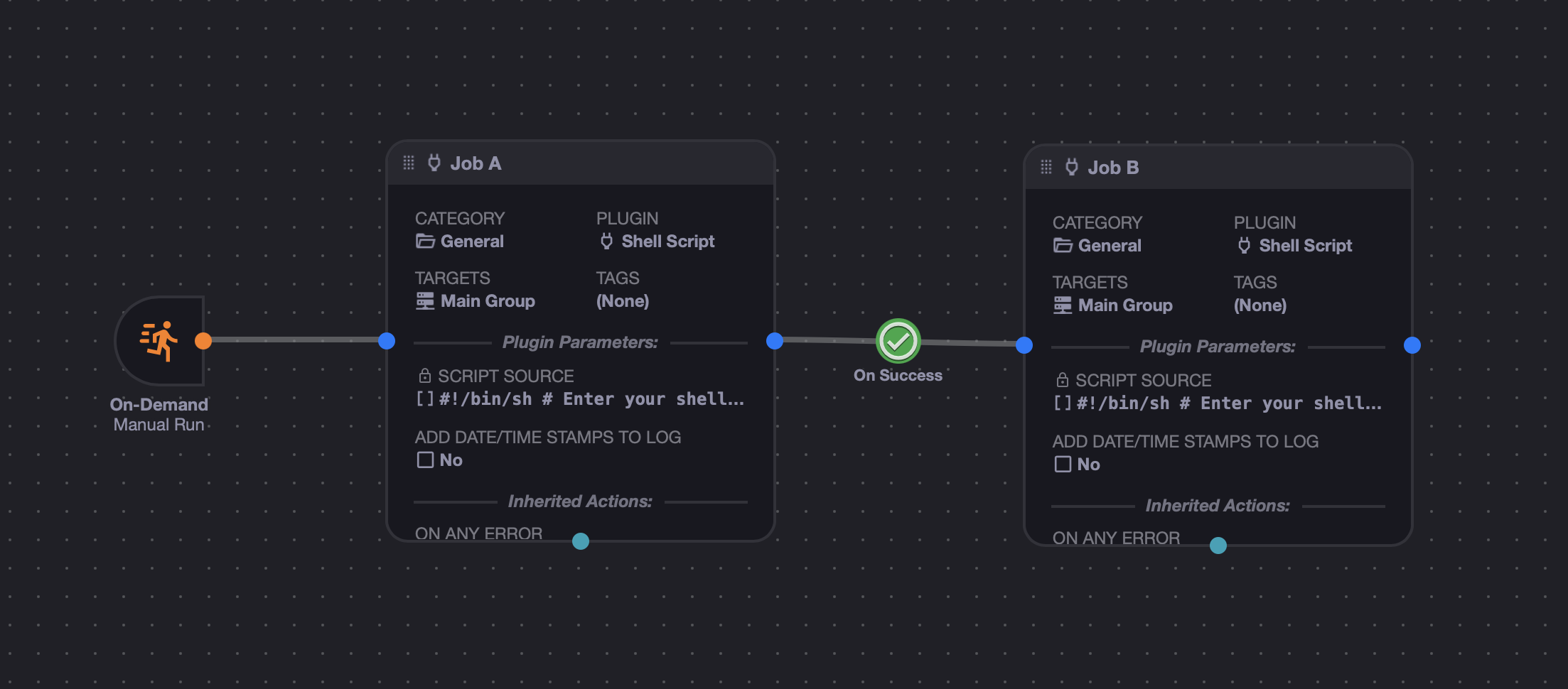
Save this as its own workflow. We will call it "Inner Workflow" in the examples below.
The target settings on the inner workflow's individual Event and Job nodes do not matter much for this pattern, because the outer Multiplex Controller will override them at runtime. However, the inner workflow must have an enabled Manual Trigger, because xyOps uses that trigger as the sub-workflow entry point.
Tip
When a workflow launches another workflow, it starts the sub-workflow through its Manual Trigger. Make sure your inner workflow has one, and make sure it connects to the node where you want the sub-workflow to begin.
Next, create a second workflow. This is the outer workflow that controls the multiplex run:
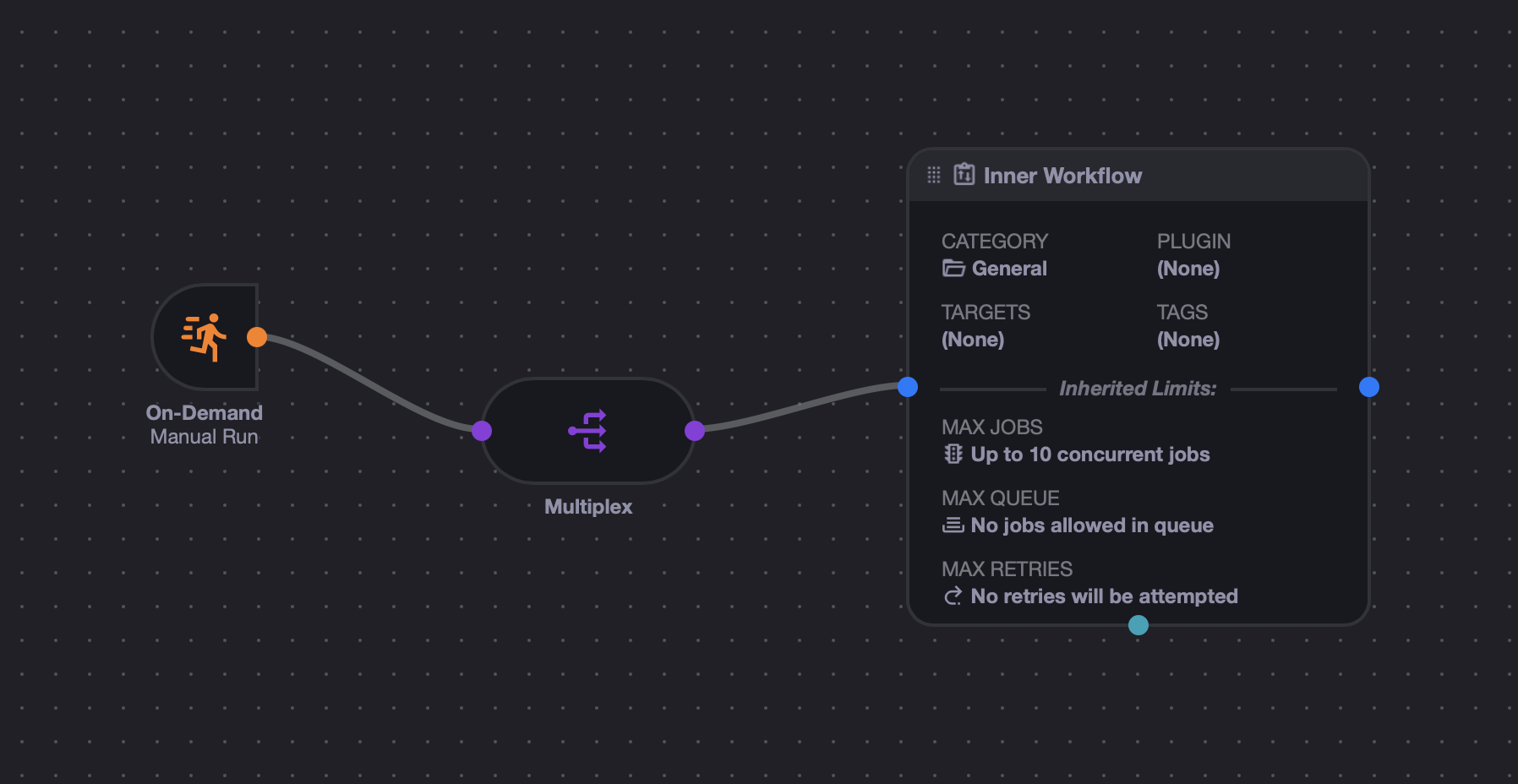
The key pieces are:
- A trigger node to start the outer workflow.
- A Multiplex Controller.
- An Event node that points to the inner workflow.
By default, workflow events do not usually have their own targets. Their child Event and Job nodes normally choose targets instead. So when you first add the inner workflow as an Event node, it will show no targets:
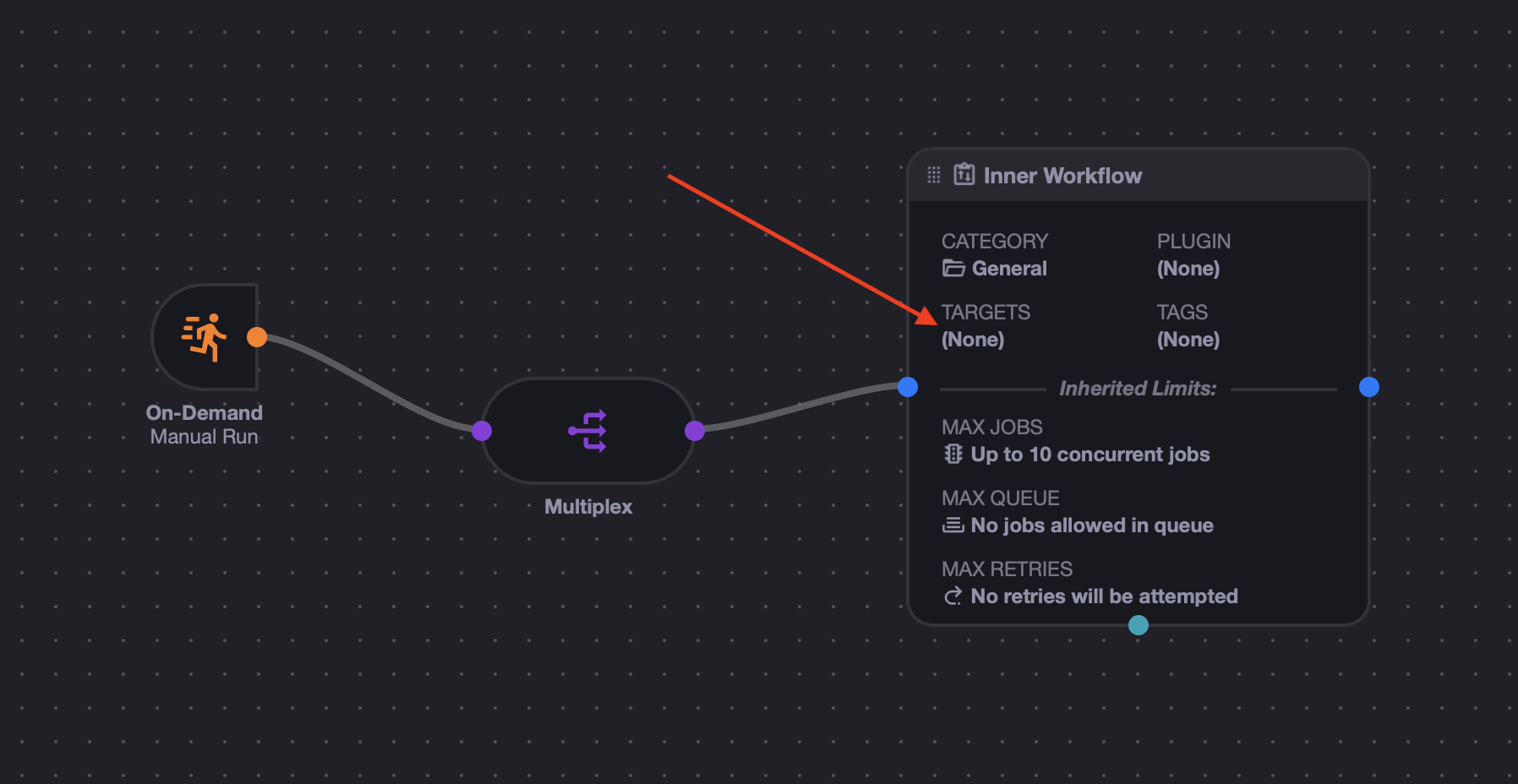
For multiplexing, the destination node must have targets. Edit the inner workflow Event node in the outer workflow, and override its targets with the group or servers you want the Multiplex Controller to use:
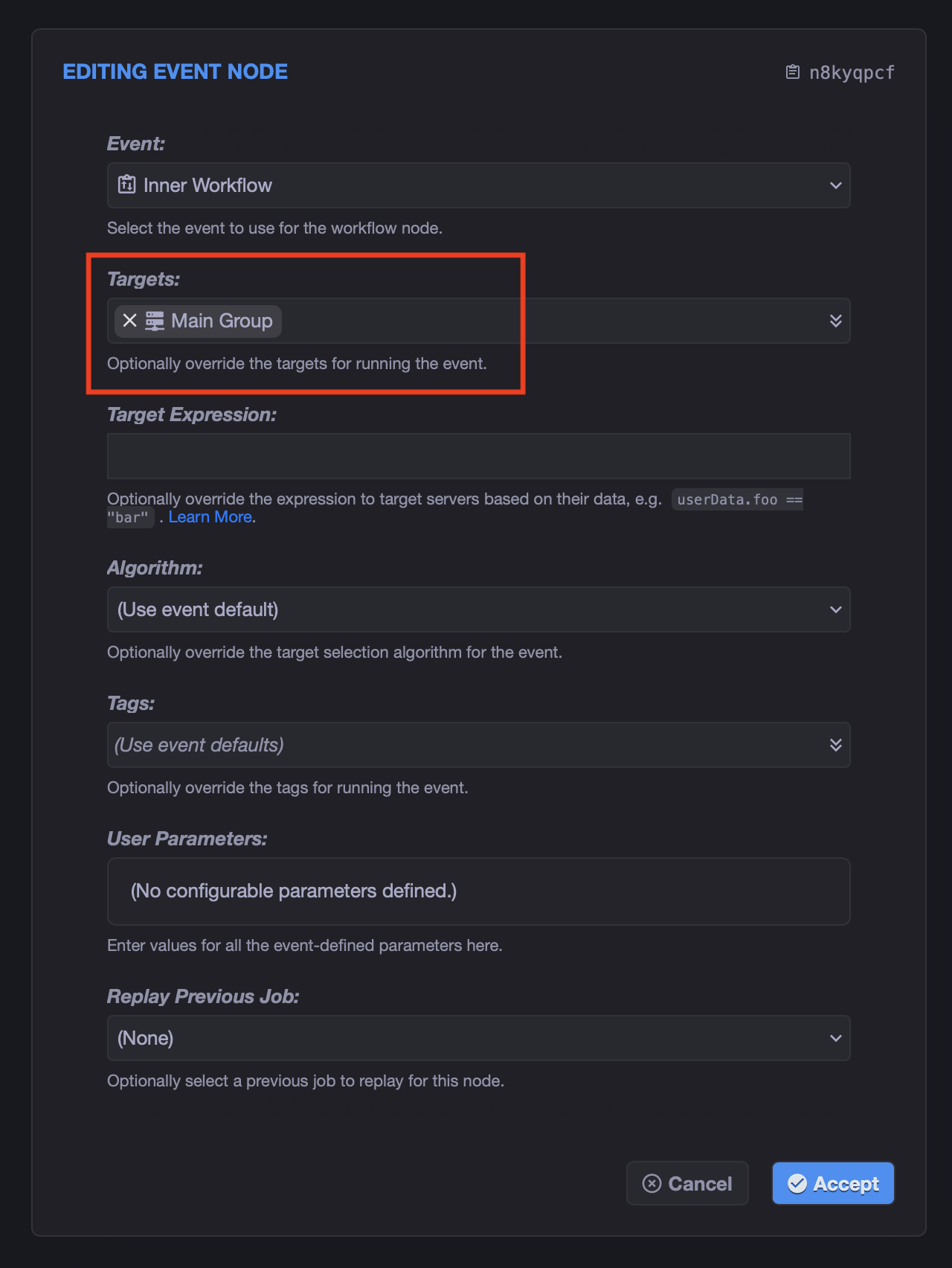
After saving, the selected targets should appear on the Event node:
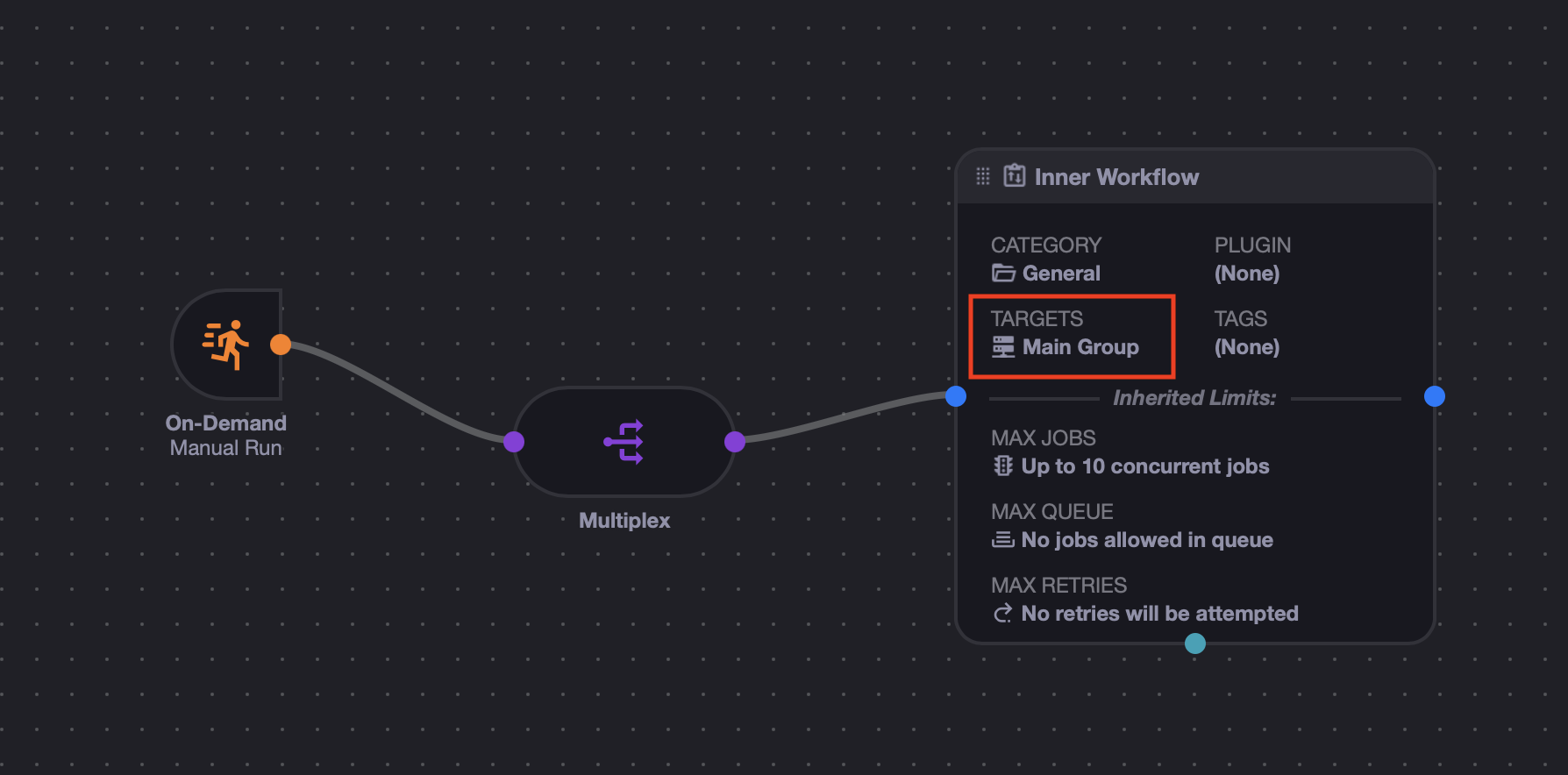
This target override is what gives the Multiplex Controller its server list. If the destination node has no targets, xyOps cannot build the multiplex set.
Now run the outer workflow. xyOps will expand the target group or server list, then spawn one copy of the inner workflow for each matched server.
Here is an example run showing the outer workflow job list:
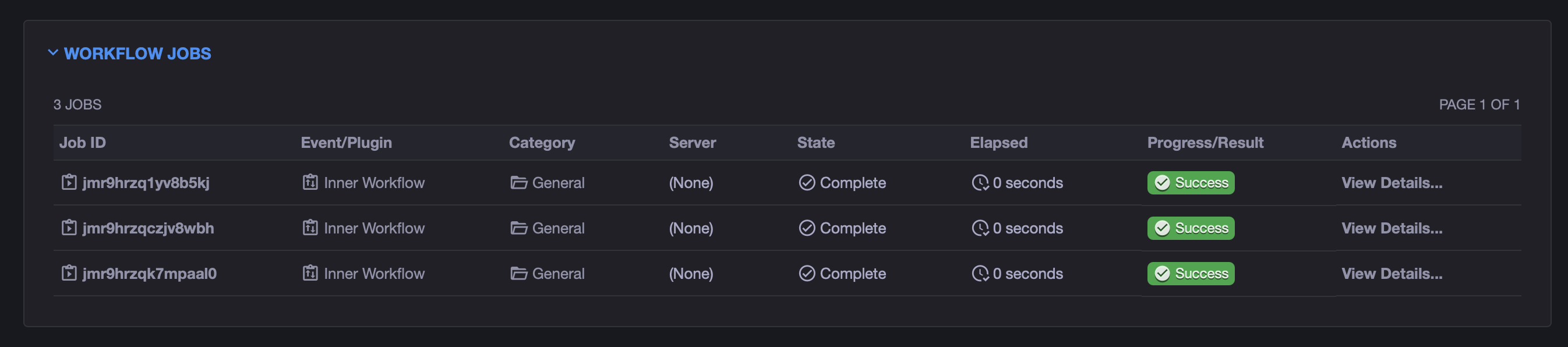
In this case, the "Main Group" contains 3 servers, so xyOps launched 3 copies of the inner workflow. Each copy was retargeted to a different server from the group.
If you open one of the inner workflow jobs, you can see that its nodes were retargeted to one server:
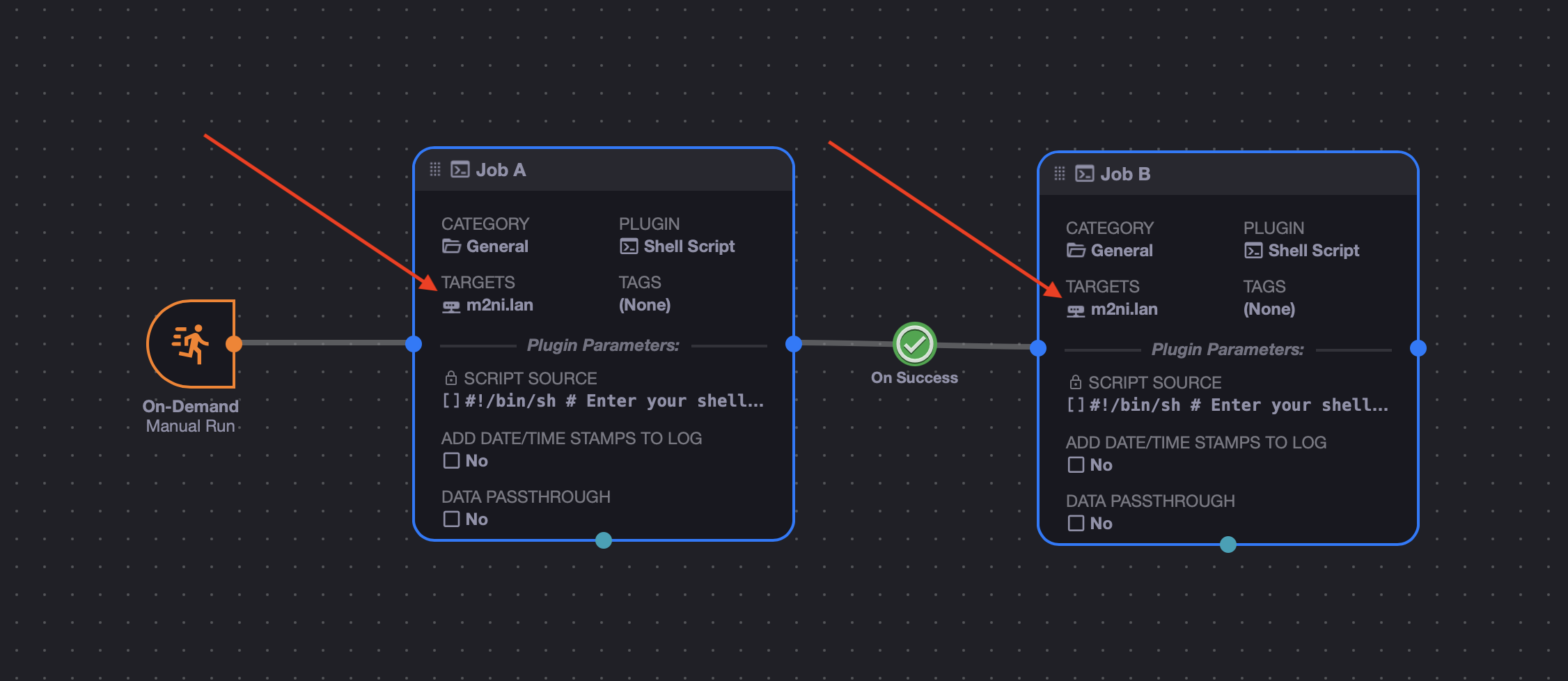
Opening another inner workflow job shows the same workflow, but assigned to a different server:
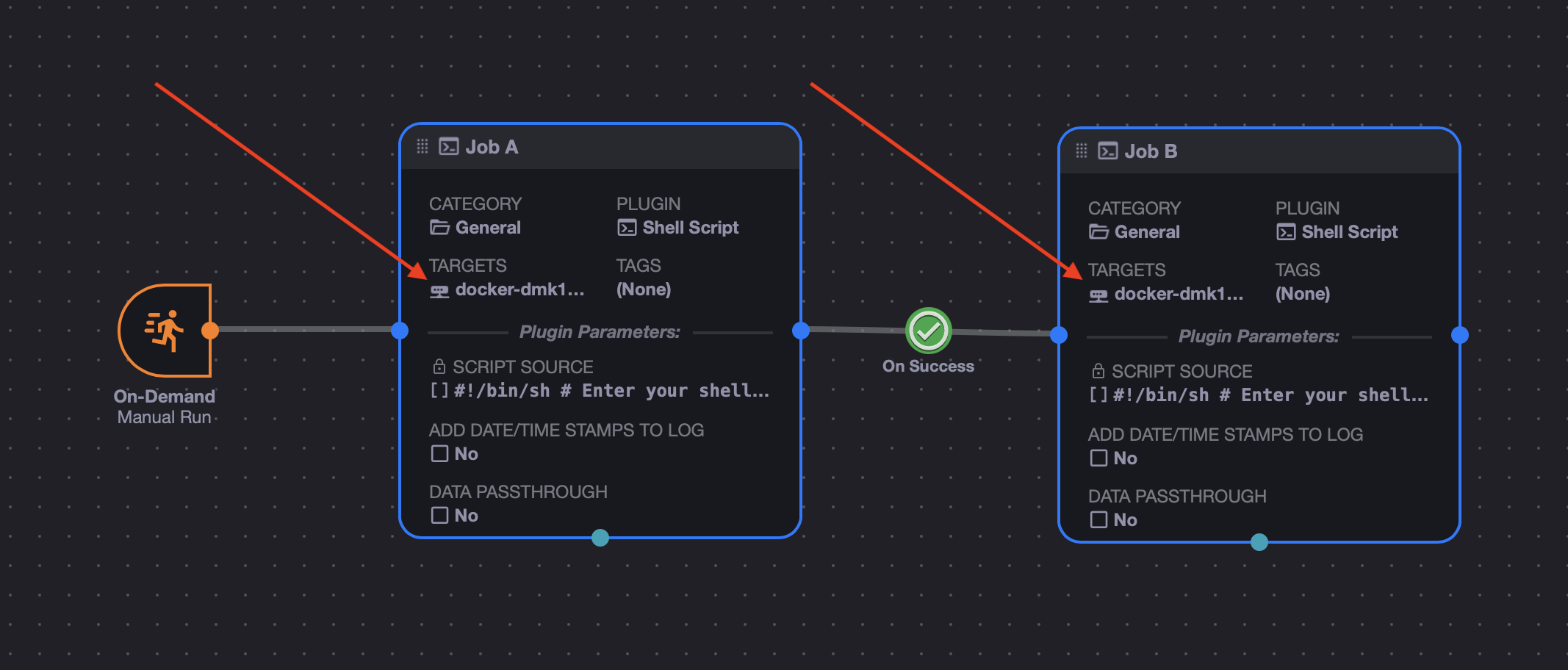
So the outer workflow controls the fan-out, while the inner workflow stays reusable. Each copy of the inner workflow runs the same graph, but all of its Event and Job nodes are overridden to use one specific server from the multiplexed set.
- The inner workflow must have an enabled Manual Trigger.
- The outer workflow should connect the Multiplex Controller directly to the Event node that launches the inner workflow.
- The Event node in the outer workflow needs targets, usually set as a node override.
- The inner workflow's own Event and Job node targets are replaced at runtime for each multiplexed copy.
- The Multiplex Controller still honors normal server filtering, including enabled state, server alerts, and target expressions.
- Use limits on the controlled Event node if you want to throttle how many inner workflow copies run at once.
Special thanks to @freedbygrace for this feature request!