Multiplex Sub Workflows
Important
This feature requires xyOps v1.0.78 or newer.
The Multiplex Controller allows you to run a specific event or ad-hoc job across a selection of servers. The controller ensures that each server in the set runs the job exactly once. But what if you want to multiplex an entire workflow? Meaning, you want to run an entire workflow on each server in set. This wiki describes how to set this up.
To use the feature, all you really need to do is create a "nested" workflow. That is, a workflow nested inside another workflow. Then, you simply add a multiplex controller in the outer workflow, and target the inner one by selecting it's event. The multiplex server selection "passes down" into the sub-workflow, and overrides all event/job nodes within each copy.
For example, say you have an inner workflow that runs a series of jobs (these targets will get overridden, so set them however you like):
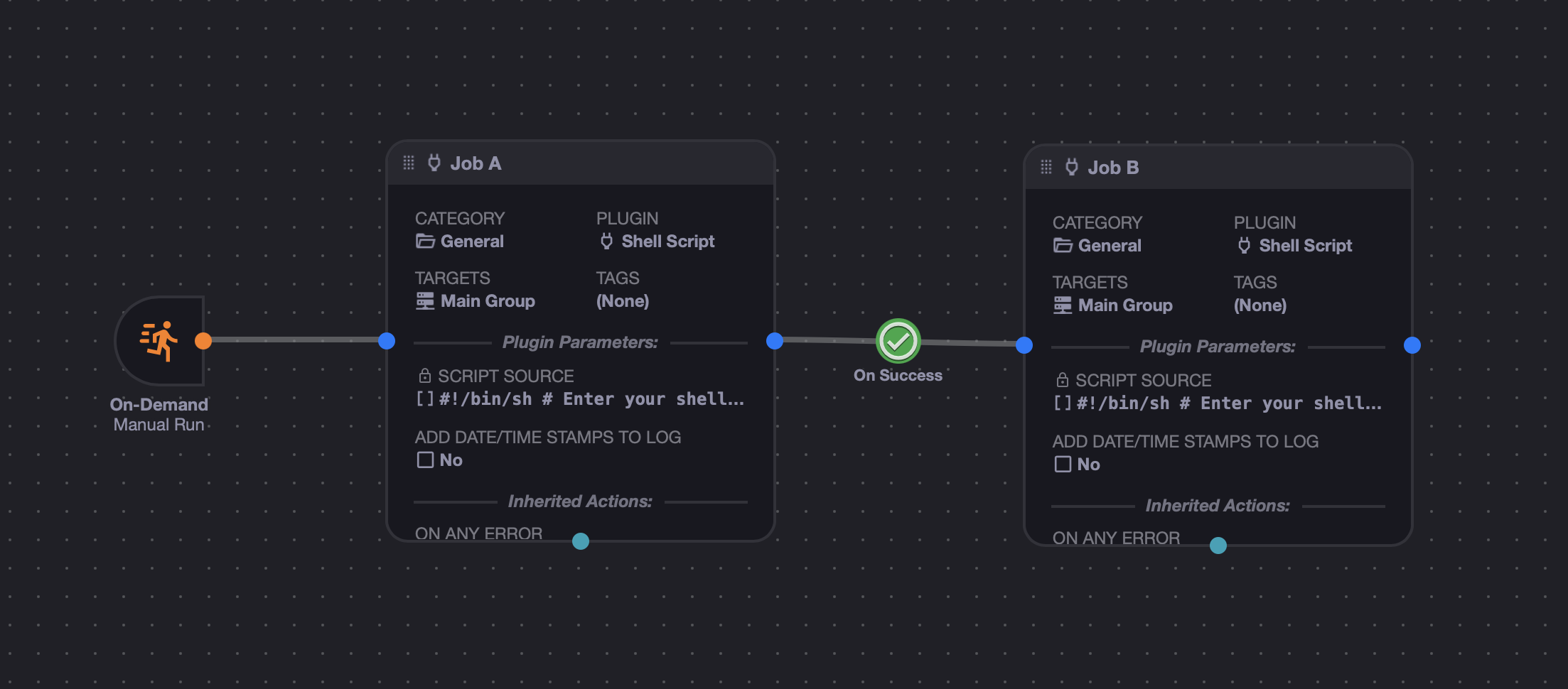
Save this as its own workflow (we'll call it "Inner Workflow" in our examples), and start a new one. This will be the outer workflow:
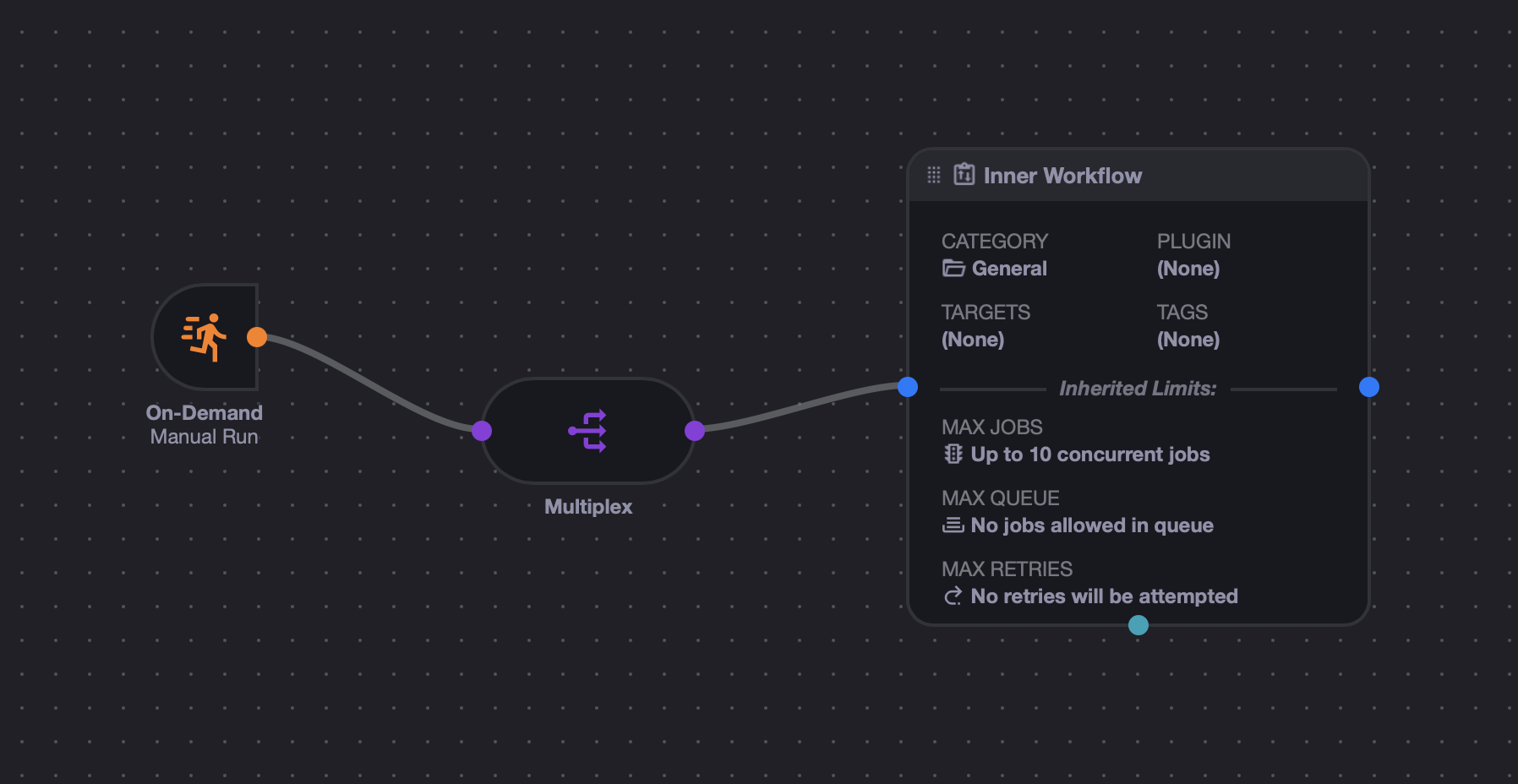
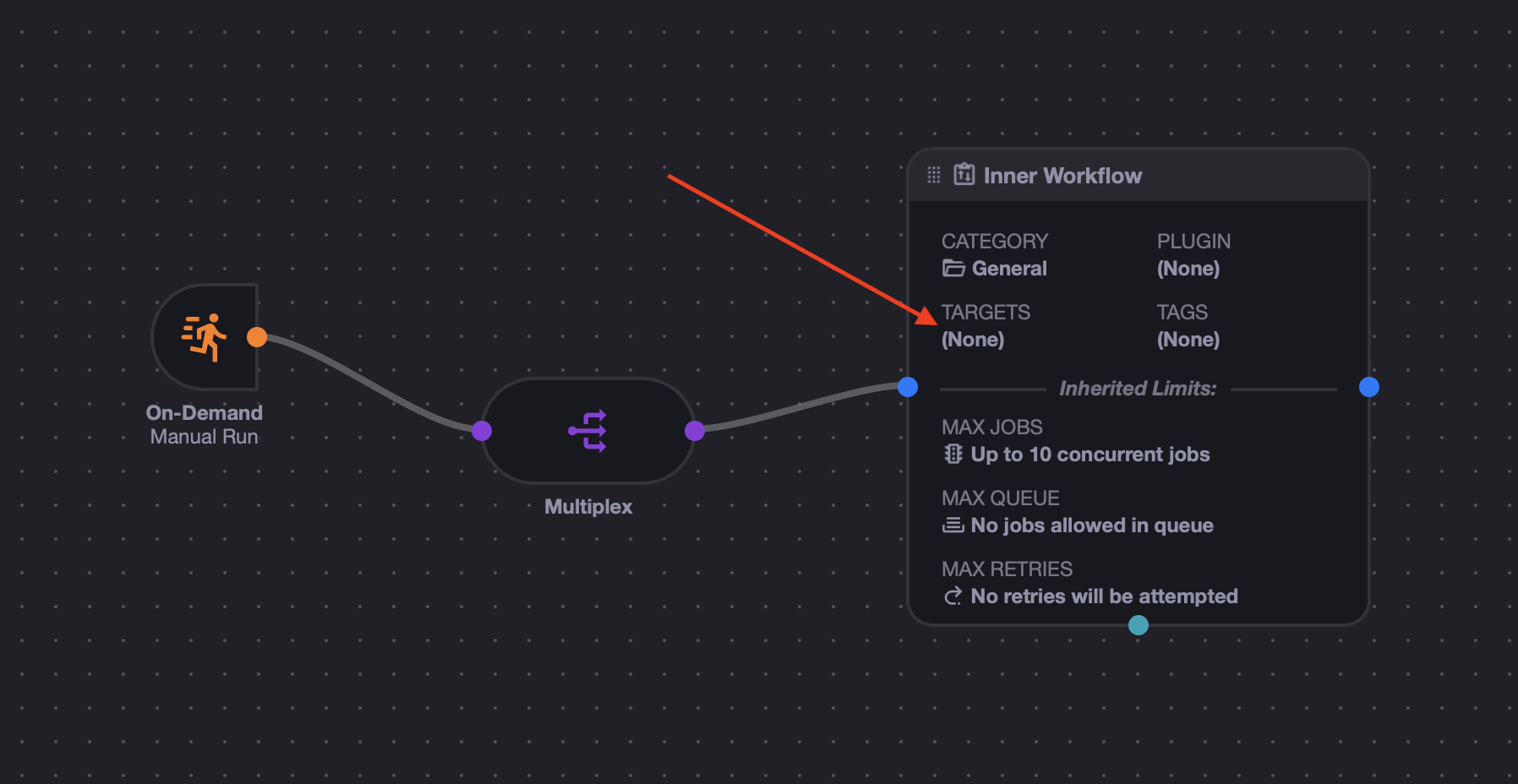
Now, we need to change something, because by default, workflows have no "targets" (only their event/job nodes do). You can see this here:
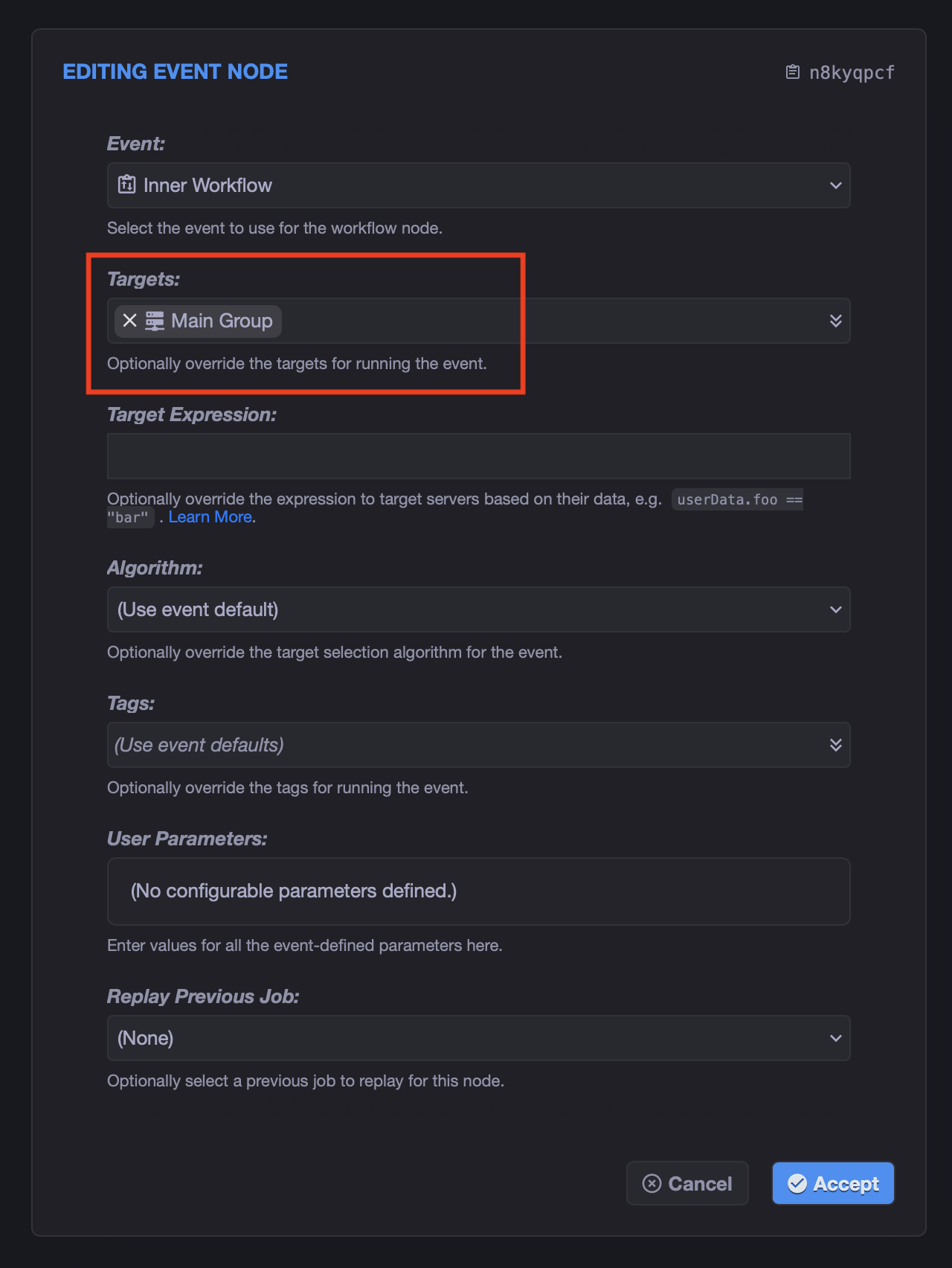
So what we need to do is edit the node, and set the targets (i.e. server groups or individual servers) we want for the multiplex to use:
Now that you've overridden the defaults for the inner workflow, the targets should show on the node:
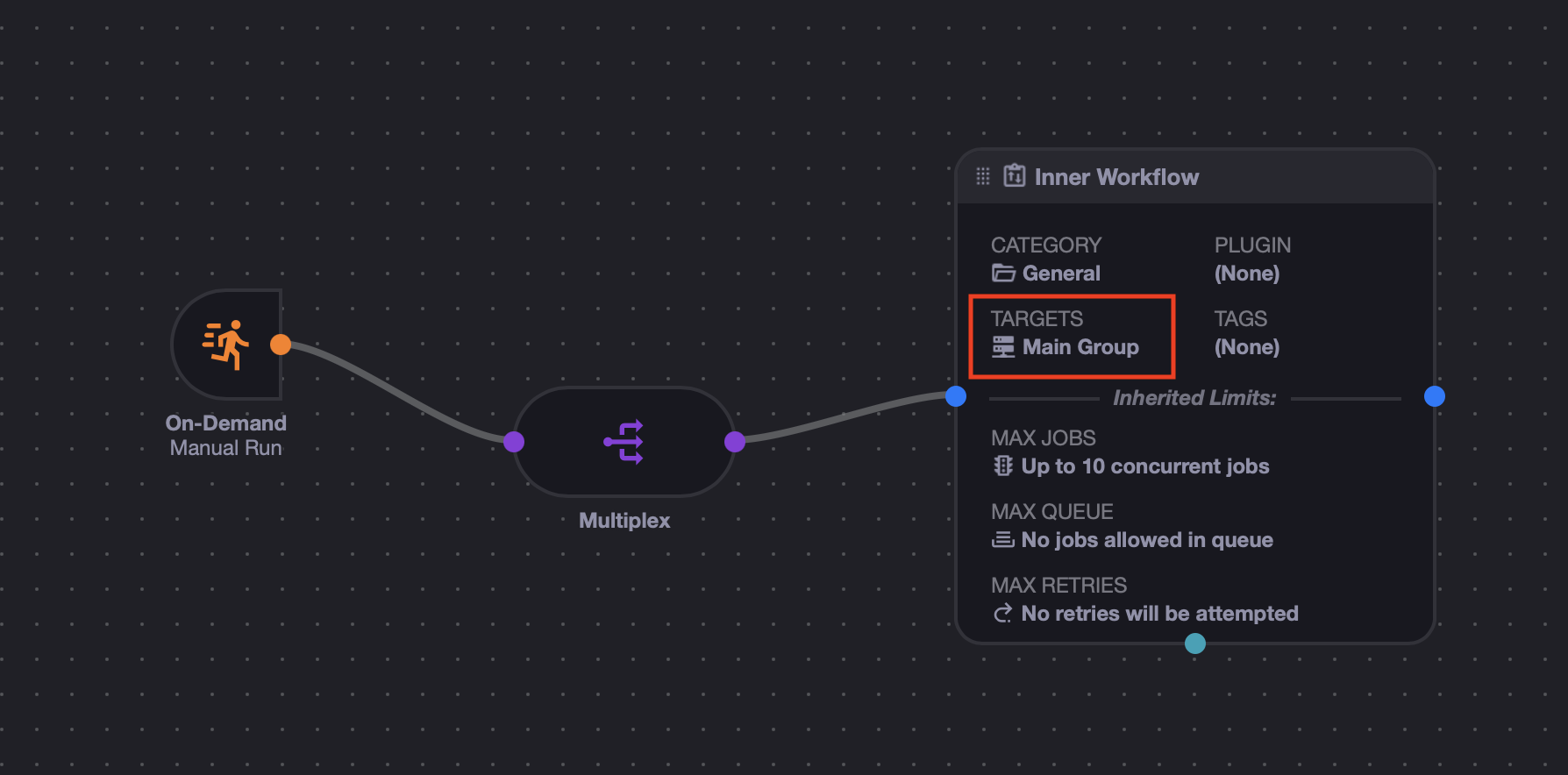
Now when you run the outer workflow, it should spawn multiple copies of the inner workflow, each one retargeted to a specific server.
Here is an example run showing the outer workflow job list:
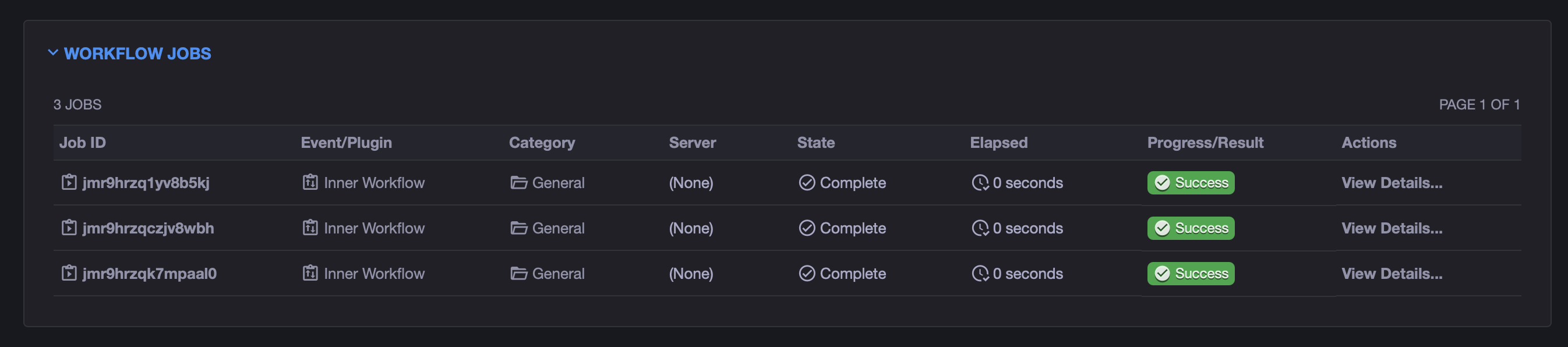
In this case we have 3 servers in our Main Group, so 3 copies of the inner workflow ran. And if we jump into one of them to see the details, we will see:
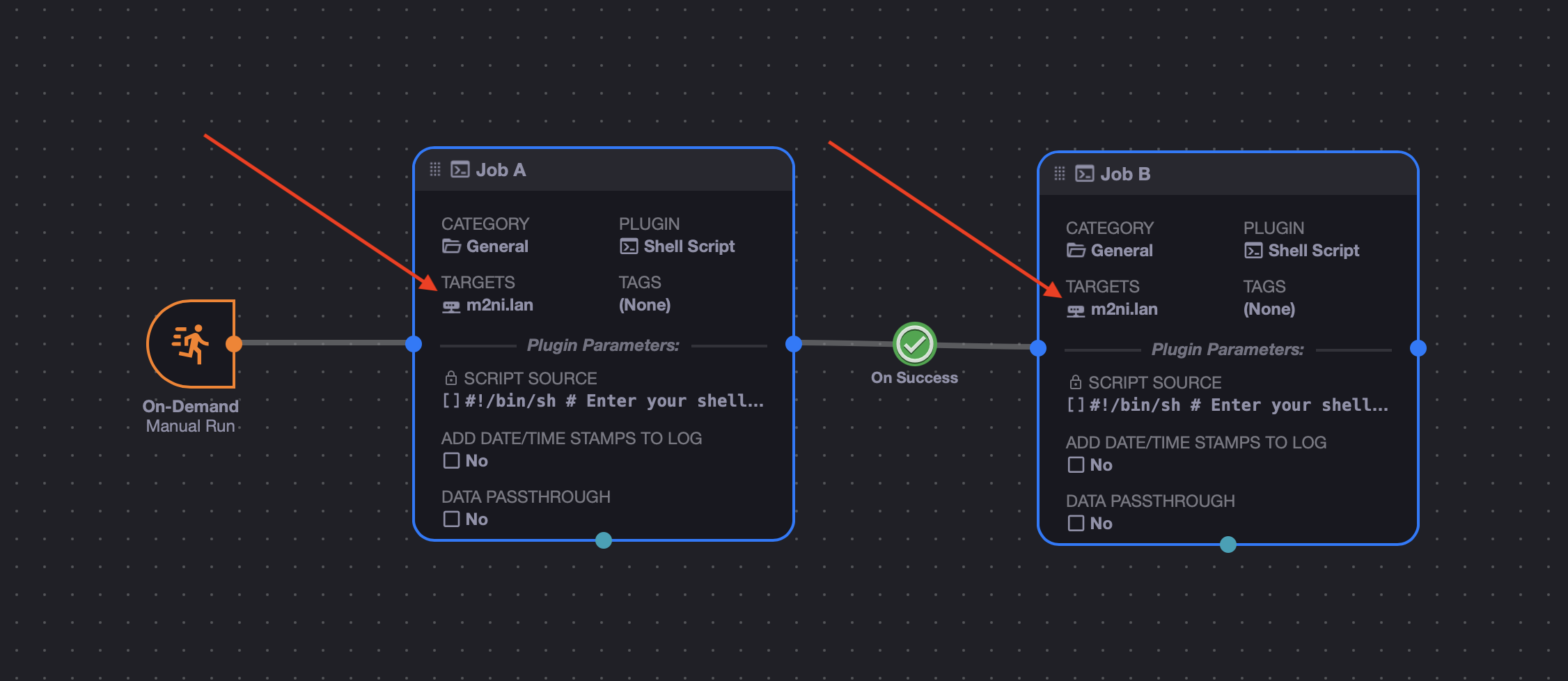
Here you can see that the inner nodes had their targets overwritten to one of our 3 servers!
And if we jump into another inner job, we can see the same thing:
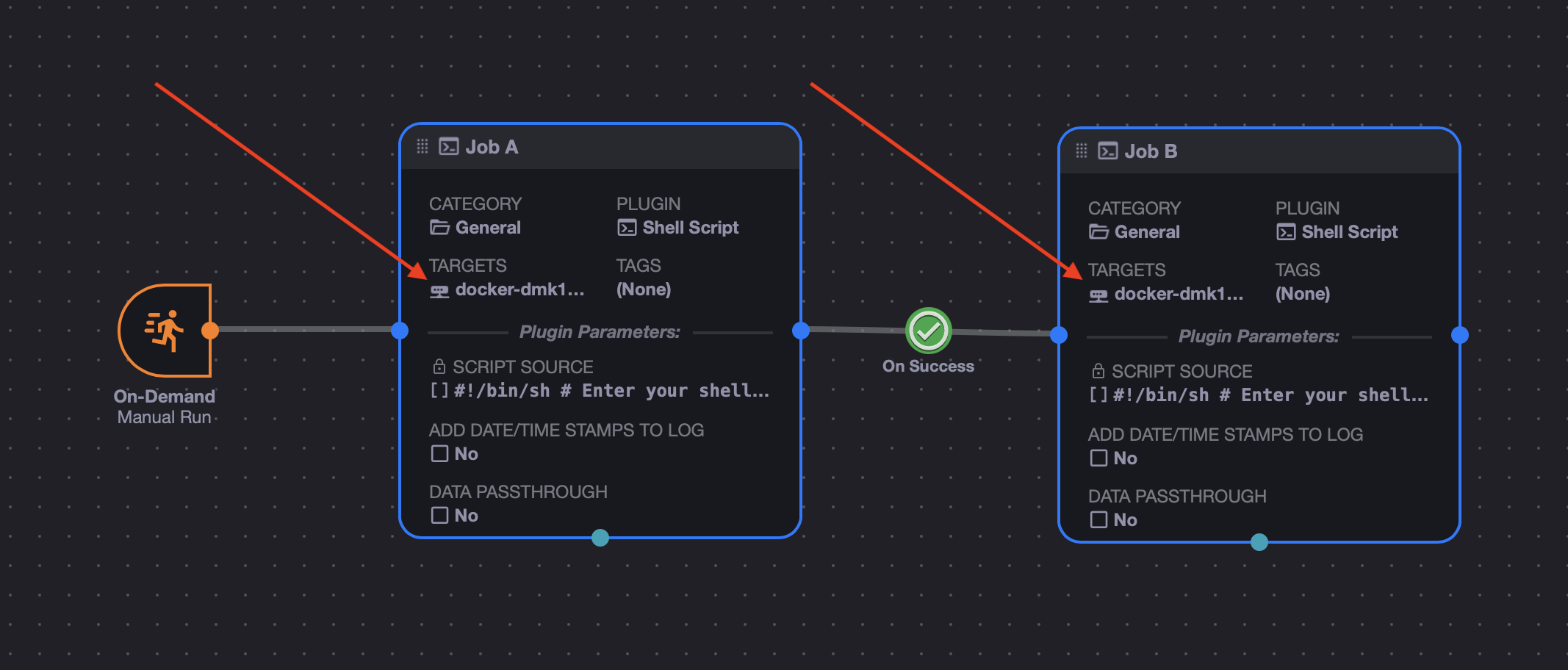
Each copy of the inner workflow that ran will have all of of its nodes "retargeted" to eacn individual server in the multiplexed set.
Tip
When a workflow launches a sub-workflow, it uses the "Manual Trigger" for the entrypoint. So make sure your inner workflow has one, and it connects to the desired starting node.