Repository navigation
Plain words and simple mode
Every report starts with an In plain words card: one sentence ("This email looks like a scam."), up to three reasons in everyday language ("It pretends to be PayPal, but PayPal didn't send it.") and What to do. The warning banner inside Gmail uses the same sentence.
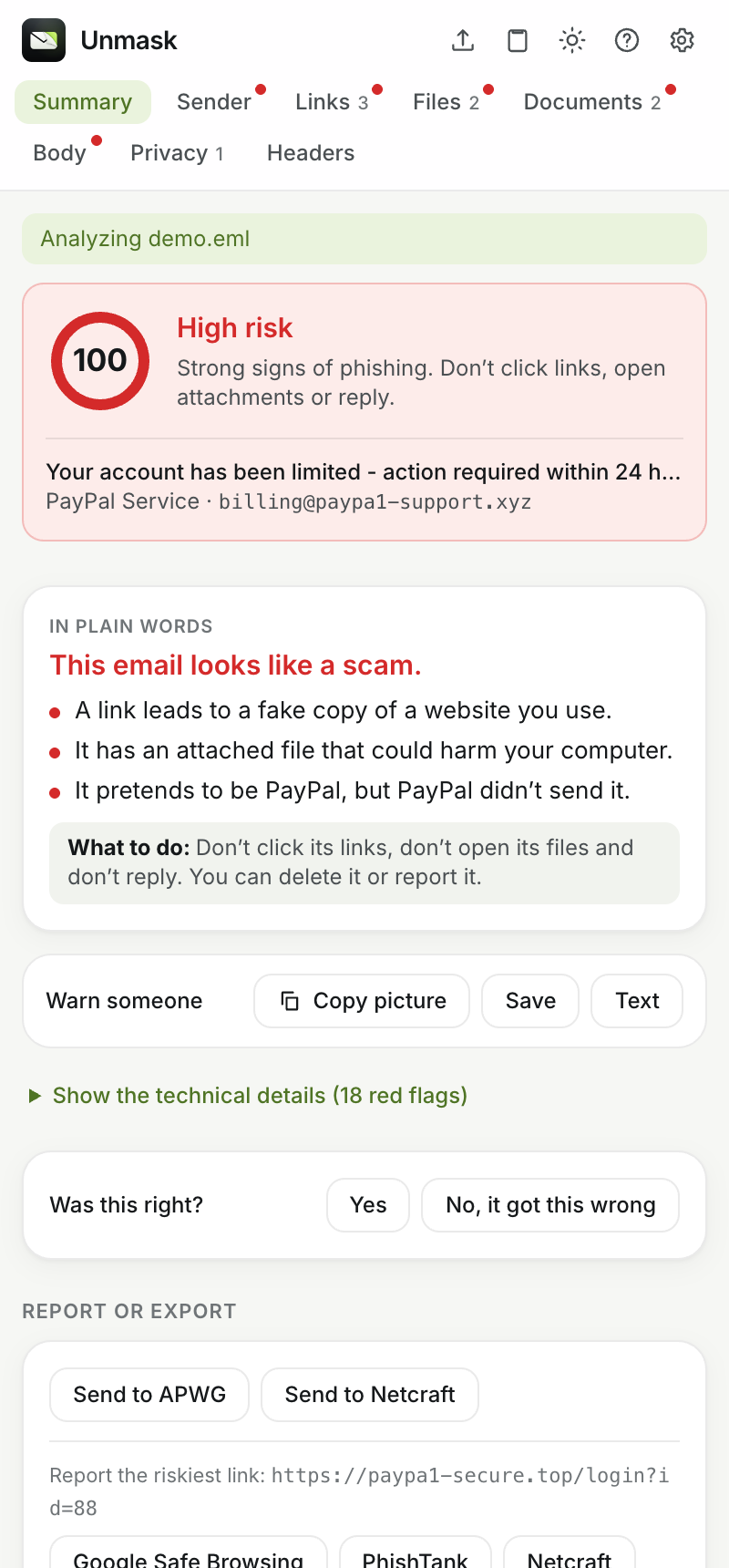
For parents or colleagues who don't want the technical side, turn on Settings → Appearance → Simple mode. The Summary then shows the plain-words card and the report buttons first, with the red flags folded under Show the technical details. The tabs (Sender, Links, Files, Body, Privacy, Headers) stay at the top as usual.
This page is generated from docs/USER_GUIDE.md. Edit it there, not in the wiki.