Repository navigation
Spread and Reminders
Priorities sort what matters; the spread decides when.
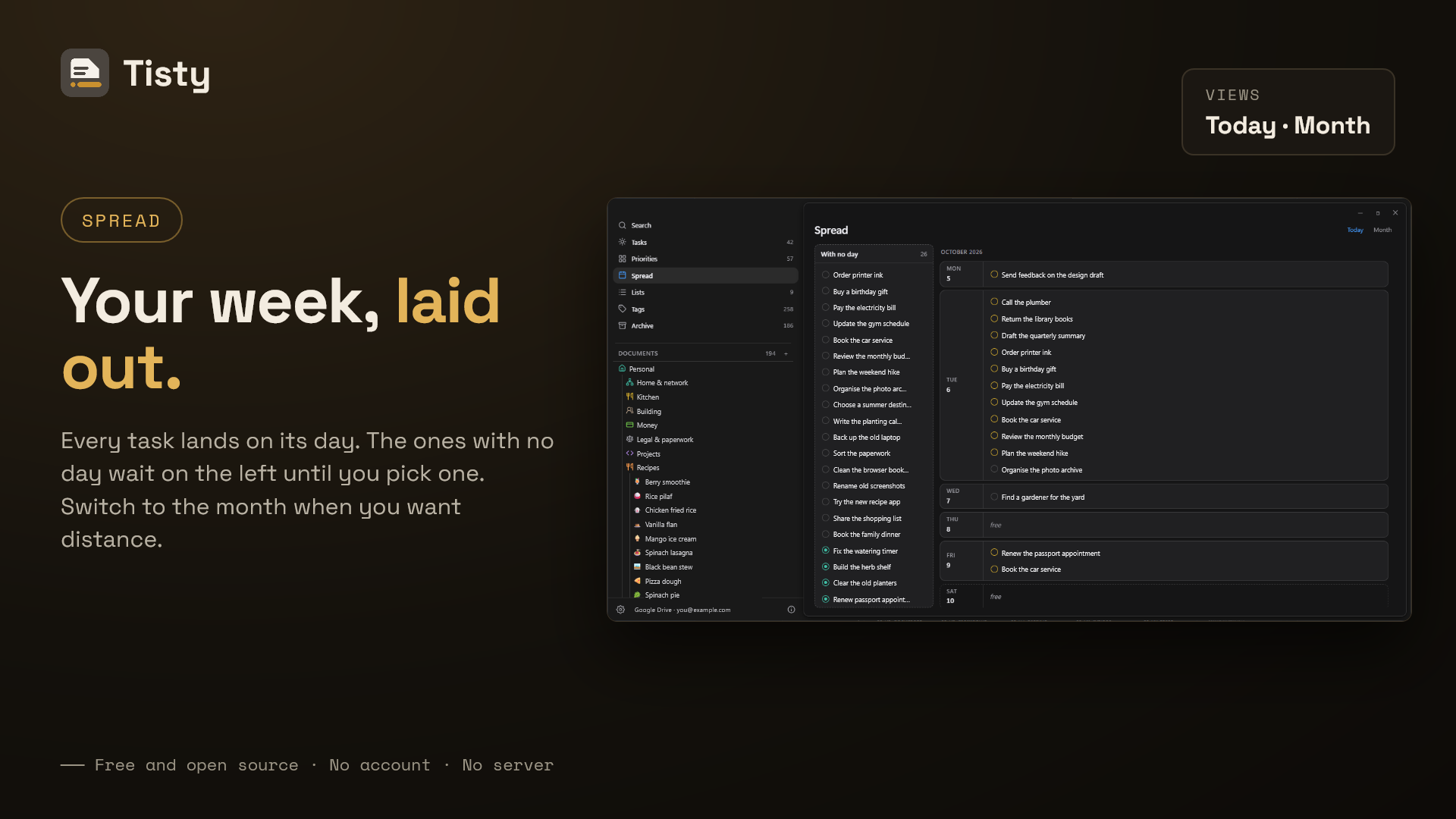
The spread runs as a river of days you scroll through rather than a week you page:
- Every day is a row, and the row grows with what it carries — a heavy Friday is tall, a free Tuesday is a line.
- What you wrote with no day waits in a tray on the left. Drag it onto a day, or drag it back to take the day away again.
- Drop one onto a day that already carries three and Tisty says so, and offers the next day that is free. It never insists.
A month button is there for looking, not for dealing: the same days laid out as a grid. Press a day and you land on it in the river.
Tisty cannot see the calendar you keep somewhere else, so an empty square is only a square with nothing written on it — never a promise that the day is free.
Repeating tasks come back one occurrence at a time, so the archive shows you did it twelve times. It counts what was owed rather than only what you closed: a routine reads 26 of 30, with four dates that have no record.
Marking one done days late offers those missed dates back instead of calling them forgotten: tick the ones you did, and the gap closes.
How to write a repeat — every tuesday, every 3 days, until september 30 — is in Natural language.
A reminder is an hour you choose, and it rings on this machine and nowhere else: a system notification and a short sound you can turn off.