Repository navigation
Home
RQE brings quest objectives, guided steps, waypoints, and quest-aware tools into a Quest Helper and a separate Quest Tracker. This wiki is a practical guide to using those tools; the README is the short introduction.
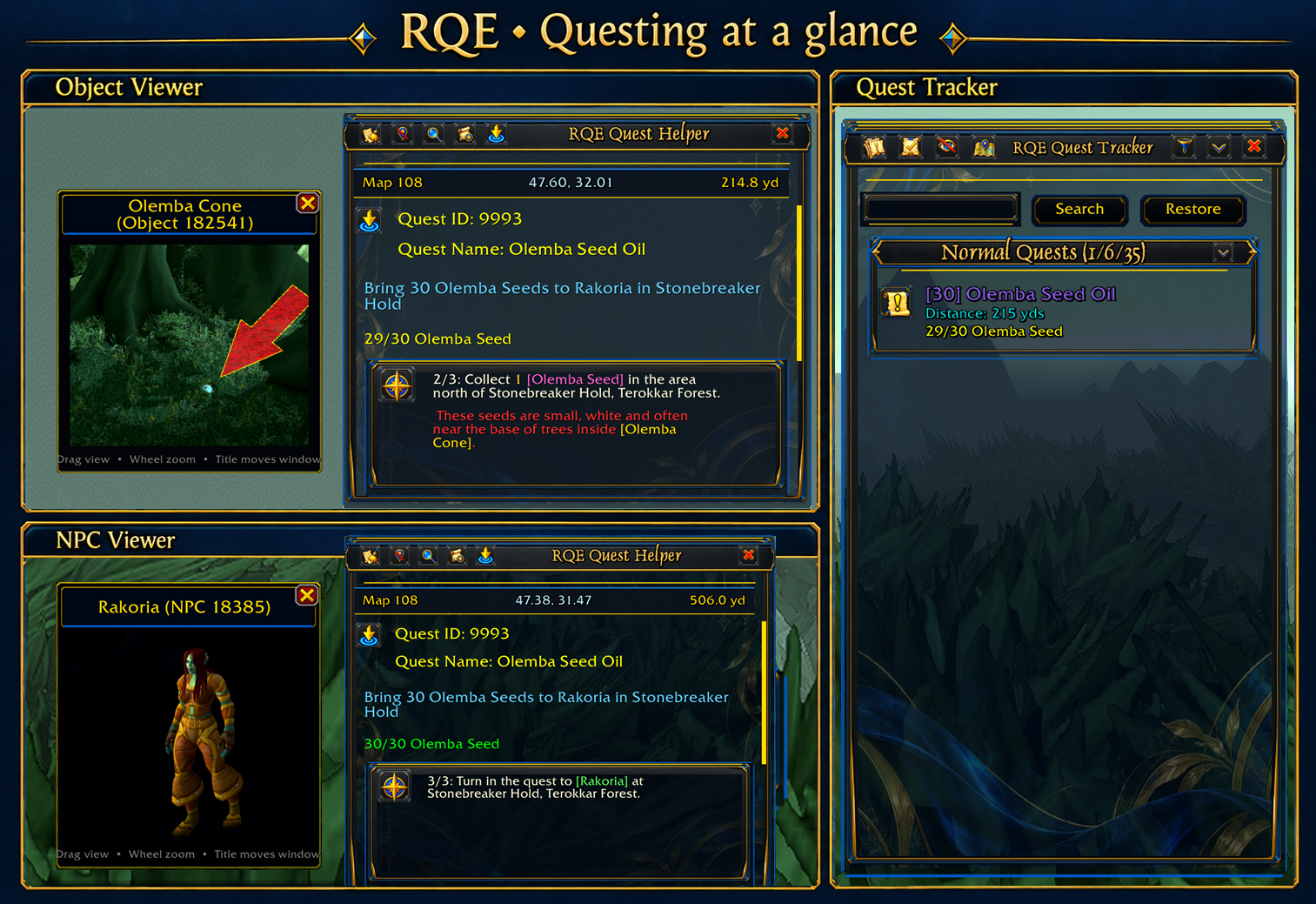
- Install RQE and display your first quest.
- Learn the Quest Helper and Quest Tracker.
- Follow steps, waypoints, and quest-item actions.
| Topic | What you'll find |
|---|---|
| Getting started | Installation, first quest, chat commands, and launcher controls |
| Quest Helper and Tracker | What each frame shows, scrolling, searching, clearing, and locking |
| Guided steps and waypoints | Step progression, route markers, macros, and group search |
| NPC and object previews | Hover previews, moving and zooming, and object-image behavior |
| Settings and controls | Both settings interfaces, frame layout, theme, and profiles |
| Troubleshooting and compatibility | Common symptoms, known addon interactions, and reporting a problem |
RQE has builds for Retail, Classic Era/Season of Discovery, Classic Forever, and TBC Anniversary. Features and guided quest coverage can vary by client and quest. The screenshots primarily show the optional Azure & Gold appearance.
Download from CurseForge · Watch the overview · Report an issue