Repository navigation
Plugins
BossConsole's Toolbox is where you install and manage workspace tools. Plugins can contribute tabs and panels, MCP tools for agents, or services used by other plugins.
- Open Toolbox.
- Browse or search for a plugin and install it.
- Enable it and open the surface it contributes.
- Use Toolbox's MCP tab to inspect and control its agent-facing tools.
Use the plugin's update controls to install compatible updates. Many plugins can reload while the app is running; infrastructure plugins may require a restart. Account roles and permissions can limit availability.
| Common plugin | Provides |
|---|---|
| Fluck Browser | Embedded browser tabs and browser automation tools. |
| Terminal | BossTerm terminals, splits, sharing, and MCP connectivity. |
| Code Editor | BossEditor-based editing. |
| Toolbox / Plugin Manager | Plugin installation, management, and MCP tool controls. |
Store signatures validate a plugin's identity/version/content binding. They are not a guarantee that a plugin is harmless. Installed JVM plugins run in the host process, so inspect the publisher and capabilities before installing unfamiliar tools.
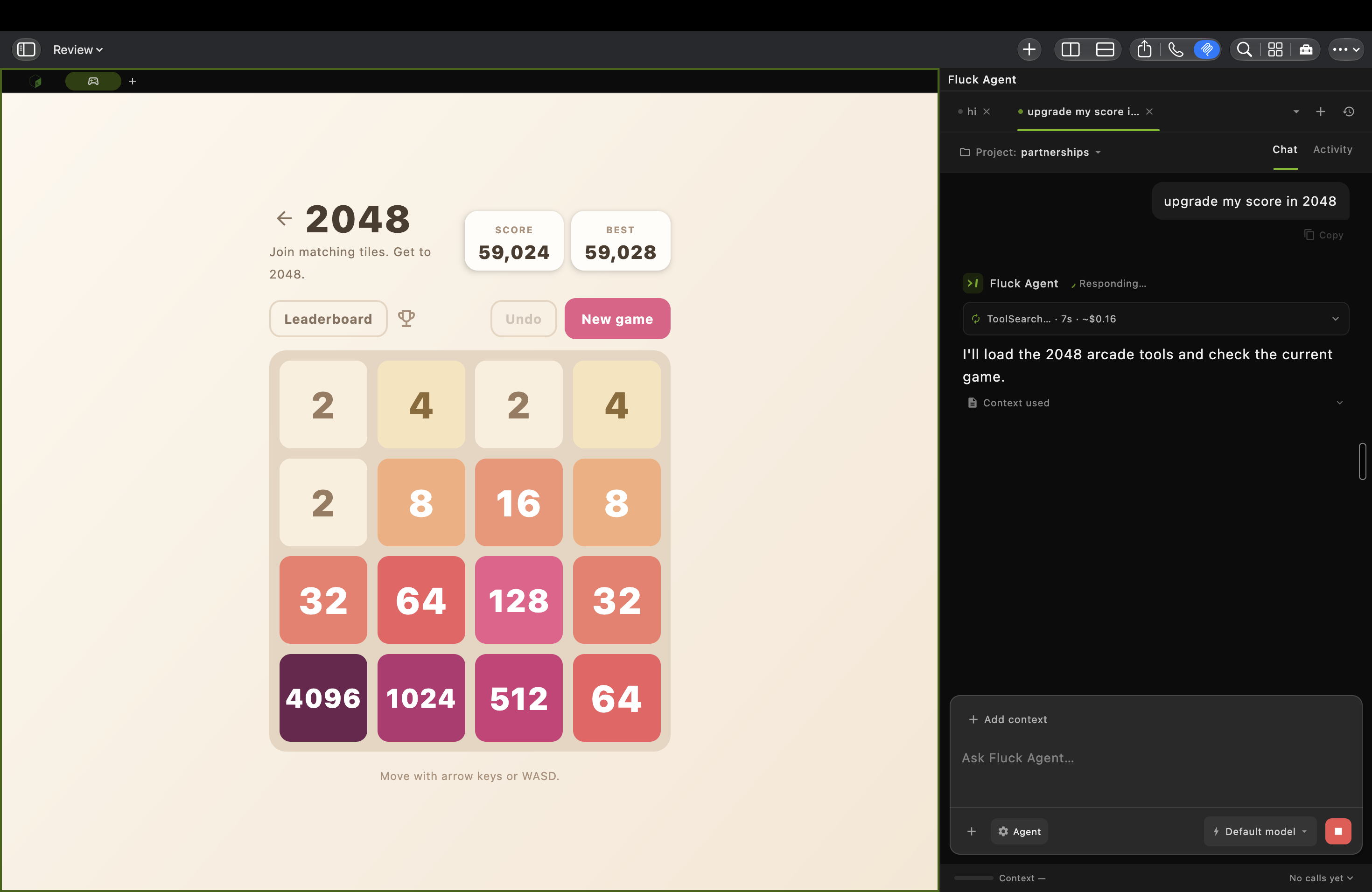
Arcade contributes a visible game surface and agent-callable tools. This capture shows Fluck Agent looking up tools during an in-progress session; it does not establish that the agent completed the game. macOS capture published on risaboss.com in September 2026; the version was not identified. Click for the original 2940 × 1912 image.

Start with Toolbox → Create → Tool Creator to scaffold a plugin and launch a coding agent. Hosted BOSS gives ordinary users the publishing and key-creation permissions; refresh your session if the controls are missing. Follow Create and publish a plugin for GitHub setup, your own publish key, and release verification.
The developer CLI can create a starter project:
boss plugin init my-tools
cd my-tools
./gradlew build
boss plugin validate .
boss plugin link .
The link step expects built plugin output. Available templates include MCP tools, UI panels, background services, and full plugins. See the Plugin Launchpad guide for options and validation diagnostics.
Dynamic plugins live in boss-plugins, with individual plugins tracked as Git submodules. A commit inside a plugin belongs to that plugin's repository; updating the umbrella pointer is a separate change.
Plugins depend on boss-plugin-api as compileOnly; the running host supplies it. Follow each plugin's AGENTS.md and build instructions. Many use ./gradlew buildPluginJar to produce the distributable JAR.
For manual testing, release-mode plugins live under ~/.boss/plugins/; debug-mode plugins use ~/.boss_debug/plugins/. Match the data root to the instance you are testing.
Sources: plugin catalog and repositories, developer CLI.
Continue: Home · ← Agents and MCP · Live sessions and window sharing →