Repository navigation
Installation Guide
Home / Getting Started / Installation Guide
- Open the public release. Download the Windows x64 installer and SHA256SUMS.txt.
- In the download folder, run
Get-FileHash -Algorithm SHA256 .\AdaptiveResourceMonitor-*-windows-x64-setup.exein PowerShell. Compare the result and filename with the release checksum list. See Package Authenticity for signed-manifest verification. - Run Setup under the Windows user who will run ARM. Review and accept the license to proceed.
- Choose a destination or retain the default per-user path. Setup creates a Start menu shortcut. Select the optional desktop shortcut or Start with Windows task if wanted.
- Finish Setup and launch Adaptive Resource Monitor from the Start menu. Check the notification-area overflow if the icon is hidden.
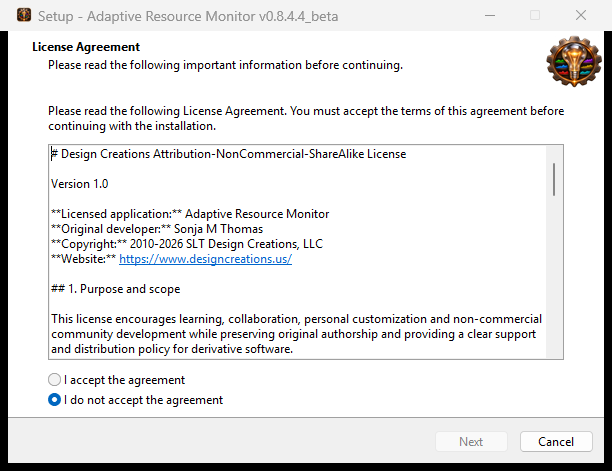
The illustration is from v0.8.4.4_beta and shows the same license step used by the current installer.
To uninstall, close ARM with its tray Exit action, then use Windows Settings → Apps → Installed apps and choose Uninstall for ARM. Setup removes the installed application and its installer-managed entries. Your per-user settings and optional history remain under %LOCALAPPDATA%\Adaptive Resource Monitor.

Original application developed by Sonja M Thomas, SLT Design Creations, LLC. Copyright 2010-2026 SLT Design Creations, LLC. Design Creations