Civilian and vehicles
How the civilian side feeds the CAD: your character data, presets, vehicle registration and what happens when an officer runs your plate.
Run /char (or /character) to open your data sheet. Fill in things like:
- Full name (this becomes your RP name / nick)
- Address, date of birth
- Driver's licence status
- Notes — freeform RP info (e.g. gang affiliation) that officers see when they run you
Saving writes the record to the CAD and sets your session name, so you're
properly joined to the session. If you can't seem to join, it's because no name is set — /char, fill, save.
You can save as many character presets as you like; they're stored per your identifier. Load one with a click to instantly switch characters, save the current sheet as a new preset, or delete old ones — all from the character form.
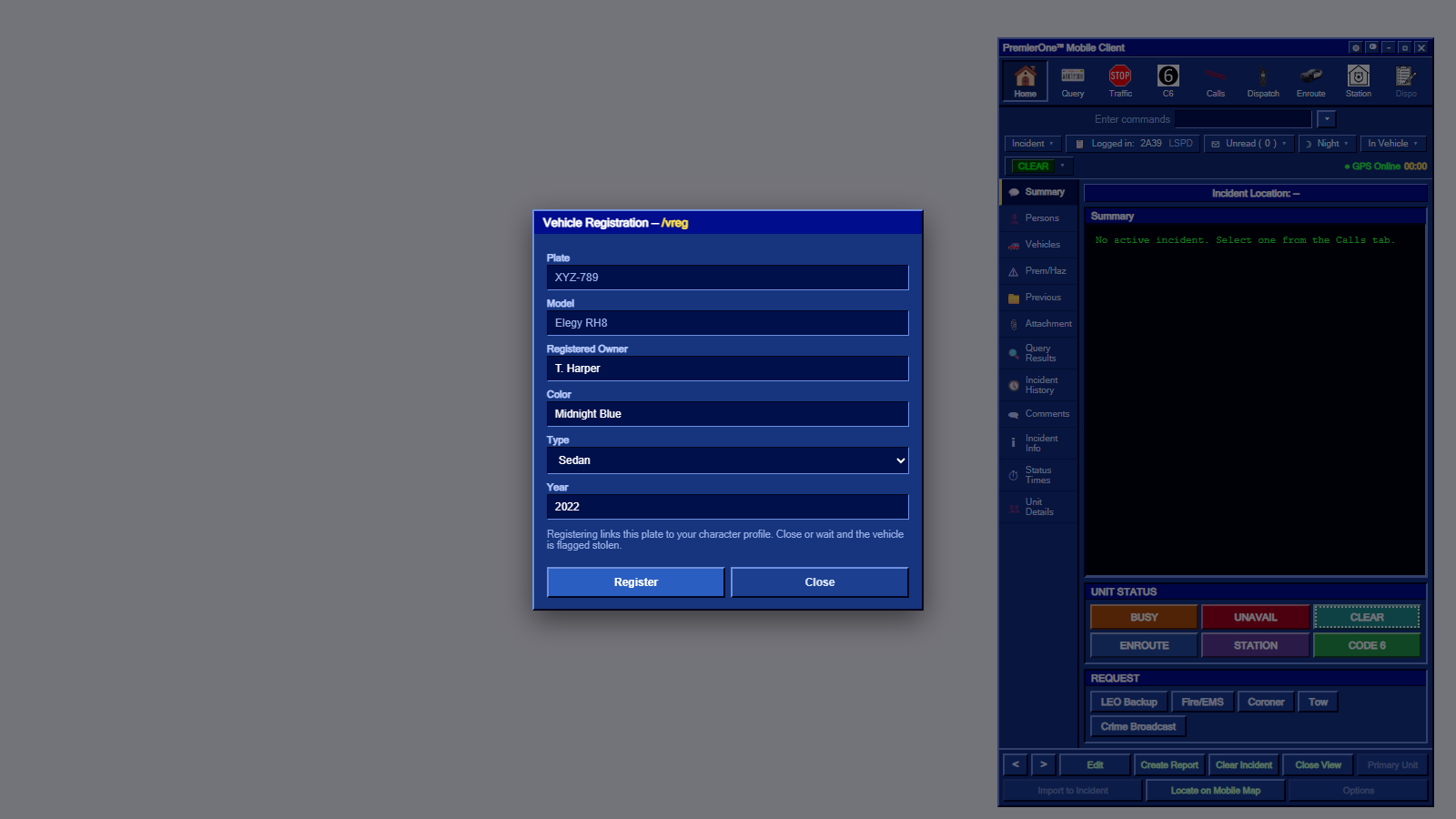
Sit in the vehicle you want to register and run /vreg. You can enter plate, make,
model, colour, owner and more. Registered vehicles then show up when an officer runs
the plate.
📸 Screenshot — VREG form with all fields:
images/mdt-vreg-form.png
- An officer runs your plate (via
/run <plate>or the MDT Query). - If it's already registered, your details come back in their MDT.
-
If it's not registered and you're the driver, you get a prompt:
"An officer is running your plate. Enter your details within 15s or it will be flagged stolen."
- The
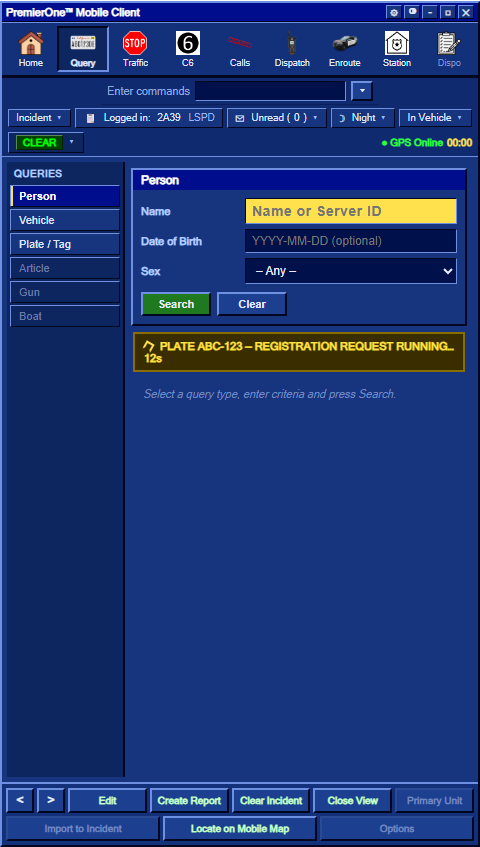
/vregform opens automatically. - The officer's MDT shows a request-running timer while you fill it in.
- Submit within 15 seconds → the plate registers normally.
- Time out / close it → the vehicle is flagged stolen in the CAD.
- The
📸 Screenshot — Driver's VREG form (auto-popup when plate was run):
images/mdt-vreg-driver-form.png

📸 Screenshot — Officer's MDT showing "request running" timer:
images/mdt-plate-request.png
- Keep your character notes current — they're a great RP hook for officers.
- Register your daily vehicles ahead of time so a routine plate-run doesn't turn into a "stolen" flag.
- Different characters = different presets; switch before you go out.