Repository navigation
Home
Write a card once, use it everywhere.
If your dashboard repeats the same block of YAML for every room, every light or every sensor, this card lets you write that block once as a template, then drop it in as many times as you like — passing in the bits that change as variables.
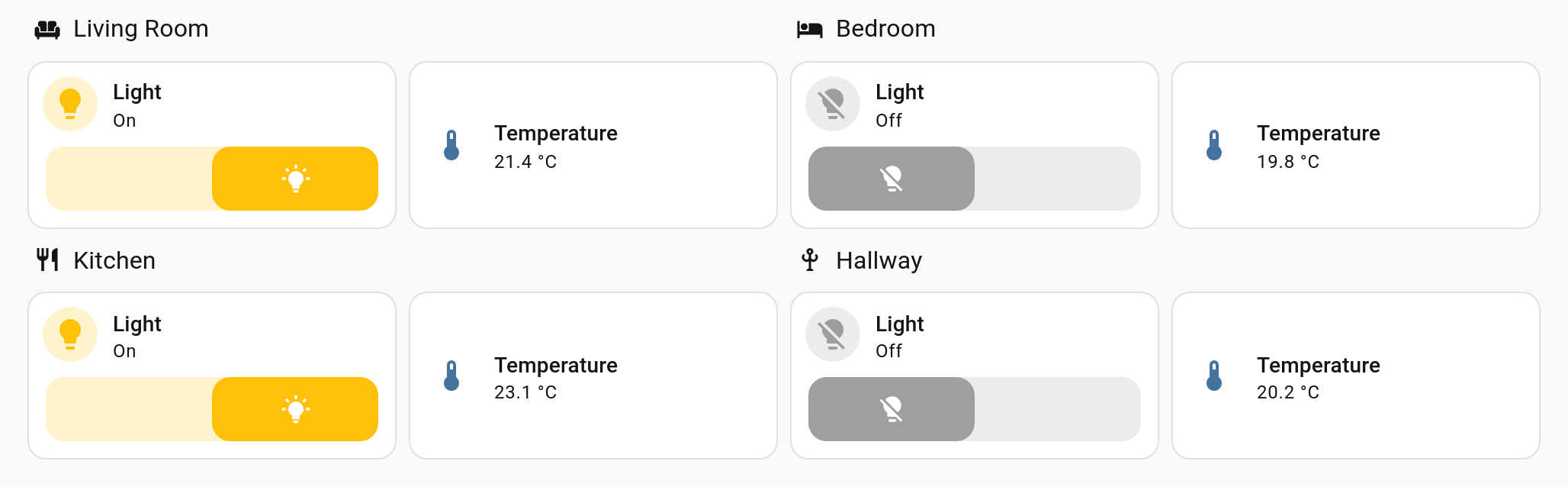
Every card above came from one template of about twenty lines, the room card on Cards. Adding a fifth room is one more card naming its light and sensor.
| If you want to… | Read |
|---|---|
| Get it installed | Installation |
| Build your first template in five minutes | Quick Start |
| Turn a tile card you already have into a template, every line explained | Your First Template |
| Make a template from cards you already have, or by answering a few questions | Template Builder |
| See what a placeholder gives back, step by step | Try a Placeholder |
| Paste your templates and a card, and see what it builds (v2.10.0+) | Try a Template |
| See how the pieces fit together before diving in | How It Fits Together |
| Learn it properly, one step at a time | Defining Templates → Using Templates → Variables |
| Look up a key, a placeholder step or a repeat option | Configuration Reference · Placeholder Reference · Repeat Reference · A to Z |
| Make a template pleasant for other people to use | Describing Variables |
| Move over from the original card | Migrating from decluttering-card |
| Move over from Streamline card | Migrating from Streamline card |
| Fix something that is not working | Troubleshooting |
| See what changed in a release | Releases |
Headings marked (v1.1.0+) arrived in that release. If a page describes something your copy does not do, check which version you have in the Marketplace (HACS before 2026.11).
A template holds exactly one piece of dashboard content. Which kind you pick decides where you can use it.
| Type | Key | Goes in | Page |
|---|---|---|---|
| Card | card: |
Anywhere a card goes | Cards |
| Badge | badge: |
The badge row at the top of a view | Badges |
| Row | row: |
Inside an Entities card | Rows |
| Element | element: |
Inside a Picture Elements card | Elements |
| Several cards at once (v1.14.0+) | group: |
Anywhere a card goes, each card laid out by the section | Cards |
| An entry for another template's list (v2.3.0+) | item: |
Inside a card's own list, through with: and repeat:
|
List Entries |
| Feature | Page |
|---|---|
| Variables, default values, defaults that reference other variables, and a value looked up by another variable (v1.15.1+) | Variables |
| Describe your variables so cards get entity pickers instead of YAML | Describing Variables |
| Render one template once per item in a list, or per thing Home Assistant knows about | Repeating a Template |
| A whole section, or a badge, per item, laid out by Home Assistant (v1.11.0+) | Repeating Sections and Badges |
| Ask Home Assistant what an entity is called, and leave out what nothing sets (v1.1.0+) | Variables |
| Sums, list steps, more answers from Home Assistant, translated words, and a card that follows an entity's state when you ask it to (v2.0.0+) | Variables |
Templates that pick themselves by entity domain, extend several parents, edit a parent's lists, retire with deprecated:, carry examples:, and show an on_error: card instead of an error (v2.0.0+)
|
Using Templates |
| A whole view per room, floor or anything, from a dashboard strategy, and repeats over the dashboard's views or a Jinja list (v2.0.0+) | Repeating Sections and Badges |
| Share one template library, and the values every template falls back on, across dashboards | Sharing Templates Between Dashboards |
| Send a template to someone else, and import theirs, as text or (v2.1.0+) as a file | Sharing a Template |
| Browse and install templates other people have posted on GitHub (v1.15.0+) | Sharing a Template |
A shared template that speaks each viewer's language, with its texts in a language: block (v2.10.0+)
|
Translating a Shared Template |
| Several cards from one decluttering card, each laid out by the section (v1.14.0+), or several badges in the badges row (v1.15.0+) | Cards |
Show and hide templated cards with visibility conditions |
Visibility |
| Inject CSS, with variables substituted into it | Styling |
| Point-and-click editors, including what a card actually builds (v1.1.0+) | Visual Editors |
| Tidy a dashboard: find copy-pasted cards and make them one template, rename a variable everywhere, search every dashboard for a value, and undo the last rewrite (v2.0.0+) | Visual Editors |
| Write out how a card was built, secrets taken out, ready to paste into an issue (v2.0.0+), and read it formatted on the card (v2.1.0+) | Troubleshooting |
| Turn any setting into a variable, declutter a whole section into a group, and drag variables and a group's cards into order (v2.1.0+) | Visual Editors |
| Get back a template a save deleted or replaced (v2.1.0+) | Visual Editors |
| Everything in your own language — Dutch, English, French, German, Portuguese and Spanish so far (v1.2.0+) | Translations |
| A row or a button per item inside one card's own list, from a block written once (v2.3.0+) | List Entries |
Checks a template makes on the values it is given, a card of its own while one fails, and strict: set per level or for a whole dashboard (v2.9.0+)
|
Checks and Strict |
Times as words, counts and numbers in the viewer's language, colours worked out from one, unless:, switch:, raw and yaml (v2.9.0+)
|
Variables |
| A whole dashboard written once as a template (v2.9.0+), and a section from a template through the section strategy (v2.9.0+) | Page Templates · Repeating Sections and Badges |
| A template that leaves a place the card fills with its own cards (v2.9.0+) | Slots |
| A step of your own, written once as a template and called like any other step (v2.10.0+) | Templates as Steps |
| Rows and picture elements that repeat in place, and a template that decides which copies are worth building (v2.9.0+) | Repeating a Template · Visibility |
| Different values while a card or the screen is narrow (v2.9.0+) | Visibility |
| Presets from a template's examples, versions and what changed, and JSON schemas for YAML editors (v2.9.0+) | Defining Templates |
| A card that cannot be built names the line that failed and offers the fix (v2.9.0+) | Cards |
| Every card with a missing template, an unset variable or a deprecated template, on the dashboard itself (v2.9.0+) | Health Card and Badge |
| The debug report as a tree you can search, with warnings first and a box to try a placeholder in (v2.9.0+) | Reading the Debug Report |
| A preview in light and dark at phone and tablet width, a pause for previews that are costly to build, an extends family tree, Compare with, a template gallery, and a converter from button-card and auto-entities (v2.9.0+) | Visual Editors · Sharing a Template |
| Check YAML dashboards from a shell or on every push (v2.9.0+) | Command-Line Lint |
| Every key, every placeholder step and every repeat option, each with an example | Configuration Reference · Placeholder Reference · Repeat Reference |
| Worked, copy-paste examples | Recipes |
Without a template, four rooms means four copies of the same card, and four places to edit when you change your mind:
- type: tile
  entity: light.living_room
  name: Living Room
  features:
    - type: toggle
- type: tile
  entity: light.kitchen
  name: Kitchen
  features:
    - type: toggle
# …and two more
With a template, the shape is written once:
decluttering_templates:
  room_light:
    card:
      type: tile
      entity: '[[light]]'
      name: '[[room]]'
      features:
        - type: toggle
and each use is two lines of what actually differs:
- type: custom:decluttering-card-plus
  template: room_light
  variables:
    - light: light.living_room
    - room: Living Room
- type: custom:decluttering-card-plus
  template: room_light
  variables:
    - light: light.kitchen
    - room: Kitchen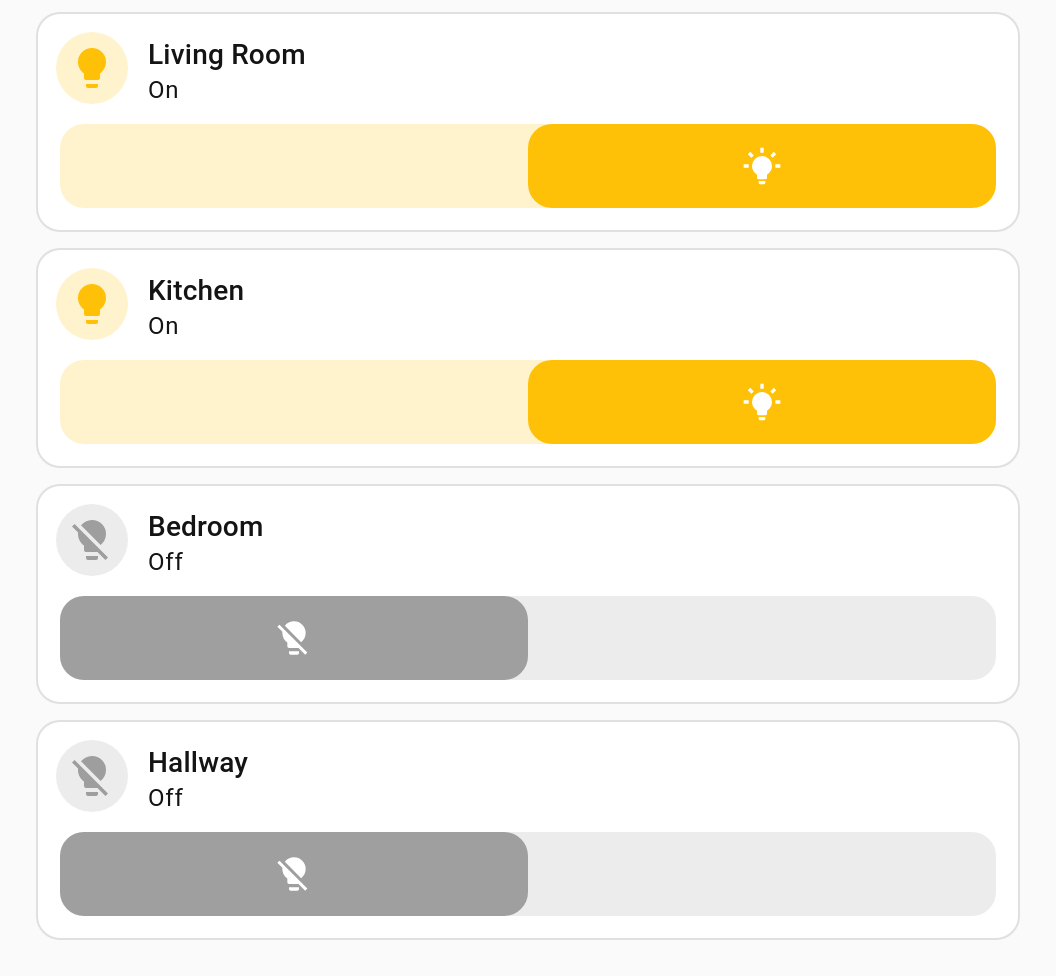
Change the template — add an icon, swap the card type, add a feature — and all four change together.
Decluttering Card Plus is a maintained continuation of
custom-cards/decluttering-card,
combining work by RomRider (the original card),
j9brown (visual editors, rows and elements) and
simbaja (lit 3 / TypeScript 5, the style option), plus
badges, cross-dashboard templates, visibility support and a pile of substitution fixes.
MIT licensed, as was everything it builds on.