Sharing Templates Between Dashboards
Templates normally belong to the dashboard that defines them. If you keep several
dashboards — a main one, a tablet one, a phone one — you would otherwise have to paste the
same decluttering_templates block into each, and keep all the copies in step.
decluttering_templates_from lets one dashboard borrow another's templates.
Pick (or create) a dashboard to hold the library. Its URL path is what you will refer to —
find it under Settings → Dashboards. Here it is dcp-shared.
# dashboard: dcp-shared
decluttering_templates:
  house_room:
    card:
      type: tile
      entity: '[[light]]'
      name: '[[room]]'
      icon: '[[icon]]'
      features:
        - type: toggle
    default:
      - icon: mdi:lightbulb

views:
  - title: Shared templates
    cards: []
A dashboard used only as a library can be hidden from the sidebar — the templates are still readable.
On the other dashboard, add decluttering_templates_from at the root, alongside
views::
# dashboard: dcp-borrow
decluttering_templates_from:
  - dcp-shared

views:
  - title: Borrowed
    cards:
      - type: custom:decluttering-card-plus
        template: house_room
        variables:
          - light: light.kitchen
          - room: Kitchen
          - icon: mdi:silverware-fork-knife
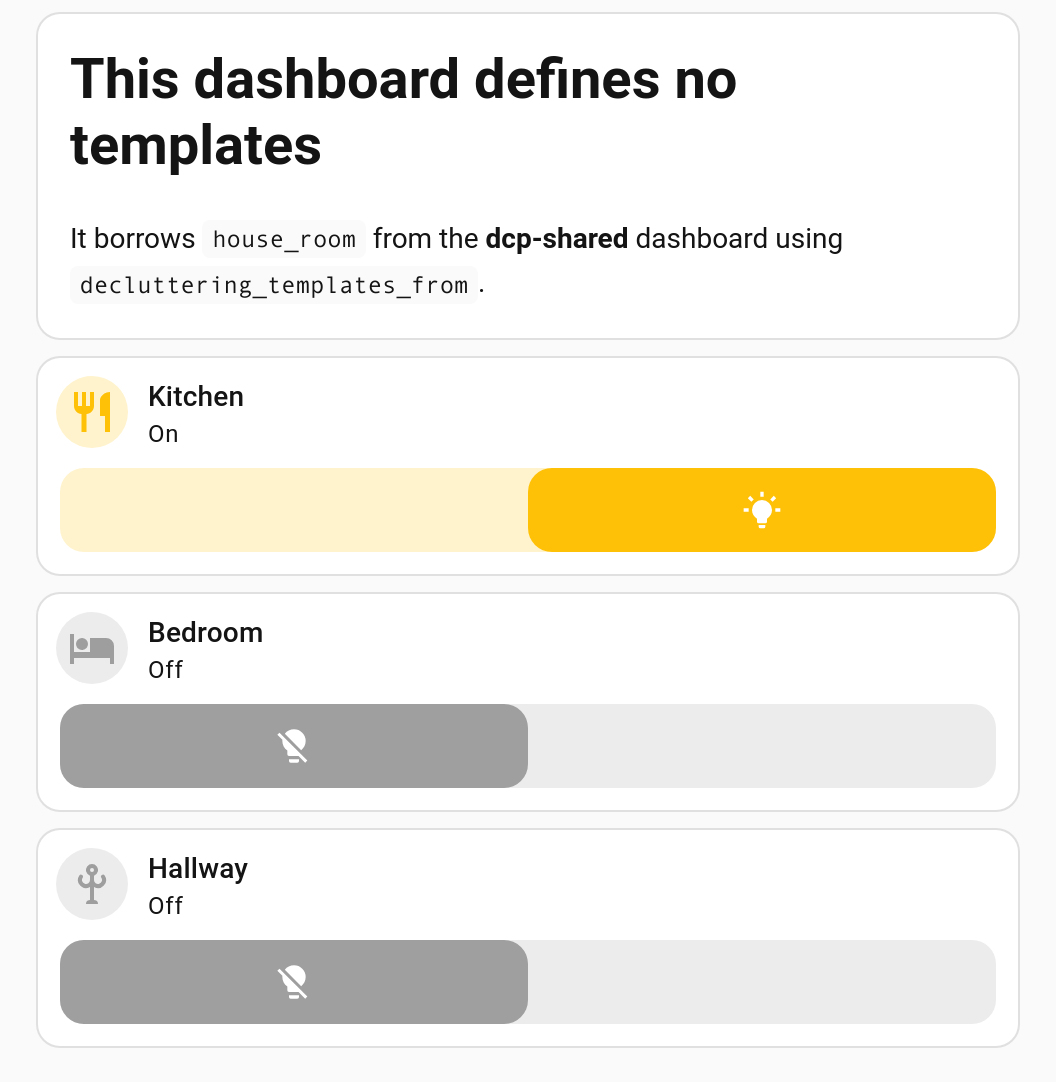
That dashboard defines no templates of its own, yet house_room works:
Your own templates win. A dashboard's own decluttering_templates (and its
decluttering-template-plus cards) take precedence over anything borrowed, so borrowing
can never silently change a template you already have. Use that to override one template
from the library while borrowing the rest.
Several sources are allowed, listed in order:
decluttering_templates_from:
  - shared-core
  - shared-experimental
Later sources override earlier ones; your own dashboard still beats all of them.
A single string works too, for the common one-source case:
decluttering_templates_from: shared-coreBorrowing is not recursive. If A borrows from B, and B borrows from C, then A
gets B's own templates but not C's. List C in A as well if you need it.
The default dashboard — the original one with no URL path of its own — can be named as
lovelace, default, or an empty string.
A dashboard can set values its templates fall back on, so a colour or a size shared by a
library of them is written once instead of repeated in every template's default: list:
decluttering_defaults:
  colour: amber
  icon_size: 32px
decluttering_templates:
  room_tile:
    card:
      type: tile
      entity: '[[entity]]'
      icon_color: '[[colour]]'
views: []
They sit at the bottom of the order, so nothing you already have changes: a value on the
card wins, then a declaration's default, then the template's default: list, and these
last.
In YAML mode a yaml anchor already does this. In storage mode there are no anchors, which is the whole reason for it.
A borrowed template gets both dashboards' values, yours first. The lender's are still underneath, so a template goes on working where it lives — and borrowing a library never means giving up what you set here.
Reading another dashboard is a round trip to Home Assistant, so the result is cached for the life of the page. One fetch per source dashboard, however many templated cards are on screen.
The consequence: after editing a template on the source dashboard, refresh the browser on the dashboards that borrow it. They will not pick the change up on their own. Editing a template on the dashboard that owns it behaves as normal.
A borrowed template has to be fetched, which cannot happen while the card is first being configured. Cards that use one therefore resolve a moment after the page loads. You may see them appear a beat behind the rest of the dashboard on a slow connection. Nothing is wrong.
The template dropdown in the card editor behaves the same way — it starts with the local templates and fills in the borrowed ones once they arrive, so it will not accuse you of a bad template name while it is still loading.
If the template cannot be found anywhere, the card shows:
The template "…" doesn't exist in decluttering_templates, in a custom:decluttering-template card, or on any dashboard listed in decluttering_templates_from
If the source dashboard cannot be read at all — wrong URL path, or no permission — a warning goes to the browser console naming the dashboard:
decluttering-card-plus: could not read the dashboard "shared-core": …
Check the URL path against Settings → Dashboards. It is the path segment in the address bar, not the dashboard's title.
→ Defining Templates · Troubleshooting
To hand a template to another person rather than another dashboard, see Sharing a Template.