Troubleshooting
Work down the list — the first two fix most things.
"Custom element doesn't exist: decluttering-card-plus"
- Hard refresh. Ctrl+Shift+R, or Cmd+Shift+R on a Mac. Browsers cache dashboard resources aggressively and this is the single most common cause.
-
Check the resource is registered. Settings → Dashboards → ⋮ → Resources. There
should be an entry for
decluttering-card-plus.jswith type JavaScript module. -
Check the file is actually served. Open the resource URL directly — e.g.
http://homeassistant.local:8123/local/decluttering-card-plus.js. You should get JavaScript, not a 404.- A 404 for a
/local/URL usually meansconfig/wwwdid not exist when Home Assistant started. Restart Home Assistant.
- A 404 for a
-
Check the console (F12). The card announces itself on load:
If that line is missing, the file is not being loaded at all.
 DECLUTTERING-CARD-PLUS
   Version …
The general Lovelace plugin guide is also worth a read: Troubleshooting Lovelace plugins.
A placeholder with no value is left in place, so you see the literal text — or Home
Assistant complains about an unknown entity called [[light]].
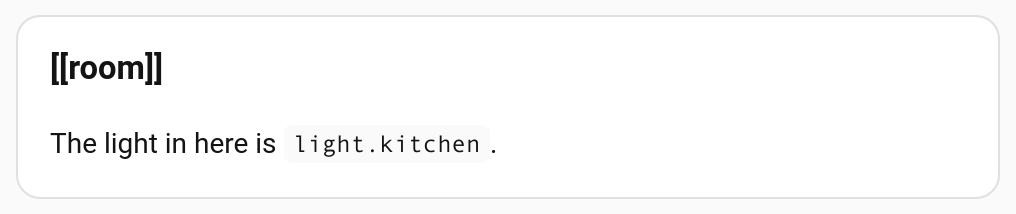
[[light]] was given a value and [[room]] was not, so the room name is still the
placeholder. Here the instance passed Room, and the template asks for room.
Causes, in order of likelihood:
-
Typo. The name in the template and the name in
variablesmust match exactly, and they are case sensitive.[[Light]]≠[[light]]. -
No default and nothing passed. Add it to the template's
default. -
A transform that is not one of the four.
[[room|slug]],|upper,|lowerand|titleare transforms; anything else after the bar is not recognised and nothing is substituted. See Variables.
Let the editor tell you. If the template describes its variables, the card editor names the ones with no value and no default, and the ones you have set that the template never reads — which catches both the typo and the missing value before you go looking.
Seeing
[[light]]with "Unknown entity selected" inside the template editor is expected — that editor is looking at the raw template. See Visual Editors.
The name could not be found on this dashboard.
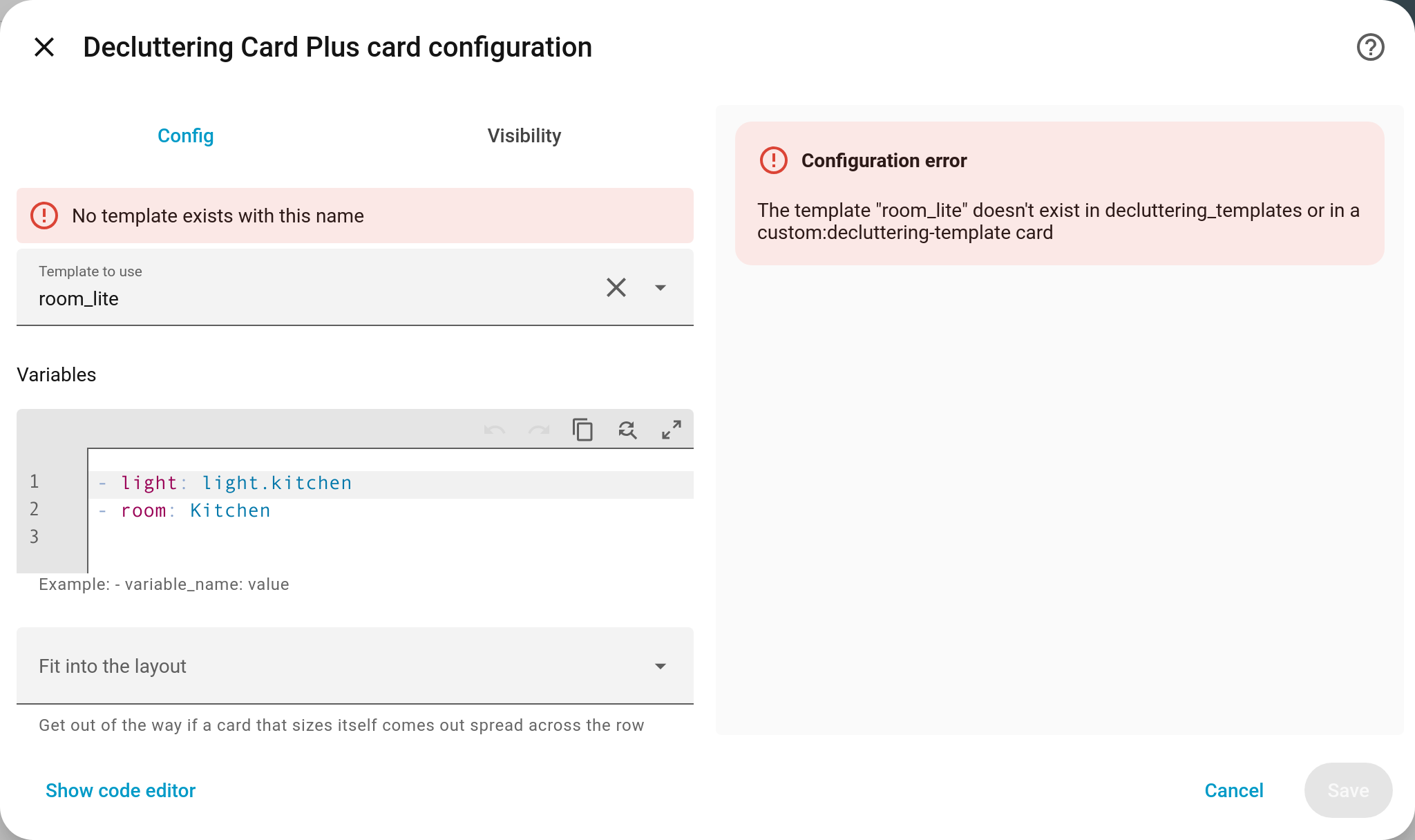
The editor says so under the template field, and the preview gives the name it looked for — quicker than reading the red card on the dashboard.
- Check the spelling against the template's name.
-
Check where you defined it.
decluttering_templatesmust be at the root of the dashboard config, level withviews:— not inside a view. - Check which dashboard. Templates are per dashboard. A template on your main dashboard is invisible to your tablet dashboard unless you borrow it.
- If the message mentions
decluttering_templates_from, the borrowed dashboards were read and did not contain it either. Check the console forcould not read the dashboard "…", and check the URL path against Settings → Dashboards — it is the path in the address bar, not the title.
A template must contain exactly one of card, badge, row, element.
# ❌ two content keys
my_template:
  card:
    type: tile
  row:
    entity: sensor.x
# ❌ none - the content is at the wrong level
my_template:
type: tile
entity: sensor.x# ✅
my_template:
card:
type: tile
entity: sensor.xvariables (and default) must be a list. Every entry needs a leading -.
variables:
  - light: light.kitchen
- room: Kitchenentity: [[light]] # ❌
entity: '[[light]]' # ✅A [ at the start of a value begins a YAML list, so an unquoted placeholder that is the
whole value is a syntax error. Inside a longer string it is fine unquoted.
Make sure the placeholder is the entire value:
grid_options:
columns: '[[cols]]' # ✅ whole value - stays a numbergrid_options:
columns: 'col-[[cols]]' # ❌ part of a string - becomes textSee Variables.
Almost always because the selector cannot cross a shadow boundary.
style: |
ha-card { border: 2px solid red; } # ❌ never matchesstyle: |
:host {
--ha-card-border-color: red;
--ha-card-border-width: 2px;
} # ✅Style Home Assistant cards through CSS custom properties. Full explanation and a table of what does and does not reach the card: Styling.
Borrowed dashboards are read once per page load and cached. After editing a template on the source dashboard, refresh the browser on the dashboards that borrow it.
See Sharing Templates Between Dashboards.
A variable refers to itself, directly or through a chain:
default:
- name: [[name]] light' # ❌ refers to itselfdefault:
- a: '[[b]]'
- b: '[[a]]' # ❌ cycleBreak the loop by introducing a separate name:
default:
  - label: [[name]] light'    # ✅
- name: KitchenAnother card owns that type — normally the original decluttering-card running alongside
this one. Everything still works, but you are getting the other card's behaviour for
custom:decluttering-card. Remove the original: see
Migrating from decluttering-card.
The card could not find the dashboard configuration to read templates from. This happens where there is no normal Lovelace dashboard around the card — some kiosk and embedding setups, for example. Casting is handled.
Set grid_options inside the template's card, not on the
custom:decluttering-card-plus instance. The card reports the wrapped card's options to
the layout, so they belong with the card they describe. See Cards.
Positioning (top, left) goes on the instance, in the elements: list. Appearance
goes in the template. Both are called style, which is confusing — Elements
has a table.
Remember that Picture Elements positions by the top-left corner. Add
transform: translate(-50%, -50%) to centre on the point.
| Symptom | Cause |
|---|---|
| Nothing renders, no error | The list is empty. That is deliberate — an empty for_each renders nothing rather than failing |
| for_each needs a template that defines a card | The template defines a row, badge or element. Only cards can be stacked |
| Every copy looks the same | The items are not overriding what you think. A value in the card's own variables: is shared; an item's own value wins over it |
| The copies are stacked, not side by side |
columns is absent or 1
|
See Repeating a Template.
The card editor says "This variable is set here but never used by the template".
The template does not contain [[that_name]] anywhere that gets substituted. Usually a
typo, or a leftover from an older version of the template. It is a warning, not an error —
an unused value does no harm beyond the confusion.
The mirror image, "This variable is declared but never used in the template", appears in the template editor for a declaration with no matching placeholder.
Note that a placeholder sitting inside the value of a variable nothing refers to is never substituted, so it does not count as used. See Describing Variables.
A template whose card uses that same template has no natural end: every level builds the next one before any of them reach the page, so nothing in the layout ever gets the chance to stop it.
From v1.2.0 the card refuses instead, and names the path round the loop:
The template "room_tile" uses itself (room_tile → room_tile), which would never finish. A template cannot contain a card that uses it.
These templates use each other in a loop (a → b → a), which would never finish. One of them has to stop using the next.
The fix is always the same: one of them has to stop calling the next. If you meant to nest a different template, check the name — it is easy to paste a card and forget to change it.
On an older version, the only way out is to edit the dashboard's YAML somewhere other than that tab: another device, the file editor, or the raw configuration editor reached before the view loads.
A template name that does not exist now offers the closest one that does:
The template "room_tiel" doesn't exist … Did you mean "room_tile"?
Usually that is a typo, or a template that was renamed. If the name you wanted is on
another dashboard, list that dashboard in
decluttering_templates_from.
The editor's Result view shows this, but not when the card only misbehaves on a phone,
or in a view whose editor is awkward to reach. debug: true puts it on the dashboard
instead of the card:
type: custom:decluttering-card-plus
template: room_tile
variables:
  - entity: light.hall
debug: true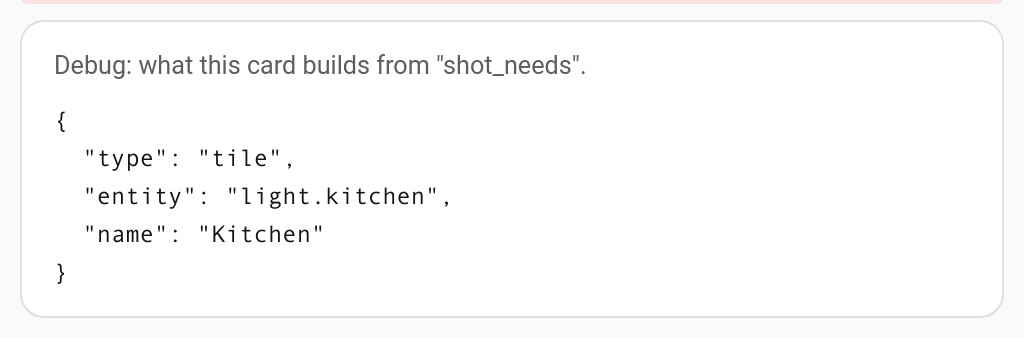
Anything still written as [[name]] there is a variable nothing gave a value to.
Nothing here normally stops a card rendering — a template can be edited after the cards that use it, so a card that looks wrong now may be right in a moment. If you are building a template for other people, you may want the opposite:
type: custom:decluttering-card-plus
template: room_tile
strict: true
A console warning, not an error. A registry sweep that matches half the house builds half
the house, which reads as a broken dashboard rather than a big one. If it was deliberate,
ignore it; if not, narrow the repeat
or put a limit on it.
Open an issue at tempus2016/decluttering-card-plus/issues with:
- your template definition and the card that uses it,
- what you expected and what you got,
- anything from the browser console (F12),
- your Home Assistant version and how you installed the card.