Repository navigation
Home
History, health checks and alerts for every device on your Zigbee2MQTT networks.
Ever had a device show up as 0x30eb5affff5cf5ca and had no idea what it used to be? The tracker records every name, model, area and change, and keeps the record after the device is gone. It also watches each device's signal, battery and readings, and tells you when something needs attention.
New in 2.0: rate your devices and help everyone choose Zigbee devices that work.
It comes in two parts, both in the same repository:
| Part | What it does |
|---|---|
| App | Listens to Zigbee2MQTT over MQTT, keeps the history, runs the health checks and sends alerts. Opens as Zigbee Tracker in the sidebar. Required. |
| Integration | Optional. Adds summary sensors, battery and maintenance to-do lists and calendars, actions for automations, dashboard cards and Repairs issues you can fix from Home Assistant. |
| I want to… | Read |
|---|---|
| Install it | Installation |
| Change a setting | Configuration |
| Find a device or see what it used to be | Devices and history |
| Understand a health warning | Health checks |
| Get alerts on my phone or in automations | Alerts and notifications |
| Pause alerts while I work on Zigbee, or hold them overnight | Alerts and notifications |
| Hear straight away when a smoke or leak sensor drops out | Critical devices |
| Know when a device that should report often goes quiet | Expected reporting |
| See which router each device uses | Network map |
| Update device firmware, or let it happen overnight | Firmware updates |
| Pair a device, or move it to a closer router | Pairing and moving devices |
| Swap a dead device for a new one | Replacing a device |
| Know which batteries to buy | Batteries |
| Rate my devices, or see which models others recommend | Community ratings |
| Get reminded to test a smoke alarm | Maintenance tasks |
| Use tracker data in automations | Home Assistant entities |
| Add a dashboard card, the battery to-do list or actions | Integration and card |
| Use the sidebar in my language | Configuration |
| Back up or export the history | Backup and data |
| Graph the data in Prometheus or Grafana | Prometheus metrics |
| Fix something that isn't working | Troubleshooting |
- Home Assistant OS or a Supervised install, because the app is a Home Assistant app (add-on). A plain container install of Home Assistant can't run apps.
- Zigbee2MQTT, one or more instances, publishing to the MQTT broker Home Assistant uses (normally the Mosquitto broker app).
- For the optional integration: Home Assistant 2025.1 or newer, and HACS.
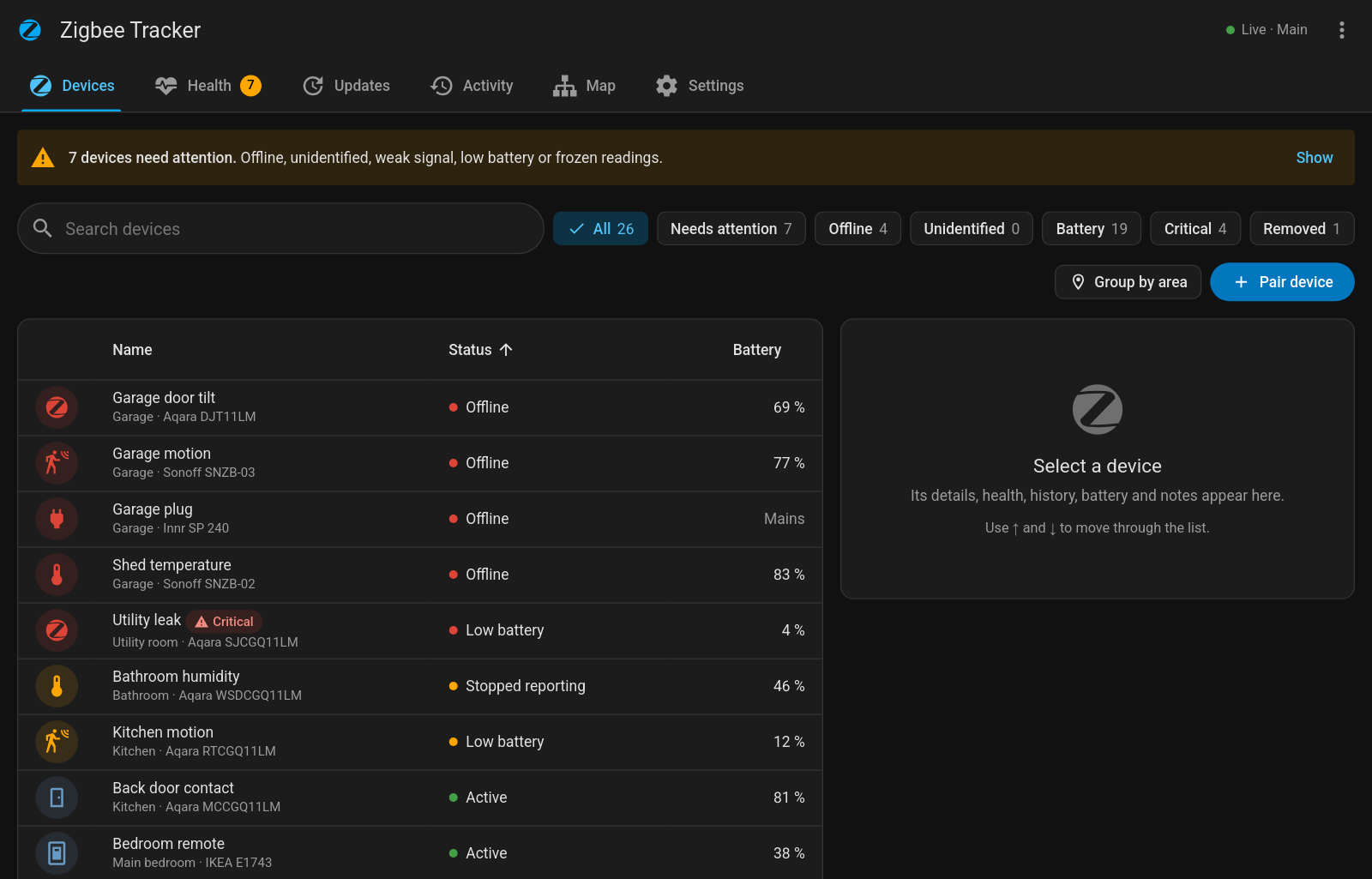
| Tab | What's on it |
|---|---|
| Devices | Every device, current and removed, with search and filters. Open one for its details, history, long-range trends, battery and notes. |
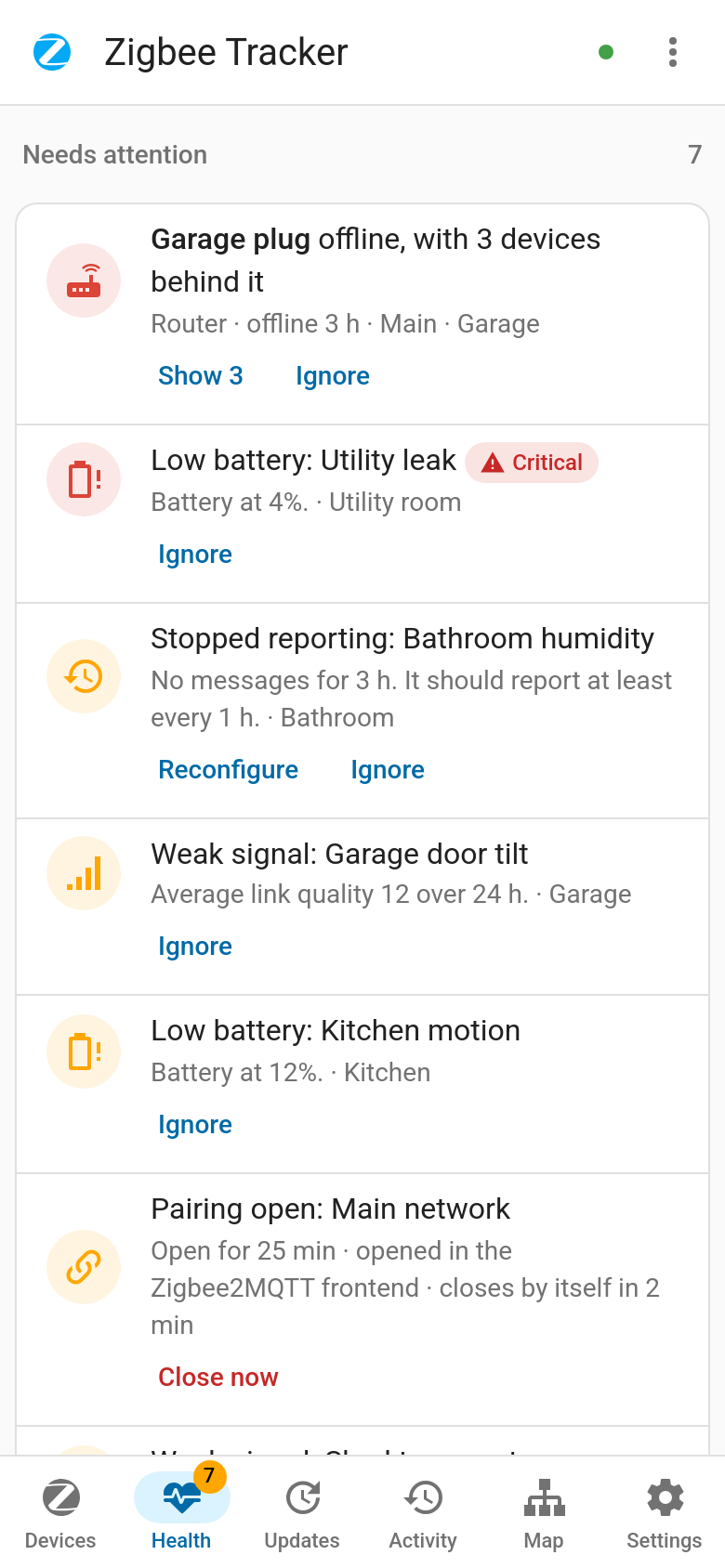
| Health | Everything that needs attention, plus coordinator health, batteries to buy and in stock, leftover devices in Home Assistant, radio channels and Zigbee2MQTT groups. |
| Updates | Every device with a firmware update, installed one at a time, with an optional overnight window. See Firmware updates. |
| Activity | A day-by-day log of joins, leaves, renames, removals, outages and battery changes. |
| Map | Interactive mesh map from the routing scan, or a floor plan grouped by Home Assistant floor and area, with advice and before/after comparison. |
| Settings | Notifications and quiet hours, checks, thresholds, routing scan, entities, language, backup, import and export. |
On a phone, the tabs move to a bar at the bottom of the screen, Health lists the problems first, Settings has a row of chips that jump to each section, and the map zooms with two fingers.
Update the app and the integration together.
- What a problem affects: the automations, scripts and scenes that use a device with a problem, on the Health tab and in its alerts.
- Buttons on phone alerts: Mute 24 h, Ping and Battery replaced, and tapping opens the device.
- Incidents on the Activity tab group related problems with a likely cause.
- Commands and Reporting sections on a device's Health tab.
- The effect of an upgrade of Zigbee2MQTT or coordinator firmware, and Zigbee2MQTT settings changes.
- What if a router goes and Where to add a router on the Map tab.
- A pairing helper that names new devices from a naming pattern.
- Maintenance tasks, with a to-do list and calendar in the integration.
- Battery brands and how long each lasts.
- Reliability by model.
- Prometheus metrics.
- New health checks: Slow to respond, Misses commands, Reporting settings, Naming, Maintenance overdue and Worse since upgrade. They show on the Health tab and only send alerts once you turn that on.
- Expected reporting for devices that should report more often than Zigbee2MQTT's offline timeout, set one at a time or for many at once.
- Pause alerts, quiet hours with a morning summary, and critical devices.
- Router outages send one alert for the router instead of one for each device behind it.
- New health checks: Stopped reporting, Pairing left open, Changes router often, Router getting slower, Zigbee2MQTT memory, Group members offline and Daily signal dip. Plus the Groups card and Leftover in Home Assistant.
- Ping for mains devices, and nightly reply times for routers.
- Battery stock, per-device limits, and values under the pointer on every chart.
- The map's Names option, and a Links switch on the floor plan.
- The sidebar, the app's options, the integration and the cards in 11 more languages.