Repository navigation
Safety checks
A merged or empty status means the branch's work is safe. Before removing the folder, zap checks it for anything else a removal would lose. A worktree has to pass every check.
| Check | Passes when |
|---|---|
not-main |
It is a linked worktree, not the repository's main checkout |
unprotected |
Its branch isn't the target branch or listed in protect
|
unlocked |
Nobody locked it with git worktree lock
|
inspected |
zap could run every check. If one fails to run, zap keeps the worktree. |
clean |
No uncommitted or untracked changes |
no-hidden |
No files hidden from git status with assume-unchanged or skip-worktree
|
keep-ignored |
No ignored files that match keep_ignored, such as .env or keys |
old-enough |
Nothing in it changed within min_age (1 day by default) |
not-cwd |
You aren't running zap from inside it |
not-in-use |
No shell, terminal editor or agent started inside it is still running. zap can't yet tell when a GUI editor like VS Code has the folder open, so close it before you clean |
zap runs the checks when it lists worktrees and again right before removing each one.
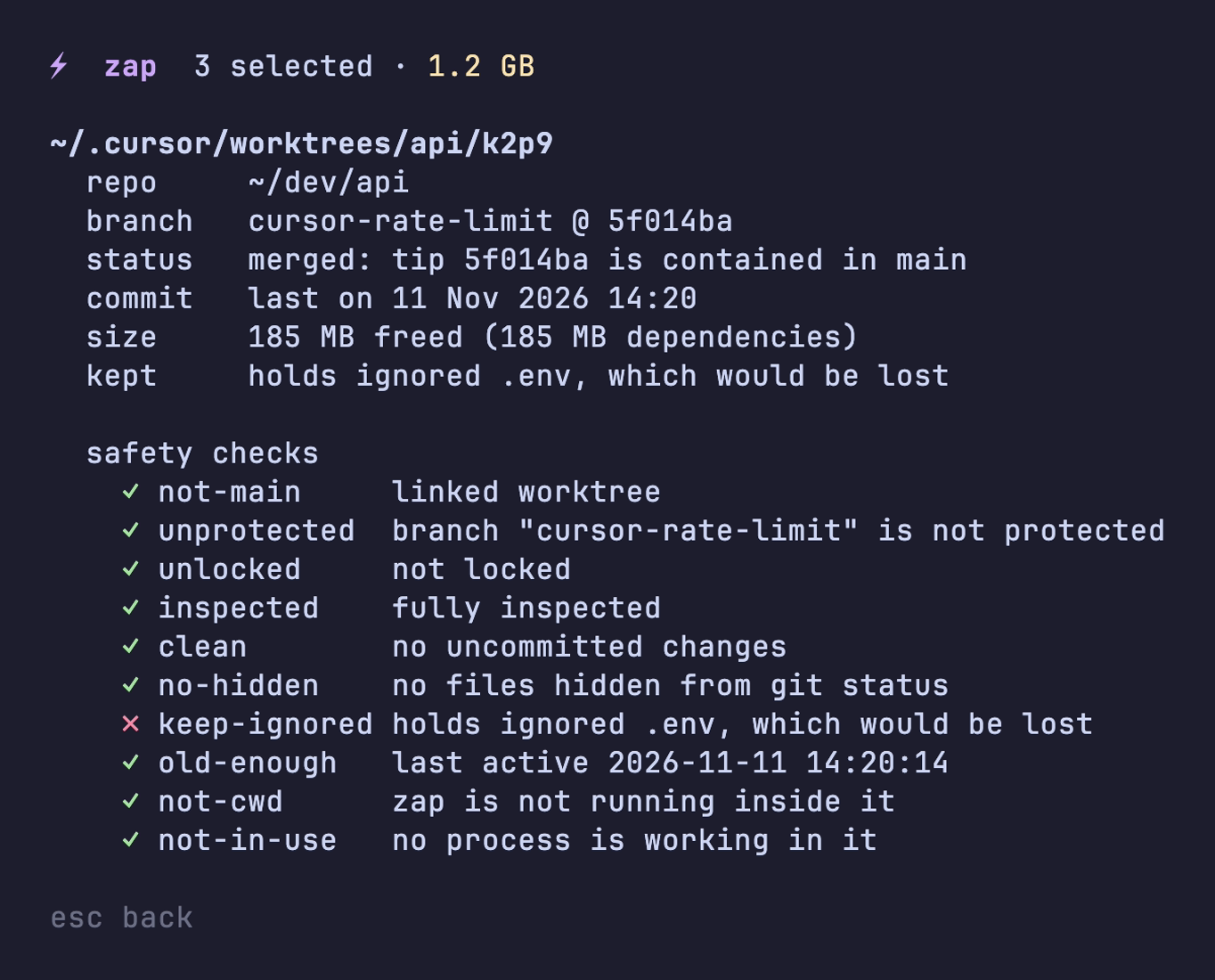
zap deletes a branch only when the target already holds its work or the branch has no commits. A gone or missing worktree with unmerged commits keeps its branch. Either way, zap saves the branch tip under refs/zap/backup/ before deleting it, so Undo can bring it back.
Files git ignores aren't in any commit, so removing the folder deletes them for good. For node_modules, .venv or target that costs you a reinstall or a rebuild. For a .env with API keys in it, you lose the keys. keep_ignored lists the files zap protects:
keep_ignored = [".env", ".env.*", ".envrc", "*.pem", "*.key", "*.p12", "*.pfx", "*.tfstate"]Add your own patterns in the .zap file. To let zap remove the worktree, move the file somewhere safe first.
Some tools lock a worktree while they use it. If the lock names a process that is no longer running, zap reports it as stale. zap clean --unlock-stale releases a stale lock, so the worktree can go if it passes the other checks. zap never releases a lock held by a running process.