Repository navigation
The picker
Run zap with no command to choose what to remove by hand. zap --all covers every repository under your scan roots.
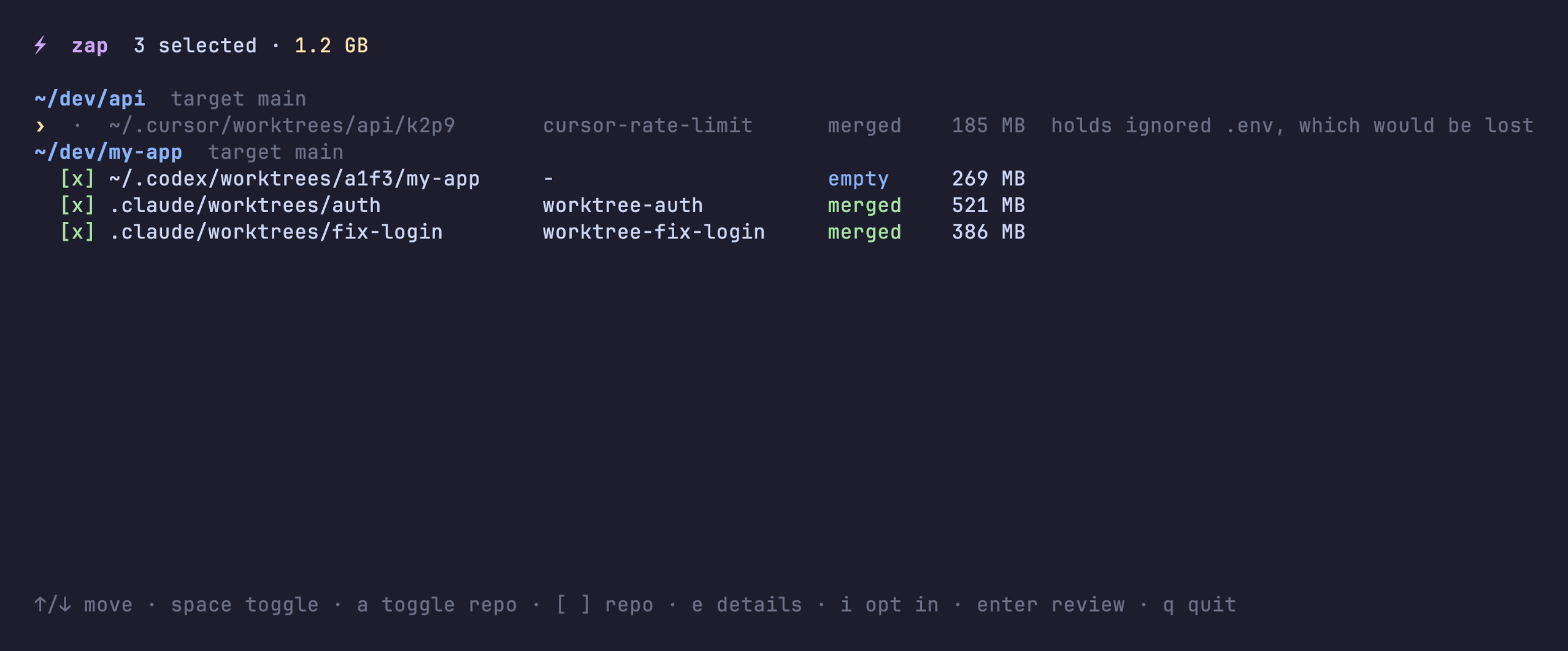
Worktrees zap would remove start selected ([x]). zap dims the ones it keeps and shows the reason at the end of the line. Active worktrees don't appear at all.
| Key | Does |
|---|---|
↑ ↓
|
Move |
space |
Select or unselect a worktree |
a |
Select or unselect a whole repository |
[ ]
|
Jump to the previous or next repository |
e |
Show every safety check for the worktree under the cursor |
i |
Opt the repository in (writes .zap) |
enter |
Review the selection |
q |
Quit without changing anything |
Press e on any row to see its status, size, what zap would do, and every safety check:

On a kept worktree, the failing check is marked ✗:
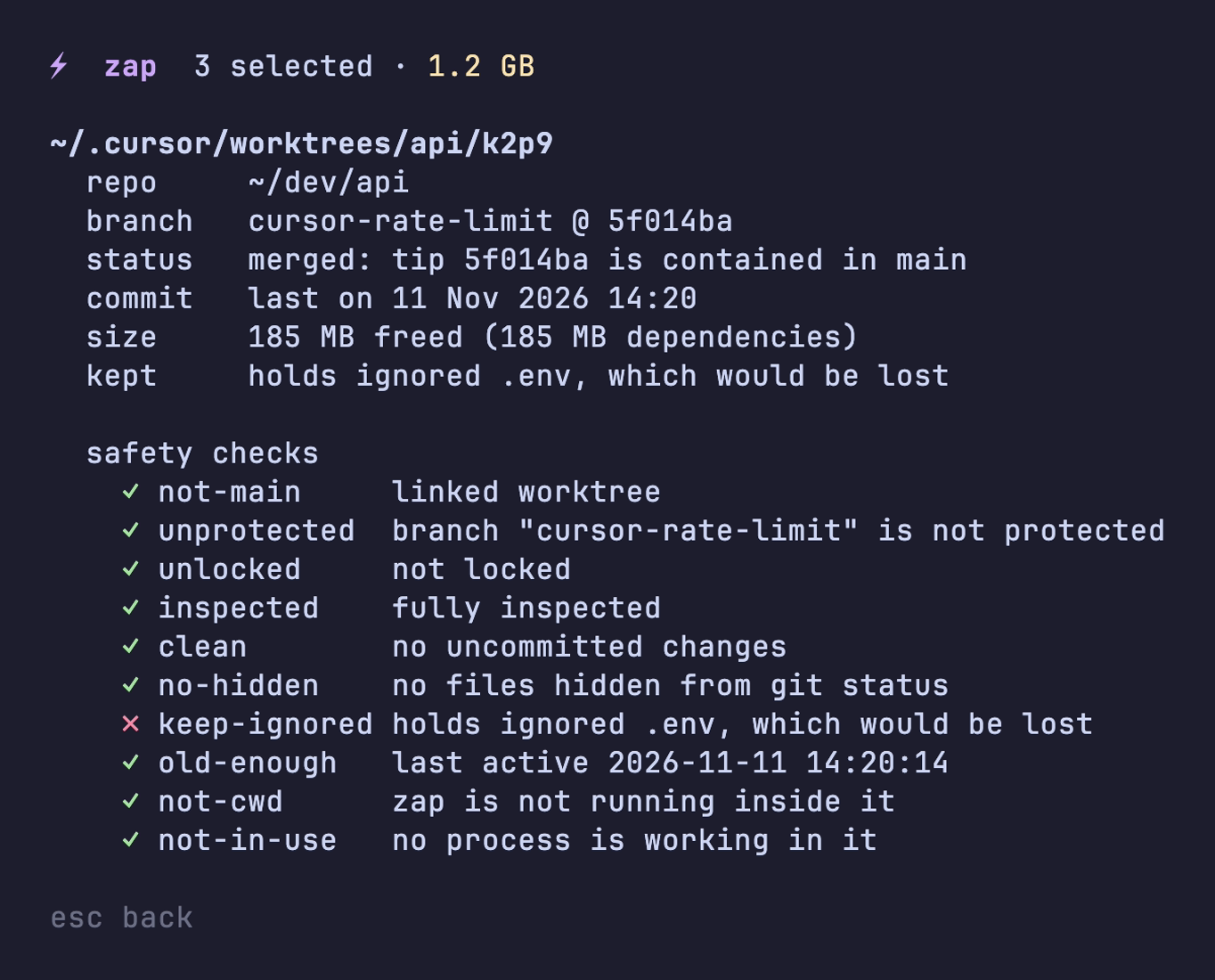
esc goes back to the list.
enter shows what will happen to each selected worktree:

y zaps them and n takes you back to the list.

If a repository's .zap adds the idle rule, unmerged worktrees nobody has touched for a while (30 days by default) show up in the picker, unselected. Selecting one removes the worktree but keeps its branch. zap clean never removes idle worktrees.