Repository navigation
Your first scan
zap scan only reads. Run it inside any repository:
cd ~/dev/my-app
zap scan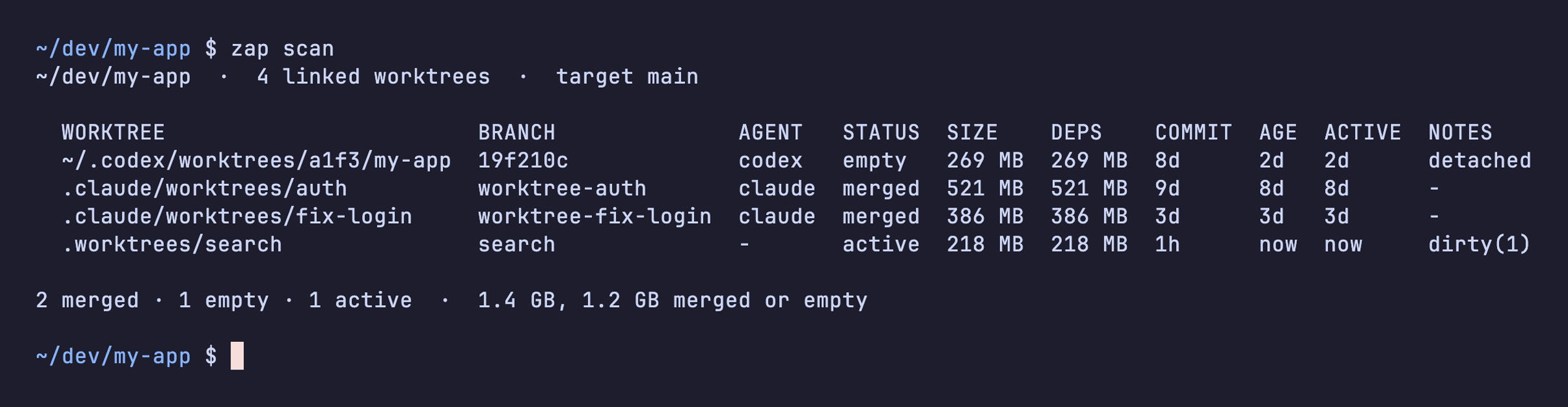
Each row is one linked worktree. zap leaves the main checkout (~/dev/my-app itself) out of the list and never removes it.
| Column | What it tells you |
|---|---|
| WORKTREE | Where the folder is. Paths inside the repository are shown relative to it. |
| BRANCH | The branch it has checked out, or a commit hash if it is detached. |
| AGENT | Which agent made it, guessed from the folder: .claude/worktrees is Claude Code, ~/.codex/worktrees is Codex, and so on. - means zap can't tell, which usually means you made it. |
| STATUS |
merged, empty, active and a few others. See How zap decides. |
| SIZE | How much disk removing it would free. |
| DEPS | The part of SIZE in node_modules, .venv, target and other dependency or build folders. |
| AGE | When the worktree was created. |
| ACTIVE | When anything in it last changed. |
| NOTES | Extra facts, such as dirty(1) for one uncommitted file or detached. |
In this example, the two Claude Code worktrees are merged into main, the Codex one never got a commit of its own, and search has an uncommitted change. zap would offer the first three for removal and leave search alone.
zap scan --all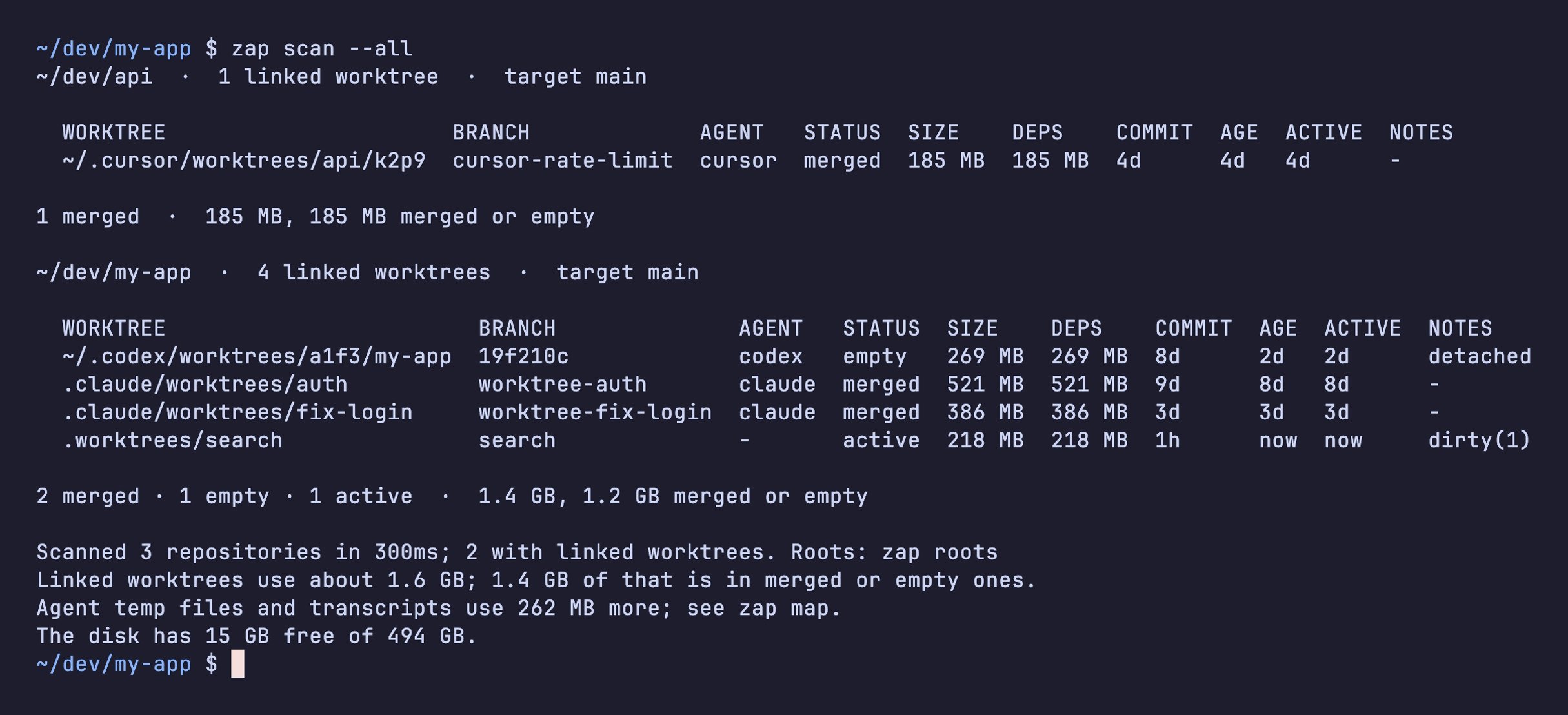
--all searches your scan roots (~/dev, ~/code, ~/src, ~/projects and the folders agents use) for repositories. To change where it looks, see Scan roots.
The last lines total it up: how much space linked worktrees use, how much of that is merged or empty, and how much free space your disk has.
Measuring sizes takes most of the time on a big disk. Skip it with --no-size.